13 Best virtual event platforms of 2026
Hosting an online event sounds easy until you’re dealing with clunky virtual event platforms, low engagement, and the stress of managing every segment live. From registrations and streaming to breakout sessions and networking, it’s a…

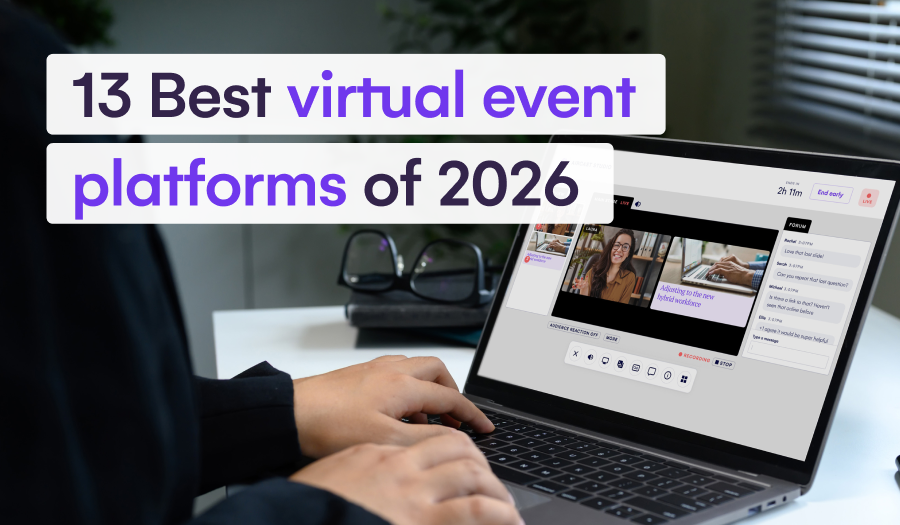
Hosting an online event sounds easy until you’re dealing with clunky virtual event platforms, low engagement, and the stress of managing every segment live. From registrations and streaming to breakout sessions and networking, it’s a lot to coordinate, and one glitch can throw off the entire experience.
The right virtual event platform brings everything into one place, so you can focus on delivering a smooth, interactive event that keeps people engaged from start to finish.
In this EventsAir guide, we’ll walk you through the best virtual event hosting platforms to help you compare your options. We’ll also explain how to choose software that meets your event needs, team workflow, and budget.
The 13 best virtual event platforms of 2026
| # | Tool | Pricing | Trial details | Best for |
| 1 | EventsAir | Custom pricing | Free demo | Comprehensive event lifecycle management |
| 2 | vFairs | Custom quote-based pricing | Free demo | Immersive virtual events |
| 3 | RingCentral | From $99 monthly | 30-day free trial | Multi-session virtual events |
| 4 | Cvent | Custom, quote-based pricing | Free demo | Enterprise-grade event management |
| 5 | Eventbrite | Free plan available for free events. Paid plans from 3.7% and $1.79 per ticket | Free trial | Event ticketing and discovery |
| 6 | Whova | Custom pricing | Free trial after demo | Attendee networking and community engagement |
| 7 | Virtual PRO | Plans from $15,000 per year | Demo available | Event branding and customization |
| 8 | Canapii | From $2,950 per event | Free trial | Live translation and multilingual accessibility |
| 9 | Accelevents | From $7,500 per event | Free trial | Lead generation for complex events |
| 10 | EventMobi | From $3,500 per event | Trial available after demo | Attendee engagement and personalization |
| 11 | Goldcast | Custom pricing | Free trial | B2B demand-generation events |
| 12 | Bizzabo | From $17,999 annually | Demo available for software tour | Conferences and hybrid events |
| 13 | Airmeet | Free plans are available. Paid plans start from $167 monthly, billed annually | 10-day free trial | Networking-led virtual event experiences |
What is a virtual event platform?
A virtual event platform is a tool that helps you plan and run events entirely online, including small webinars and large conferences.
Instead of using separate apps for event registration, streaming, audience interaction, and analytics, virtual event software brings everything together in one dashboard. These tools help you manage speakers, schedule sessions, track attendance, and engage attendees with features like live chat, polls, breakout rooms, and virtual networking.

The end goal is to replicate the same energy of physical events and create an interactive virtual experience that keeps your audience connected, no matter where they’re joining from.
Why is virtual event software important?
- Centralizes event management: Handle registration, speakers, engagement, reporting, and agenda creation from one platform. No need to juggle multiple tools.
- Creates a smooth attendee experience: From branded event hubs to live chat and session replays, virtual platforms make online events feel seamless and professional.
- Drives real-time engagement: Features like live Q&A, polls, chat, and event gamification keep attendees engaged and active throughout the event.
- Delivers measurable results: Track session attendance, audience interaction, and content performance. Platforms like EventsAir give you real-time insights to refine your future events.
- Flexible for any event size: Whether you’re running a webinar for 50 or a multi-day summit for thousands, virtual platforms can scale up (or down) to fit your needs.
How we evaluated these virtual event platforms
Choosing the right virtual event platform depends on more than features alone. It also comes down to how well the software supports your event format, audience size, engagement goals, and team workflow.
To build this list, we reviewed popular and widely used virtual event hosting platforms based on the factors that matter most to professional event organizers. These include:
- Audience engagement tools, such as polls, chat, Q&A, networking, and gamification
- Support for webinars, conferences, expos, hybrid events, and multi-session programs
- Registration, ticketing, branding, and customization options
- Integrations with CRM, marketing, streaming, and collaboration tools
- Reporting, analytics, sponsor visibility, and lead capture capabilities
- Pricing transparency, trial availability, scalability, and overall value
Together, these criteria helped us assess not just what each platform offers, but where it fits best in a real event planning workflow.
Top 13 virtual event platforms to consider
- EventsAir
- vFairs
- RingCentral
- Cvent
- Eventbrite
- Whova
- Virtual PRO
- Canapii
- Accelevents
- EventMobi
- Goldcast
- Bizzabo
- Airmeet
1. EventsAir
Best for: All-round event lifecycle management
EventsAir is an all-in-one event management platform built to deliver engaging virtual event experiences. Our platform combines live streaming, audience engagement, content delivery, and event management, all in one integrated system. Whether you’re running a small webinar or a global conference, EventsAir gives you the tools to create events that feel seamless and interactive.

With over 30 years of experience and 400,000+ events powered worldwide, EventsAir is behind some of the world’s most complex and engaging virtual events.
A standout example is Major Events International (MEI), which used our platform to transform its Major Events Summit into a fully virtual conference. With EventsAir, the team delivered 39 sessions over three days, hosted 1,150 delegates from 70 countries, and more than doubled its typical audience, all on one secure platform.
For organizations that can’t risk technical issues or poor user experiences, EventsAir delivers with enterprise-grade security, 24/7 support, and broadcast-level virtual production tools.
Key Features
- Live streaming tools: Broadcast live sessions, switch between multiple camera feeds, and integrate pre-recorded content.
- All-in-one platform: Manage event registrations, speakers, sessions, and engagement for virtual attendees in one place.
- Unified attendee engagement: Keep attendees involved with interactive quizzes, polls, live chat, networking, and gamification.
- Custom registration workflows: Build tailored registration forms with conditional logic and multiple payment options.
- Branded mobile apps: Offer attendees a custom-branded app for agendas, speaker info, networking, and push notifications.
- Lead capture tools: Help sponsors and exhibitors capture and manage leads during virtual expos.
- Comprehensive analytics: Monitor attendance, engagement levels, and ROI with real-time dashboards and post-event reports.
- Event marketing suite: Build event microsites, send targeted email campaigns based on virtual conference trends, and track performance across channels.
- CRM and marketing integrations: Easily connect with Salesforce, HubSpot, Dynamics 365, and other marketing tools.
Pricing
Contact EventsAir for a custom quote.
Pros
- Complete virtual event management in one platform
- Professional-grade streaming and broadcast support
- Highly customizable event website builder with flexible branding and design options
- Advanced analytics for measuring ROI and engagement
- Robust attendee engagement features
- Scalable for both small virtual events and large global summits
- 24/7 support from experienced event tech specialists
Cons
- May be more feature-rich than necessary for simple webinar programs
2. vFairs
Best for: Immersive virtual events
vFairs is a virtual event hosting platform known for its immersive 3D environments and comprehensive features that support online and in-person events. The platform is widely used for virtual job fairs, trade shows, expos, and conferences, offering organizers the tools to create engaging, interactive experiences for remote attendees.

With vFairs, you can replicate the energy of physical events through virtual lobbies, exhibitor halls, auditoriums, and networking lounges, all customizable to reflect your brand. This makes it a good option for events where visual immersion and exhibitor presence matter, though teams planning simpler webinars or content-led conferences may not need the full 3D environment.
Key Features
- 3D virtual spaces: Design branded lobbies, booths, and auditoriums that mirror the look and feel of real events.
- Interactive booths: Let attendees explore virtual exhibitor booths with live chat, video demos, and downloadable resources.
- Built-in streaming: Host webinars, panel discussions, and keynotes with live Q&A, polls, and chat all in one place.
- Smart matchmaking: Connect attendees and exhibitors using AI-powered interest filters for better networking.
- Post-event insights: Track attendance, booth visits, downloads, and engagement with detailed reports.
Pricing
Contact v Fairs for a custom quote.
Pros
- Immersive virtual spaces that feel like real event venues
- Strong tools for exhibitors and sponsors to capture leads
- Reliable support team from pre-event setup to post-event wrap-up
- Built-in networking features like video chats, group chat, and discussion boards
Cons
- Some design templates have limited customization options
- Occasional lag in chat or networking features during peak times
- Not all webinar formats are supported, which may limit presenter flexibility
3. RingCentral
Best for: Multi-session virtual events
RingCentral Events (formerly Hopin Events) is an event management platform that helps you host virtual conferences and events. It’s a great fit for businesses already using RingCentral’s tools and looking to add events or sessions without juggling multiple platforms. However, integrations outside the ecosystem may be more limited.

Among its virtual event services are branded virtual venues, live sessions, and interactive networking. This makes RingCentral a good option for teams that need a flexible, all-in-one solution that works well for occasional events.
Key Features
- Interactive networking: Connect attendees with 1-on-1 video calls, speed networking, and group chats.
- Built-in streaming: Run live sessions, breakout rooms, or pre-recorded presentations all within the platform.
- Custom branding: Make your event feel like your own with branded colors, logos, and layouts.
- Lead generation tools: Help sponsors and exhibitors track booth visits and connect with attendees.
- Analytics dashboard: Monitor attendance, engagement, and session performance in real time.
Pricing
- Free trial: Free for 30 days
- Events Pro: $99 per organizer/month (billed annually)
- Events Pro+: $199 per organizer/month (billed annually)
- Events Enterprise: $299 per organizer/month (billed annually)
Pros
- High-quality streaming for webinars and live sessions
- Strong engagement features like polls, chat, and networking tools
- Custom branding options with flexible layout controls
- Easy integration with RingCentral’s CRM and marketing tools
Cons
- Fewer moderation tools for managing large sessions
- Onboarding may take time for new users unfamiliar with the platform
- Limited integration with apps outside the RingCentral ecosystem
4. Cvent
Best for: Enterprise-grade event management
Cvent is a long-standing name in event tech, trusted by enterprise teams to run large, complex events, both in person and online. Its virtual event tools cover everything from registration and branded event hubs to content delivery and post-event reporting, all in one platform.

It’s especially popular for corporate summits, academic conferences, and enterprise association events where security and scale really matter. Smaller teams may find the platform complex, especially if they want a simpler setup or more flexible day-to-day workflows.
Key Features
- Custom registration: Set up ticket types, waitlists, access levels, and custom workflows for different attendee groups.
- Engagement tools: Keep audiences involved with live chat, polls, Q&A, surveys, and gamification.
- Sponsor and exhibitor support: Offer branded virtual booths with lead capture and engagement tools.
- Advanced reporting: Get real-time data on session attendance, engagement, and ROI.
- CRM integrations: Easily connect with Salesforce, HubSpot, Marketo, and other marketing tools.
Pricing
Contact Cvent for a custom quote.
Pros
- Built for enterprise-level virtual and hybrid events
- Strong security and compliance for regulated industries
- Scales easily for global, multi-session events
- Seamless integrations with CRM and marketing platforms
Cons
- Steeper learning curve compared to simpler platforms
- Setup can be time-consuming without tech support
- It may be too complex for small teams or one-off events
5. Eventbrite
Best for: Event ticketing and discovery
If you’re planning a virtual workshop, meetup, or webinar and want something that gives you exposure, Eventbrite is one of the easiest platforms to get started with. You can integrate it with popular streaming tools like Zoom, Microsoft Teams, or YouTube Live, so hosting your session is straightforward and flexible.

It’s ideal for creators, educators, nonprofits, and small businesses that need simple event ticketing and discovery. However, teams running large-scale conferences may need deeper registration workflows, sponsor tools, and reporting.
Key Features
- Quick registration and ticketing setup: Create branded pages with easy event registration and ticketing in just a few steps.
- Live interaction: Event attendees can participate actively in live networking activities throughout the event.
- Promotion tools: Boost attendance with email campaigns, discount codes, and social sharing.
- Real-time analytics: Track ticket sales, page views, and audience behavior as your event unfolds.
- Mobile-friendly: Attendees can register, pay, and join your event from any device.
Pricing
- Free events: Free to publish and manage.
- Paid events: 3.7% + $1.79 service fee per ticket, plus 2.9% payment processing fee per order.
- Eventbrite Pro add-on: Starts at $15/month for extra marketing tools and email
Pros
- Great for ticketed events, webinars, and small events
- Built-in promotional tools with email reminders and social sharing
- No upfront cost for free events
- Event discovery tools help attendees find local events worldwide
Cons
- Limited support for hybrid or multi-day virtual events
- Transaction fees can add up for high-ticket or large-volume events
- Not ideal for complex or large-scale virtual conferences
6. Whova
Best for: Attendee networking and community engagement
Whova is an event and abstract management platform that offers tools to help you plan and run virtual gatherings with high attendee engagement and networking.

The platform lets you manage everything from live sessions and virtual booths to interactive agendas, discussion boards, and even icebreaker games, all from one easy-to-use dashboard. This makes it a strong fit for conferences, association meetings, and community-led events where attendees need easy ways to connect before, during, and after sessions.
Organizers can also schedule sessions, update speaker details, and send real-time announcements. For teams planning highly produced virtual broadcasts or complex multi-track programs, Whova will likely need to be paired with additional production or streaming tools.
Key Features
- Interactive agendas: Let attendees build personal schedules and join sessions straight from the app.
- Streaming integrations: Easily connect with Zoom, YouTube Live, or Vimeo to deliver your sessions.
- Audience engagement: Boost audience engagement with meetups, message boards, photo contests, and 1:1 messaging.
- Sponsor and exhibitor support: Set up virtual booths with lead capture and branded content.
- Mobile access: Attendees can view schedules, connect, and stay updated right from their phone.
Pricing
Contact Whova for a custom quote.
Pros
- Strong attendee networking and interaction features
- Great for academic, association, and community-driven events
- Easy setup for virtual sessions and speaker info
- Useful for both one-off and recurring events
Cons
- Limited options for customizing branding and layouts
- Not built for high-production or multi-track virtual events
- Reporting and analytics may be less detailed than other platforms
7. Virtual PRO
Best for: Event branding and customization
Virtual PRO is a brand-focused virtual event management system that positions itself as the go-to tool for event branding and seamless attendee experiences. Built for high engagement, this platform uses automation, interactive tools, HD streaming, and comprehensive integrations to deliver polished, brand-consistent event experiences .
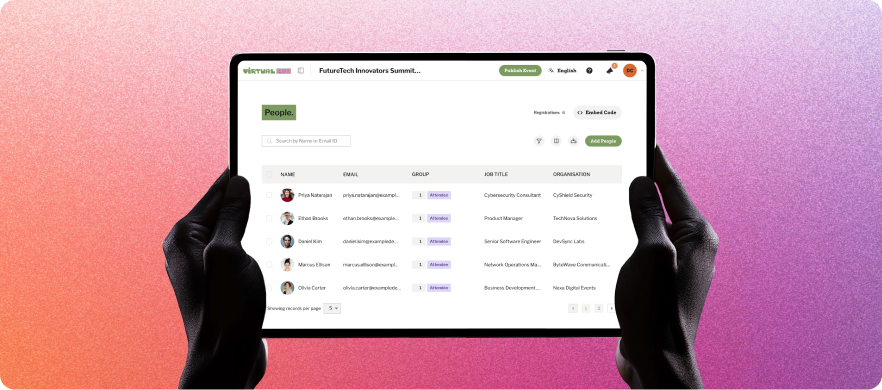
This platform prioritizes audience interaction, using tools like gamification, quizzes, and networking rooms to ensure ample participation throughout the event. However, while its engagement depth is useful, the interface can feel busy for first-time users configuring branded networking and session experiences.
Key Features
- Multi-session event management: Run multiple event sessions, tracks, and agendas within a single event.
- Networking and attendee interaction features: Let attendees connect with each other through messaging, discussion spaces, or networking lounges.
- Branded event experiences and customizable layouts: Customize event pages with logos, banners, and layouts to create a more professional and branded experience.
- Analytics and attendee tracking: Get reports that let you track attendance, audience behavior, engagement levels, participation rates, and viewing time.
- CRM and marketing integrations: Seamlessly integrate with CRM and marketing platforms like HubSpot, Salesforce, and Marketo.
Pricing
- PRO 1: $15,000/year, including unlimited events, 1 admin seat, 1 channel, support for up to 1,000 attendees per event, and standard support
- PRO 4: $50,000/year, including everything on the PRO 1 plan, 4 admin seats, up to 4,000 attendees per event, and premium support.
- PRO 10: $125,000/year, including everything in the PRO 4 plan, 10 admin seats, and up to 10,000 attendees per event.
- PRO Max: Offers custom pricing for enterprise-grade event management.
Virtual PRO also offers a full creative team that supports event planning and management. Depending on your preferences, these services start at $2,000.
Pros
- Strong customer support and onboarding experience
- Good engagement and networking tools
- Professional-looking event environment
- Reliable for large virtual and hybrid events
Cons
- Breakout rooms and email customization can feel restrictive
- Some users report technical glitches
- Landing page builder can be difficult to navigate
8. Canapii
Best for: Live translation and multilingual accessibility
Canapii is a flexible virtual event software for teams that need to manage global events with ease. It’s a great fit for corporate meetings, product launches, and international conferences, especially when you want a smooth experience without relying on multiple tools or large in-house tech teams.

From speaker onboarding and AI-powered translations to branded event spaces and post-event analytics, all its virtual event services are built in. This is especially useful for events that span different time zones or require multi-language support, offering a seamless experience for both organizers and attendees.
For smaller webinars or single-session events, though, some small teams may find the platform’s global event features more advanced than necessary.
Key Features
- AI subtitles and translations: Support for 50+ languages with real-time subtitles and pre-translated on-demand content.
- Branded virtual venue: Customize session pages, lobbies, booths, and sponsor spaces to match your brand.
- Gallery pages: Let attendees post photos and videos, join group chats, and connect around creative or activity-based sessions.
- Meeting scheduling: Control who can book meetings and when. Attendees can schedule 1:1 video calls directly through the platform.
- Automated emails: Send confirmations, meeting invites, and reminders triggered by attendee activity.
Pricing
- Trial plan: Free limited trial access with up to 20 registrations/month.
- Essential plan: Starts at $2,950 per event.
- Professional & enterprise plans: Custom quote-based depending on event needs.
Pros
- Excellent international support with AI-powered translations
- Unique engagement tools like gallery pages and smart scheduling
- Built-in production and speaker support
- Ideal for branded, large-scale, or multi-time-zone events
Cons
- Day-of-production support isn’t included by default
- It may be too advanced for small or simple events
- Limited customization for reports
9. Accelevents
Best for: Lead generation for complex events
Accelevents is a flexible event software built to support virtual events, from small webinars to large conferences, expos, and trade shows. It combines ease of use with strong registration tools, ticketing, lead capture, and exhibitor tools, making it useful for events with clear commercial or sponsor goals.

It’s especially strong in corporate training, professional development, and industry-specific conferences across sectors like healthcare, education, tech, and finance. For complex events, teams may need to assess whether Accelevents connects registration, sponsor activity, attendee engagement, and reporting deeply enough across the full event journey.
Key Features
- Lead capture and scoring: Give sponsors tools to collect, track, and qualify leads in real time.
- Multi-track events: Host multiple sessions, keynotes, and breakout rooms at the same time.
- Virtual expo hall: Set up interactive booths with live chat, downloadable content, and lead capture.
- Built-in ticketing: Sell tickets directly through the platform with flexible event management pricing and discount options.
- CRM integrations: Easily connect with HubSpot, Salesforce, Marketo, and other event marketing platforms.
Pricing
- Professional: From $7,500 one-time payment for a single event.
- Business: From $13,500 flat-rate pricing for unlimited events.
- Custom quote for large-scale and fully branded event programs.
Pros
- Responsive customer support during setup and live events
- Built-in engagement tools like chat, polls, and exhibitor booths
- All-in-one platform with ticketing, streaming, and analytics
- Real-time reporting to track attendee activity and performance
Cons
- Limited design flexibility for users who want advanced customization
- Some features may be tricky to use without training
- Building an event may be overwhelming for new users
10. EventMobi
Best for: Attendee engagement and personalization
EventMobi is a flexible virtual event platform that gives organizers full control over event branding, engagement, and content delivery. It’s a great fit for mid-sized conferences, internal meetings, and association events where personalization and attendee experience are key.

The platform lets you build a fully branded virtual venue with custom pages, personalized schedules, and sponsor spaces, all designed to keep attendees connected and engaged. Its main strength is the attendee-facing experience, while registration, reporting, and backend operations receive less emphasis.
Key Features
- Custom virtual spaces: Build your own event hub with sponsor areas, session pages, and breakout rooms.
- Branded mobile app: Offer a seamless experience for both virtual and in-person attendees with fully branded apps.
- Built-in production studio: Livestream sessions or blend pre-recorded and live content without needing third-party tools.
- Real-time engagement: Use polls, interactive quizzes, and event surveys to keep attendees involved.
- Cross-channel analytics: Track engagement across virtual and in-person touchpoints to improve future events.
Pricing
- Per event: From $3,500 per event.
- Annual plan: From $7,900 per year for unlimited events.
- Custom plans: Custom pricing based on specific requirements.
Pros
- Comprehensive all-in-one platform with no hidden fees
- Highly customizable branding with drag-and-drop flexibility
- Strong engagement features and simple mobile tools
- Excellent customer support and professional services
Cons
- Entry-level pricing may be high for smaller events
- Some features (like streaming and badge printing) are add-ons
- Attendees occasionally report login issues and in-app navigation challenges
11. Goldcast
Best for: B2B demand-generation events
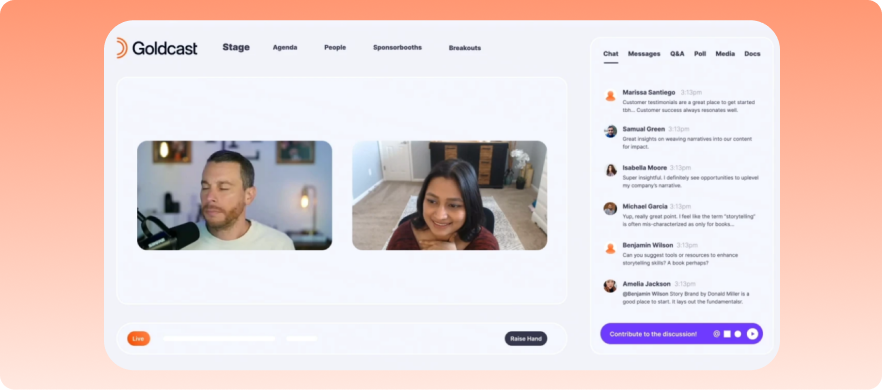
Goldcast helps B2B companies host virtual events that serve as revenue-generation channels. Powered by AI, it is designed mainly for marketers and sales teams that want to attract leads, engage prospects, and measure ROI from events.
This virtual event management platform helps you measure audience engagement, track lead capture, and repurpose content, making it particularly well-suited for B2B webinars, virtual summits, or product launches.
Its marketing-first focus makes it strong for demand generation, but less suited to complex conferences that need deeper operational workflows.
Key features
- Branded event experiences: Design registration pages, virtual stages, event hubs, and session rooms to fit your brand identity.
- AI content repurposing: Turn event recordings into short clips, social media content, highlight reels, and blog-ready assets automatically.
- On-demand content hub: Store and organize recorded sessions so attendees can access content even after the live event ends.
- CRM and marketing integrations: Connect with platforms like Salesforce, HubSpot, and Marketo to track leads and measure pipeline impact.
- Interactive engagement tools: Keep attendees engaged with live chat, polls, Q&A sessions, CTAs, and networking lounges.
Pricing
Contact Goldcast for a quote.
Pros
- Advanced AI-powered system for optimized virtual event marketing
- Excellent for generating and nurturing leads
- Comprehensive attendee behavior insights
- Integrates well with CRM and marketing tools
Cons
- Entry-level pricing can be high for startups or smaller organizations
- Some advanced workflows and integrations may require onboarding
- Built mainly for B2B marketing, not social or networking-first events
12. Bizzabo
Best for: Conferences and hybrid events
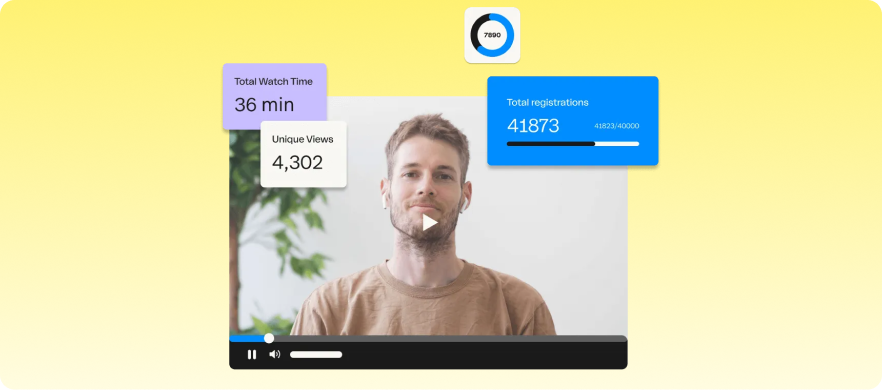
Bizzabo is a virtual and hybrid event management software designed for enterprises that want to deliver large-scale events and analyze data from them afterward. The platform combines in-person and virtual event management tools into one system, making it ideal for conferences and B2B events.
Bizzabo is notable for its focus on attendee experience, event data, and hybrid-event coordination. Its enterprise focus and higher pricing make it less practical for teams that need flexible, full-lifecycle event management without a heavy investment.
Key features
- Hybrid event management: Manage virtual and in-person attendees, sessions, networking, and engagement from one centralized platform.
- Smart event networking: Connect attendees with similar interests and goals, using AI-powered matchmaking and networking tools.
- Detailed customization: Build event pages, mobile apps, registration flows, and virtual venues using Bizzabo’s available templates and branding options.
- Advanced event analytics: Track attendee engagement, session performance, sponsor ROI, and audience behavior.
- Sponsor and exhibitor management: Manage sponsor booths, lead capture, meeting scheduling, and exhibitor engagement, while tracking ROI and event performance.
Pricing
- Business events: $499/user/month (billed annually) or starting at $17,999/year (annual subscription required).
- Enterprise plans: Quote-based, varying by event volume, features, and add-ons.
Pros
- Built for large-scale hybrid and enterprise events
- Combines virtual and in-person event management effectively
- Advanced analytics and reporting tools
- Fully customizable and brand-friendly
Cons
- Pricing can be expensive for smaller businesses
- Better suited for enterprise events than small community events
- Advanced tools come with a steep learning curve
13. Airmeet
Best for: Networking-led virtual event experiences
If you’re trying to make your virtual events more social and interactive, Airmeet should be at the top of your list. Among its virtual event management services, it is renowned for enhancing audience engagement with networking lounges, check-in tools, and collaborative engagement features.
You can use it to host workshops, community meetups, training sessions, and virtual conferences. While it excels in spontaneous attendee interaction, highly structured conferences with complex agendas and access rules may require more control than what Airmeet offers.
Key features
- Interactive session tools: Keep your attendees engaged using live polls, Q&A sessions, breakout rooms, chats, and audience reactions.
- Social lounge experience: Create community-focused spaces where participants can interact before, during, and after sessions.
- Virtual networking tables: Allow attendees to move freely between virtual tables for face-to-face video conversations and group discussions.
- Customizable event spaces: Personalize event stages, registration, and exhibitor booths to connect better with your audience.
- Hybrid event capabilities: Combine physical and virtual attendee experiences with livestreaming and engagement tools.
Pricing
- Webinars: Starts at $167/month (billed annually)
- Events plan: Customized quote depending on your needs.
- Managed events: Brand conferences starting from $4999.
Pros
- Excellent for networking-heavy virtual events
- Strong attendee interaction and engagement tools
- Easy-to-use interface with minimal setup
- Supports both virtual and hybrid events
Cons
- Some advanced customization options may require higher-tier plans
- May not offer enough control for large-scale or highly structured events
- Pricing may increase significantly for bigger attendee volumes
How to choose the right virtual event platform
The best virtual event platform is one that fits your event format, audience size, team workflow, and long-term goals. Use the following to narrow your options before committing to a platform.
- Outline your must-have features: Based on your event’s needs, create a checklist of features that matter the most. Prioritizing your must-have features will help you avoid paying for tools you don’t need.
- Estimate your audience size and budget: Determine your audience size and budget, and select a platform and pricing plan that aligns with both.
- Assess ease of use: Test the interface through free trials or demos. Look out for simple dashboards, straightforward ticketing, and smooth registration so attendees can access the event without confusion.
- Review scalability options: Choose a platform that can support your event as it grows, especially if you plan to host larger audiences, find more speakers, or hold recurring events in the future.
- Test integration and branding options: Check whether the platform connects with your CRM, marketing tools, streaming setup, and branding requirements.
- Review security and data protection measures: Look out for strong security management features, like attendee authentication, secure payments, and responsive support to help in case technical issues arise during your event.
Host seamless & engaging virtual events with EventsAir
Not every virtual event platform is built the same. Some are perfect for small teams running webinars. Others power multi-day global conferences. The best choice depends on your goals, audience, and internal capacity.
If you need an all-in-one platform that handles registration, streaming, engagement, and post-event insights for both small-scale events and global multi-day conferences, EventsAir is built for you. From engaging virtual environments to mobile apps and analytics, we give you the control and flexibility to deliver seamless, engaging events at any scale.
Ready to simplify your next virtual event? Book a demo with us today!
Frequently asked questions
1. Are there free virtual event platforms available?
Yes, there are several free virtual event platforms available, including basic webinar and meeting tools. However, free plans typically limit attendee numbers, branding options, reporting capabilities, networking features, and customer support.
For organizations running professional conferences, association events, training programs, or large-scale virtual events, a dedicated virtual event platform often provides greater flexibility and scalability.
Before choosing a platform, consider your event goals, audience size, and the level of engagement you want to deliver.
2. What features should I look for in a virtual event platform?
The best virtual event platforms should support the entire event lifecycle, not just live streaming. Key features to look for include:
- Live streaming and on-demand content
- Event registration and ticketing
- Virtual networking and meeting scheduling
- Interactive engagement tools such as polls, Q&A, surveys, and chat
- Sponsor and exhibitor experiences
- Mobile event apps
- Analytics and reporting dashboards
- CRM and marketing integrations
- Branding and customization options
- Dedicated customer support and onboarding
The right platform ultimately depends on your event type. For example, a virtual conference may require robust networking and sponsor tools, while a training event may prioritize content delivery and attendee tracking. Choosing a platform that aligns with your goals will help maximize engagement, attendance, and ROI.
3. Can virtual event platforms integrate with CRM and marketing tools?
Yes. Most leading virtual event platforms offer integrations with popular CRM, marketing automation, and business systems, including Salesforce, HubSpot, Marketo, Microsoft Dynamics, and other third-party applications.
These integrations help event organizers automate attendee management, synchronize registration data, track engagement, nurture leads, and measure event performance more effectively. They also reduce manual data entry and ensure event insights flow seamlessly into your broader sales and marketing processes.
4. What virtual event platforms are secure for large events?
Organizations hosting large-scale conferences, government events, association meetings, or corporate programs should prioritize virtual event platforms with enterprise-grade security features. These may include encrypted data transmission, secure attendee authentication, role-based access controls, payment security, compliance support, audit trails, and secure integrations with existing business systems.
It’s also important to evaluate how a platform manages attendee data, supports privacy regulations, and protects against unauthorized access during live sessions.
Product Comparison
See EventsAir in action
Discover why 12,000+ event professionals trust EventsAir to deliver effortless events, every time.