

How to Measure and Improve Audience Engagement at Events


You can fill every seat and still have a disengaged audience. Attendance numbers tell you who showed up. Engagement metrics tell you whether they actually got value from being there.
The difference matters. Engaged attendees stay longer, participate more, connect with sponsors, and come back next year. Disengaged attendees check their email during sessions, skip the networking, and quietly decide not to return.
This guide breaks down how to measure audience engagement at events, which metrics matter most, and how to use that data to create experiences people genuinely want to be part of.
What is audience engagement?
Audience engagement refers to the degree to which attendees actively participate in and interact with your event. It goes beyond passive attendance to measure how involved, attentive, and connected people are throughout the experience.
Engagement happens at multiple levels:
- Content engagement: Attending sessions, asking questions, participating in polls
- Social engagement: Networking, conversations, community interactions
- Platform engagement: App usage, resource downloads, schedule building
- Sponsor engagement: Booth visits, lead capture interactions, sponsored session attendance
A truly engaged audience isn't just present. They're participating, connecting, and finding value in the experience you've created.
Why measuring engagement matters
- Proves event ROI: Registration numbers show reach. Engagement numbers show impact. The second is what stakeholders and sponsors actually care about.
- Identifies what's working: High engagement in certain sessions or formats tells you what to double down on. Low engagement tells you what to fix or cut.
- Improves sponsor value: Sponsors pay for access to engaged audiences. Engagement data helps you prove that value and justify pricing.
- Predicts retention: Engaged attendees return. Tracking engagement helps you identify at-risk segments before they quietly disappear.
- Guides real-time adjustments: Live engagement data lets you adapt on the fly, not just learn for next year.
Key audience engagement metrics to track
Not all engagement metrics are created equal. Focus on metrics that connect to your event goals and give you actionable insights.
Session engagement
| Metric | What it tells you |
| Session attendance rate | Percentage of registrants who actually attended each session |
| Session completion rate | How many attendees stayed until the end vs. dropped off early |
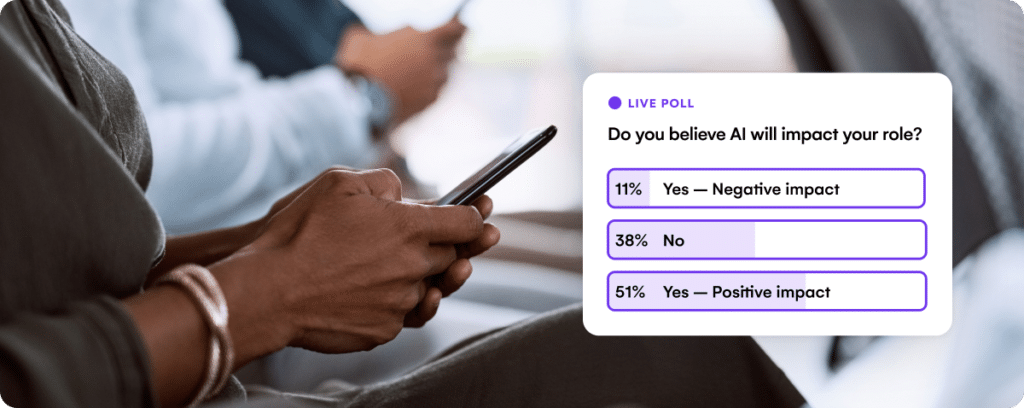
| Poll participation rate | Percentage of attendees who responded to live polls |
| Q&A activity | Number of questions submitted per session |
| Content rating scores | Attendee ratings of session quality and relevance |
Low attendance with high completion suggests a niche but engaged audience. High attendance with low completion suggests the topic drew interest but the delivery didn't hold attention.
Networking and social engagement
| Metric | What it tells you |
| Meetings scheduled | Number of 1:1 meetings booked through your platform |
| Connections made | New contacts added or connection requests sent |
| Attendee messages sent | Direct communication between attendees |
Strong networking metrics often correlate with higher satisfaction scores and return attendance. People come for the content but stay for the community.
App and platform engagement
| Metric | What it tells you |
| App adoption rate | Percentage of attendees who downloaded and activated the app |
| Daily active users | How many attendees engage with the app each day |
| Feature usage | Which app features get used most (schedule, maps, networking) |
| Resource downloads | How many attendees accessed presentations or materials |
Low app adoption often points to awareness or onboarding issues. Low feature usage after adoption suggests the features aren't valuable or intuitive enough.
Sponsor and exhibitor engagement
| Metric | What it tells you |
| Booth traffic | Number of attendees who visited each exhibitor |
| Leads captured | Number of badge scans or contact exchanges |
| Sponsored session attendance | Turnout for sponsor-led content |
These metrics directly impact sponsor satisfaction and renewal rates. If you can show sponsors strong engagement data, you strengthen the partnership.
Overall event health
A few high-level metrics give you the holistic view: Net Promoter Score (NPS) measures likelihood to recommend. Overall satisfaction scores capture general sentiment. Return intent predicts future attendance. And social media mentions show how much organic conversation your event generates.
How to track audience engagement
Knowing what to measure is only half the battle. You also need systems to capture the data.
1. Set up tracking before the event
Define which metrics matter most based on your event goals—whether that’s boosting sponsor ROI, tracking session attendance, or increasing app engagement. With EventsAir, all attendee interactions are automatically captured across the platform, from registration and check-in to app usage and lead scanning.
You can configure your reports in advance, so you’re always ready to pull the latest data without manual effort. While not every team member needs to know your measurement strategy, it’s crucial that those overseeing registration, engagement, or sponsor support understand their part in enabling accurate, real-time data capture.
2. Capture engagement in real time
During the event, your job shifts from setup to monitoring.
EventsAir's engagement insights give you real-time visibility into participation across all these areas.
You can monitor session attendance, app usage, poll participation, and sponsor interactions from all in one connected system, spotting gaps as they happen rather than discovering them in post-event reports.
Beyond that, here are some tailored suggestions for different kinds of engagement monitoring:
Session engagement
Use check-in scans or app-based attendee activity for each session. Run live polls and Q&A not just for audience interaction but because they generate engagement data as a byproduct. If you're tracking completion rates, note the timestamps when attendees leave sessions early.
App and platform activity
Beyond general usage stats, EventsAir offers detailed, individual attendee activity tracking. Each attendee’s Contact Record includes an Access Log showing exactly when and how they accessed the app, right down to timestamps, session views, and feature interactions.
Need deeper insight? Use the Online Activity Log under Attendee Tools to see exactly where attendees spent their time and how they engaged across sessions, networking, and gamification features. These insights help you fine-tune future experiences based on actual behavior, not assumptions.
Sponsor interactions
Make sure exhibitors are scanning badges and logging interactions consistently. Without reliable lead capture, your sponsor engagement data will have gaps. Check in with sponsors throughout the event to ensure their scanning tools are working and they're using them.
Social activity
Track your event hashtag and mentions across platforms. Tools like Sprout Social or native platform analytics can help, or simply assign someone to monitor and log activity throughout the event.
Alternatively, you can tap into EventStream, EventsAir’s private in-app social feed. Attendees can post updates, photos, and comments in real time, creating a dynamic digital footprint of engagement during your event.
3. Compile and analyze after the event
Send post-event surveys while the experience is fresh. Waiting more than a week significantly drops response rates and recall accuracy. Capture satisfaction scores, NPS, and open-ended feedback on what worked and what didn't.
Pull engagement reports from your event app, registration system, and check-in tools. Look for patterns:
- Which sessions had the highest completion rates? What did they have in common?
- Where did attendees spend the most time in the app?
- Which sponsors saw the most traffic? Which were overlooked?
- Did engagement differ by attendee segment (first-timers vs. returners, different ticket types)?
Build a composite engagement score by weighting and combining individual metrics. This gives you a single number to track year over year, while the underlying metrics tell you where to dig deeper.
How to improve audience engagement
Data without action is just trivia. Here's how to turn engagement insights into concrete improvements.
1. Optimize session formats based on completion data
If session completion rates are low, the problem is usually format, not content. Attendees were interested enough to show up. Something lost them along the way.
Try these adjustments:
- Shorten sessions or build in more breaks
- Add interactive elements every 10-15 minutes (polls, exercises, partner discussions)
- Train speakers on engagement techniques, not just content delivery
- Experiment with formats (panels vs. solo presentations, workshops vs. lectures) and compare the data
The content often isn't the problem. The packaging is. A 60-minute lecture covering the same material as a 30-minute talk with 15 minutes of Q&A will almost always see lower completion rates.
Interactivity breaks up passive listening and gives attendees a reason to stay engaged.
2. Build networking into the structure
Hoping attendees will network organically during coffee breaks isn't a strategy. If your networking metrics are weak, you need to engineer more opportunities.
Structured options that work:
- Scheduled 1:1 meeting slots with matchmaking suggestions
- Topic-based roundtables or birds-of-a-feather sessions
- Speed networking sessions with timed rotations
- Smaller group dinners or activities alongside large receptions
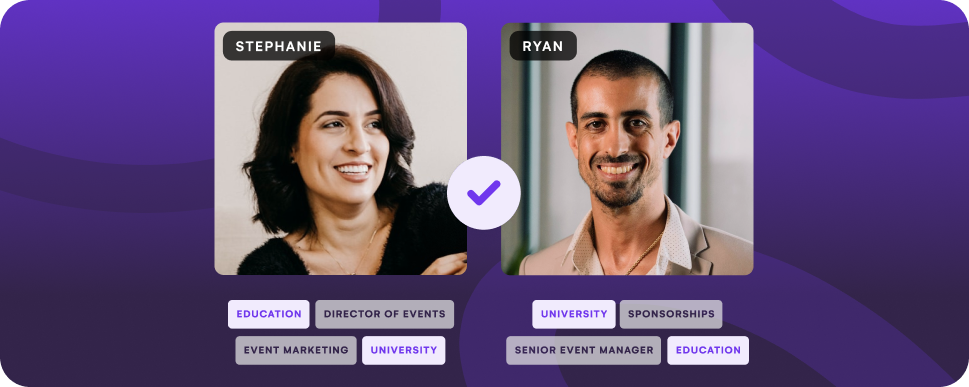
EventsAir's networking tools let attendees browse other participants, request meetings, and get matched based on shared interests or goals. When networking is built into the platform, it actually happens.
3. Increase app adoption to capture better data
Low adoption usually comes down to one of two problems:
- Attendees don't know about the app
- Attendees don't see the value
Solve the awareness problem with earlier and more aggressive promotion. Include app download instructions in confirmation emails, reminder emails, and on-site signage. Send a dedicated "download the app" email the week before.
Solve the value problem by making the app the primary hub for event information. Put the full schedule, session materials, and maps in the app. Use it for live polling and Q&A. When the app is genuinely useful rather than redundant with printed materials, adoption follows.
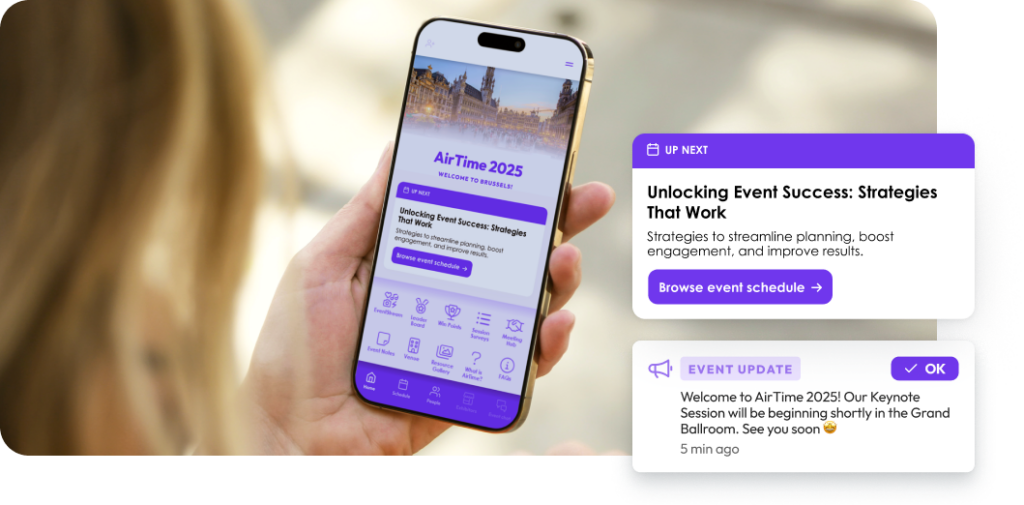
EventsAir's mobile event app puts schedules, networking, live polling, and event content in one place. The built-in gamification tools encourage ongoing engagement rather than download-and-forget.
4. Give sponsors better tools and placement
Sponsor engagement is often a placement and tooling problem disguised as an attendee interest problem.
If booth traffic is low, look at where sponsors are located. High-traffic areas near food, registration, or main session rooms will always outperform quiet corners. Build sponsor touchpoints into the attendee journey: sponsored coffee breaks, charging stations, lounges, or lunch seating.
If leads captured are low even with decent traffic, the problem might be tools. Badge scanning should be fast and reliable. Exhibitors should have a simple way to add notes and qualify leads on the spot. The easier you make lead capture, the more data sponsors walk away with.
5. Use gamification to drive specific behaviors
Gamification works when it rewards actions you want to encourage. Define those actions first, then build the game around them.
| Engagement goal | Gamification tactic |
| Increase session attendance | Activities and goals tied to check-ins across tracks |
| Drive networking activity | Goals for meetings booked, connections made, messages sent |
| Boost sponsor engagement | Activities for booth visits, badge scans, sponsored sessions |
| Encourage app usage | Goals for completing profiles, downloading resources, using features |
| Build community participation | Activities for posting in event feed, commenting, sharing photos |
Keep the mechanics simple. Complex rules create confusion and drop-off. Make progress visible with leaderboards and achievement badges. Offer prizes people actually want, and make sure top prizes are achievable by engaged attendees, not just the most competitive participants.
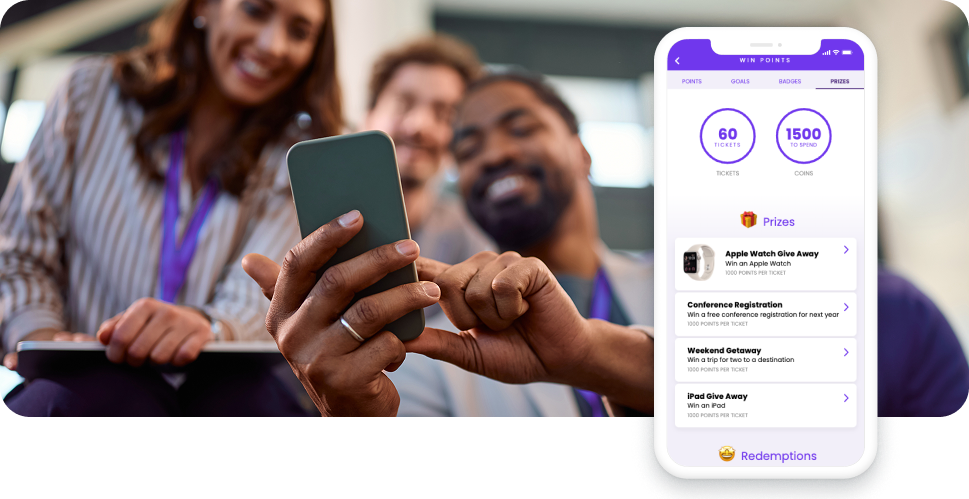
EventsAir's engagement tools give you tons of flexibility:
- Activities
- Games
- Goals
- Badges
- Prizes
- Social feeds
…and more.
You can tailor these options to your specific engagement objectives. Pair gamification with personalized notifications through the Attendee App to prompt participation and celebrate achievements.
6. Act on data during the event, not just after
Real-time data is only valuable if you use it in real time.
Monitor session attendance throughout day one. If certain rooms are packed while others sit half-empty, adjust your day two communications to steer traffic. If a session is generating unusually high Q&A activity, consider extending the time or scheduling a follow-up discussion.
Watch sponsor booth traffic patterns. If a sponsor in a prime location is still getting low visits, something's off. Check their booth setup, signage, or whether their offering is clear to passersby. A quick conversation and adjustment can salvage the experience.
Send targeted push notifications to re-engage quiet attendees. If someone hasn't opened the app since morning, a well-timed notification about an upcoming session or networking opportunity can pull them back in.
Turn engagement data into better events with EventsAir
Measuring engagement is only valuable if you can act on what you learn. Disconnected tools make that hard. You end up with data in five different systems and no clear picture of what's actually happening.
EventsAir brings engagement tracking together in one platform. Monitor session attendance, app usage, networking activity, and sponsor interactions in real time. Use built-in gamification and polling tools to drive participation. Then pull comprehensive reports that show exactly where engagement was strong and where it needs work.
Ready to create more engaging events? Get started with EventsAir today.
See EventsAir in action
Discover why 12,000+ event professionals trust EventsAir to deliver effortless events, every time.




Ready to transform event chaos into clarity?
With EventsAir, you’ll move from chasing logistics to creating unforgettable moments. Plan faster, act with confidence, and deliver exceptional events. Discover what’s possible with a personalized demo today.