

Best Church Event Registration Software: What It Is and Top 10 Tools of 2026

Managing church event sign-ups through a generic Google Form might work for smaller gatherings. But once events get more complex, that setup starts to fall apart.
Suddenly, you’re managing paid registrations, multiple attendee types, reminder emails, onsite check-ins, and reporting across disconnected systems. Manual processes not only create more admin work, but can also make the attendee experience feel disjointed and difficult to manage.
Having worked alongside organizations running events for more than 35 years, we’ve seen firsthand how the right registration platform can reduce operational complexity, improve communication, and create a smoother experience for both organizers and attendees.
To help simplify the search, we reviewed leading church event registration software based on the features, flexibility, and ease of use event organizers are most likely to need.
This guide walks through ten of the best church event registration software options available today to help you find the right fit for your organization.
What is a church event registration software?
A church event registration software lets you create sign-up forms for church events. At the simplest level, it replaces the clipboard at the welcome desk. Someone visits your church website, finds the event, fills out a form, and their details are stored in a database. Most basic tools also handle payment collection for paid events like retreats or fundraiser dinners.
The more robust platforms, however, go further than that. They connect event registration to your existing member database. Some also let you send automated reminders, manage check-ins on event day, and pull attendance reports afterward.
Because these features vary, not all tools work the same way. Most platforms fall into two main categories. Some are general event tools adapted for churches. Others are built specifically for churches, with workflows designed around how ministries actually run events.
10 best church event registration software
Here’s a quick side-by-side look at the ten best event registration solutions for churches in 2026:
| # | Software | Best for | Free trial | Starting price |
| 1 | EventsAir | For churches managing retreats, conferences, camps, or recurring community events | No | Custom, request a quote |
| 2 | Churchteams | Churches that want a dedicated management system with built-in registration | Yes (30 days) | $37/month |
| 3 | Planning Center | Churches already in the Planning Center ecosystem | Yes (30 days) | Free (paid from $15/month) |
| 4 | Eventbrite | Public-facing church events that need discoverability | No | Free for free events |
| 5 | RSVPify | Private or invite-only church events | Yes | Free (paid from $39/month) |
| 6 | Tithe.ly | Churches that want registration tied to their giving and member database | Yes (30 days) | $72/month |
| 7 | Chmeetings | Small churches on a budget that need affordable church management | No | $12/month |
| 8 | ChurchTrac | Small churches that want simple, low-cost event management | Yes (30 days) | $9/month |
| 9 | Church Windows | Churches that need strong accounting and fund management alongside events | No | $19/month |
| 10 | Bitrix24 | Churches willing to adapt a broad business management platform | No (free plan available) | Free (paid from $61/month) |
1. EventsAir
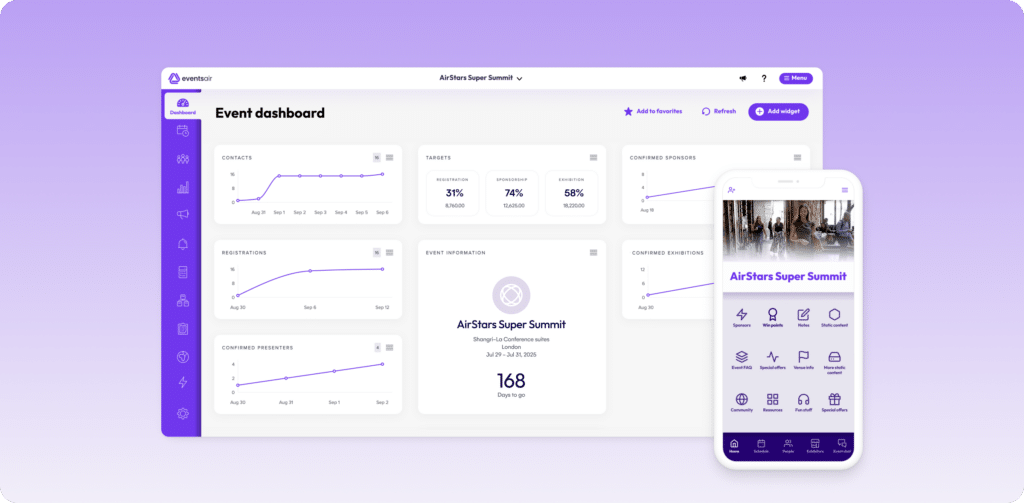
EventsAir is a comprehensive event management platform designed to support events of all sizes, including church conferences, retreats, camps, fundraisers, and recurring community gatherings.
The platform brings registration, attendee communication, check-in, reporting, and event management into one connected system, helping teams stay organized while creating a smoother experience for both attendees and volunteers.
For churches managing multiple sessions, paid registrations, growing attendance, or volunteer coordination, having everything centralized in one place can significantly reduce administrative workload and improve event-day efficiency.
EventsAir also offers the flexibility and depth needed to support larger or more detailed events, while still providing the tools many churches need to simplify ongoing event management and communication.
Key features
- Customizable registration workflows: EventsAir lets you build and personalize registration forms based on the type of event. Your forms can include different attendee types, conditional logic, and fields for whatever information you need from registrants.
- Event website builder: You can use the drag-and-drop website builder to create dedicated event pages. The builder also connects directly to your registration forms, so everything lives in one place rather than across separate tools.
- Email marketing tools: With EventsAir, you can send targeted email campaigns to specific groups of registrants, like first-time attendees versus returning members, without needing a separate email platform.
- Branded mobile attendee app: EventsAir also lets you publish a mobile app for your event, where attendees can access the event schedule, speaker information, and other event details.
- Real-time reporting and dashboards: Track registrations, attendance, and other event metrics as they happen during the event, not just after it ends.
Pricing & free trial
EventsAir uses custom pricing based on your needs and event volume. You’d have to reach out to the sales team to get specific numbers.
Pros
- Manages complex and large-scale event logistics easily
- Includes all core features in the license, removing ongoing add-on costs
- Registration pricing is based on a flat license fee, not per registrant
- Comprehensive data tracking and analytics features
- Supports virtual and hybrid events
- Centralizes event data in a single tool
Cons
- Built for scale, so smaller churches may not need everything it offers
2. Churchteams
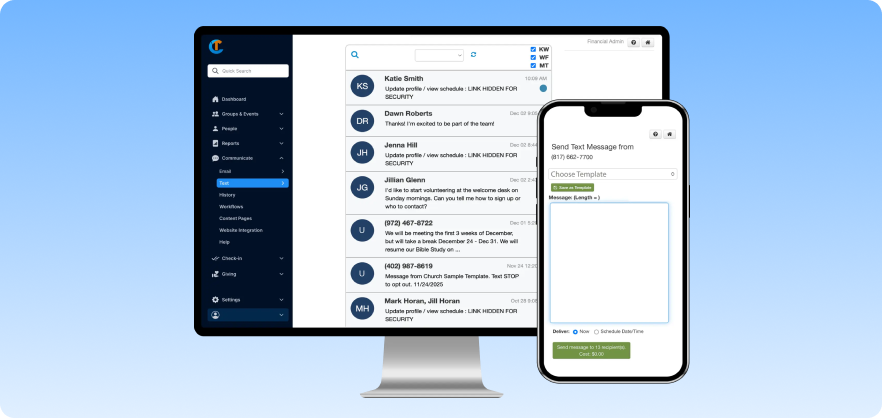
Churchteams, as the name gives it away, is purpose-built for church events. It is a church management system that has built-in event-registration features, along with membership management, payment processing, and group tracking capabilities.
It’s able to support church events of most sizes. But if you’re looking for a simple registration tool, the sheer number of features may be a lot to navigate.
Key features
- Text-to-church registration: Members can register for events by text, after which the system pulls up their profile from the existing member database and pre-fills their details in the registration form.
- Automated follow-up workflows: After someone registers, you can set up a sequence of follow-up emails or texts that go out automatically based on what they submitted.
- Offline registration support: If someone registers in person or over the phone, staff can enter that manually, and it all shows up in the same event dashboard alongside online registrations.
- Child check-in with security features: For church events involving children, the check-in system prints matching security labels for the child and the parent, and lets you add allergy or health notes directly on the tag.
Pricing & free trial
Churchteams offers four paid plans, and their exact price is based on the number of people in your database.
Here’s the starting price of all four plans supporting less than 200 people:
- Starter: $37/month
- All-pro: $47/month
- MVP: $67/month
- Homerun: $95/month
There's no free plan, but a 30-day free trial is available with no credit card required.
Pros
- Dedicated church event platform
- Text-to-register feature accommodates more people
- Customer support has a strong reputation among users
- Manages event payments and online giving in one place
Cons
- The breadth of features means a learning curve
- Not fully optimized for mobile devices
- Some add-ons cost extra on top of the base plan
3. Planning Center (Registrations module)
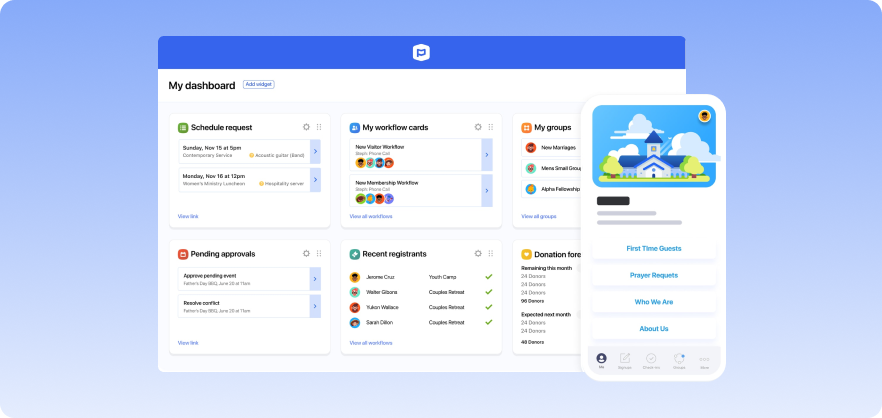
Planning Center is a widely used church software in North America, built around a modular pricing system where you only pay for the products you need.
Its event registration feature is called Registrations, which sits alongside other modules like Check-Ins Groups, and Calendar. This setup allows churches to build a system that fits how they operate. If your church already uses Planning Center for other functions, adding Registrations is a straightforward extension rather than adopting a separate tool.
Key features
- Flexible signup types: You can set up registration forms for both complex multi-session events like VBS or summer camps, and simple things like a meal sign-up or baptism class.
- Attendee grouping: Planning Center can sort registered attendees into groups automatically based on what they submitted during registration.
- Payment flexibility: Registrants can pay by card, ACH bank transfer, or in person. You can also set up discounts and scholarships for attendees who need financial assistance.
- Check-in integration: The Registrations module links seamlessly with Planning Center's Check-Ins product, so you can take attendance and print name tags on the day of the event.
Pricing & free trial
Planning Center Registrations offers a free plan with limited features, supporting up to five attendees per event. Paid plans start at around $15/month for 20 attendees and scale up to $239/month based on volume, with a 30-day free trial included.
Pros
- Free plan makes it accessible for budget-conscious churches
- Seamless integration with other Planning Center tools
- Easy-to-use interface
- Modular and seasonal based pricing structure
Cons
- Registrations and check-in need to be manually integrated
- Modular pricing often means paying for multiple tools to get what others bundle
- The registration form layout is fairly rigid
4. Eventbrite
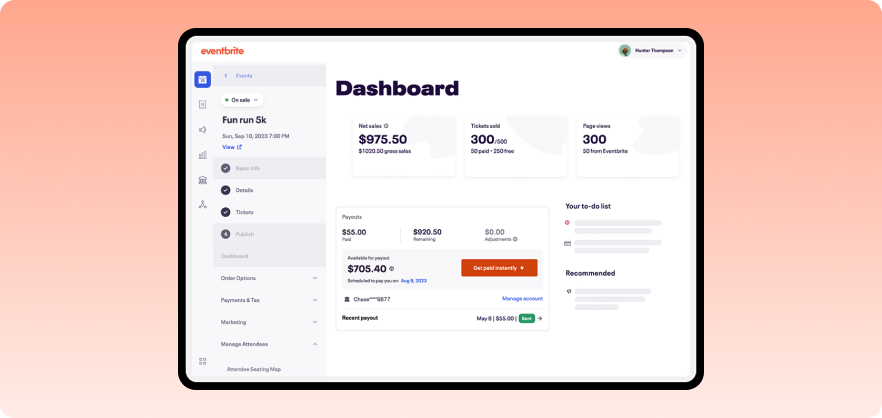
Eventbrite is a general-purpose event ticketing and registration platform. Although it is not a dedicated church software, churches show up on their client base, too.
Eventbrite works best for church events that need public visibility and engagement. If you’re hosting something like a community concert or fundraiser, its built-in marketplace helps people outside your congregation discover and register for the event.
Key features
- Event discovery marketplace: Your event gets listed on Eventbrite's platform, helping people outside your congregation find and register for them.
- Flexible ticketing options: You can set up free tickets, paid tickets, donation-based entry, early-bird pricing, and group rates in the same event.
- Targeted discount and promo codes: You can create discount codes for specific groups (volunteers, ministry partners, early registrants, etc).
- Mobile check-in app: Staff can use the Eventbrite Organizer app on their phones to scan QR codes and check people in during events.
Pricing & free trial
Eventbrite doesn’t charge fees for free events. For paid events, fees include a service fee and a payment processing fee per ticket. Event organizers can cover the service fees themselves or let event attendees pay them.
Pros
- Very easy to set up
- The discovery marketplace genuinely drives attendance for public-facing events
- Free to use for free events
- Built-in email tools for attendee communication
Cons
- Service fees on paid tickets can add up quickly and catch organizers off guard
- Limited branding customization
- Customer support is slow
5. RSVPify
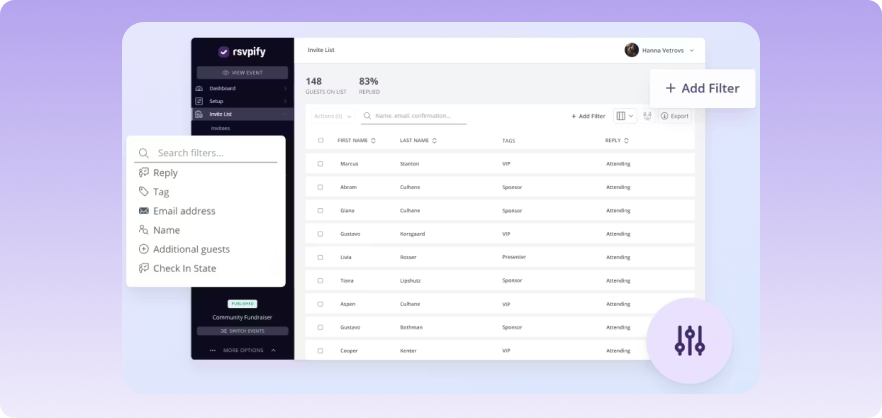
RSVPify is a general event registration and RSVP platform rather than a church-specific tool, but it offers enough flexibility to handle most church event needs without much adjustment.
The platform also supports password-protected events where you want only the right people to register. That said, RSVPify doesn't connect to your membership database, so you'll have to manage attendees as a separate list.
Key features
- Private and invite-only event controls: You can restrict who can register using event passwords, unique per-invitee access codes, or invite-only lists.
- Sub-event registration: If your church event has multiple sessions or activities within it, attendees can register for the main event and select their sub-events in one form.
- Conditional logic on registration forms: You can show or hide questions based on how someone answered a previous one.
- Drag-and-drop seating charts: For church events where seating matters, RSVPify lets you build a seating chart and assign guests based on their registration responses.
Pricing & free trial
RSVPify has a free plan for events with up to 100 guests. Paid plans start at $39/month for up to 150 registrations per month. For higher volumes, pricing increases to $125/month and $409/month.
Pros
- Free plan available for events with up to 100 guests
- Built-in multi-channel communication across text, email, and more
- Very easy to set up and use
- Automated email reminders and follow-ups
Cons
- No connection to church membership data
- Limited customization options available
- The subscription model can feel expensive for churches that only run a few events a year
6. Tithe.ly
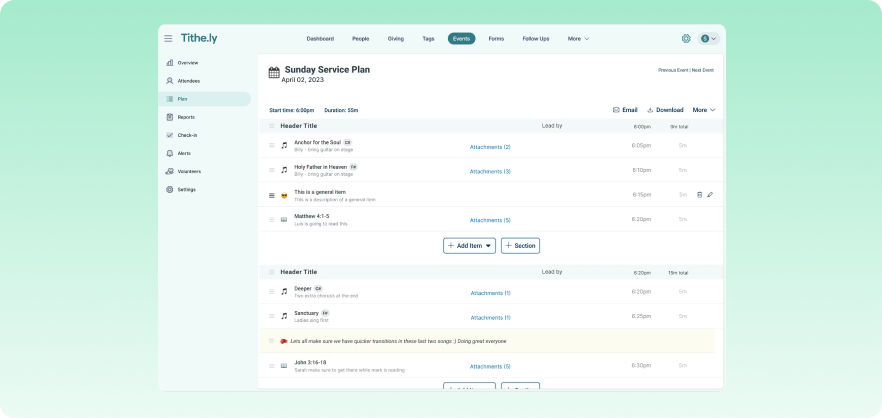
Tithe.ly is a church platform widely used in North America. It offers event registration tools alongside giving, people management, messaging, and a dedicated church app.
On their own, Tithe.ly’s event tools are straightforward and cover what most churches need. You can create events, collect custom information from registrants, and accept payments without much setup. However, it can be unreliable at times, which is something to keep in mind depending on how critical events are to your operations.
Key features
- Integrated people database: When someone registers for an event, their information connects to their existing member profile in the database.
- Flexible ticket types: You can set up different ticket categories (general admission, youth, volunteers, early-bird, etc) each with their own custom pricing options available.
- Custom registration fields: The form builder lets you add any additional fields you need beyond standard registration details.
- Built-in event promotion tools: If your church uses the Tithe.ly church app, events can be surfaced inside it for other app users who use the app for giving.
Pricing & free trial
Tithely Events feature comes with its Church Management product. This product is included in the All Access plan, which costs $119/month, and the Giving + Church Management plan, which costs $72/month.
A 30-day free trial is available on both paid plans. Transaction fees apply separately for any payments collected through the platform.
Pros
- Events connect directly to Tithe.ly’s member database
- Supports full and partial payments
- Costs don't scale with congregation size
- Simplifies attendee check-in and event registration
Cons
- Transaction fees apply even on the base plan
- Limited website and newsletter customization options
- Some users report reliability issues
7. Chmeetings
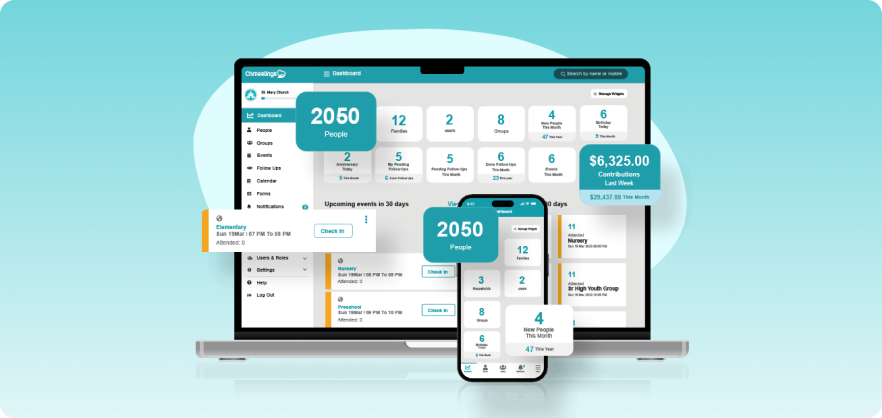
Chmeetings is a church management platform. It includes registration, check-in, volunteer scheduling, giving, and messaging features, all of which connect to a central member database. The platform is known for its affordability and ease of use over other platforms.
Key features
- Flexible registration setup: Choose between detailed (where you collect individual information from every attendee) or simple registration (where someone just indicates how many people they're bringing) formats and control when registration opens and closes for each event.
- Scheduled registration windows: You can set specific opening and closing times for event registration.
- Family ticketing: Chmeetings lets you set up a single family ticket for an entire family.
- Child check-in and tag printing: The check-in system supports security label printing for children, with parent-matching tags and the option to add allergy notes to the check-in record. You'll need a compatible label printer for this, but Chmeetings provides a list of supported hardware.
Pricing & free trial
Chmeetings has a free plan, but that doesn’t include event registration. Event registration comes with paid plans that start at $12/month with a congregation size of 100.
Pros
- Easy registration features (head count, family ticketing, etc)
- Customer support is consistently praised across reviews
- Available in multiple languages
- Comprehensive member management platform
Cons
- SMS and voice messaging cost extra
- The free plan doesn’t include event registration features
- Some users find the registration flow less intuitive than it could be, particularly on mobile
8. Churchtrac
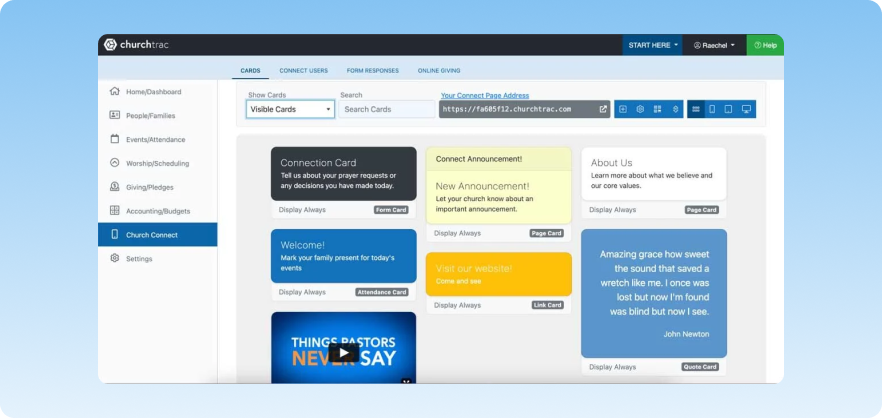
ChurchTrac is an old church management platform. Its event registration tools let you plan events, build custom registration forms, collect payments, set up invite-only events, and check people in via QR code.
Key features
- Custom registration forms: You can add custom fields to event registration forms beyond the standard contact information.
- Invite-only events: ChurchTrac lets you set events where only invited members can register.
- QR code check-in: Each event gets a unique QR code that members can scan to check in using a phone or tablet.
- Calendar sharing: Events can be displayed on your church's website or in Church Connect, and members can sync them to their personal Google or Apple calendar..
Pricing & free trial
ChurchTrac starts at $9/month for up to 75 people and scales from there. A 30-day free trial is offered on paid plans.
Pros
- Users consistently mention the low learning curve
- Strong US-based customer support
- Free onboarding and data import
- Includes Church Connect app and member portal for events, registration, profiles, and giving
Cons
- SMS messaging requires additional credits
- Event features are not very deep
- The interface looks dated compared to newer platforms
9. Church Windows
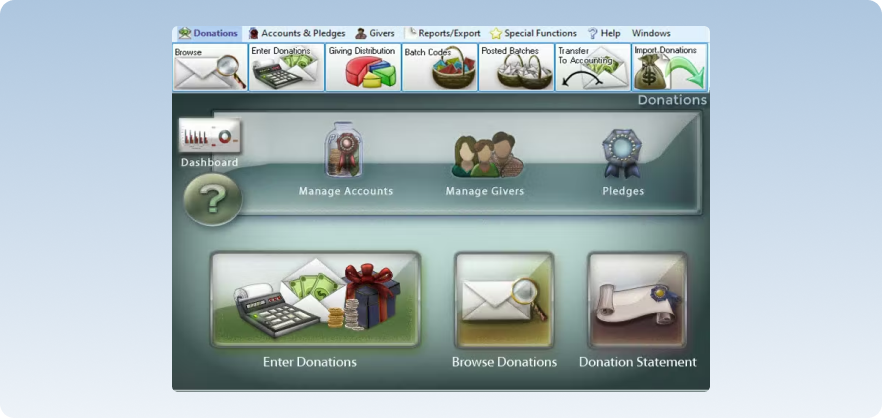
Church Windows has been around since 1987 and has thousands of churches using it. Event management in Church Windows is handled through a scheduling module. You can create events, assign roles to members (leader, participant, volunteer), track attendance, and share event details with the congregation.
What it doesn't offer is the kind of modern registration experience (online registration forms, payment collection at sign-up, QR code check-in, etc) that other platforms have made standard.
Key features
- Event scheduler with role assignment: You can create events and assign members to specific roles within the same record.
- Attendance tracking tied to member profiles: Attendance from events and group meetings feeds back into individual member records.
- Shared event calendar: Events can be published to a church calendar and shared with members via the church website or by email.
- Desktop and web deployment options: Church Windows is available as a desktop application installed on-premises or as a web-based version.
Pricing & free trial
Church Windows starts at $19/month for 1 module and desktop deployment. If you choose web deployment, this same module costs $69/month.
The platform has modular pricing. There are 1, 2, 3, and 4 module plans. The 4 modules are:
- Membership/scheduler
- Donations
- Accounting
- Payroll
Pros
- Strong accounting and fund management tools
- Long-established platform with a reliable track record
- Phone and email support with same-day responses
- Role-based event scheduling and tracking
Cons
- Event registration features are limited
- Several users describe the interface as click-heavy and unintuitive
- No free plan and no free trial available
10. Bitrix24
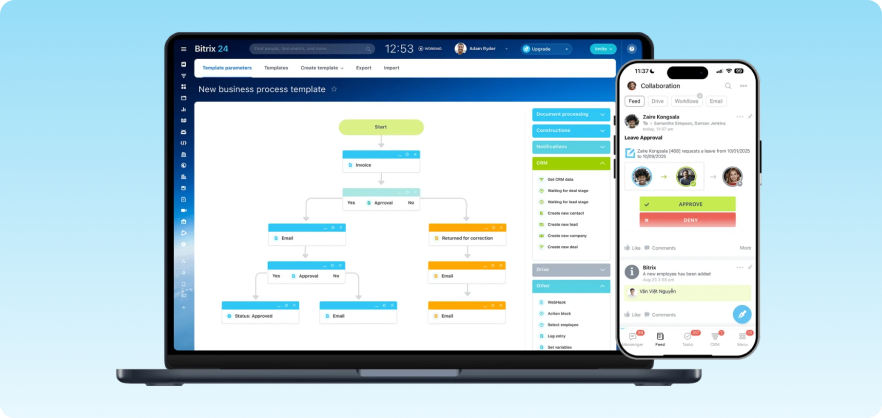
Bitrix24 is a broad business management platform that covers CRM, project management, internal communication, website building, and event tools. Although it’s a business tool, churches can adapt it with some effort. The event registration side of Bitrix24 is handled through its website forms and CRM tools rather than a dedicated event module.
Key features
- Custom registration forms: Bitrix24 lets you build custom forms with conditional fields and embed them on your church's existing website or on a Bitrix24-hosted page.
- Shared calendars and event scheduling: You can create events on a shared church calendar, assign rooms or resources, and give staff or volunteers visibility into what's coming up.
- Automated workflows: You can set up an automatic sequence of follow-up actions based on registrations.
- Internal communication tools: Bitrix24 includes a team messenger, video calls, and group chats.
Pricing & free trial
Bitrix24 has a free plan for unlimited users that includes core features and 5GB of storage. Paid plans start at $61/month for up to five users.
Pros
- Free plan available for very small teams
- All-in-one business management platform
- Works well on mobile
- Easy calendar integration with task management
Cons
- The interface is dense and takes time and expertise to use
- No dedicated event registration module
- Onboarding can feel complex for those without prior CRM experience
Selection criteria: How we chose these 10 tools
After reviewing the leading church event registration tools, comparing features, real-world usability, and how they perform across different church setups, we narrowed it down to the 10 best options based on the following criteria:
- All-in-one functionality: We assessed tools based on features beyond basic sign-ups. We looked at how they handle event needs from registration to payments and reporting in one place. This way, you don’t have to juggle multiple tools.
- Ease of use: Most church events are run by small teams or volunteers. That’s why we prioritised platforms that are simple to set up and easy to manage.
- Event-day experience: We looked at how each platform supports check-ins, on-site coordination, and real-time tracking. We also considered whether these features rely on QR codes and mobile workflows or manual processes.
- Pricing and scalability: Finally, we considered how pricing scales as your events grow. We focused on whether each platform offers transparent pricing that scales with attendance, prioritising tools without hidden fees or costly add-ons that limit long-term use.
How to choose the best church event registration software
Here are a four essential considerations not to miss when choosing a church event registration software:
1. Check whether it connects to your member data
If the tool doesn’t connect to your existing member database, you’ll end up managing separate member and attendee lists, along with your event management data.
2. Think about who will run it
Some platforms are designed for simple event setup, while others offer more advanced customization and flexibility. Think about who will be responsible for managing registrations, attendee communication, and check-in processes, especially if volunteers or smaller teams are involved.
3. Be honest about your event volume
While a basic registration tool may work well for smaller gatherings, growing events often require additional capabilities such as paid registrations, multiple attendee types, automated communication, or reporting. Choosing a platform that can grow alongside your event needs can help reduce future disruption.
4. Consider what check-in looks like on event day
A smooth check-in process can make a strong first impression on event day. Many platforms now offer QR code check-in, mobile event apps, self-service kiosks, or onsite attendee management tools that help reduce queues and simplify coordination for volunteers and staff.
Final note: It’s time to simplify your church event management
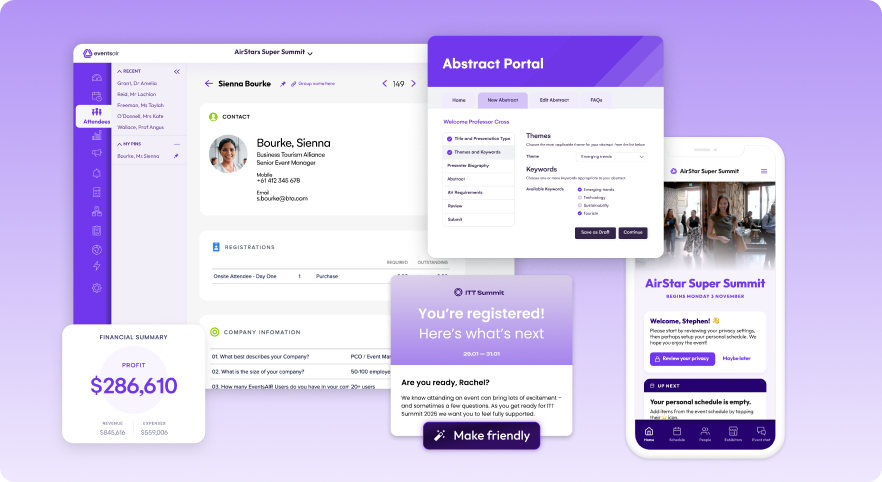
If your event setup still relies on forms, spreadsheets, and manual tracking, you’re doing more work than you should. And getting less clarity in return.
At some point, the question isn’t whether you need a better system, but how to choose the best church event management software for your needs.
EventsAir stands out as that platform. Built to handle real event complexity with ease, EventsAir brings together registration, marketing, check-in, and reporting into one system.
Want to see how it works? Book a demo today and see how it all comes together.
FAQs about church event registration software
1. Can I use a church event registration tool for both in-person and online events?
Yes. For churches occasionally running online events, most platforms handle basic virtual registration without any issues. However, EventsAir has the most developed virtual and hybrid event support on this list, thanks to its built-in live streaming and virtual attendee engagement tools.
2. Do I need technical experience to manage church event registration software?
Not really. Most tools are easy to use, and while a platform like EventsAir has more advanced features, it offers onboarding and support to help you get started.
3. Is a full event platform like EventsAir better than church-specific registration software?
In many cases, yes. EventsAir is ideal for larger or more complex church events where you need advanced features in one system, while church-specific tools are better when member data integration is your main priority.
See EventsAir in action
Discover why 12,000+ event professionals trust EventsAir to deliver effortless events, every time.




Ready to transform event chaos into clarity?
With EventsAir, you’ll move from chasing logistics to creating unforgettable moments. Plan faster, act with confidence, and deliver exceptional events. Discover what’s possible with a personalized demo today.