

10 Best Association Event Management Software for Teams in 2026


Running events for a membership organization comes with extras most planners never face. Members, non-members, and students each need their own pricing. Abstracts need to move through peer review, and your board wants to know whether engagement is growing, not just how many people showed up.
General-purpose event tools rarely handle all of that well. The gaps tend to get filled with spreadsheets and manual data re-entry.
This guide compares the 10 best association event management software options on the features that matter most to association teams, including AMS sync, CE credit tracking, and hybrid event delivery.
What is association event management software?
Association event management software is a platform that manages the full event lifecycle for membership organizations, from registration and abstract management to onsite check-in and post-event analytics. It adds an association-specific layer to standard event features, including member-tiered pricing, CE credit tracking, and attendee data that carries over from year to year.
It is not the same as an association management system (AMS). An AMS manages your members, dues, renewals, and committee assignments, while event software manages the events those members attend. The two are designed to work together rather than replace each other.
Why is association event management software important?
Events are often where members feel the value of belonging most, and the right software protects the revenue, engagement, and data that depend on them.
- Revenue beyond dues: Generating non-dues revenue was again the top challenge for associations in Naylor's 2026 benchmarking report, at 51.9% of respondents. Events are often the largest contributor, so software that handles member-tiered pricing, sponsors, and exhibitors protects that income.
- Member engagement: Event attendance is one of the clearest engagement signals an association has. Capturing session attendance and survey responses in one record shows which members are active and which are drifting.
- Accurate member data: When your event platform and AMS don't share data, staff end up reconciling lists by hand. A synced connection keeps records, payments, and attendance history consistent in both systems.
10 Best association event management software platforms
1. EventsAir
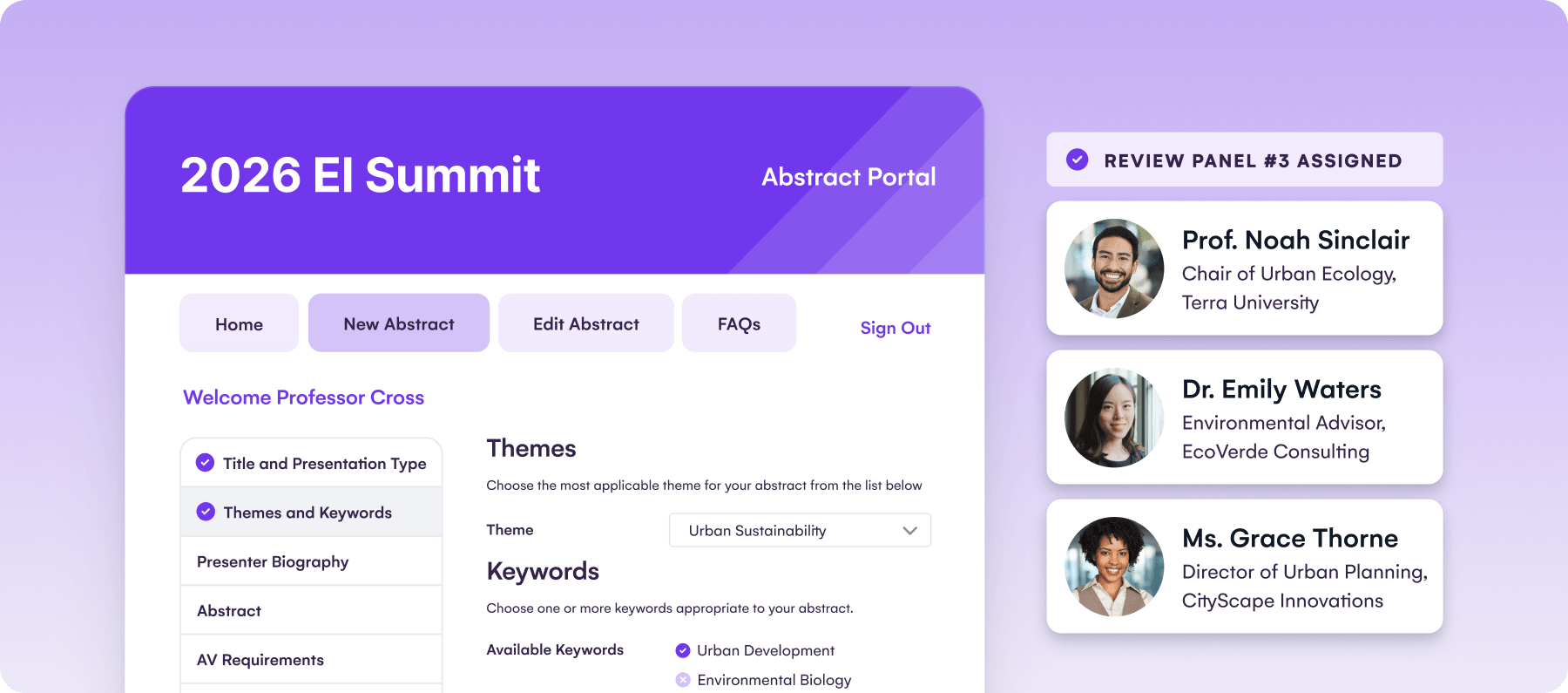
EventsAir runs in-person, virtual, and hybrid events from one connected platform. And when we say connected, we mean it. EventsAir is all-in-one, covering the entire event lifecycle in its feature suite, including registration, abstracts, sponsorship, onsite, and analytics.
It’s also built exactly for the kind of events associations run. Multi-day conferences with concurrent sessions, abstract submission with blind peer review, and registration paths that change based on member status. The key benefit is how it streamlines the entire planning process, start to finish, and delivers a smoother event on the day.
Key features
- Abstract management: A custom submission portal and a dedicated reviewer portal with blind, double-blind, and peer review. Approved abstracts flow into the agenda without rekeying.
- AMS integrations: Smart Connectors link EventsAir with AMS platforms including iMIS, Membes, WildApricot, Protech, Blackbaud Raiser's Edge NXT, and EveryAction. Member status personalizes registration, event history flows back to the member record, and CE or CPD points are logged from session attendance.
- AI-powered assistants: Built-in assistants that help planners draft on-brand communications, ask questions of their live and historical event data, and give attendees instant answers and personalized recommendations inside the event app.
- Sponsor and exhibitor portals: Sponsors self-manage payments, deliverables, and booth details, while lead capture inside the event app shows them the return on their investment.
- Virtual and hybrid delivery: In-person, virtual, and hybrid events from one platform, with 3D virtual environments, live streaming, and engagement tools.
- Live analytics: Real-time attendance, engagement, sponsor ROI, and financial tracking, with over 150 customizable reports.
- Onsite check-in and badging: Print name badges on-site with fast attendee check-in.
Pricing
EventsAir offers three tiers, all with unlimited registrations and no per-registration fees.
- Single: One event, up to three users, all features, 24/7 support
- Multi: Three or more events, no user cap, priority 24/7 support
- Enterprise: Custom event capacity, no user cap, priority support, dedicated onboarding
All tiers are quote-based. Get pricing.
Rating
G2: 4.4/5 (49 reviews).
Pros
- Registration, payments, abstracts, and attendance sit in a single system, so staff stop reconciling spreadsheets and can see a member's full event history in one place
- Pre-built AMS integrations (WildApricot, Membes, Protech, and EveryAction) save you from manual data reconciliation
- There are no per-registration fees, so a sold-out event doesn't increase your cost
- Real-time analytics and reporting give visibility into event performance while the event is still running
- Questions like "which sessions drove repeat attendance?" can be asked in plain language through the AI assistants, rather than built by hand in a spreadsheet
- Includes onsite event tools ensuring high attendee engagement during events including AI-powered event guidance, gamification, live-polling, Q&A and more
- Faster planning process, since it eliminates the need for data silos and disconnected tools
Cons
- The platform is built for complex events, so onboarding takes longer than with lighter tools
- A small, single-track event with simple registration may not use much of the platform's depth
2. Whova
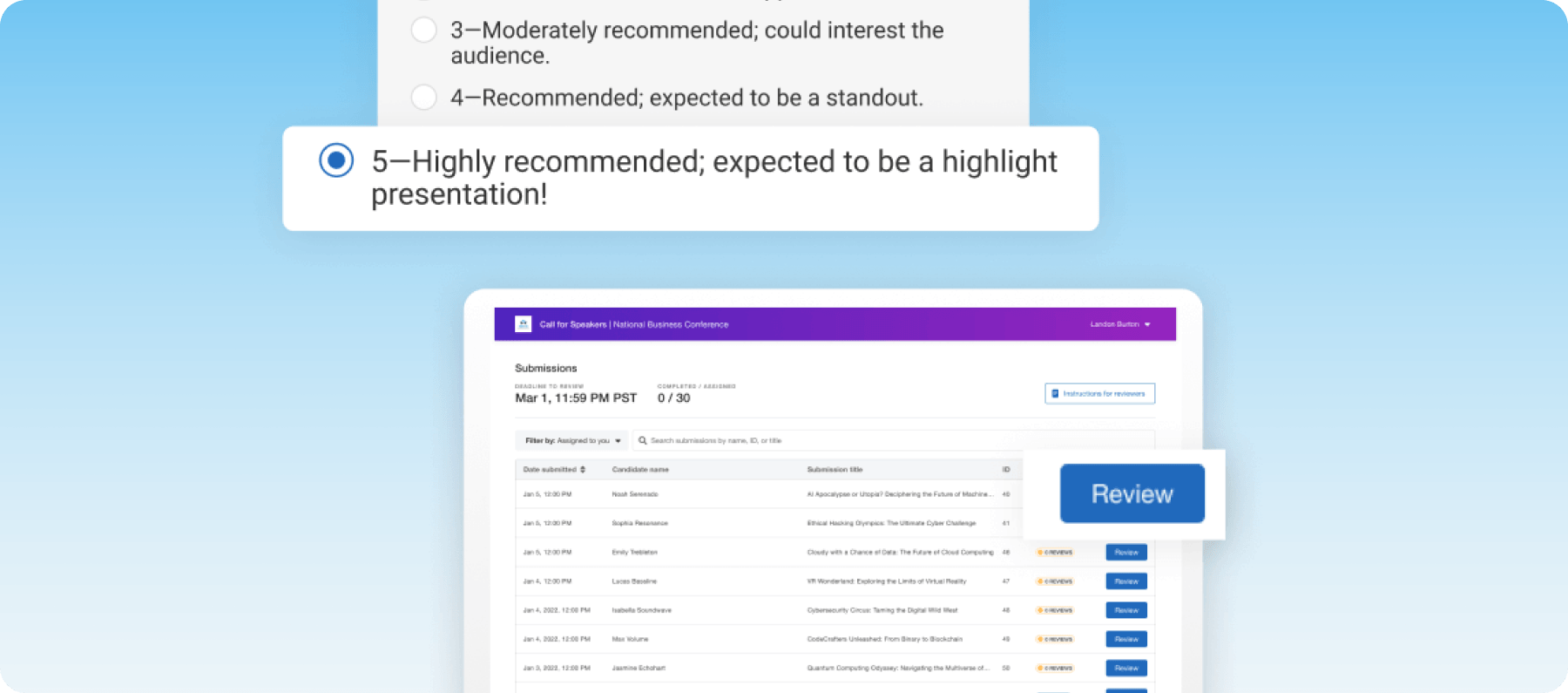
Most platforms treat networking as an afterthought. Whova built its entire product around it. The platform features personalized agendas, community boards, and AI-powered matchmaking. That focus makes it a strong option for associations that prioritize attendee engagement.
Key features
- AI-powered networking: Match attendees based on interests, industry, and session attendance.
- Community boards and messaging: Give members a space to connect before and after the event.
- Multi-track agenda builder: Build complex schedules and let attendees bookmark sessions.
- Exhibitor and sponsor tools: Offer sponsors branded pages, lead retrieval, and booth analytics.
Pricing
Whova doesn't publish pricing and quotes depend on event format and attendee count.
Rating
G2: 4.8/5 (1,926 reviews).
Pros
- Networking and engagement features are among the strongest in the category
- AMS integrations with WildApricot, iMIS, and Glue Up keep member data in sync
- Customizable agenda-building for more structured events
Cons
- Missing some built-in export and integration features
- Virtual tools aren't as deep as dedicated virtual platforms
3. Cvent
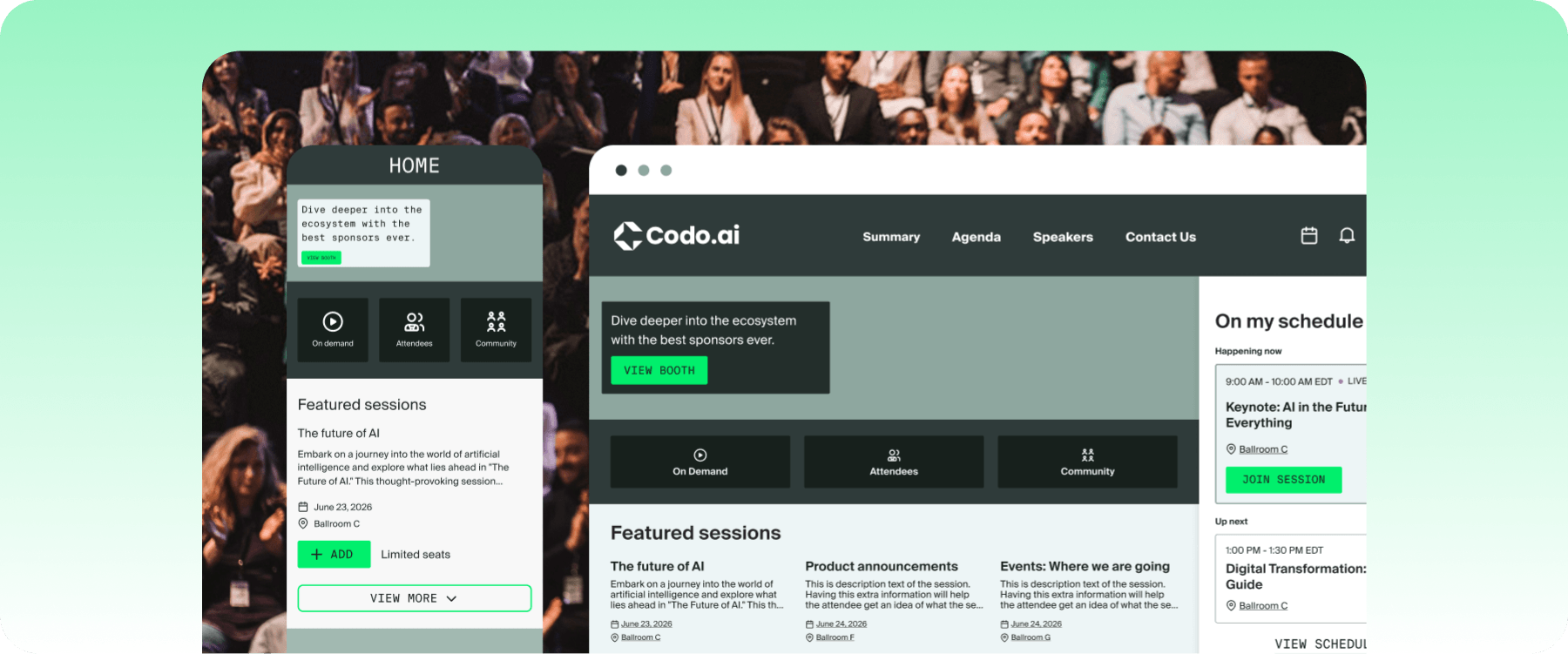
If your annual conference needs venue sourcing, marketing automation, and enterprise-grade registration, Cvent may be the best choice for you. It's built to handle the entire event lifecycle and is marketed as suitable for every event type and complexity, from in-person to hybrid. That said, it lacks the customization options and intuitive workflow that tools EventsAir offer.
Key features
- Enterprise registration: Handle high-volume registration with multiple admission types and integrated payments.
- Venue sourcing: Search venues, send RFPs, and manage contracts through Cvent's supplier network.
- Attendee Hub: Deliver multi-track agendas, networking, and live polling from one mobile app.
- Marketing automation: Run targeted email campaigns and automate attendee communications.
Pricing
Cvent doesn't publish pricing. Contracts vary by module selection, event volume, and term.
Rating
G2: 4.3/5 (2,414 reviews).
Pros
- Feature set covers registration, venue sourcing, marketing, and analytics
- Robust reporting tools for detailed event data analysis
- Supports end-to-end event building
Cons
- Lacking a separate sponsor-specific portal
- Widget customization is limited
4. Swoogo
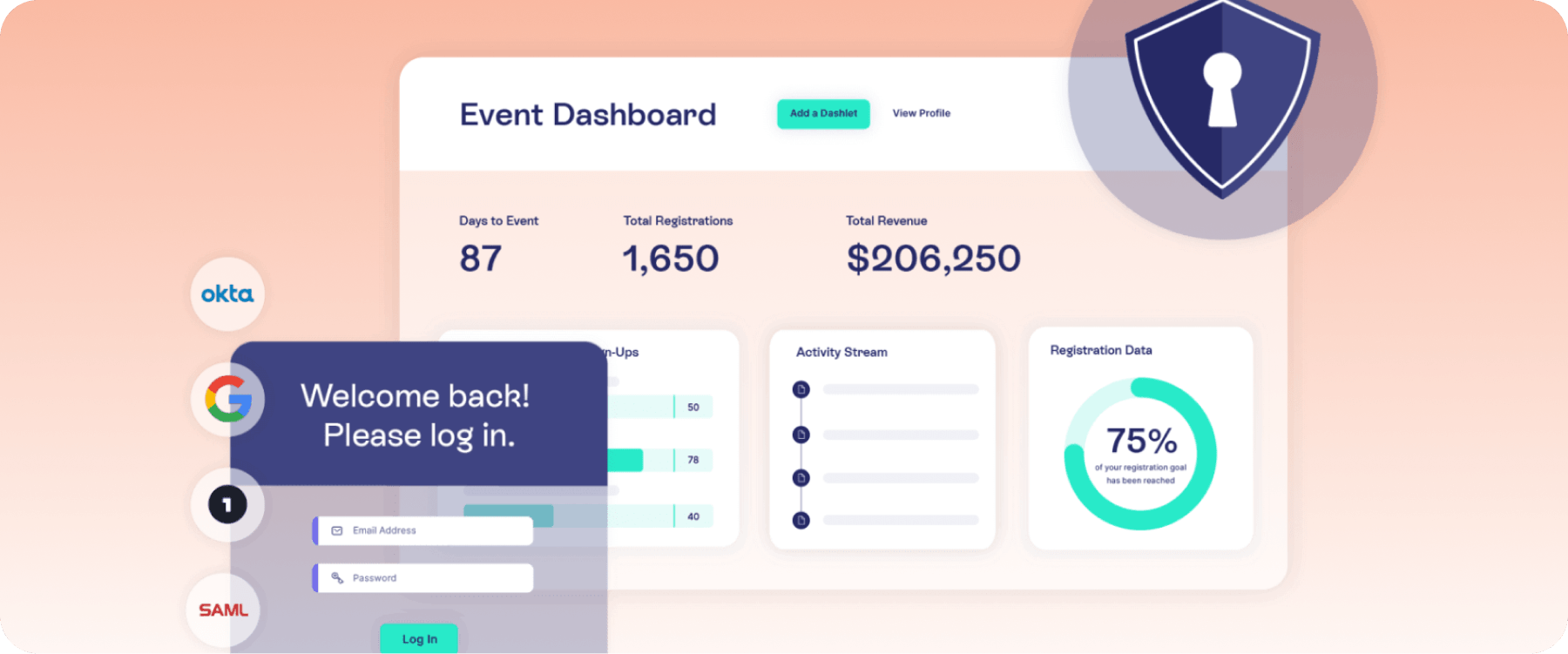
Swoogo is a flexible event management platform with customizable registration, abstract management, marketing, and analytics. It lacks automated CE credit tracking (certificates, LMS integration), making it workable for smaller academic events. If you're planning a complex association event though, you'll need a more streamlined platform like EventsAir.
Key features
- Unlimited events and registrations: Run as many events needed without having to worry about per-event fees.
- Conditional registration logic: Build flows with unlimited rules, branching logic, and custom fields.
- Native integrations: Connect to CRMs, marketing tools, and databases out of the box.
- Cross-event reporting: Track attendee behavior and engagement trends across your event program.
Pricing
Two plans are available:
- Professional: $11,800/year (1 full user, 1 reporting user, unlimited events).
- Enterprise: Custom pricing (adds premium branding, SOC 2/ISO 27001/PCI compliance, CSM, 99.9% uptime SLA).
Rating
G2: 4.9/5 (212 reviews).
Pros
- Custom code support for deeper website customization
- Unlimited events and registrations keeps costs predictable
- Responsive support team
Cons
- Essential features like the mobile app and analytics seem underdeveloped compared to other tools on the market
- Not ideal for advanced/complex use cases
5. Bizzabo
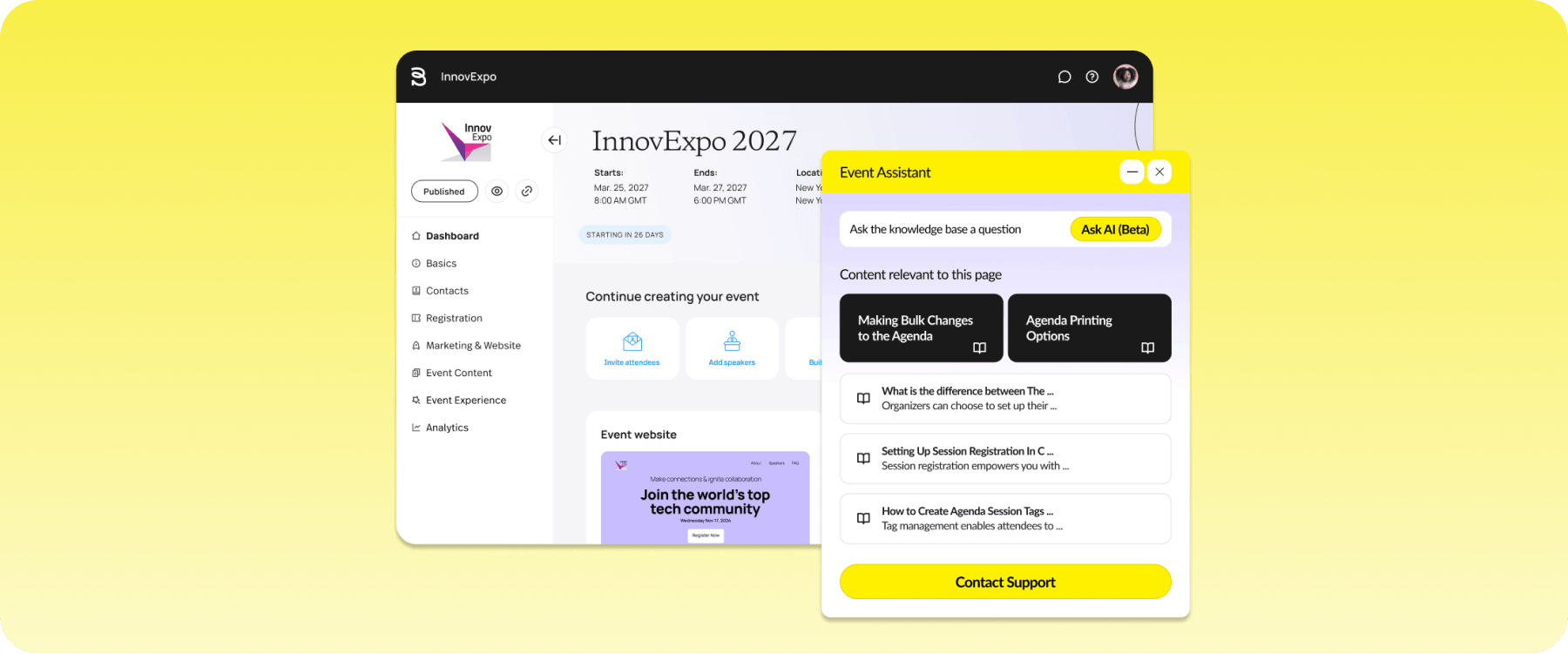
Bizzabo gives sponsors dedicated portals, lead capture, and its Klik SmartBadge wearable badges that track attendee interactions passively. Pricing is built around mid-to-large organizations.
Key features
- Klik SmartBadge: Wearable badges capture networking interactions and session attendance automatically.
- Sponsor and speaker portals: Give sponsors self-serve access to manage their presence and lead capture.
- Event marketing suite: Build branded event websites, run email campaigns, and track conversion.
- Real-time analytics: Monitor engagement, session popularity, and sponsor ROI as the event happens.
Pricing
- Standard: From $17,999/year ($499/user/month billed annually, 3-user minimum).
- Klik SmartBadge: Custom pricing for single or multi-event packages.
- Premium add-ons: Virtual events, networking, API access at additional cost.
Rating
G2: 4.3/5 (449 reviews).
Pros
- SmartBadge gives sponsors engagement data without manual lead scanning
- Strong marketing tools for pre-event promotion
- Real-time analytics dashboard shows attendance and sponsor metrics
Cons
- Weak branding customization, without deeper white-labelling
- Cross-event analytics often require manual export to Excel
6. Stova
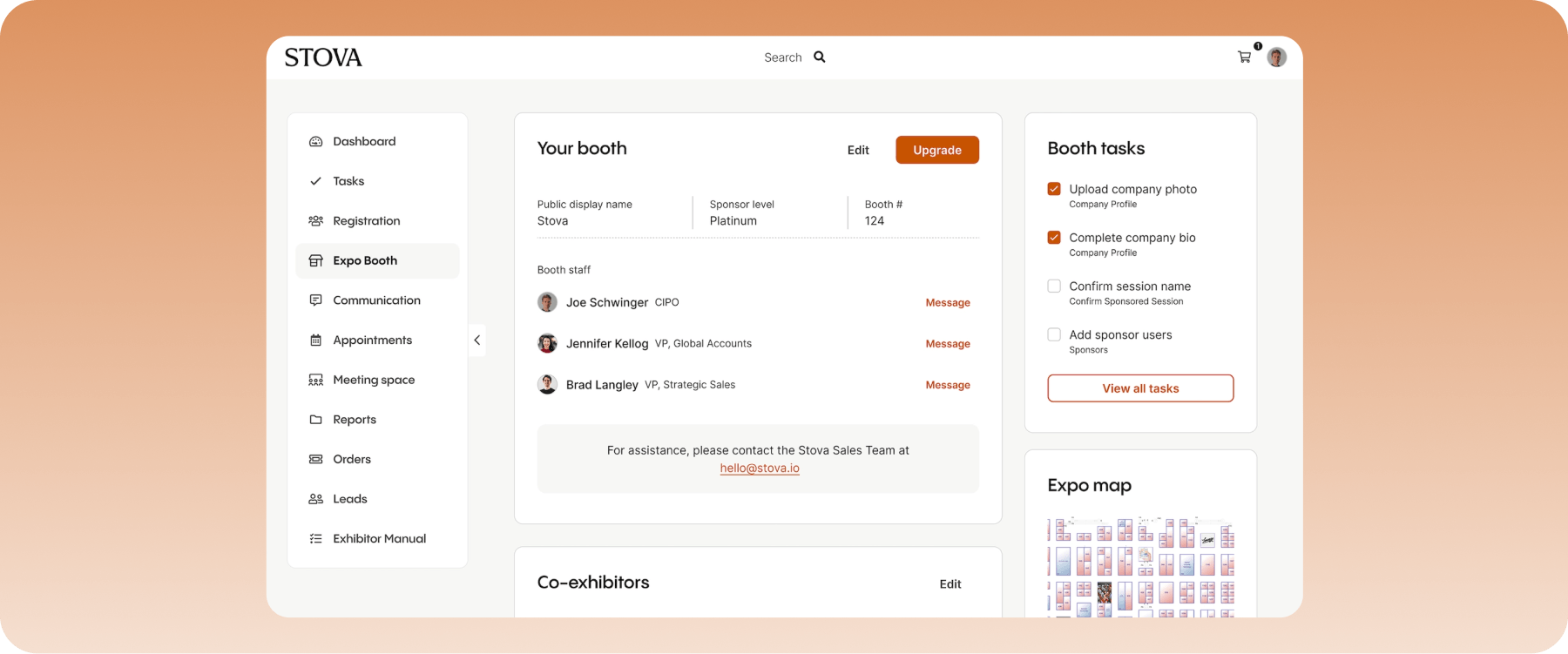
If your association was already on MeetingPlay or Aventri, the transition to Stova should be straightforward since the two merged. You get session attendance tracking, CE management through integrations, and networking tools built to keep attendees engaged throughout the event.
Key features
- Hybrid event delivery: Run in-person and virtual programming simultaneously with engagement tools.
- Gamification and networking: Drive participation with points, leaderboards, and matchmaking.
- CE tracking through integrations: Track session attendance and sync certification data.
- Exhibitor and sponsor management: Manage sponsor packages, exhibitor placement, and lead retrieval.
Pricing
Stova offers three packages with custom quotes:
- Core ($1,995 + per-registration fee starting at $3.00): Includes white labeling and fonts, reporting, and abstract management.
- Pro ($5,995 + per-registration fee starting at $4.50): Includes everything in Core, plus BI dashboards, a branded mobile app, and a broadcast studio.
- Enterprise ($12,995 + per-registration fee starting at $5.60): Adds on premium integrations, advanced security and MFA, and onsite lead capture.
Rating
G2: 4.2/5 (198 reviews).
Pros
- Good fit if you're already on MeetingPlay or Aventri
- All-in-one setup covers registration, marketing, mobile app, and website in one place
- PNR integration works well for teams coordinating travel with registration
Cons
- CE tracking isn't built natively into the platform
- Marketing email and survey modules are less capable than dedicated external tools
7. Accelevents
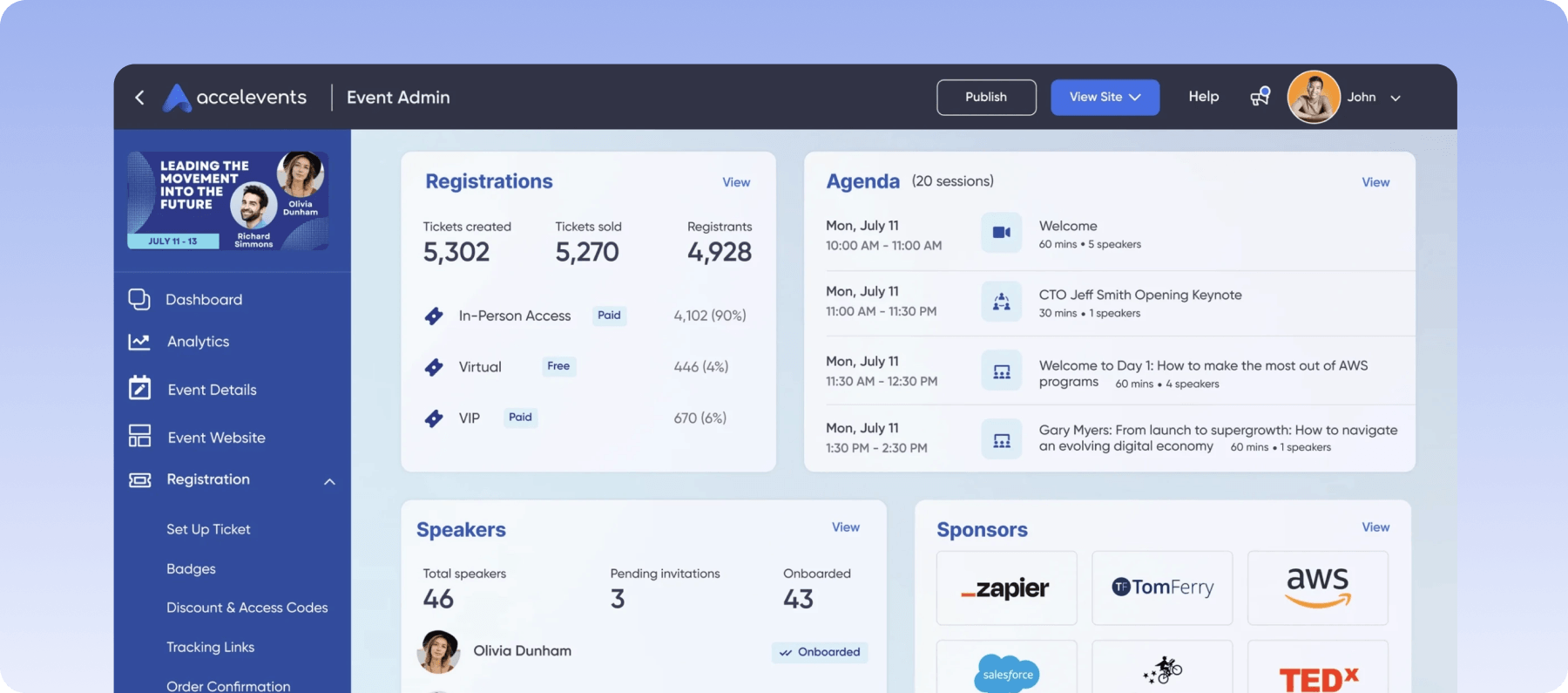
Accelevents is a modern, enterprise-ready event management platform that covers registration, mobile apps, exhibitor management, and CEU tracking. It’s great for organizations that need flexibility, speed, and reliability across every phase of the event lifecycle.
Key features
- CEU tracking and credit issuance: Assign CE credits to sessions and issue them based on verified attendance.
- AI-powered attendee matchmaking: Connect attendees based on shared interests and background.
- Abstract and speaker management: Collect and review speaker proposals and abstracts through a built-in workflow.
- Modular event packages: Pay for only the capabilities your events need.
Pricing
There are four plans available:
- Professional ($7,500/event): Users can host one event with self check-in and badge printing and integrations features.
- Business (starting from $13,500): Includes everything in Professional, but includes support for unlimited events.
- Enterprise (Custom): Best for operating events across various departments.
- White Label (Custom): Removes Accelevents branding across materials. Also includes custom URL and email domain, branded app with store listing, single sign-on (additional cost).
Rating
G2: 4.7/5 (177 reviews).
Pros
- Modular pricing lets you start small and add features as you grow
- 24/7 live support with under-21-second response times
- Multiple admins can work in the platform simultaneously
Cons
- Mobile app navigation can be difficult for attendees during sessions
- Limited tools for content-heavy educational events
8. PheedLoop
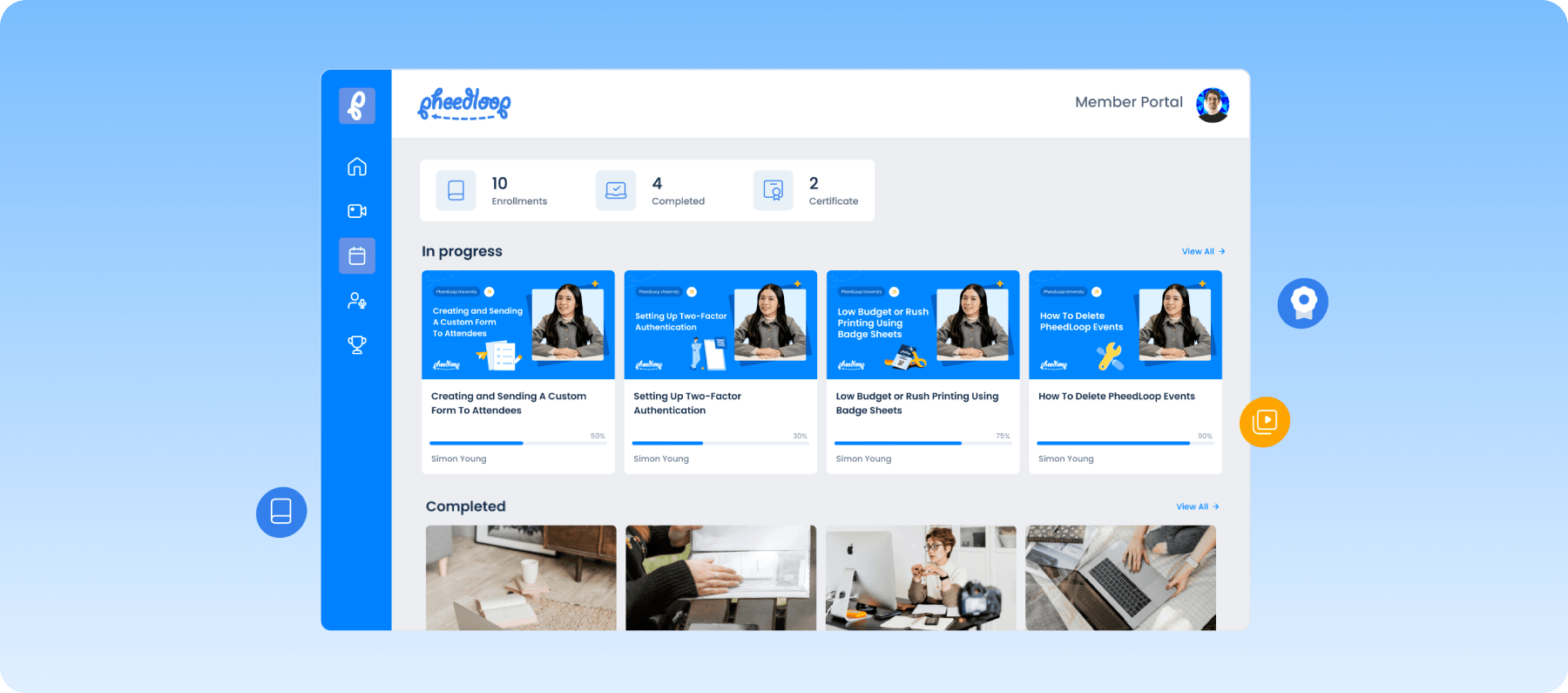
PheedLoop covers the usual features you'd expect from an event management platform. That includes speaker, sponsor, and exhibitor management, plus registration, check-in, and badge printing. The platform is built around modules, like Accelevents, which makes it flexible. However, that modularity means settings and features aren't always consistent from one module to the next.
Key features
- Abstract submission and peer review: Manage the full lifecycle from collection through blind review
- Multi-track program builder: Build concurrent session schedules and publish them to the event app
- Modular feature selection: Choose only the modules you need and pay per attendee
- Onsite check-in and badge printing: Print badges on demand and track session-level attendance
Pricing
The core platform starts at $950/year, with modules from $1 per attendee. Pricing's fully modular, so you only pay for what you need.
Rating
G2: 4.8/5 (321 reviews).
Pros
- Supports multi-event formats, including in-person, hybrid, and virtual
- Responsive customer support
- Generally intuitive for both admins and end users
Cons
- Limited customization options at the lower price tier
- Less focused on sponsor and exhibitor management
9. Cadmium
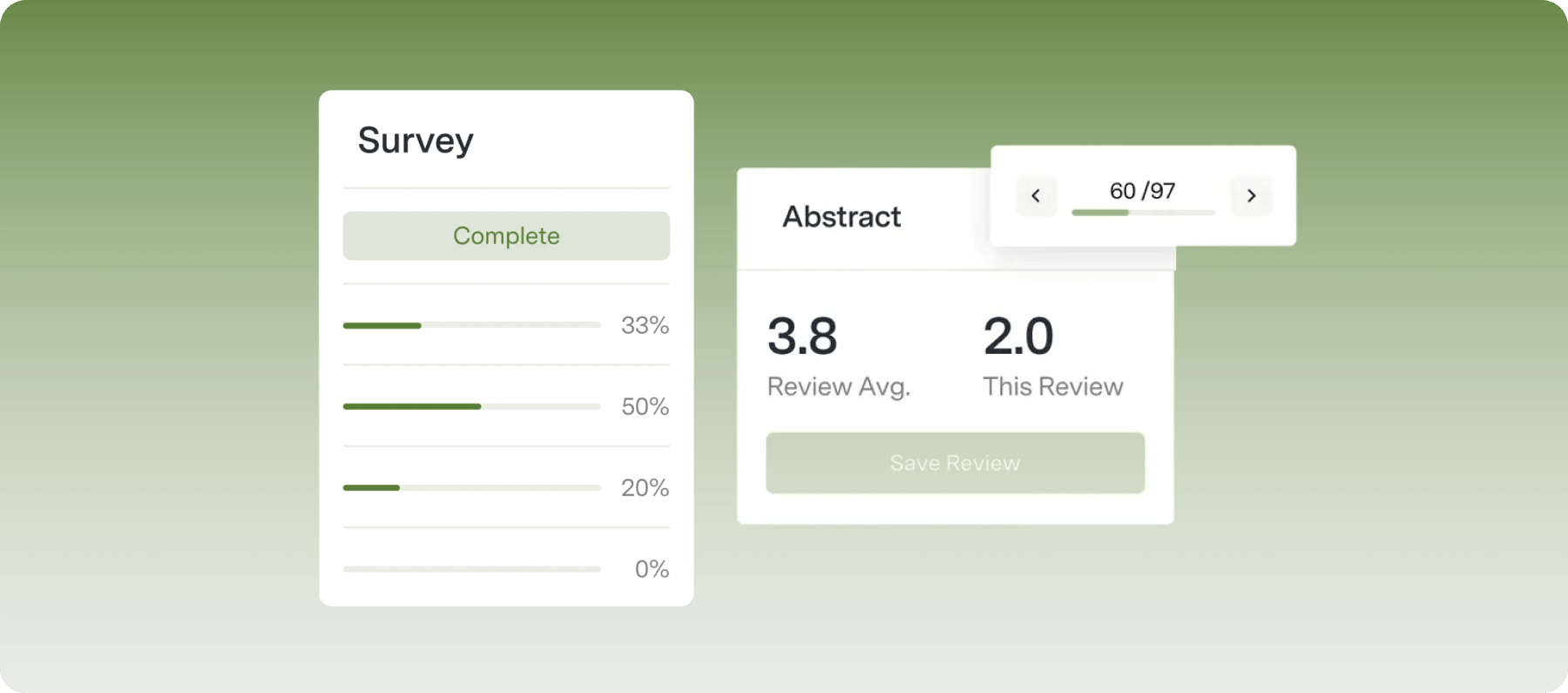
Cadmium is an integrated suite that combines event management with continuing education. It's built primarily for associations that need to connect CE with their events, rather than manage the two separately.
The platform has two modules: EventScribe, which handles abstracts, speakers, and registration, and an LMS, which covers course delivery, certification tracking, and content monetization. It's a strong fit if you want comprehensive association solutions in one place. But frequent product changes mean planners need to budget constant for retraining and workflow adjustments.
Key features
- Integrated LMS and CE tracking: Deliver courses, track credits, and monetize content alongside events.
- Abstract management: Run the full abstract lifecycle from submission through review.
- Post-event content library: Turn recorded sessions into on-demand learning for members.
- Exhibitor and sponsor management: Manage placement, packages, and lead retrieval.
Pricing
Cadmium doesn't publish pricing. Interested users have to contact the team for a custom quote.
Rating
G2: 4.3/5 (21 reviews).
Pros
- The event-plus-LMS combination is purpose-built for associations tying CE to events
- Centralizes abstracts, speakers, exhibitors, scheduling, and content
- Easy setup, with templates and a plug-and-play build process
Cons
- Integration with outside registration platforms is complex and under-documented
- Registration isn't natively integrated into the platform
10. Dryfta
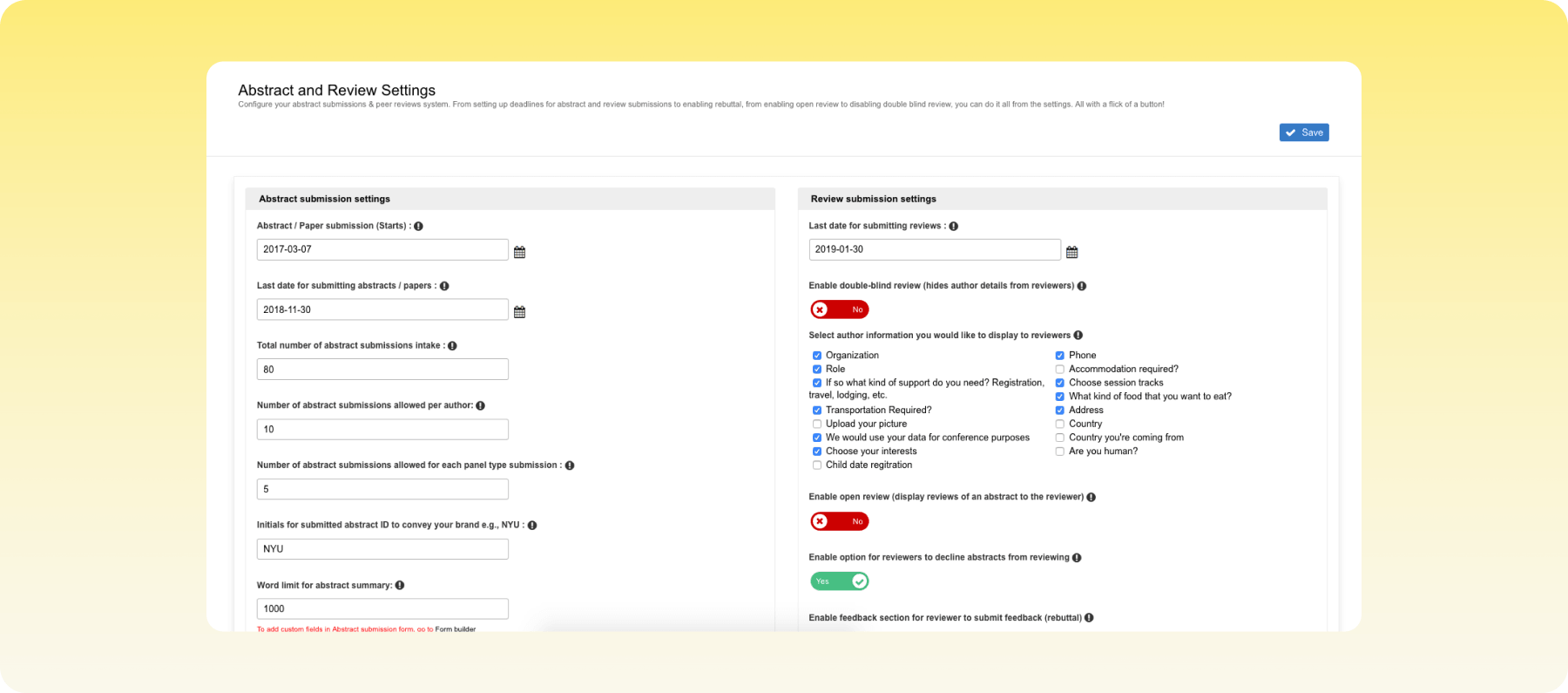
Dryfta handles abstract submissions, flexible registration, and programme scheduling in one platform. It’s built primarily for academic and research conferences, although has somewhat limited customization options.
Key features
- Abstract management: Collect submissions, assign reviewers, and run blind peer reviews.
- Attendee registration and ticketing: Set up member and non-member pricing tiers with discount codes.
- Agenda builder: Build multi-track agendas and publish them to an event website.
- Participation certificates: Generate and distribute certificates automatically.
Pricing
Dryfta offers three plans:
- Small: $1,499/year (100 abstracts, 100 registrations, 25 sessions).
- Medium: $14,999/year (1,000 abstracts, 1,000 registrations, 150 sessions).
- Large: Custom pricing (unlimited).
- Pay-as-you-go: Usage-based pricing with no contracts.
A free trial is available on all plans.
Rating
G2: 4.8/5 (35 reviews).
Pros
- Strong abstract management for academic conferences
- Reliable for large online conferences
- Integrations with external tools like Stripe
Cons
- Limited design customization
- Sponsor management isn't as deep as enterprise platforms
How we evaluated the tools on this list
We assessed each platform based on:
- AMS integration: How well it connects with association management systems such as iMIS, Membes and WildApricot.
- Abstract management: Tools for collecting, reviewing, and managing abstracts and submissions.
- CE credit tracking: Support for tracking continuing education credits and certificates.
- Sponsor tools: Features for managing sponsors, packages, deliverables, and visibility.
- Hybrid support: Capabilities for running in-person, virtual, and hybrid events.
- Pricing transparency: Whether pricing is publicly available and how clearly the platform explains its pricing model.
Buyer’s guide to choosing the best association event management software
The best association event platform depends on what you need it to handle. Before comparing features and prices, start with these questions:
- How complex are your events? Large conferences with abstracts, sponsors, and multiple tracks need a platform that covers the full event lifecycle natively. Stacking add-ons for each function tends to recreate the data silos an event platform is meant to remove.
- Which formats do you run? In-person-only events can often work with a simpler tool. Hybrid and virtual programs need built-in streaming and engagement tools rather than a separate service bolted on. If you run several events a year, look for multi-event support so setup and attendee data carry over.
- How central is networking? If connecting members is a main reason people attend, prioritize meeting matching, networking groups, and engagement tools that work both in person and online.
- Is pricing predictable as you grow? Fixed pricing gives a clear reference point, but check how costs change as attendance grows or you add events. Ask whether registrations, the app, and check-in are charged per attendee or per module. Custom quotes suit complex requirements but need a scoping conversation first.
- Do you need CE or credentialing? Look for built-in CE and CPD tracking, or an AMS connector that logs points from session attendance. Research-focused associations should also check abstract management, including submission forms, reviewer portals, and blind review options.
Run your next association event from one platform
The right event platform does not replace your AMS. It works alongside it, so member records stay in one place while the events built on top of them get richer and easier to run.
Choosing well comes down to what you want your events to achieve. A platform that handles member-tiered registration, abstract review, sponsor engagement, and hybrid delivery gives your team room to focus on the experience itself: networking that connects the right people, content that keeps them in the room, and sponsor value that holds up at renewal. Live reporting and AI-powered assistants then help planners see what is working, act on it while the event is still running, and spend less time on repetitive tasks.
EventsAir is built for that kind of program, with pre-built AMS integrations, support for multiple events, and tools that scale as your events grow
Book a demo today to see how it could support your next event.
FAQs
What is the difference between event management software and an AMS?
An AMS manages membership data year-round, including dues, renewals, and committees, while event management software runs the events those members attend. The two work side by side, with member status flowing into the event platform and attendance and CE or CPD points flowing back, so records stay accurate without manual cleanup.
Does association event management software integrate with iMIS and WildApricot?
Yes, many platforms offer AMS integrations, and EventsAir has pre-built Smart Connectors for iMIS and WildApricot, as well as Membes, Protech, Blackbaud Raiser's Edge NXT, and EveryAction. These sync member status, registrations, and event history. For systems without a connector, an open API supports custom integrations built with your developers.
How much does association event management software cost?
Pricing depends on the platform's model, which is typically a flat annual fee, a per-event fee, or a custom quote based on your events. Plans can range from around $950/year to $17,999/year, while some tools like Accelevents charge per event, at $7,500 per event. Most tools like EventsAir don’t list a fixed price because the cost depends on your event type, requirements, and the features you need.
Can this software handle abstract submissions and peer review?
Yes, if the platform includes abstract management. Look for custom submission forms, a dedicated reviewer portal, blind or double-blind review options, and automatic assignment of reviewers by topic. Approved abstracts should flow into the agenda and event site without manual re-entry.
How does event software track CE or CPD credits?
The most reliable method is logging credits automatically from session attendance. This works through an integration with your AMS or a built-in continuing education module, rather than staff matching attendance lists to member records by hand.
What should associations look for in an event platform?
Prioritize the features that raise the impact of your events and simplify planning: member-tiered registration, networking and engagement tools, abstract and sponsor management, live reporting, and connectors to your AMS. The right mix depends on whether your events lean toward research content, member networking, or sponsor-funded programs.
See EventsAir in action
Discover why 12,000+ event professionals trust EventsAir to deliver effortless events, every time.





Ready to transform event chaos into clarity?
With EventsAir, you’ll move from chasing logistics to creating unforgettable moments. Plan faster, act with confidence, and deliver exceptional events. Discover what’s possible with a personalized demo today.