

We Tested The 8 Top Event Marketing Software Solutions For Event Planners


Effective marketing is the backbone of any successful event. It attracts the right audience, builds anticipation, and ensures attendees stay engaged from start to finish.
Unfortunately, event marketers face many challenges in this regard, from reaching target audiences to monitoring real-time performance. Event marketing software simplifies these tasks, offering tools to streamline your efforts, boost efficiency, and improve results.
In this EventsAir article, we’ve done the hard work for you by testing and reviewing the top event marketing tools.
What is event marketing software?
Event marketing software helps event professionals promote an event and convert interest into registrations, using connected tools instead of a patchwork of separate ones.
The distinction from general marketing automation is the connection back to the event itself: campaign and engagement data feeds directly into registration and attendee activity, so marketing decisions are based on who's actually responding, not a disconnected contact list.
Common features of event marketing software include:
- Registration and event landing pages: Branded, no-code pages that capture attendee details and generate the data every other feature depends on.
- Email marketing: Segmented, automated campaigns for invitations, confirmations, reminders, and post-event follow-up.
- Multi-channel communications: Email, SMS, and in-app alerts sent from a single system rather than several disconnected tools.
- Social media integration: Extends event promotion to a wider audience across existing channels.
- CRM and marketing automation integration: Syncs registrant and engagement data into a CRM so sales and marketing teams can score leads and follow up without manual exports.
- Analytics and reporting: Tracks campaign performance and attendee engagement in real time, both before and during the event.
What separates a basic tool from a full-featured platform is how well these features work together. A standalone email platform can send an invitation, but it has no way of knowing whether that person registered, what session they picked, or how engaged they were on the day.
When registration, email, and analytics run on the same platform, that information moves automatically between them, so planners get a single view of the attendee journey instead of piecing it together from separate systems.
Types of event marketing software
- All-in-one event platforms: These are complete event management platforms, handling registration, attendee engagement, onsite check-in, and reporting, with marketing built in as a core module rather than an add-on. EventsAir, Cvent, and Stova fall into this category. Because marketing runs on the same system as the rest of the event, data stays connected across the full lifecycle, though there can be a steeper learning curve upfront.
- Standalone martech tools with event features: Platforms like HubSpot are built around CRM and marketing, with event features added on. They're a good fit for simple events or teams already using the platform, but for more complex events, they don't offer the same depth of event-specific and management features as dedicated platforms.
- Point solutions: : These are single-purpose tools built to do one job well, rather than manage the whole event. Common examples include virtual/hybrid streaming platforms, dedicated networking and matchmaking apps, badge printing and check-in hardware, or survey tools used for post-event feedback.
Benefits of event marketing software
Now that you know what event marketing software can do, let’s look into the specific benefits it offers:
- Cuts manual work across the whole campaign: Instead of manually exporting registration lists to build a segment or send a reminder, the system already knows who registered, who opened what, and who still needs a nudge — so campaigns launch faster and with less back-and-forth between tools.
- Turns registration data into better targeting: Because attendee and registration data lives in the same system as the campaign tools, marketers can segment by things like ticket type, session interest, or past attendance, rather than working from a static contact list.
- Shows what's actually driving registrations, while there's still time to act: Real-time visibility into which campaigns and channels are converting means adjustments can happen mid-campaign, not just in a post-event report.
- Builds a stronger case for next year's budget: Attributing registrations and attendance back to specific campaigns gives planners a clear, data-backed answer when asked to justify marketing spend on the next event.
How we evaluated
We looked at each platform across five criteria:
- Event type support: We checked whether each platform handles in-person, virtual, and hybrid events natively, or if these features are just bolted on.
- Email and marketing: Can you build and automate campaigns inside the platform, or do you need a separate tool?
- CRM integrations: We checked for native integrations with Salesforce, HubSpot, and Dynamics 365, as well as API access.
- Analytics and ROI: We assessed each platform’s analytics capabilities, including how it tracks registrations, attendance, engagement, and other metrics used to measure event ROI.
- Pricing model: We compared how each platform charges and included first-party pricing where available.
Top 8 Event Marketing Software To Consider

1. EventsAir
At EventsAir, we know that a strong event marketing strategy is crucial to the success of any event, whether you're managing a small gathering or a large-scale conference. That’s why we’ve integrated a comprehensive suite of event marketing tools into our all-in-one event management platform.
From creating on-brand event websites to managing communication channels, EventsAir enables you to execute a tailored marketing strategy wit ease. You can send personalized, relevant messages to different segments or demographics of your attendees, maximizing reach in the shortest possible time.
With advanced segmentation, automation, and real-time performance tracking, our platform ensures that your marketing efforts are efficient and impactful.
For example, the International Congress and Convention Association (ICCA) used EventsAir to promote and deliver their 61st Congress, drawing over 1,200 in-person attendees and 100+ speakers. As Events Manager Petra Ucenic put it, having "everything in the same place" made managing branding, personalized links, and certificates far simpler.
Key features
- Air Intelligence: AI assistants that draft, rework, and adapt on-brand event content in seconds, plus a 24/7 conversational assistant that supports attendees directly inside the event app.
- Customized event websites: Build responsive, on-brand websites and registration pages with a drag-and-drop editor, integrating agendas, speaker profiles, and registration natively. Built-in accessibility, translation, and SEO meta descriptions and keywords help pages get found and work for every attendee, on any device.
- Targeted marketing campaigns: Segment audiences by demographics or event-specific details, then send personalized messages using advanced filtering, scheduling, and automation, rather than managing static lists manually.
- Email marketing automation: Design and import fully branded HTML emails for invitations, confirmations, reminders, and updates. Recycle and refresh existing templates across campaigns instead of rebuilding from scratch each time.
- Centralized communication: Manage every event communication, attendees, exhibitors, speakers, vendors, and personnel, from one platform. Send on-the-fly email, text messages, and app alerts before, during, and after the event, with auto-populated information built in.
- Promotional discount codes: Create and manage discount codes and special offers to incentivize registrations and drive last-minute conversions.
- CRM integrations: Connect attendee and registration data directly with CRM systems including Salesforce, HubSpot, and Microsoft Dynamics, keeping records centralized and accessible for targeting and follow-up.
- Advanced analytics: Track and analyze marketing performance in real time with detailed reports, making it possible to adjust campaigns mid-flight rather than waiting for a post-event debrief.
Pricing
Choose any of our three flexible plans:
- Single: 1 event, 3 users, standard 24/7 support.
- Multi: 3+ events, unlimited users, premium 24/7 support.
- Enterprise: Custom event count, unlimited users, premium support.
We provide customized pricing based on the specific needs of your in-person, virtual, and hybrid events. Reach our sales team today for a demo and customized quote.
Pros
- All-in-one platform combining event marketing, registration, and full event management in one system
- Built to support events of any size and format, including in-person, virtual, and hybrid delivery
- Unlimited registrations and users included in every package, with no per-attendee fees
- 150+ purpose-built reports covering registrations, finances, sponsorships, and engagement
- Advanced automation across email, segmentation, and scheduling
- White-labeled customization across event websites, emails, and branding
Cons
- Understanding the full depth of features can take some time upfront
- Pricing isn't published; every tier requires a custom quote
2. Cvent
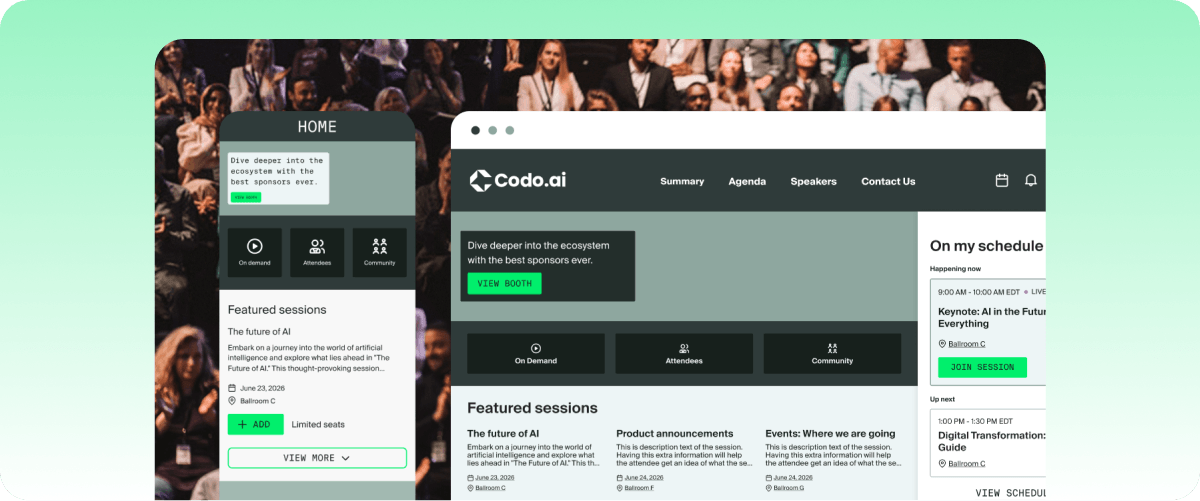
Cvent is an event marketing and management platform that supports in-person, virtual, and hybrid events. It provides end-to-end solutions, including tools for event promotion, venue sourcing and supplier management.
The platform also helps streamline event logistics, automate tasks, and enhance the attendee experience, making it a powerful tool for event planners looking to maximize ROI and audience engagement.
Key features
- Planning and promotion: Cvents helps attract and convert audiences with personalized marketing and fully branded websites. It also helps automate promotions and communications.
- Attendee engagement: Real-time engagement tools, such as mobile apps, live streaming, and session feedback, enhance the attendee experience.
- Spending and workflow: Manage meeting requests, budgets, and approvals, all from one place, to ensure full visibility into total marketing spend.
- Insights and analytics: Includes tools for capturing attendee data, measuring engagement, and gaining actionable insights to optimize future events.
- Automation & data integration: Integrates with CRM systems like Salesforce, automated email campaigns, and real-time reporting to ensure efficient lead management and personalized outreach.
Pricing
Cvent's pricing is customized based on your event needs and scales according to the number of attendees and features you require. Reach out for a customized quote.
Pros
- Comprehensive event management platform with marketing tools
- Track spending and savings across events
- Strong CRM integration and automation
- Excellent analytics for lead capture and post-event analysis
-
Cons
- There’s no social media integration
- Focuses more on corporate events than other event types
- Insights from metrics can be challenging to understand

3. Bizzabo
Bizzabo is an event management platform that combines event websites, registration, ticketing, email, mobile apps, and analytics in one place. It’s designed for B2B marketing teams that want to track event marketing KPIs and connect events to pipeline.
Key features
- Event Experience OS: Unlimited events and registrations with ticketing, email, and a mobile app.
- Klik SmartBadges: NFC wearables for contactless lead capture and session tracking.
- AI copilot (Bizzy): Use Bizzabo's AI tools for session recommendations and networking matches for attendees.
- Sponsor and exhibitor management: Manage exhibitor participation, sponsor activities, branding, offers, and post-event data.
- Custom integrations: Build integrations for specific workflows and data requirements.
Pricing
Starts at $499/user/month, three-user minimum, billed annually ($17,999/year floor). Unlimited events included. API access, SSO, and white-label branding are paid add-ons.
Rating
G2 rating: 4.3/5 (449 reviews)
Pros
- Drag-and-drop website builder lets teams build event pages without IT support
- Klik SmartBadges offer hardware-based contactless lead capture
- Strong Salesforce and HubSpot integration
- Real-time event intelligence and registration analytics dashboard
Cons
- API access, SSO, and white-label branding are paid add-ons
- Limited branding customization
- Cross-event analytics often require manual export to Excel
4. Stova
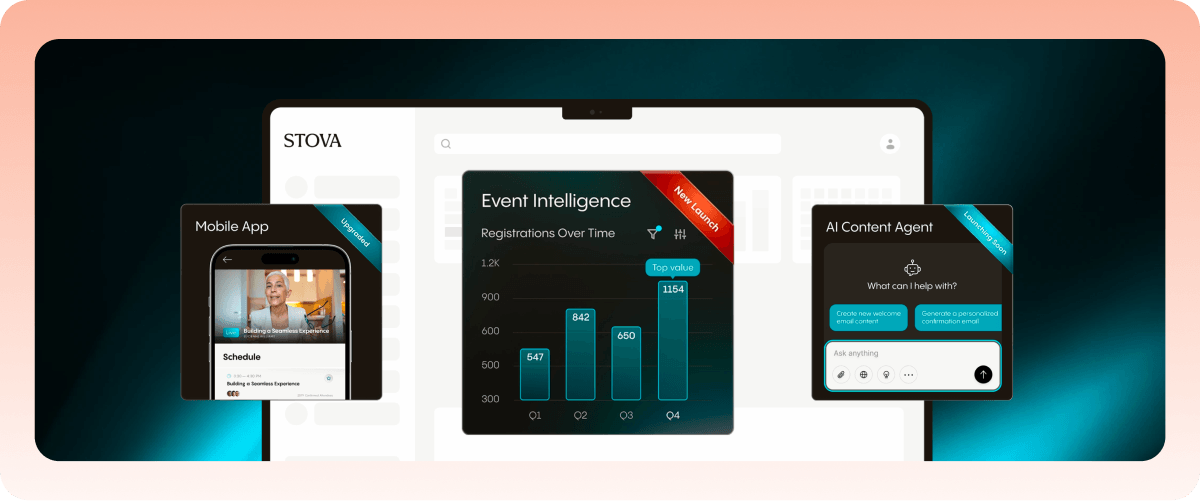
Stova is an event management platform designed to streamline event marketing and management for virtual, hybrid, and in-person events.
It allows event organizers to build branded event websites, automate marketing workflows, and deliver personalized attendee experiences while integrating with CRM tools.
It is suitable for diverse event types, including conferences, trade shows, and field marketing programs.
Key features
- Branded websites: Stova allows the creation of fully customizable event websites optimized for SEO and integrated with Google Analytics for tracking performance.
- Email marketing: The platform includes tools for building targeted email campaigns, automating reminders, and tracking engagement metrics such as open and click-through rates.
- Attendee engagement: Features like live polling, Q&A, networking rooms, and surveys ensure high levels of interaction during events, even for virtual attendees.
- Analytics and reporting: Stova provides real-time insights into event performance, helping organizers optimize marketing strategies and demonstrate ROI to stakeholders.
Pricing
Stova offers customizable pricing based on event size, format, and features required. Contact Stova for a personalized quote.
Pros
- Highly customizable websites and workflows
- Strong integration with CRM and marketing platforms
- Excellent tools for attendee engagement and networking
- Useful email marketing features
Cons
- No straightforward invitee list within registration hub, requiring a separate database
- High customization requires deep expertise
- Legacy product origins can make the experience feel inconsistent across modules

5. Swoogo
Swoogo is an event management platform that covers event websites, registration, email, and reporting. With it, teams can put their event marketing ideas into practice without having to manage logistics separately.
Swoogo works best for teams running high-volume event programmes. But its deeper website customization requires coding, which may be difficult for teams without technical staff.
Key features
- Customizable registration flows: Create registration forms with conditional logic, different registrant types, and customizable questions.
- Event website builder: Build branded, white-label event websites using drag-and-drop tools.
- Email marketing: Create and automate pre- and post-event emails using customizable templates.
- Integrations: Connect Swoogo with external systems like HubSpot and Salesforce using built-in integrations, webhooks, and its REST API.
Pricing
User-based licensing. You pay for "full" users and "reporting" users. Unlimited events included. Third-party sources report plans starting around $9,800/year. Free trial available.
Rating
G2 rating: 4.9/5 (212 reviews)
Pros
- Unlimited events at a flat rate, so costs stay predictable
- Combines registration, ticketing, virtual features, and analytics in one platform
- Clean interface that's consistently rated highly for ease of use
- Handles multiple event formats
Cons
- Mobile app navigation can be difficult for attendees during sessions
- Limited customization options for event pages and reporting
- No support for multiple interactive venue maps for multi-location events
6. HubSpot Marketing Hub
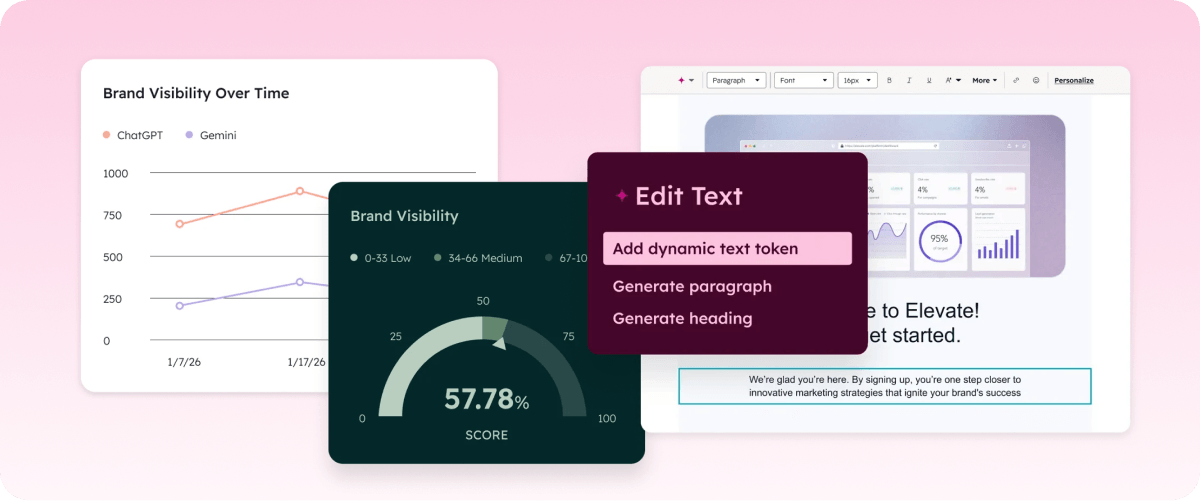
While it’s not specialized event management or marketing software, HubSpot offers features that can effectively support event marketing. It centralizes CRM, email campaigns, and landing pages for smooth event execution, ensuring you can access all these features from one platform.
Its Marketing Events Object maps registration and attendance directly to your CRM pipeline. That's available on Professional and above. You can build registration forms, run automated email sequences, and track which events influenced revenue.
The limitation is depth. HubSpot doesn't handle onsite check-in, badge printing, or multi-track agendas. You'd have to integrate with Eventbrite or Zoom for those.
Key features
- Marketing Events Object: Map registrations and attendance to CRM records (Professional and above).
- Custom forms and landing pages: You can create personalized RSVP forms and event landing pages to gather information and increase event registrations.
- Email campaign automation: Use automated workflows to send event reminders and post-event follow-ups.
- Performance tracking: Track event engagement and integrate it with broader marketing campaigns to analyze ROI.
- Integrations: HubSpot integrates with platforms like Zoom, Eventbrite, and Microsoft Teams for seamless event hosting and monitoring.
Pricing
- Free: Up to 2 users.
- Starter: $7/seat/month.
- Professional: $800/month for 3 seats, plus a $3,000 onboarding fee.
- Enterprise: $3,600/month for 5 seats, plus a $7,000 onboarding fee.
Essential event features are available on the Professional and Enterprise plans.
Pros
- Strong integration with CRM for lead tracking
- Customizable landing pages and workflows for events
- Scalable to large marketing campaigns for large events
- Excellent analytics to monitor performance
Cons
- Limited onboarding support
- Badge printing, check-in, and session scanning need a third-party integration
7. EventsZilla
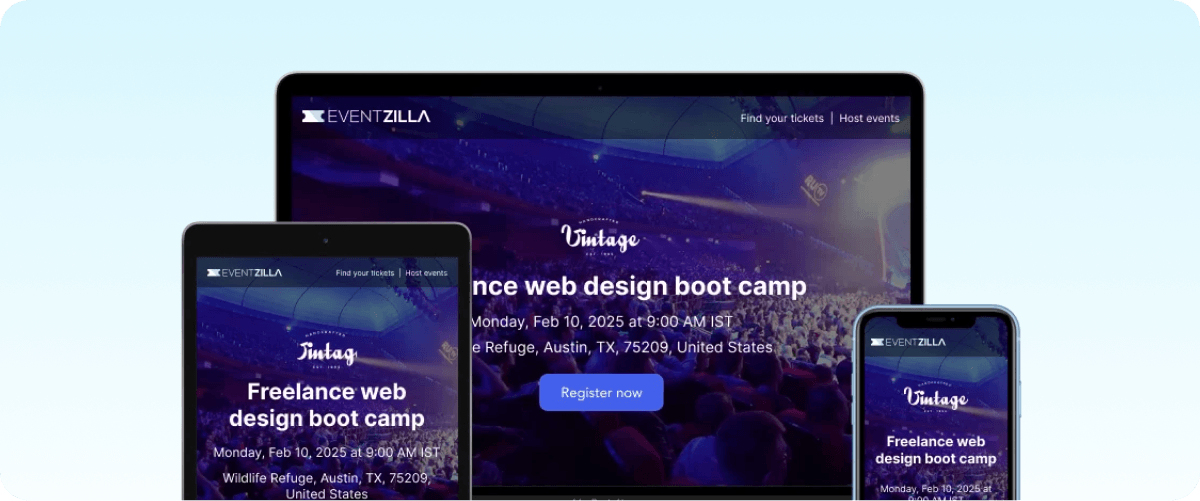
Another event marketing software planners and marketers can consider is EventsZilla. While EventsZilla is an all-in-one event management software, it offers dedicated features for event marketing and promotions.
The biggest of these features is event website creation, which helps increase your chances of converting your visitors into attendees. You can also send email invites and attract even more attendees with discount codes.
Key features
- Drag-and-drop website builder: Create a mobile-friendly event website with customizable URLs and layouts.
- Email marketing: Send bulk invites using pre-designed templates and import contacts from Gmail, Outlook, or Excel.
- Discount codes and group discounts: Create time-limited promo codes or group discount offers to boost ticket sales.
- Social media integration: Share events via social media with embedded share buttons.
- Mobile app: Provides attendees with event schedules, location maps, and interactive features for real-time engagement.
Pricing
Eventzilla offers three paid plans for different event types and sizes, starting at $1.50 per registration for the Basic Plan.
There’s also a Custom plan with flexible pricing options for events with comprehensive requirements.
Pros
- Simple drag-and-drop design
- Strong email marketing capabilities
- Social media integration to boost visibility
- Real-time mobile app engagement
Cons
- Limited insights and analytics
- Limited email marketing functionality
8. PreMagic
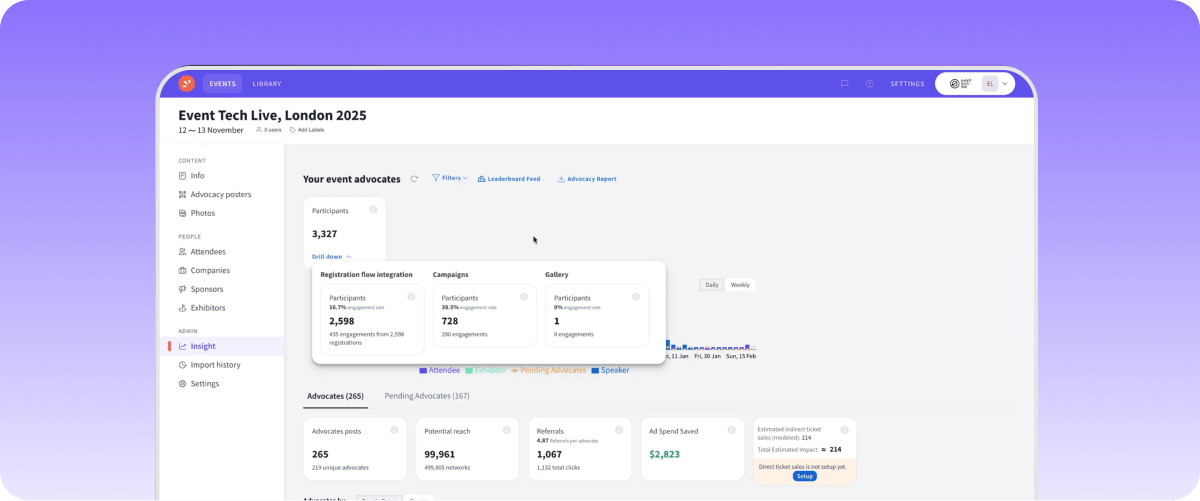
Premagic approaches event marketing in a different way from the regular event management platforms with marketing functionality. As an AI-driven event tech platform, it enhances event marketing by transforming attendees into organic marketers.
The platform simplifies the process of event engagement, providing tools for pre-event to post-event activities, such as instant photo sharing and personalized marketing materials. These, in turn, help increase event visibility, attendee satisfaction, and ROI.
Key features
- Landing pages: Build a customized landing page from scratch for your landing pages with relevant marketing information to attract attendees.
- Customizable event posters: Premagic offers personalized event marketing posters for each attendee, helping to boost referral traffic and increase engagement.
- AI-powered photo sharing: Provides real-time photo delivery using facial recognition to engage attendees and encourage immediate social sharing.
- Smart networking tools: Attendees can easily connect through photos and integrated social media profiles, enhancing networking and engagement opportunities.
- Analytics: Track conversions & create new sales touchpoints with detailed analytics.
Pricing
Premagic pricing plans are available on request. Contact the sales team to discuss your needs.
Pros
- Increases attendee engagement and referral traffic
- Offers real-time photo sharing and easy social media integration
- Comprehensive tools for all event stages
Cons
- Might require onboarding to utilize advanced AI features fully
- Best combined with event management platforms
- Designed for corporate use only
AI and automation in event marketing
AI isn't optional in event marketing anymore. EventsAir's State of Events 2026 report found that 62.4% of professionals already use AI for event marketing. It can help at different stages of your event marketing timeline. Here are some ways teams are already using it:
- Creating emails: Planners can draft invitations, reminders, and follow-ups without starting from a blank page.
- Answering attendee questions: Teams can use AI to handle common FAQs and support requests without tying up staff time.
- Pulling reports: Instead of building spreadsheets manually, AI can help teams query and analyse event data more quickly.
The difference between platforms is what they actually let you do with AI. Bizzabo's Bizzy copilot, for example, recommends sessions to attendees. Cvent has AI tools for content creation, while Swoogo uses AI to test email subject lines.
EventsAir's Air Intelligence covers more of the work. It includes three assistants, one for content, one for attendees, and a planner assistant.
The Content Assistant can draft event communications, while the Attendee Assistant answers questions using your event data. The Planner Assistant (coming soon) will let you ask questions about your event data in plain language rather than pulling reports yourself.
Air Intelligence also works alongside your team. You keep full control, and the AI draws only from your own event data. That's critical for high-stakes events, where a generic answer or an off-tone email isn't just a minor slip.
What to look for in an event marketing software?
When choosing your event marketing software from the list above, prioritize features like:
- User-friendly interface: Select event marketing software that's easy to navigate. It should be intuitive, even for those who aren't tech-savvy.
- Customization options: Look for platforms offering customizable templates. This flexibility helps tailor the software to your specific event needs.
- Integration capabilities: Ensure it integrates with other tools you use, like CRM systems and social media platforms, for seamless operation.
- Analytics and reporting: Choose an option that provides detailed analytics. This helps track engagement and ROI, improving future events.
- Customer support: Opt for event marketing software with reliable customer service to assist with setup, troubleshooting, and training.
Trust EventsAir for a flawless event marketing solution
An effective event marketing plan needs more than a tool for sending emails or collecting registrations. If you’re running complex, multi-stakeholder events, your marketing, registration, onsite management, and analytics should work together in one place.
That’s where EventsAir fits. You can build branded event websites, manage registrations, run targeted email campaigns, and track event performance from the same platform. Its CRM integrations keep attendee data connected, while Air Intelligence adds AI support for content, attendee questions, and reporting.
Request a demo today to see EventsAir in action.
FAQs
1. What is event marketing software?
Event marketing software is a platform that helps promote events and convert interest into registrations, connecting tools like email campaigns, registration pages, and analytics that would otherwise run separately. Most platforms cover registration, email, CRM integration, and analytics, though the depth of each varies significantly between tools.
2. What should an event marketing plan include?
An event marketing plan should include a defined target audience, a promotion timeline, a channel strategy, and a post-event follow-up process. For large events, promotion typically begins 6 to 9 months out, with channels and registration set up early so campaigns have time to build momentum.
3. What's a typical event marketing timeline?
A typical event marketing timeline starts 6 to 9 months out with goal-setting and early promotion, shifts to finalizing the agenda and ramping up campaigns at the 3 to 6 month mark, and moves to weekly communications in the final month. Follow-up communications should go out within the first week after the event.
4. What are the most important event marketing KPIs?
The most important event marketing KPIs are registration rate, attendance rate, cost per attendee, and event-sourced pipeline. For B2B events specifically, tracking ICP-fit meetings and event-influenced revenue helps connect marketing activity to business outcomes, not just attendance numbers.
5. What are the best event marketing strategies for associations?
The most effective event marketing strategies for associations are personalized campaigns by membership tier, early-bird pricing for members, and content tracks tailored to different attendee segments. Running these well depends on strong CRM integration, so member data and campaign targeting stay connected.
6. What event marketing ideas drive registrations?
Deadline-based pricing tiers, timed speaker announcements, social proof from past attendees, and automated reminder sequences are among the most effective ways to drive registrations. Reminder sequences in particular tend to convert more registrations than social promotion alone.
7. Do I need a dedicated event platform or can I use my CRM?
A CRM with event integration can work for a handful of webinars a year, but multi-day conferences or high-volume event programs generally need a dedicated platform for registration, onsite tools, and event-specific analytics that a CRM isn't built to handle.
8. How much does event marketing software cost?
Event marketing software pricing varies widely depending on scope. Marketing-focused platforms with event features added on tend to price per user or per month, often starting free or low-cost for basic use and scaling with volume. More comprehensive event management platforms, which include marketing as one module alongside registration, onsite tools, and reporting, typically use custom, quote-based pricing tied to event size and feature requirements rather than a flat monthly rate.
See EventsAir in action
Discover why 12,000+ event professionals trust EventsAir to deliver effortless events, every time.





Ready to transform event chaos into clarity?
With EventsAir, you’ll move from chasing logistics to creating unforgettable moments. Plan faster, act with confidence, and deliver exceptional events. Discover what’s possible with a personalized demo today.