

15 Best Registration Software For Events in 2026


Every event registration process has the same basic job of collecting sign-ups, taking payment, and getting attendees to the door, among other things.
That may sound simple enough in theory. But in practice, a lot of things can go wrong if the software isn’t the best for the job.
To help you avoid that, this guide covers 15 of the best registration platforms for events in 2026. We look at features, pricing, G2 and Capterra ratings, and real user feedback to give you a clear picture of what each tool does well and where it falls short.
What is event registration software?
Event registration software is a digital tool designed to streamline the registration process for event organizers and attendees. It goes beyond simple sign-ups (although that is a key component)—registration software also offers:
- Online registration forms and ticket sales
- Payment processing
- Attendee data management
- Event marketing tools
- Check-in and badge printing
- Reporting and analytics
Event registration software automates these tasks, reducing manual work, minimizing errors, and freeing up time for organizers to focus on other critical aspects of event planning. It also enhances the attendee experience by making the process smoother and less confusing…
…if you choose the right software.
What to Look for in Event Registration Software
When choosing your event registration software, consider these features:
- User-friendly interface: Easy for both you and your attendees to use.
- Customizable forms: Tailor registration forms to fit your event’s needs.
- Payment processing: Securely handle payments and refunds.
- Analytics and reporting: Provide insights into attendance and engagement.
- Integration capabilities: Work well with other tools like email marketing platforms or CRM systems.
- Dynamic registration forms with conditional logic: Create personalized registration experiences based on individual responses.
How we evaluated these tools
We tested more than 20 online event registration tools and shortlisted 15 based on a consistent set of criteria. Here is what we focused on:
- Core registration experience: We assessed how easy each platform made it to build forms, create ticket types, and launch a payment page.
- Advanced functionality: We looked beyond basic registration to features like conditional logic, group registrations, and multi-session sign-ups.
- Setup, usability, and support: We evaluated how quickly teams could get started, how intuitive the platforms were to use, and how well they were supported when issues came up.
- Reliability and performance: We tested how well each tool handled real event conditions, including speed, stability under load, and offline or edge-case performance.
If a platform checked most of these boxes, we considered it fit and added it to the list.
Top 15 registration software for events in 2026
Below is a quick side-by-side comparison of each tool:
Best for conferences and associations
1. EventsAir
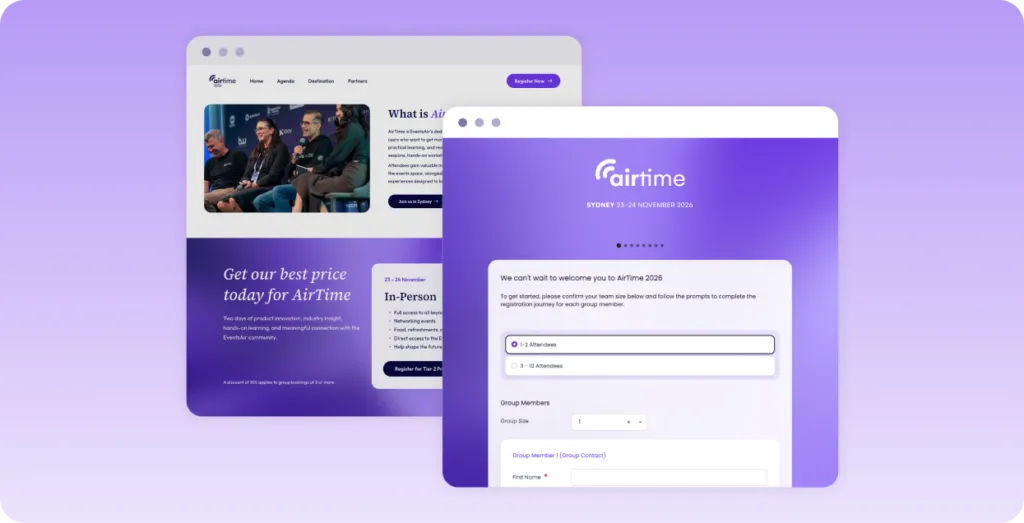
EventsAir is designed to centralize end-to-end event planning for professional organizers. We offer a set of native, fully integrated tools that simplify every stage of the process, from registration to post-event analysis.
Focusing on registration, we offer tools that let you build beautiful, responsive event sites, customize registration forms, sync attendee info, and more. Plus, our native payment processor, EventsAir Pay makes collecting payments and managing transactions simple.
Key Features
- Flexible registration – Build branded registration forms with conditional logic, multiple attendee types, group bookings, discount codes, approval workflows, and custom registration paths.
- Event websites and communications – Create event websites, automate confirmation emails and reminders, and keep attendees informed throughout the event lifecycle.
- Payments and financial management – Accept online payments with EventsAir Pay, manage invoices, process refunds, and track financial reporting from one platform.
- Onsite event management – Check in attendees, print badges on demand, scan sessions, and capture leads to streamline onsite operations.
- Attendee engagement – Deliver a branded mobile app where attendees can access agendas, networking features, notifications, and event information.
- Reporting and integrations – Monitor registrations with real-time dashboards and reports while connecting with CRM, marketing automation, accounting, and other business systems.
Pricing
EventsAir has three pricing plans: Single, Multi, and Enterprise. For any of those plans, you’ll have to request pricing by filling out a form.
What users say
G2 rating: 4.4/5 (49 reviews) | Capterra rating: 4.6/5 (54 reviews)
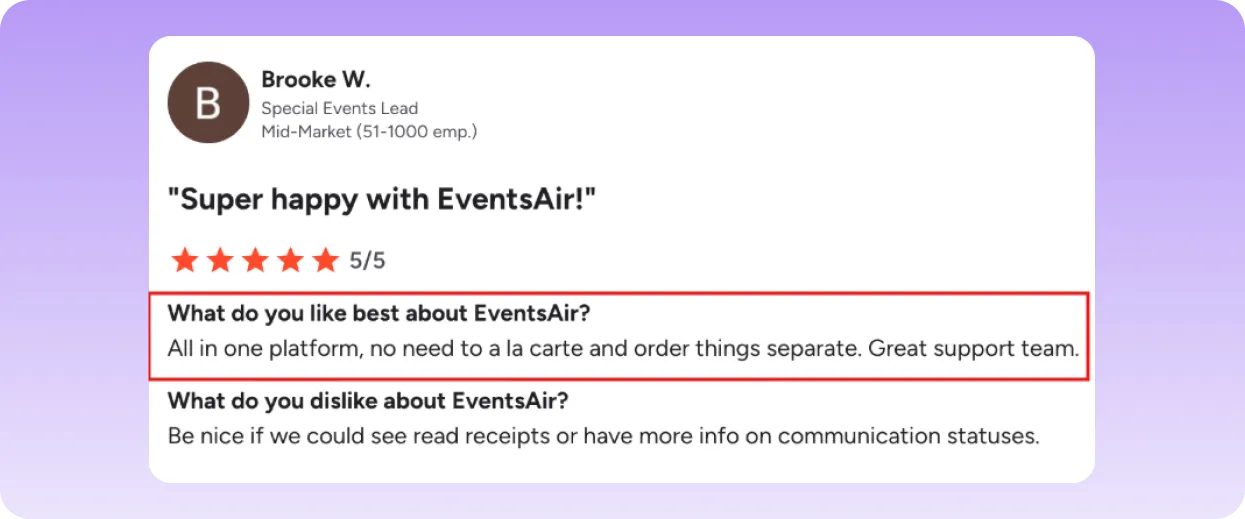
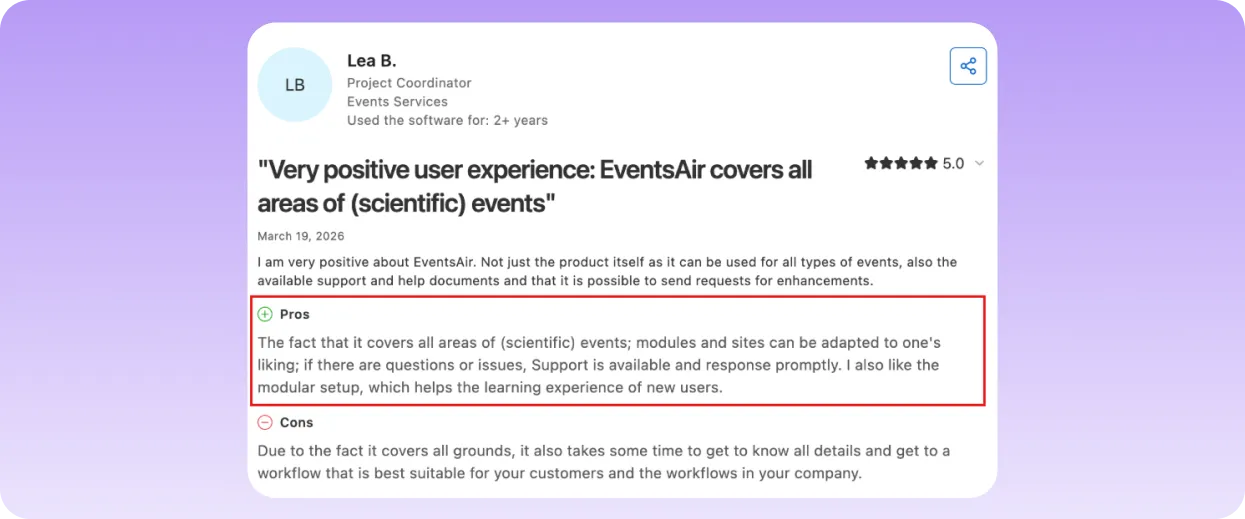
EventsAir is consistently praised for its all-in-one event management and great support team.
Pros
- Everything runs from one platform with a single source of truth
- Unlimited registrations and users with no per-attendee fees
- Strong support with 24/7 coverage and an extensive learning academy
- Purpose-built for complex events that other tools struggle to handle
- One sign-up flow handles everyone, along with conditional logic
- One-click return link for attends who drop off mid-sign-up
Cons
- Initial setup requires training for first-time users
2. Cvent
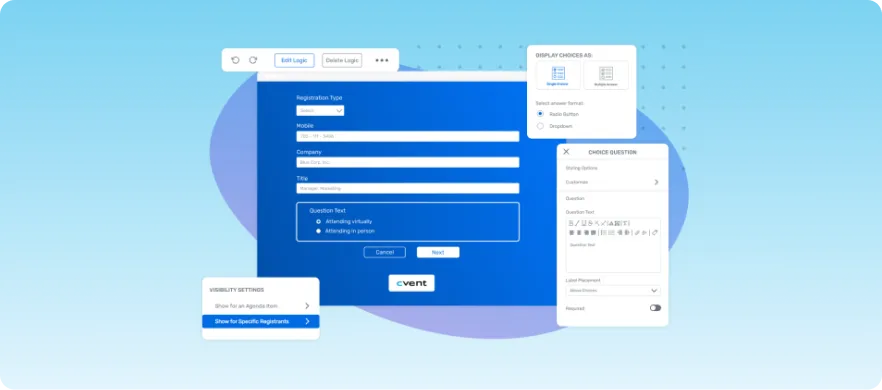
Cvent is a popular choice among event planners for its versatility and powerful features. It offers a bunch of tools that support event registration, like customizable forms and workflows, digital assets, agendas, and more.
Cvent’s platform can handle events of all sizes, ensuring a smooth experience for both organizers and attendees.
Key Features
- Branded Registration Pages: Create personalized, branded registration pages that reflect the event’s theme and your organization’s identity.
- Flexible Forms: Design registration forms with custom fields to capture the information you need, including attendee preferences, session selections, and payment options.
- Group Registrations: Allow multiple attendees to register at the same time with group discounts or packages.
- Registration Dashboards: Build shared dashboards that allow different stakeholders to access key registration data quickly.
Pricing
Cvent works on a custom pricing model. You’ll have to fill in a form with your personal details to get a quote from Cvent.
What users say
G2 rating: 4.3/5 (2,144 reviews) | Capterra rating: 4.5/5 (990 reviews)
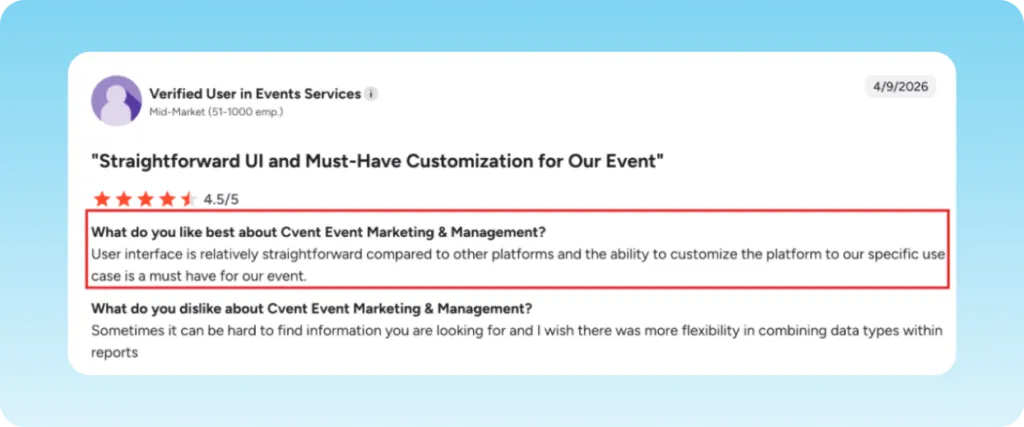
Users praise Cvent’s relatively straightforward interface.
Pros
- Has a comprehensive feature set for large-scale enterprise events
- Strong support and training resources
- Wide range of integrations
Cons
- Expensive for smaller or mid-market organizations
- Lower ease-of-use rating from users
3. Whova
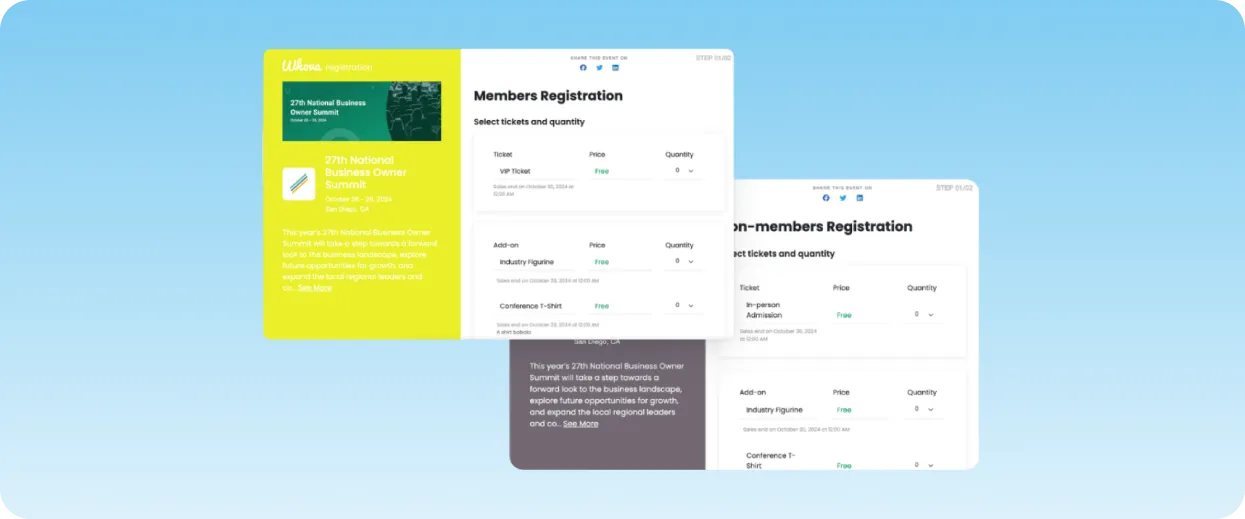
Whova is an event management platform and event app builder that stands out for its user-friendly design and wide-ranging set of features. It simplifies the registration process by giving organizers control over important details like ticket types, pricing, discounts, and flows.
Key Features:
- Event Registration & Ticketing: Offers customizable registration forms for both members and non-members, various ticket types, and payment processing.
- Attendee Engagement: Features like live polls, Q&A sessions, surveys, and networking opportunities encourage attendee participation during the event.
- Analytics & Reporting: Real-time analytics and post-event reports provide insights into registration numbers, attendee engagement, and overall event success.
Pricing
Whova works on a custom pricing model. Interested users will have to fill in a form with your event details to get a quote from Whova.
What users say
G2 rating: 4.8/5 (1,888 reviews) | Capterra rating: 4.8/5 (2,447 reviews)
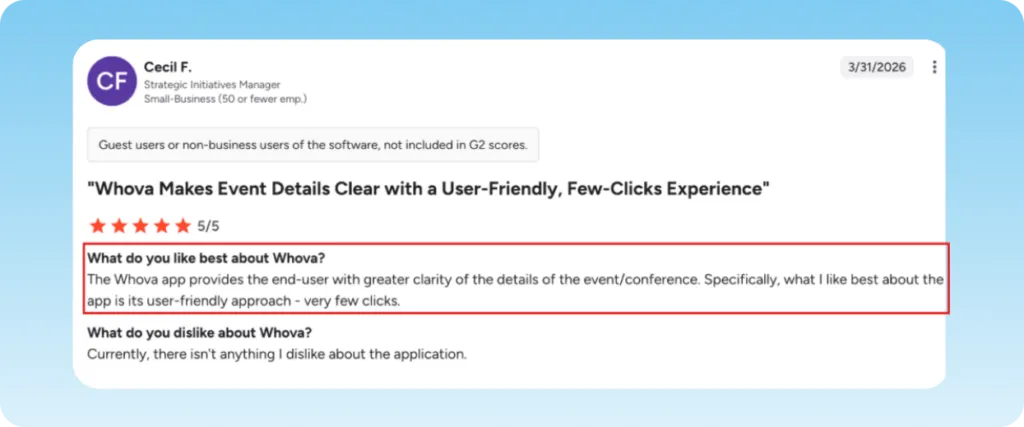
Cecil mentioned on G2 that the app gives the end user greater clarity on event details, and is quite user-friendly.
Pros
- High user ratings across all major review platforms
- Strong networking and engagement features for conference attendees
- Minimal learning curve
Cons
- Limited customization
- Less capable for complex registration workflows or financial management
Best for enterprise and B2B event teams
4. Bizzabo
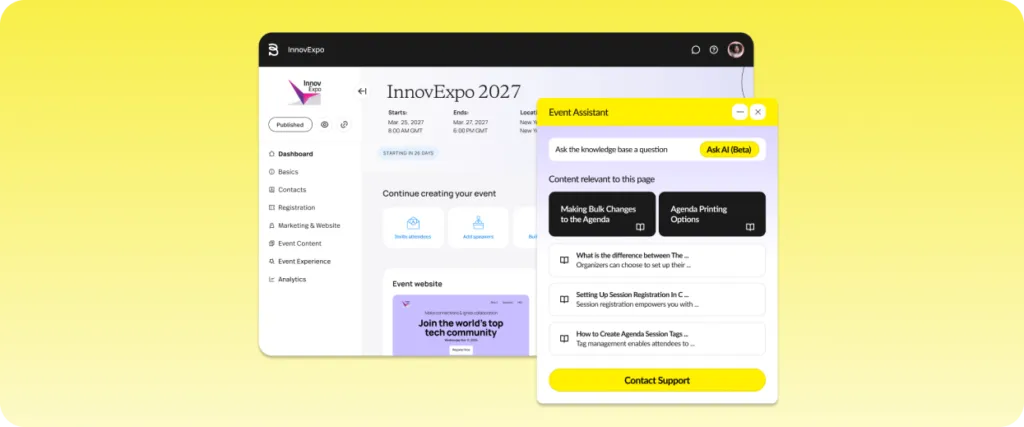
Bizzabo is an enterprise event platform built for large B2B marketing and corporate event teams. Its registration builder has templates that you can use if you don’t want to create a page from scratch. If not, you can use its drag-and-drop editing tool and can get branded pages live without needing developer help.
While Bizzabo has strong registration capabilities, advanced features, reporting, and onsite support often require costly add-ons.
Key features
- Registration and Ticketing: You can easily create custom-branded event websites, registration forms, and attendee journeys without any external help.
- Event Marketing: You can build customized email campaigns, track lead generation, and manage communication workflows all from inside the platform.
- Mobile Event App: Using the app, your attendees can view agendas, receive push notifications, and access on-demand content or digital venues.
- Attendee Networking: Your attendees can network and build connections through AI-powered matchmaking
What users say
G2 rating: 4.3/5 (439 reviews) | Capterra rating: 4.4/5 (171 reviews)
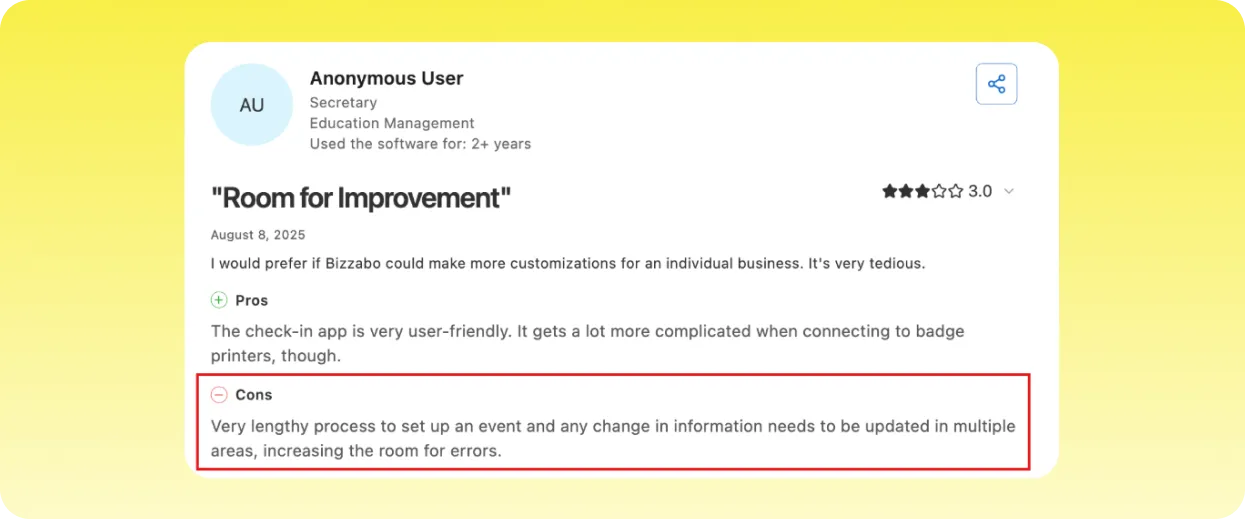
A verified Capterra user found the check-in app very user-friendly, but noted that its long setup process can slow live events down.
Pricing
Bizzabo has two pricing plans, one for its event software and one for experiential onsite:
- Event software starts at $499/user per month, billed annually (requires a minimum of 3 users)
- Experiential onsite has a custom pricing for which you’ll have to contact Bizzabo’s sales team
Pros
- Fast setup
- Strong branding and design quality for registration pages and apps
- Good support team response times noted across reviews
Cons
- Some complex workflows can’t be supported within the platform
- Integrations between features not always seamless
5. Swoogo
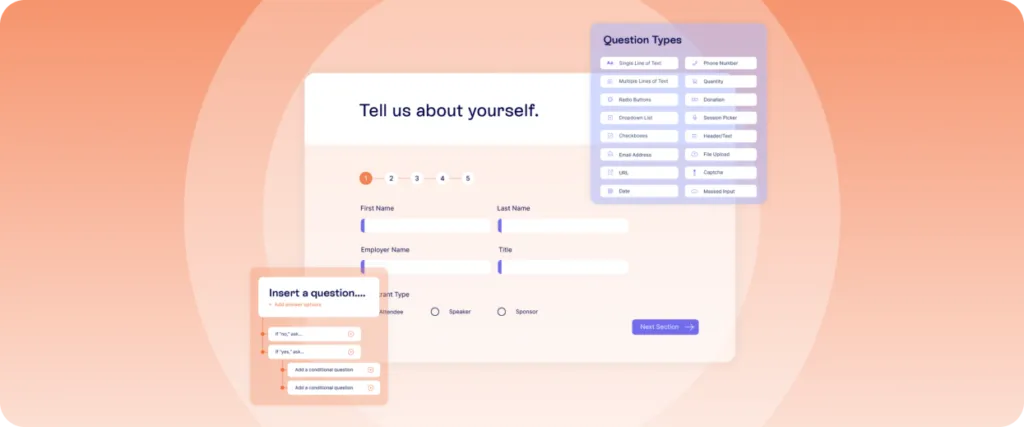
Swoogo is one of the best event tools for enterprise or B2B events primarily because of the way the platform prices its product.
Unlike most platforms in this category, you don’t pay per attendee or per event, but per team user, which allows unlimited events on every plan. However, event marketing teams will find Swoogo limiting for complex conference management and large-scale operational workflows.
Key features
- Agenda and Session Management: You can create complex and multi-track agendas inside the platform. You can also allow your attendees to build their own schedules.
- Marketing and Communication: You can segment your attendees, create your own custom email templates, and automate communications based on attendee behavior.
- Sponsor and Exhibitor Management: Easily set up dedicated sponsor profiles and customize their registration experiences. You can also manage your ROI with lead-generation tools built in.
- Event Apps and Networking: Give your guests interactive and engaging features like real-time Q&A, live polling, and digital networking options inside the app.
What users say
G2 rating: 4.9/5 (208 reviews) | Capterra rating: 4.7/5 (82 reviews)
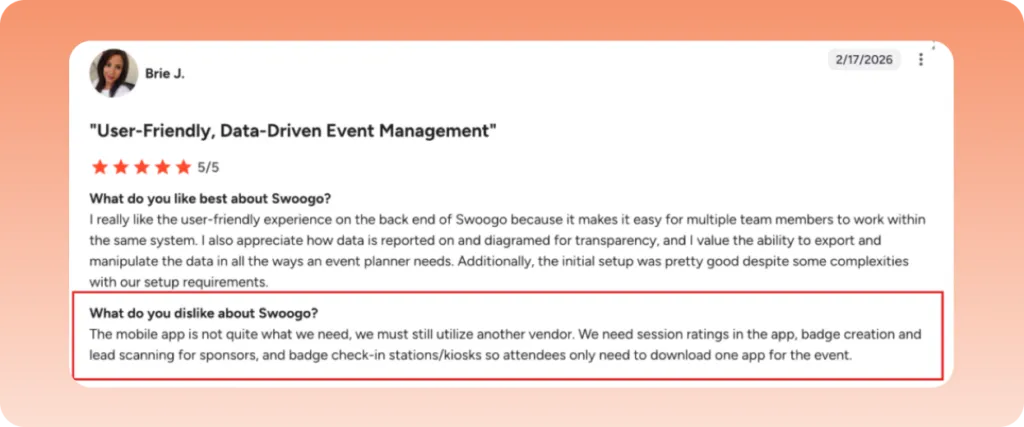
Users have noted that Swoogo’s mobile app lacks key features, requiring external tools for full functionality.
Pricing
Swoogo has two pricing plans, professional and enterprise:
- The professional plan starts at $11,800/year with 1 user (the price increases as you add more seats)
- The enterprise plan has custom pricing for which you’ll have to contact their sales team
Pros
- Per-user pricing model makes it cost-effective for high-volume event teams
- Strong customer support is consistently praised in reviews
Cons
- Not suited for complex conference workflows or academic event management
6. vFairs
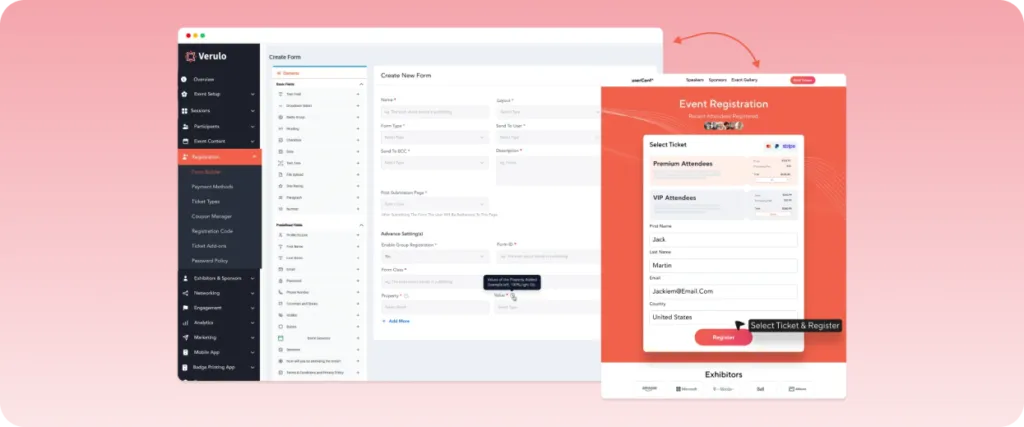
vFairs was originally built for virtual and hybrid events, but now it has expanded into full event management over time.
The actual differentiation of vFairs is in its virtual environment features. It works well and can handle the complexity of online and hybrid events better than most platforms out there. However, its reporting and analytics lack depth, especially for tracking attendee behavior and engagement in real time
Key features
- Immersive 3D Environments: Within the platform, you can build customized 3D lobbies, virtual exhibition halls, and interactive poster galleries.
- Webinars & Live Streams: vFairs supports live, semi-live, or on-demand sessions, with integration for video conferencing tools like Zoom.
- Event App: It has a dedicated mobile app that allows you to capture leads, gamifies the process, and also supports session scheduling features for in-person attendees.
- Reporting Dashboards: You can track session attendance, booth visits, and your overall event performance in real time.
Pricing
vFairs has custom pricing for interested users who will have to reach out to the team for a quote. This will be based on the type of event being planned.
What users say
G2 rating: 4.7/5 (1,773 reviews) | Capterra rating: 4.8/5 (627 reviews)
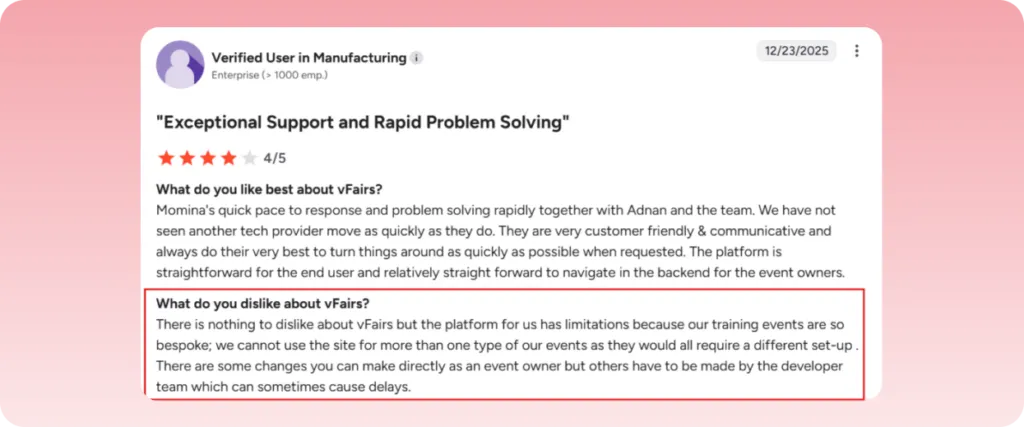
While vFairs is praised for its strong customer support, it struggles with multi-event setups, which can slow down workflows and delay timelines for teams running different event types.
Pros
- Best-in-class virtual and hybrid event capabilities
- High-touch support model compared to self-serve platforms
- Named a Gartner Magic Quadrant leader in 2026
Cons
- Less suited for events with minimal virtual component
Best for small and free events
7. Eventbrite
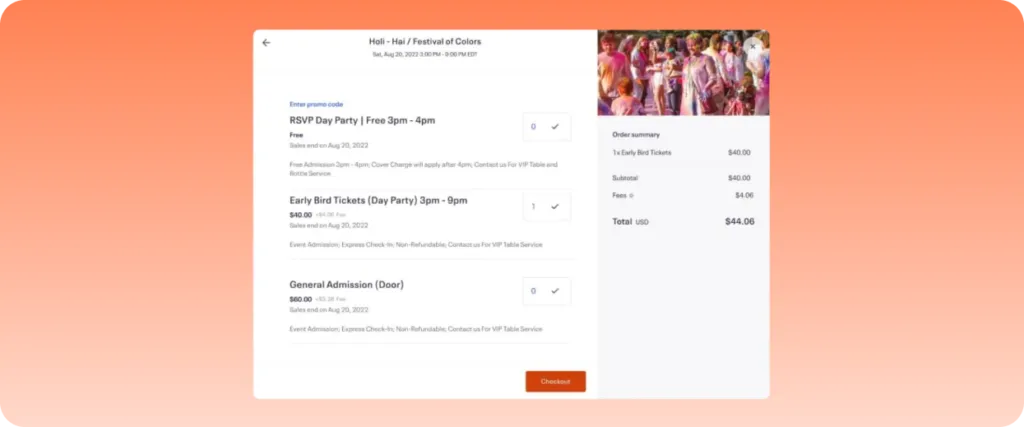
Eventbrite is a well-known name in the event registration software industry. It lets users build customizable event pages, sell tickets to their events, and market their events with ease.
However, the platform has notable limitations for complex conference management. These include high ticketing and processing fees for frequent or large-scale events, along with relatively weak reporting capabilities.
Key features
- Event Creation and Ticketing: Eventbrite provides you with tools using which you can create custom event pages and manage your ticket tiers (VIP, early bird, general admission). You can handle both paid and free events.
- Discovery and Marketing: You can list your public events on the Eventbrite Marketplace, and they can reach thousands/millions of people in your target audience. It also gives you several built-in tools for marketing your events + a social media integration feature.
- Attendee Management: You can easily manage your attendees with custom registration forms, waitlists, and guest list tracking.
Pricing
Event planners can publish their events for free on Eventbrite. The fees are covered by buyers who buy the tickets to your events. The fees depend on the country from which the tickets are being bought.
What users say
G2 rating: 4.3/5 (912 reviews) | Capterra rating: 4.6/5 (5,775 reviews)
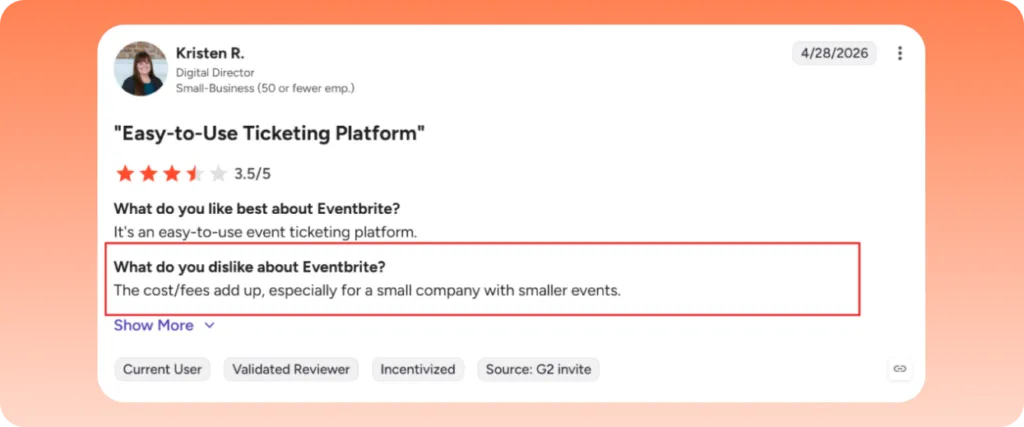
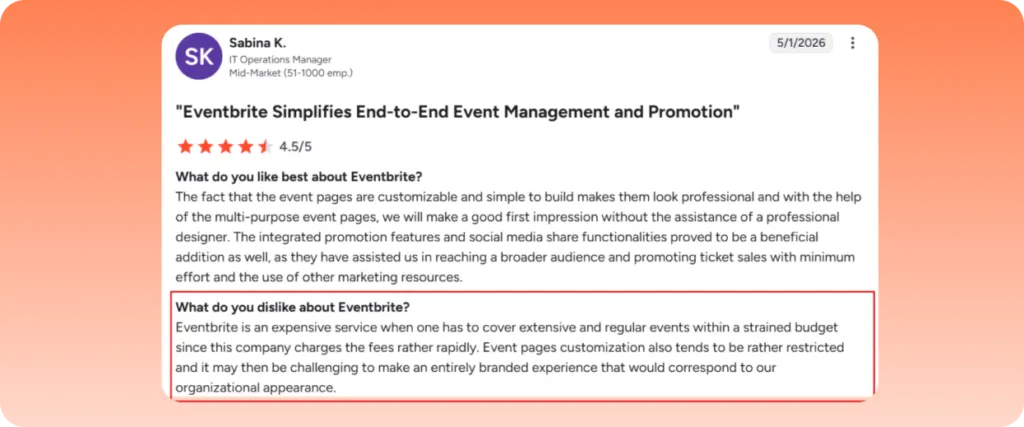
Several reviewers have noted that despite its ease of use and robust customization options, Eventbrite is a more expensive platform, especially for smaller teams.
Pros
- Zero upfront cost for free events
- Built-in audience discovery
- Fast and easy to set up for straightforward events
Cons
- Limited capability for complex conferences or multi-session registration
- CRM integration quality, particularly with HubSpot, has documented issues
8. Eventzilla
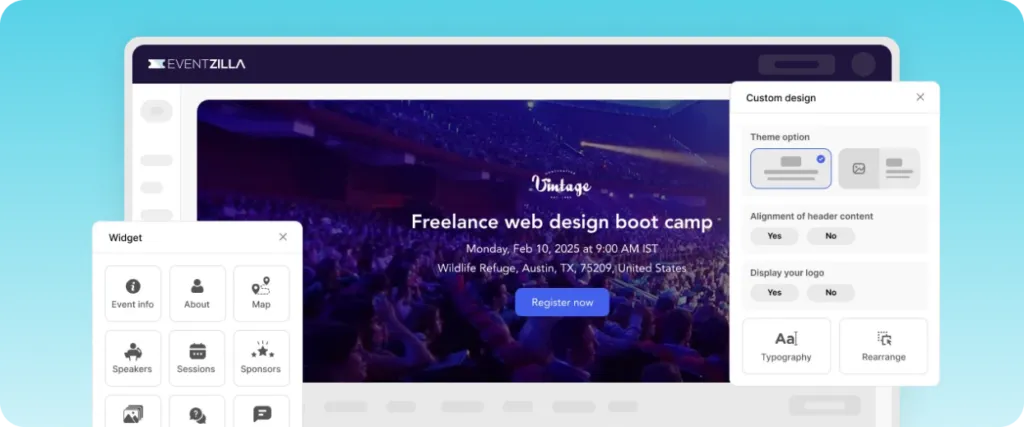
Eventzilla has a pay-as-you-sell pricing model, which attracts a lot of event organizers to its platform. This pricing model basically means that there will be no monthly fees and no setup costs. It makes the platform the best choice for organizers who run events occasionally and don’t want to be on a subscription that they’ll only use three or four times a year.
Key features
- Custom Event Website Builder: With its custom no-code site builder, you can have a fully branded and mobile-friendly event website ready within a day.
- Flexible Ticketing and Registration: You get to create unlimited free or paid ticket types and set custom pricing rules.
- Virtual and Hybrid Event Hub: You can access built-in webcasting tools and live stream directly from your own browser. Not to mention, you can manage virtual sessions too.
What users say
G2 rating: 4.4/5 (165 reviews) | Capterra rating: 4.4/5 (393 reviews)
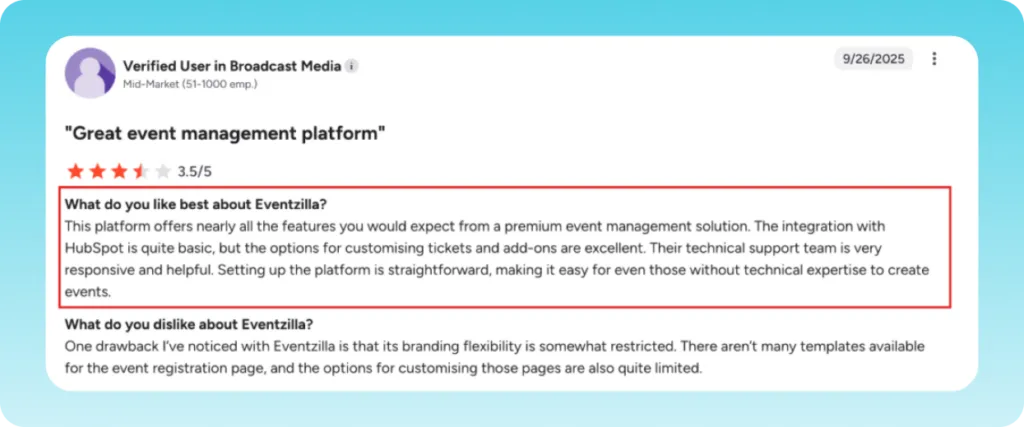
A G2 reviewer noted that while the HubSpot integration is quite basic, the options for customizing tickets and add-ons are excellent.
Pricing
Eventzilla has four pricing plans:
- Basic: costs $1.50 per registration
- Pro: costs 1.9% + $1.50 per registration
- Plus: costs 2.9% + $1.50 per registration
- Unlimited: starts at $5,999/year
Pros
- Wider feature set than you would expect at this price
- Supports in-person, hybrid, and virtual event formats
Cons
- Less customization depth than premium enterprise platforms
Best for Budget Events
9. EventBookings
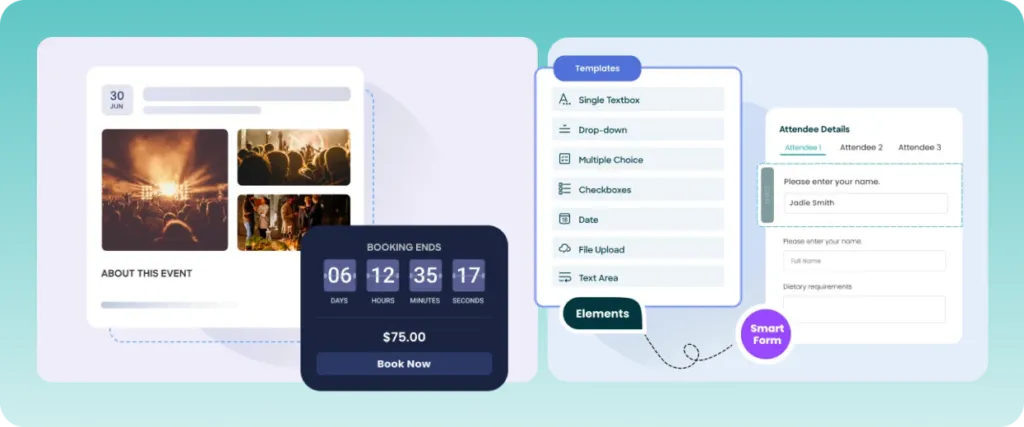
EventBookings is an event registration platform for organizers who do not want to compromise on features while still keeping costs affordable. However, some users note that its integrations are limited compared to more established platforms, especially for complex tech stacks.
Key features
- Event Creation and Ticketing: You can create events with custom ticket types, reserved seating, and session-based tickets. There are also customizable promotional coupons that you can use to boost your sales.
- Virtual Event Integration: There’s built-in video hosting, which means that you can run virtual events directly without integrating any third-party streaming tool.
- Payment Processing: It has secure payment processing through gateways like Stripe, PayPal Apple Pay, and Google Pay.
Pricing
EventBookings keeps it simple with a transparent fee structure:
- Global events: 1% + $0.30 per ticket
- Australian events: 2% + $0.30 per ticket
- Free events: No charges
What users say
G2 rating: 5/5 (9 reviews) | Capterra rating: 4.7/5 (21 reviews)
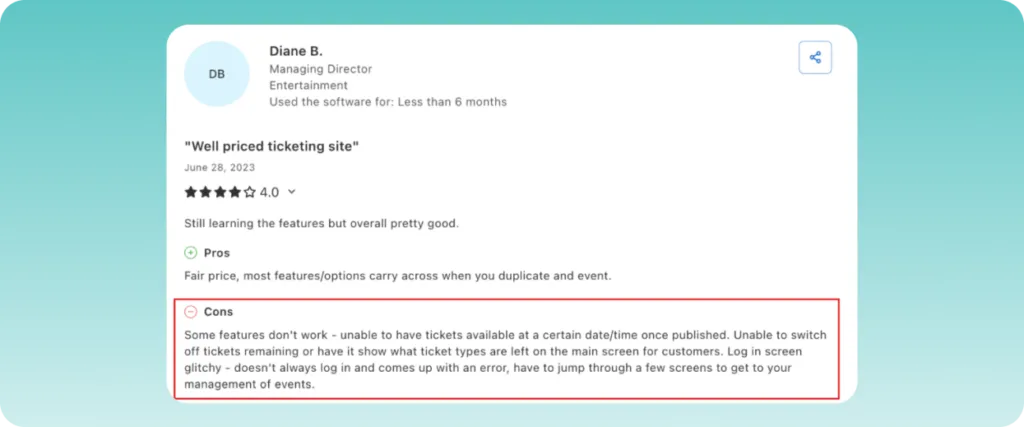
Users have noted that some features don’t work as intended.
Pros
- It has a low ticketing fee structure
- Highly customisable order forms
- Fast payouts available before events
Cons
- Requires a learning curve, especially when handling advanced features
- Certain features may require additional paid add-ons or upgrades
10. Eventbee
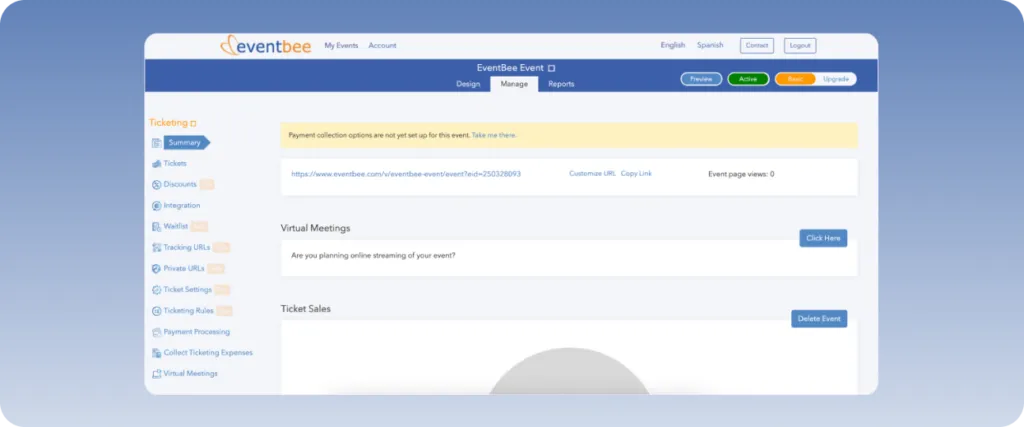
Eventbee is an easy-to-use registration software for events with quite an affordable per-ticket fee structure. It offers all the features a good event registration platform offers, like page builder, integrated social media marketing, and live virtual event support via integration with Zoom, Google, YouTube, and Facebook.
Key features
- Door Ticketing and Check-in: It offers the Eventbee Manager app that allows for rapid QR code scanning and on-site credit card processing. The app and its features work offline as well.
- Payment Processing: Since it supports payment gateways like PayPal and Stripe, the payments are quite secure. Due to this, the funds go directly to the organizer rather than the platform.
- Marketing & Social: It has unique social networking features that can help increase your ticket sales.
Pricing
Eventbee operates on a flat-fee pricing model, starting at $1 per ticket sold, with additional fees for premium features such as custom branding and advanced analytics.
There are no setup fees or monthly charges, and organizers can choose to absorb or pass these fees to attendees.
What users say
G2 rating: 4.2/5 (18 reviews) | Capterra rating: 3.7/5 (6 reviews)
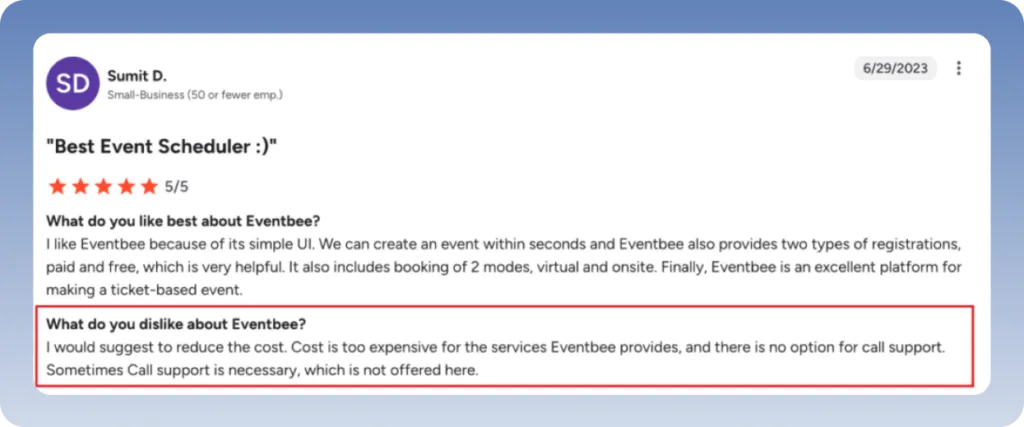
Sumit shared on G2 that he likes Eventbee for its simple UI. However, the cost is too expensive for the services provided.
Pros
- Affordable flat fee pricing model
- Easy to set up and use
- Mobile accessibility for on-the-go event management
- Extensive integration options with various platforms
Cons
- Outdated interface
- According to some user reviews, the mobile app can feel clunky at times
- Some users report a learning curve for advanced features
Best for nonprofits and invite-only events
11. RSVPify
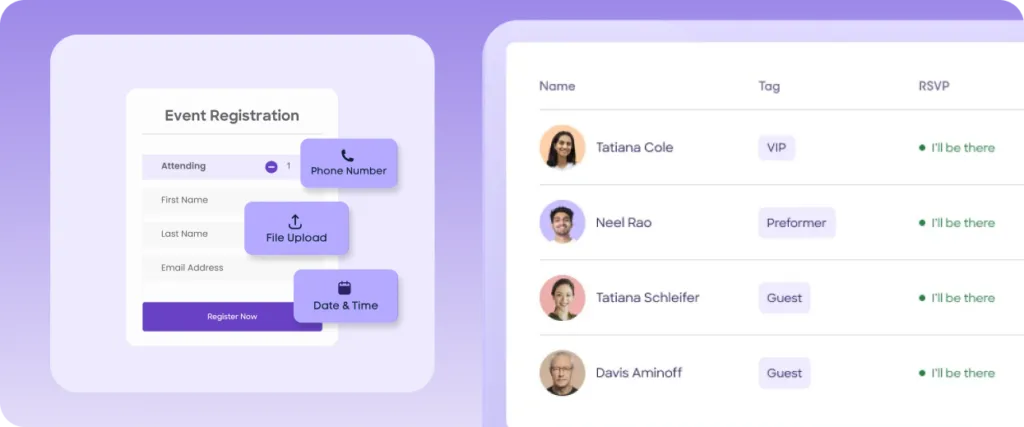
RSVPify is built around guest list management and invite-only event control. This makes it useful for private corporate events, galas and events where you need precise control over who is allowed in. The platform also supports QR code check-in, seating plans, meal selections, and digital invitations.
Key features
- Advanced Guest Management: You can manage +1s and +X easily using RSVPify. It even allows you to track dietary restrictions and meal choices.
- Ticketing and Payments: The platform enables you to create custom ticket tiers, group packages, and merchandise add-ons. It also has built-in payment processing for secure and fast payments.
- Team Collaboration: You can invite collaborators, any stakeholders, or vendors to your event dashboard. You can set access levels and permissions based on their role.
Pricing
RSVPify has four paid plans for businesses and non-profits:
- Starter: costs $39/month
- Plus: costs $125/month
- Professional: costs $409/month
- Enterprise: You need to contact the sales team to get a custom quote for the enterprise plan.
What users say
G2 rating: 4.8/5 (81 reviews) | Capterra rating: 4.8/5 (425 reviews)
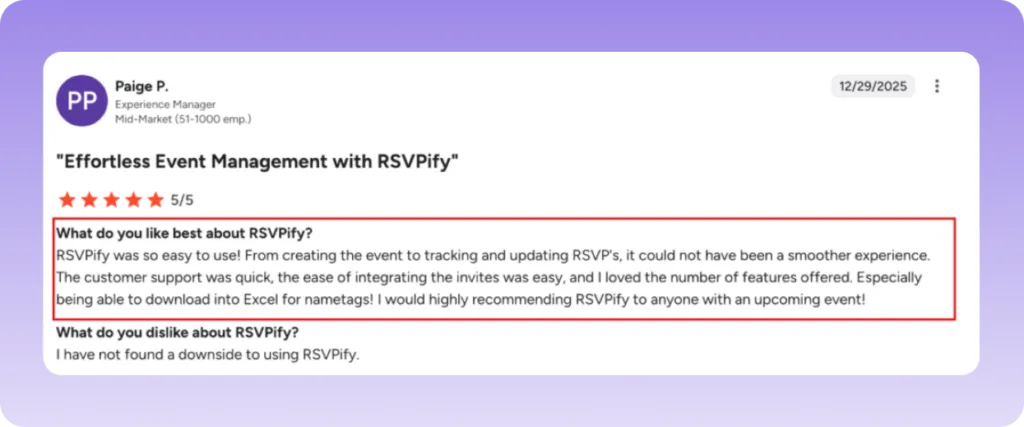
Users praise RSVPify for being easy to use and having a responsive support team.
Pros
- Best guest list control of any platform in this list
- Works consistently across a wide range of event sizes
- Strong customization for invitation and form design
Cons
- QR code scanning functionality has received mixed reviews
- Less suited to public events or complex multi-session conferences
12. SpotMe
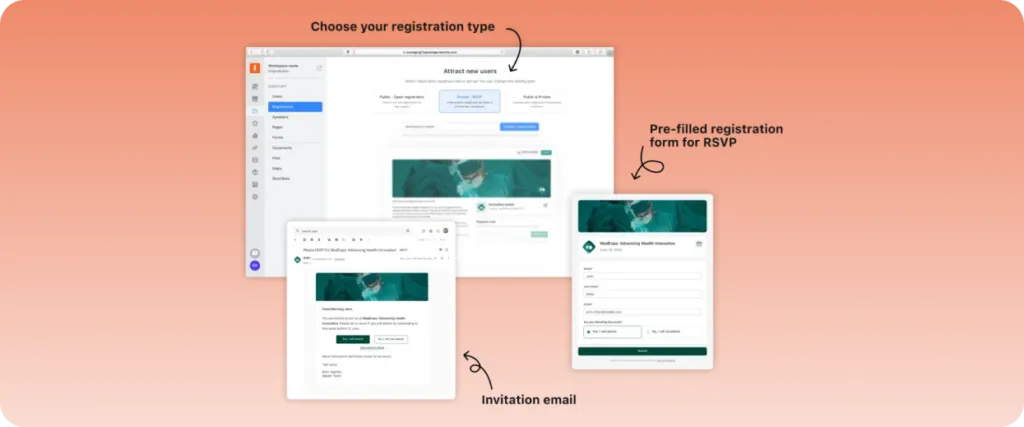
SpotMe is an enterprise-grade event platform designed to create engaging and personalized experiences for hybrid, virtual, and in-person events. It offers a comprehensive suite of tools that facilitate seamless event execution and enhance attendee engagement.
Key Features
- Branded Event Apps: Develop customized mobile applications that reflect your brand identity and provide attendees with a cohesive experience.
- Advanced Registration Management: Utilize customizable registration forms with unlimited fields to capture essential attendee information.
- Networking Capabilities: Enable attendees to connect through matchmaking features and personalized agendas.
Pricing
SpotMe offers tiered pricing plans to accommodate various event needs:
- Starter: Includes up to 2 events with unlimited participants and administrators.
- Business: Supports up to 5 events and offers additional integrations.
- Advanced: Allows up to 25 events with branded app options.
- Enterprise: Provides custom plans tailored to organizational requirements.
- For detailed pricing information, contact SpotMe directly.
What users say
G2 rating: 4.7/5 (200 reviews)
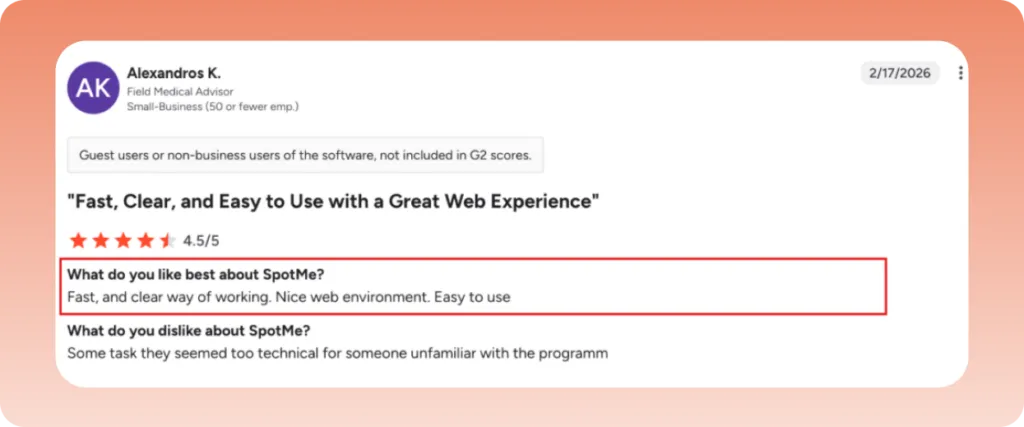
Alexandros K., on G2, kept it brief, describing a fast and clear way of working, a nice web environment, and a platform that’s easy to use.
Pros
- Highly branded, cohesive event experience across all formats
- 24/7 customer support on all plans
- Good fit for enterprise organizations running hybrid programs
Cons
- Learning curve for more advanced platform features
- Limited out-of-the-box integrations with third-party tools
Best for ticketed entertainment events
13. TicketSpice
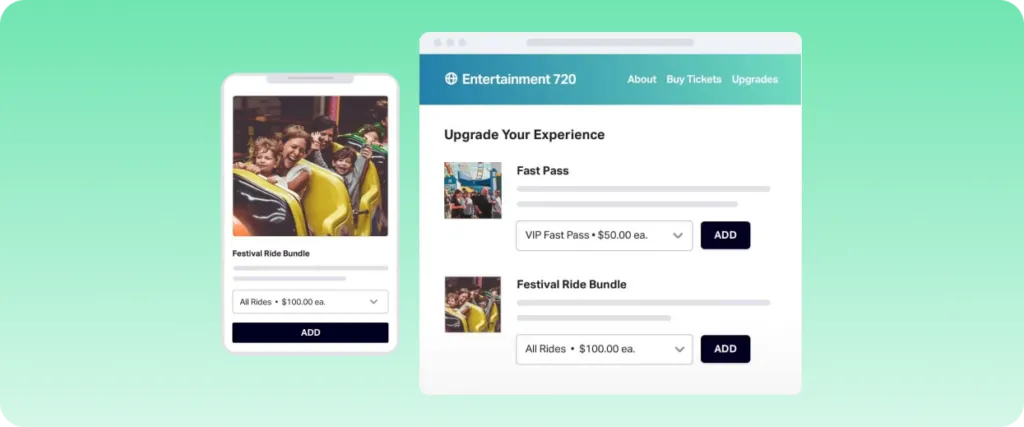
TicketSpice is a versatile event ticketing platform designed to empower organizers with customizable tools for selling tickets online. It caters to a wide range of events, including festivals, concerts, and fairs, offering a user-friendly interface that simplifies event management.
Key Features
- Drag-and-Drop Page Builder: Easily create and customize event pages to align with your brand identity.
- Reserved Seating: Design seating charts and layouts tailored to your venue’s specifications.
- Mobile Ticketing: Facilitate seamless ticket scanning and attendee check-in via QR codes.
- Conditional Logic: Implement workflows and dynamic pricing based on attendee selections.
- Real-Time Analytics: Monitor event performance and conversion rates with up-to-date data.
Pricing
TicketSpice operates on a transparent pricing model, charging a flat fee of $0.99 per ticket sold, in addition to standard credit card processing fees. This structure enables organizers to save significantly compared to platforms with higher per-ticket fees.
What users say
G2 rating: 4.8/5 (417 reviews) | Capterra rating: 4.8/5 (105 reviews)
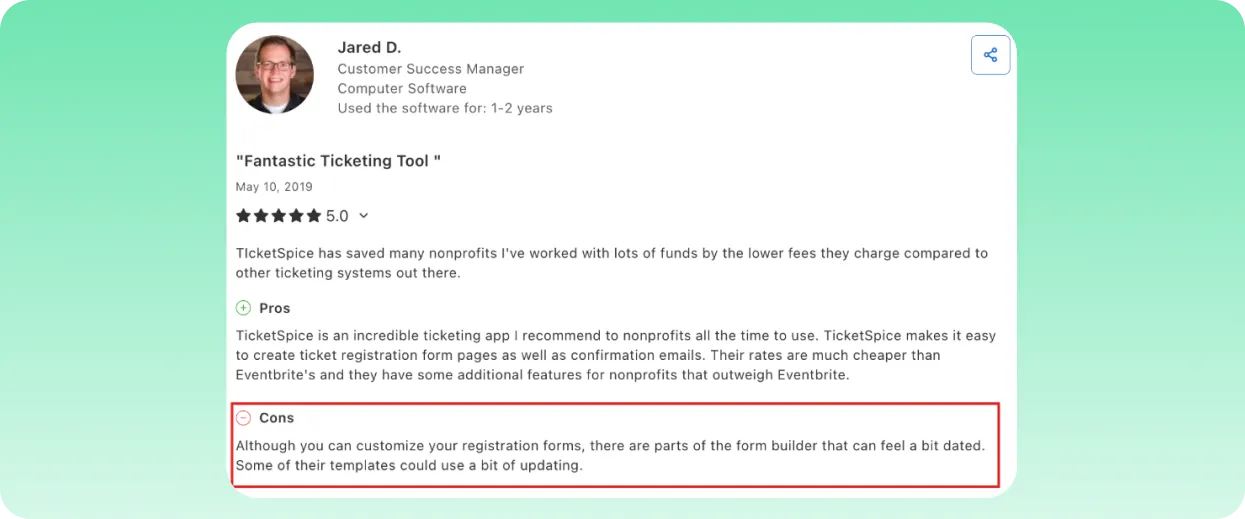
Although TicketSpice is an easy to use tool, some users have found the platform’s interface to be outdated.
Pros
- Flat $0.99 per ticket fee with no monthly charges
- Responsive personal customer support praised repeatedly in reviews
- Strong feature set for ticketed entertainment events
Cons
- Some users report issues with reserved seating functionality
- Not designed for complex multi-session conference management
14. Ticket Tailor
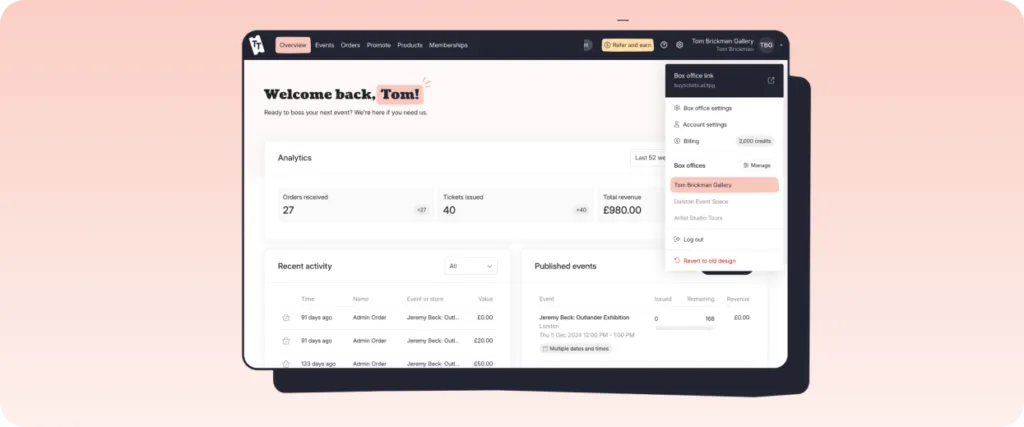
Ticket Tailor is a simple and affordable option for independent event creators or small venues. It’s also for people who want to sell tickets online without a complex setup or high platform fees.
You can create public or private event listings, embed checkout directly on your own website, and have revenue sent straight to Stripe, PayPal, or Square. The platform supports reserved seating, recurring events, and basic merchandise sales.
It works as long as your event management needs are simple. It is not cut out for complex event management.
Key features
- Website Integration: You can easily embed ticketing widgets provided by Ticket Tailor on your own website.
- Flexible Event Types: The platform supports several event types like general admission, reserved seating, timed-entry slots (ideal for museums or tours), and recurring events.
- Direct Payouts: All funds can proceed directly to your account because Ticket Tailor integrates with major payment gateways like Stripe and PayPal.
Pricing
Ticket Tailor has a “free for free” plan, which allows you to issue up to 5,000 free tickets per year.
The two paid pricing plans are:
- Pay upfront: In this pricing plan, you’ll have to buy credits in advance and use them to sell tickets. You’ll have to pay $0.3 per ticket, which works out best if you buy credits in advance.
- Pay as you sell: With this pricing plan, you’ll pay $0.85 per ticket as you sell, so there’s no upfront commitment.
What users say
G2 rating: 4.8/5 (198 reviews) | Capterra rating: 4.9/5 (595 reviews)
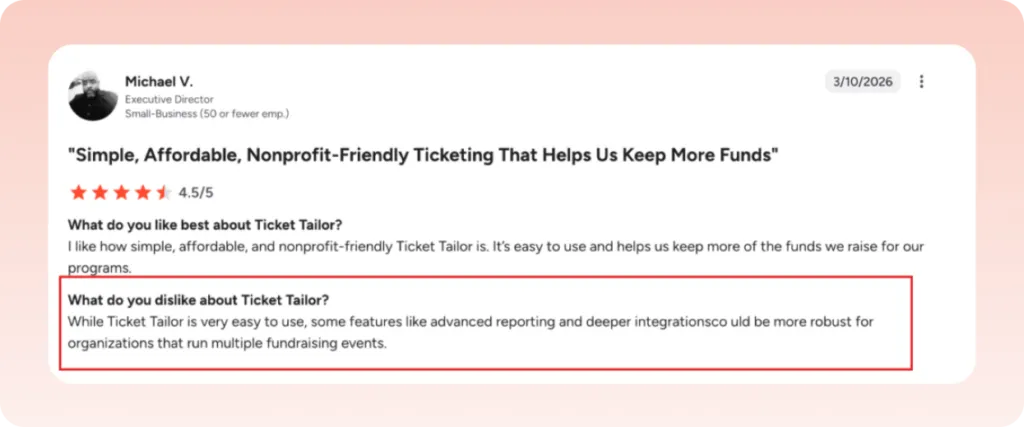
Ticket Tailor is praised for its ease of use but lacks advanced features like detailed reporting and deep integrations.
Pros
- Among the lowest fees in the category, from $0.30 per ticket
- No monthly subscription required
- Clean, simple interface with minimal learning curve
Cons
- Limited to ticketing and basic event management
- Not suited for conferences, multi-session events, or complex workflows
15. Billetto
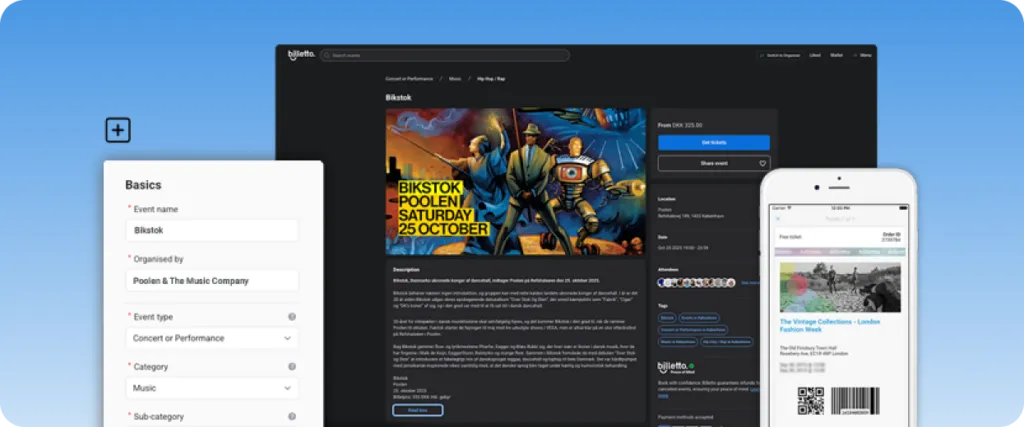
Billetto is a European-focused registration platform serving 13 countries, including the UK, Germany, France, and Scandinavia. They specialize in making event registration accessible for organizers of all sizes, with particular strength in cultural and entertainment events.
Key Features
- Express Checkout System: Optimize registration conversions with mobile-optimized designs and local payment methods for each European market.
- Multi-channel Promotion: Integrate ticket sales directly on your website and promote across social media, email, and local city guides.
- Real-time Analytics: Access mobile-friendly dashboards with attendance tracking and shareable email reports.
Pricing
Billetto operates on a commission-based pricing model, charging a fee per ticket sold. Specific rates are not publicly disclosed; organizers are advised to contact Billetto directly for detailed pricing information.
What users say
G2 rating: 5/5 (1 review) | Capterra rating: 3.7/5 (3 reviews)
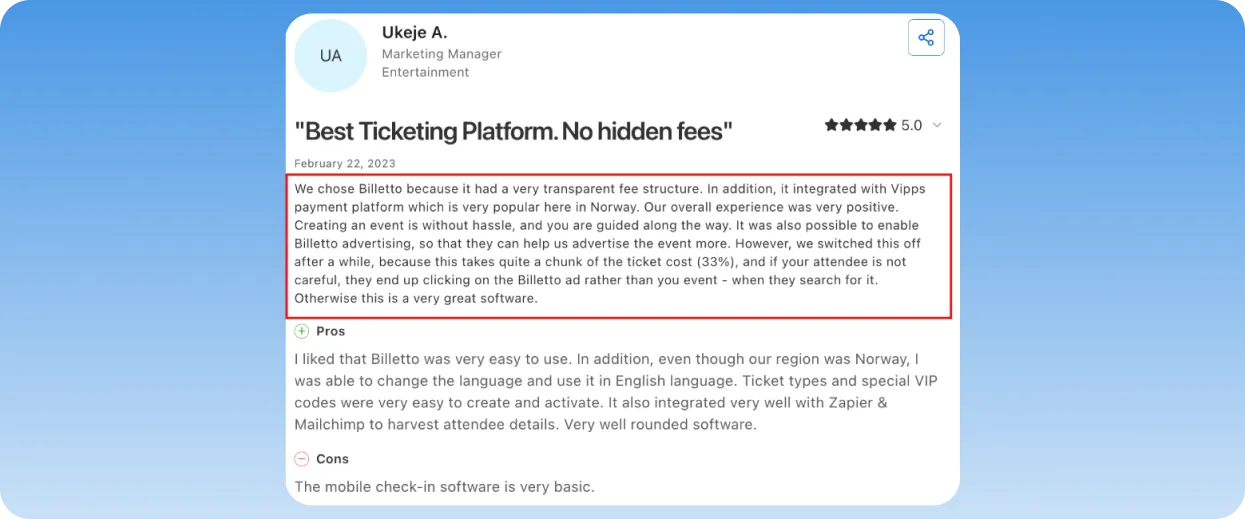
Users value Billetto for its transparent fee structure and ease of use, but its advertising fees take up to 33% of the ticket cost.
Pros
- Strong local presence and payment support across European markets
- Integrated promotion tools for visibility in local event guides
- User-friendly setup for organizers of all experience levels
- Mobile app facilitates on-the-go event management
Cons
- Funds are disbursed after the event, which can affect pre-event cash flow
- Some users report slower customer support response times
- Not ideal for organizers outside of Europe
Looking to Streamline Your Event Planning Process?
EventsAir, Cvent, and Whova each offer unique features that cater to different needs. Understanding what each offers helps you make an informed decision that aligns with your goals.
At EventsAir, we offer a suite of registration tools with next-level customization, automation, and support. And beyond registration, we support organizers with tools for every stage of event planning—from planning to analysis. Contact us or request a demo today to learn more about how EventsAir can help.
FAQs
1. What is the best conference registration software for large events?
EventsAir is, without a doubt, the best conference registration software available online for large events such as conferences and associations. It is built as an all-in-one platform that covers the full event lifecycle. It also supports complex needs like unlimited registrations, accommodation booking, abstract management, and onsite services, making it well suited for large-scale events.
2. What features should I look for in an event registration app?
This depends on how complex your events are. For smaller events, the basics are usually enough to keep things running smooth. In this case, look for mobile-friendly forms, secure payments, and automatic confirmation emails.
For larger or more complex events, however, you’ll need more advanced features. That includes conditional logic to handle different attendee types, integrations with your CRM and marketing tools, and real-time tracking of registrations and payments.
3. Why do event planners use registration software?
Event planners use registration software to manage registrations, payments, and attendee data in one place, instead of relying on spreadsheets or multiple tools. It also helps them run events more smoothly by automating sign-ups and providing real-time visibility into registrations and revenue.
See EventsAir in action
Discover why 12,000+ event professionals trust EventsAir to deliver effortless events, every time.





Ready to transform event chaos into clarity?
With EventsAir, you’ll move from chasing logistics to creating unforgettable moments. Plan faster, act with confidence, and deliver exceptional events. Discover what’s possible with a personalized demo today.