

10 Best Event Check-in Tools in 2026

Long queues outside the venue. Flustered staff trying to find names on a list. Badge printers that won’t respond. VIPs stuck in line as everyone else.
The problem with a poor check-in process is that you usually discover it when there’s little you can do to fix it. That’s why choosing the right tool is one of the most important event decisions you’ll make.
To help you choose right, we tested the ten best event check-in tools of 2026, including EventsAir. We examined everything from badge printing and session access control to offline reliability, attendee data, and how well each tool fits different types of events.
What is event check-in?
Event check-in is the process where attendees register their arrival at an event. This first interaction between organizers and guests plays a crucial role in creating a professional impression and ensuring accurate attendance tracking.
Modern check-in methods have moved beyond paper lists and spreadsheets. Today’s events use self-service kiosks, mobile check-ins, and on-demand badge printing to process attendees efficiently. These tools are particularly effective for large events where traditional manual check-in would create long lines.
When supported by digital tools and automation, check-in staff can focus on welcoming and assisting guests rather than managing paperwork. This leads to smoother operations and better attendee experiences right from the start.
How we tested these tools
We evaluated the ten event check in and badge printing software on this list against these six criteria:
- Check-in speed and throughput: We looked at whether self-service kiosks are available, how fast QR scanning works, and whether the platform could handle high-volume, simultaneous arrivals.
- Badge printing capability: We also assessed how well each tool supports on-demand badge printing, what types of printer it connects to, and how much control you have over the badge design itself.
- Offline reliability: We looked at whether each platform stores attendee data locally and can keep checking people if an internet drop happens.
- Session and access control: We checked whether the platform supports session-level scanning and access rules. This is particularly useful for planners of multi-track conferences and events with restricted areas.
- Attendee data and reporting: Good event planning doesn’t end once the event ends. That’s why we assessed each tool’s dashboards, session attendance tracking, and the ease of generating useful reports during and after the event.
- Integration with registration and event management: Finally, we looked at how check-in sits inside the platform. Does it sit in a broader event management platform or operate as a standalone app? And how cleanly does it connect to your existing event registration data?
10 best event check-in tools in 2026
Here’s a quick look at each tool:
| # | Platform | G2 Rating | Capterra Rating | Pricing model | Best for |
| 1 | EventsAir | 4.4/5 (49 reviews) | 4.6/5 (54 reviews) | Quote-based | Large, complex conferences and association events that need an all-in-one tool |
| 2 | Cvent OnArrival | 4.3/5 (2,144 reviews) | 4.5/5 (990 reviews) | Quote-based | Enterprise teams already invested in the Cvent ecosystem |
| 3 | Bizzabo | 4.3/5 (439 reviews) | 4.4/5 (171 reviews) | Quote-based | Corporate B2B teams that want check-in mapped straight to CRM |
| 4 | Certain Check-In | 4.4/5 (120 reviews) | 4.3/5 (6 reviews) | Quote-based | Enterprise events where VIP recognition matters most |
| 5 | zkipster | 4.6/5 (11 reviews) | 4.6/5 (78 reviews) | Starting from $500 per month | Galas, fundraisers, and invite-only events |
| 6 | Stova | 4.2/5 (198 reviews) | 4.3/5 (81 reviews) | Starting from $1,995 | Small to mid-size events |
| 7 | Eventleaf | 4.7/5 (111 reviews) | 4.8/5 (181 reviews) | Quote-based | Smaller events and nonprofits after affordable kiosks and badge printing |
| 8 | Whova | 4.8/5 (1,888 reviews) | 4.8/5 (2,447 reviews) | Quote-based | Conferences and academic events |
| 9 | EventMobi | 4.6/5 (255 reviews) | 4.7/5 (103 reviews) | From $3,500/event | Mid-size hybrid events needing flexible check-in apps |
| 10 | Eventbrite | 4.4/5 (904 reviews) | 4.6/5 (5,775 reviews) | Per-ticket fees | Public events and small gatherings |
Best overall
1. EventsAir
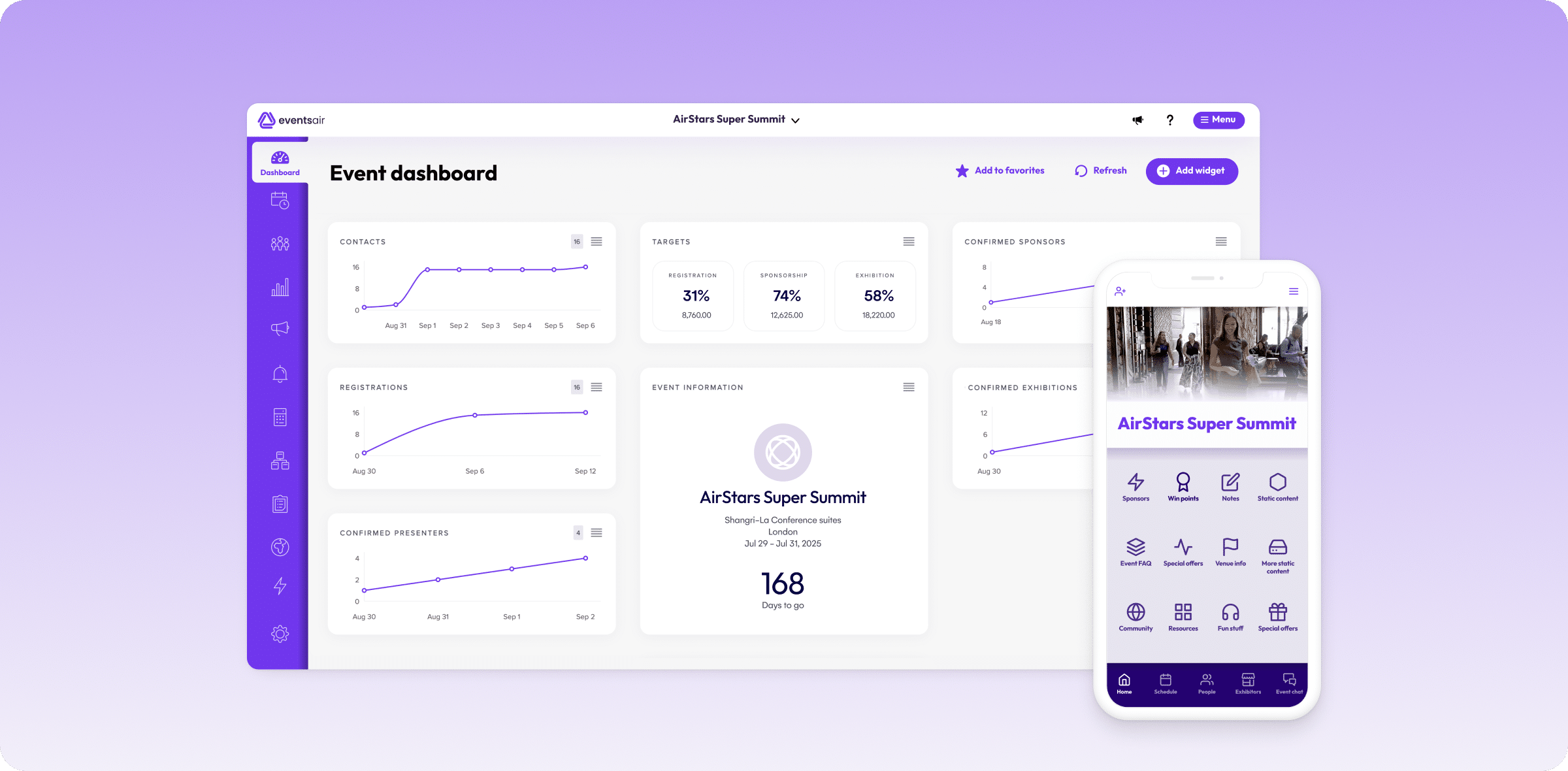
EventsAir combines event management tools with comprehensive check-in features for in-person, virtual, and hybrid events. The platform offers three main check-in methods — self-service kiosks, staffed stations, and automated beacon check-in.
“The overall check-in experience was seamless and issue-free, with no lengthy queues, even though around 90% of the 1500 attendees arrived at the same time. All the hard work and preparation was worth it.” – Theocharis Sideras, Business Operations Manager at Global Events.
The system proved effective at the 29th Scientific Conference of Hellenic Medical Students, where it processed 1,500 attendees smoothly despite 90% arriving simultaneously. This real-world stress test demonstrated the platform’s ability to handle high-volume check-ins without creating bottlenecks.
Key Features
- Flexible Check-in Methods: Choose between self-service kiosks, QR-code check-in, staffed stations for hands-on support, or automated beacon check-in through the event app. Or, a combination of several methods to suit your attendees’ needs and event requirements.
- Badge Management: Design custom badges with branding elements, print in advance or on-site, and enable instant reprints as needed. Utilize attendee data to create personalized, professional badges.
- Registration Control: Process payments, modify attendee information, handle walk-ins, and manage group registrations.
- Real-Time Monitoring and Session Access Control: Track check-in flow, event attendance patterns, and access instant metrics through the dashboard. And, restrict attendees from entering individual sessions or areas with inbuilt access control functionality.
- Budget and Accounting: Track event finances in real-time with automated income monitoring and custom budget scenarios. This means you can easily see any new registrations and check-ins processed and paid for during your event.
- Advanced Reporting: Generate detailed insights across 150+ report types, with customizable filters and export options.
- API Integration: Connect your existing tools and systems through industry-standard APIs and Smart Connectors.
Pricing
Contact EventsAir for custom pricing based on event size and requirements. All check-in features come included in the base package without additional costs.
What users say
G2 rating: 4.4/5 (49 reviews) | Capterra rating: 4.6/5 (54 reviews)
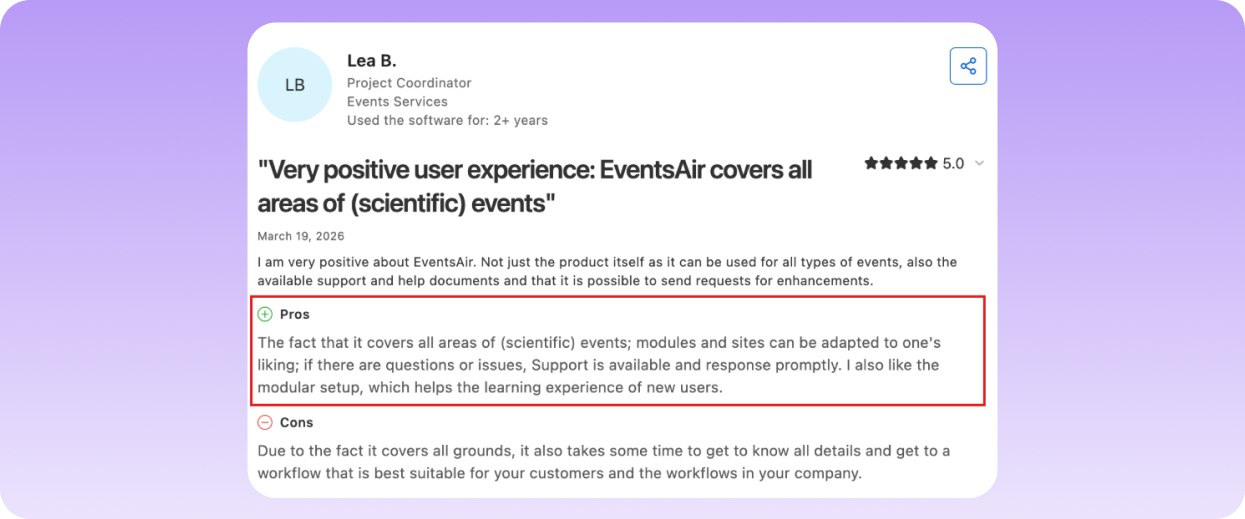
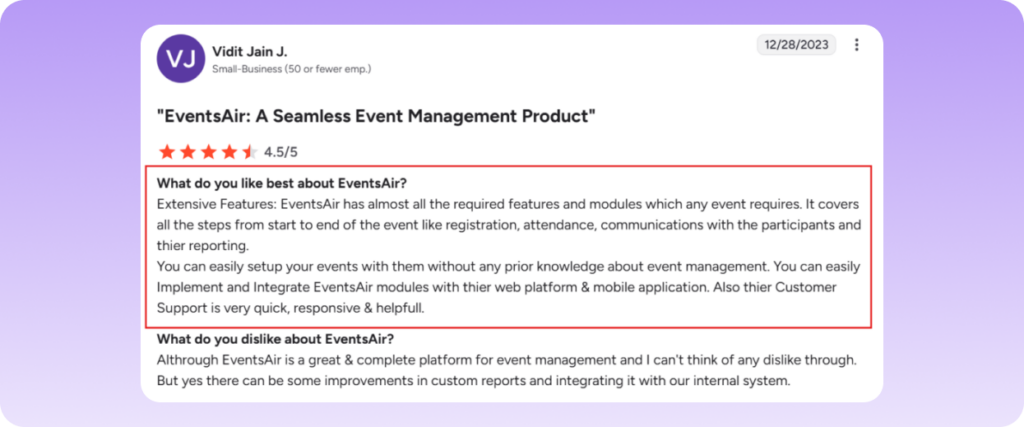
Reviewers praise EventsAir all-in-one capability and responsive support during setup.
Pros
- Multiple check-in options to choose from.
- Real-time analytics for actionable insights.
- Integrates with ticket scanning devices and mobile apps.
- Supports quick and custom badge printing.
- Seamless collaboration with EventsAir Partners.
Cons
- Setup can feel complex for first-time users.
Best for corporate conferences
2. Cvent OnArrival
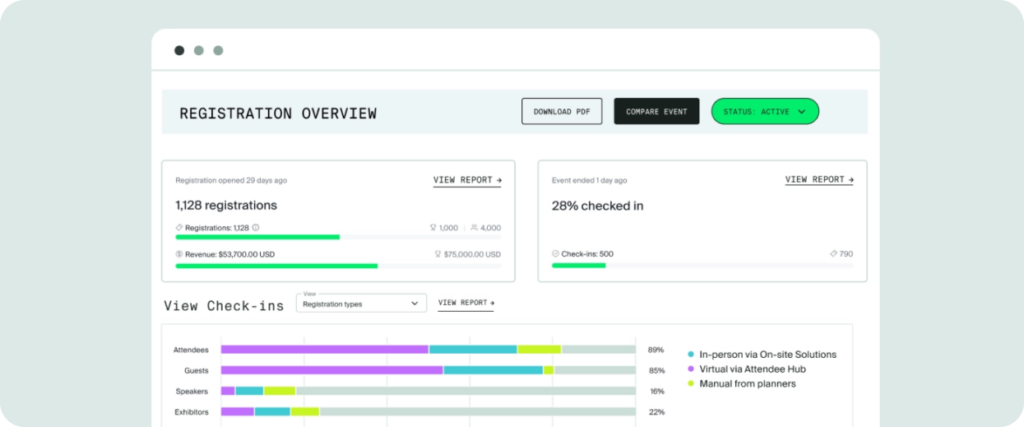
Cvent OnArrival is a cloud-based event check-in solution designed to streamline attendee management for in-person events. With features like mobile check-in, on-demand badge printing, and session tracking, it enables event planners to enhance the overall attendee experience.
Key Features
- Mobile Check-In Station: Transforms any tablet or mobile device into a fully-featured check-in station with real-time database access.
- Dynamic Badge Production: Merges attendee data with custom badge templates and prints instantly through networked or wireless printers.
- Session Access Control: Validates session registrations, tracks room capacity, and manages attendee access across concurrent tracks.
- Live Analytics Dashboard: Captures check-in rates, session attendance, and capacity metrics through a centralized monitoring interface.
- On-Site Registration System: Creates new registrations, processes payments, and generates credentials for walk-in attendees on demand.
Pricing
Contact Cvent for custom pricing. Plans include annual license fees and per-registration.
What users say
G2 rating: 4.3/5 (2,144 reviews) | Capterra rating: 4.5/5 (990 reviews)
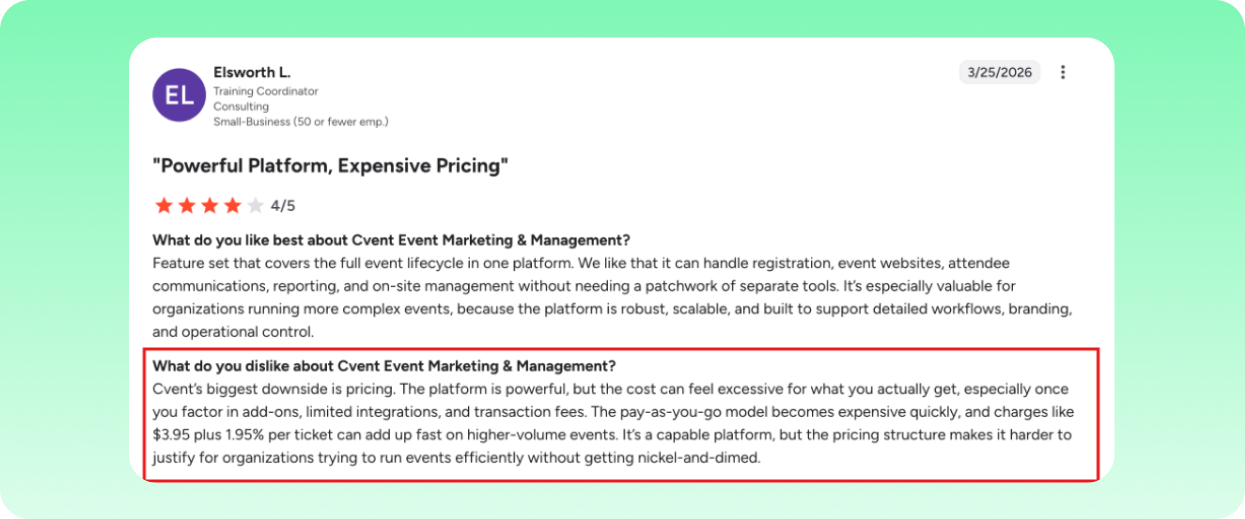
Pricing has been flagged as the biggest downside. Add-ons, limited integrations, and transaction fees all add up fast when organizing higher-volume events.
Pros
- Seamless integration with Cvent’s event management system
- Supports on-demand badge printing
- Supports on-site payments, accommodating walk-in attendees
- Customizable check-in workflows ensure flexibility
- Reduces need for extensive on-site staff through automation
Cons
- Advanced features may incur additional costs
- Primarily optimized for use within the Cvent ecosystem
3. Bizzabo
Bizzabo is a comprehensive event management platform designed to facilitate in-person, virtual, and hybrid events. It integrates powerful onsite check-in capabilities, including badge printing and lead retrieval. Its tools enable quick attendee processing and real-time attendance tracking, supporting both large-scale and intimate events.

Key Features
- Klik SmartBadge™: Enables contactless check-in and attendee networking through smart badges that automatically register session attendance.
- Branded Check-In Interface: Customizes the entire check-in experience with event branding, custom welcome messages, and personalized attendee flows.
- On-Demand Badge Printing: Produces professional badges instantly at check-in with dynamic QR codes, attendee info, and session access levels.
- QR Code Scanning: Accelerates the check-in process through instant QR code validation that works across multiple devices simultaneously.
- Real-Time Command Center: Visualizes attendee flow, check-in rates, and session attendance through an interactive dashboard with instant alerts.
Pricing
Bizzabo’s Event Experience OS starts at $499 per month. Enterprise solutions are available with custom pricing based on event requirements and scale, including event check-in options.
What users say
G2 rating: 4.3/5 (439 reviews) | Capterra rating: 4.4/5 (171 reviews)
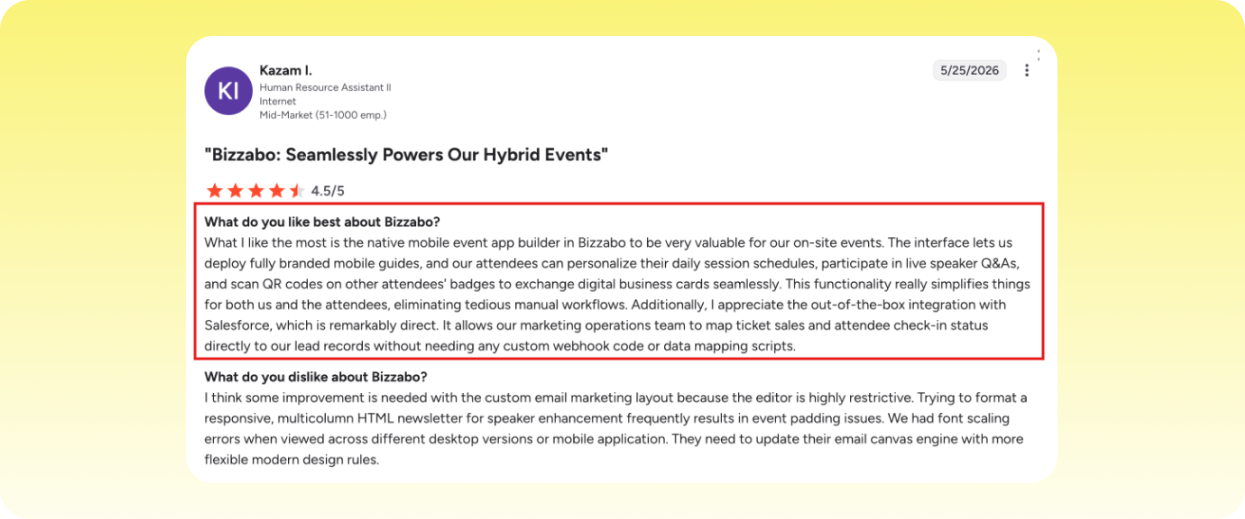
Users value how the platform maps ticket sales and attendee check-in status straight to lead records.
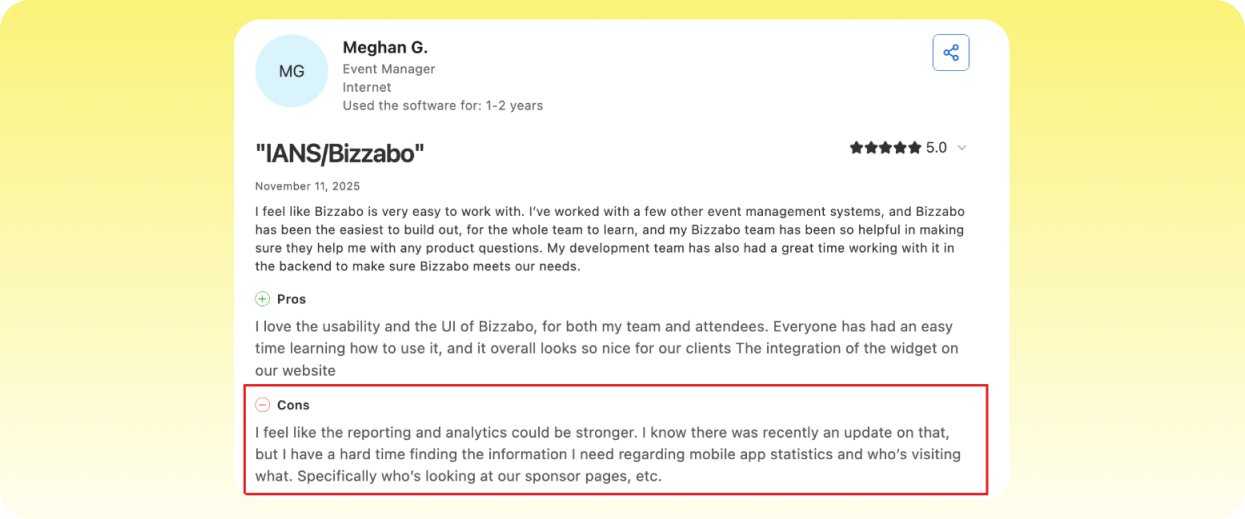
Reporting has drawn some criticism though, with some noting that analytics could be stronger.
Pros
- Comprehensive event management tools support diverse event types
- User-friendly interface simplifies event setup and execution
- Customizable event pages enhance branding consistency
- Robust analytics provide actionable insights into event performance
- Integrated networking features boost attendee engagement
- Supports seamless integration with third-party platforms
Cons
- Some users report a learning curve for advanced features
- Customer support response times may vary during peak periods
Best for VIP recognition
4. Certain Check-In
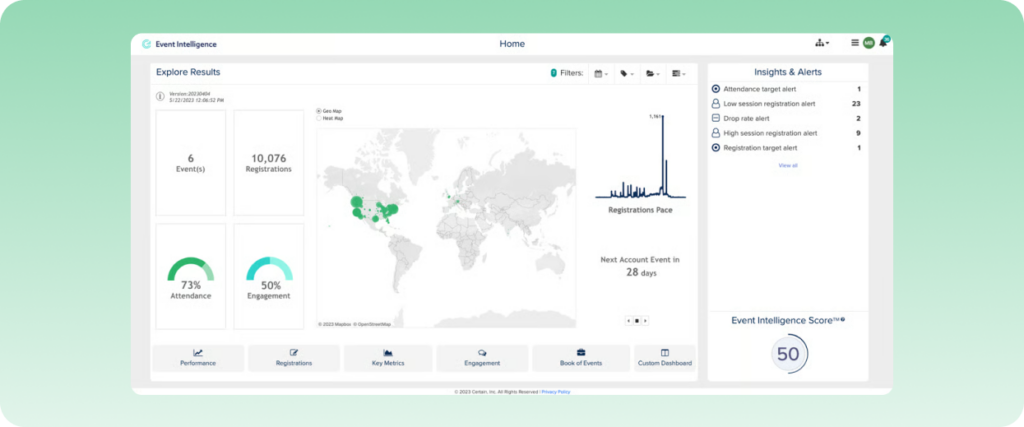
The fourth event check-in tool on the list is Certain Check-In. This comprehensive event management solution is designed to streamline attendee check-in processes for in-person, virtual, and hybrid events with mobile and kiosk check-in options. Other features like real-time attendance tracking and VIP alerts ensure a professional and efficient experience for both organizers and guests.
Key Features
- Multi-Channel Check-In: Coordinates check-in operations across mobile devices and self-service kiosks through a unified management interface.
- Attendance Monitoring: Captures check-in timestamps and attendee flow patterns while calculating real-time venue capacity metrics.
- VIP Recognition System: Dispatches instant notifications to event staff when VIP guests arrive, including profile details and special requirements.
- Custom Check-In Flows: Builds specialized check-in sequences with conditional logic based on ticket type, attendee status, and session access.
- CRM Data Integration: Synchronizes attendee data with major CRM platforms to update contact records with event participation details.
Pricing
Certain offers customized pricing based on event requirements and scale. Contact Certain directly for pricing information.
What users say
G2 rating: 4.4/5 (120 reviews) | Capterra rating: 4.3/5 (6 reviews)
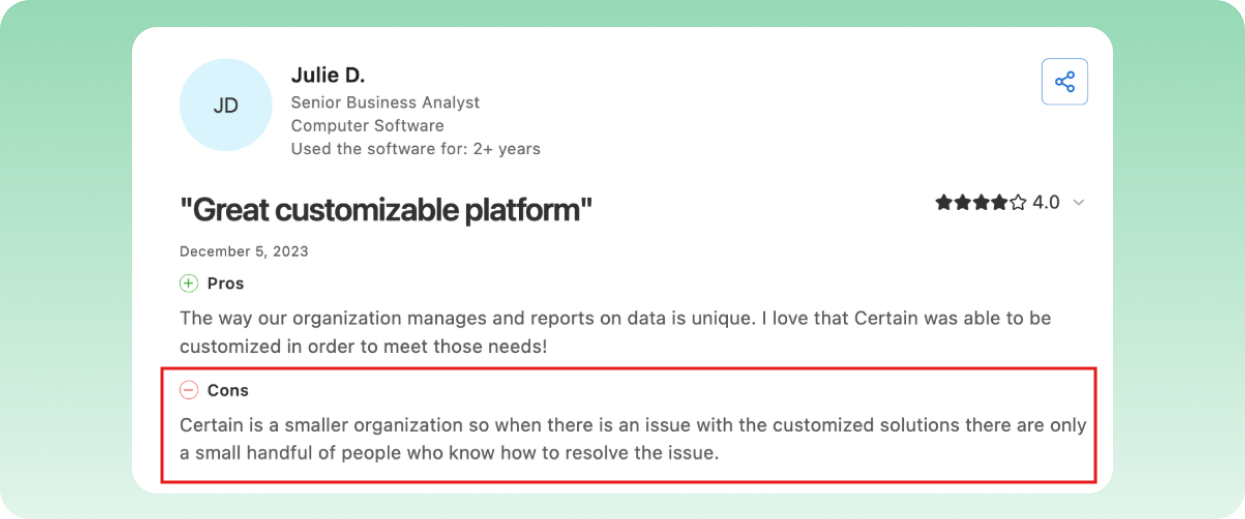
Since Certain is a smaller organization, when an issue comes up, only a small handful of people know how to resolve it.
Pros
- User-friendly interface simplifies event setup and execution
- Real-time data enhances attendee management and engagement
- VIP notifications enable personalized attendee experiences
- Seamless integration with CRM and marketing platforms
- Customizable event-building capabilities offer flexibility
- Supports various event types, including virtual and hybrid formats
Cons
- Some users report a learning curve for advanced features
- Occasional technical issues during event execution
Best for galas and private events
5. zkipster
zkipster is a leading event check-in solution designed to streamline guest entry while enhancing the overall experience. It supports fast and secure check-ins with QR code scanning and offers flexibility with self-service kiosks and real-time data syncing. Even in offline settings, zkipster ensures reliable operations, making it ideal for events of any size.
Key Features
- Continuous QR Scanning: Processes multiple guest passes in rapid succession without requiring manual confirmation between each scan.
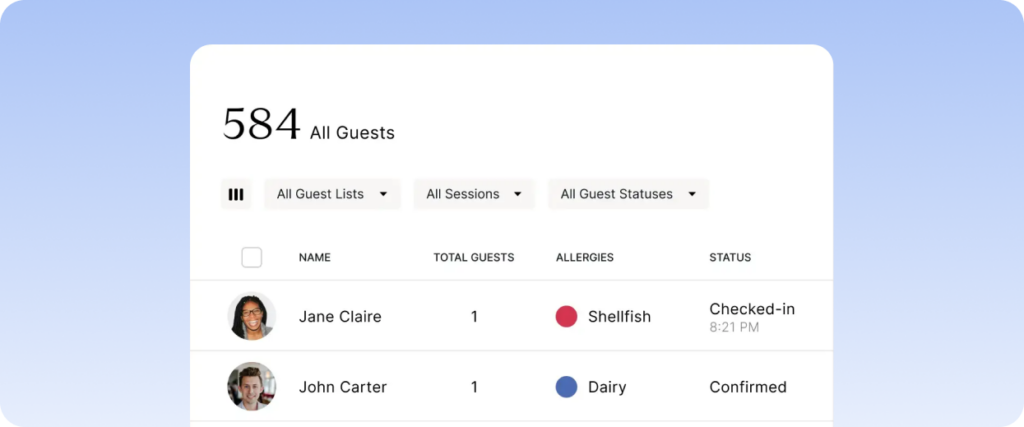
- Guest Identification System: Displays attendee photos, dietary requirements, and VIP status for personalized greetings during check-in.
- Offline Data Sync: Maintains check-in operations during connectivity loss by storing data locally and syncing automatically when reconnected.
- Guest List Management: Updates guest information, seating arrangements, and check-in status across all devices in real time.
- Interactive Seating Charts: Assigns and modifies seat locations through a visual interface with instant updates to the check-in flow.
Pricing
zkipster offers plans to suit various team sizes and needs. The Essentials plan starts at $2,707 per year for up to 5 users, including unlimited guest lists and events. Enterprise plans are available for larger teams with custom requirements.
What users say
G2 rating: 4.6/5 (11 reviews) | Capterra rating: 4.6/5 (78 reviews)
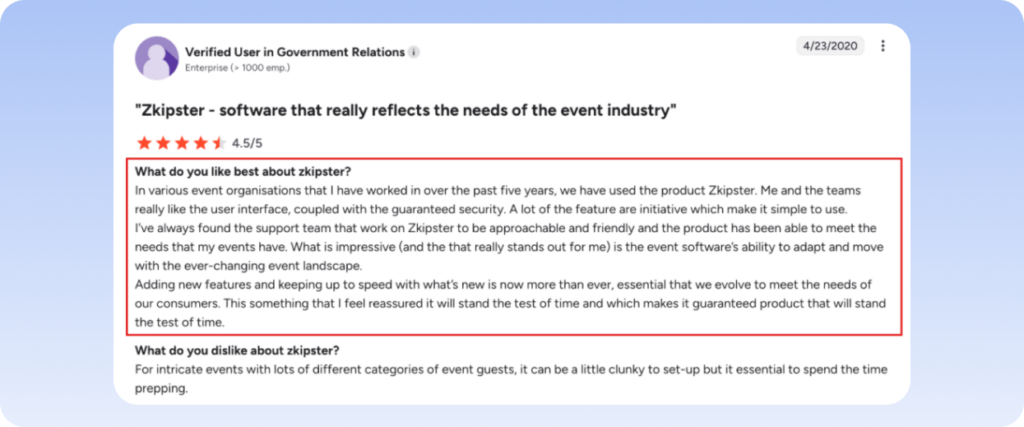
One reviewer found the zkipster support team approachable and friendly, and said the product has met the needs of their events.
Pros
- User-friendly interface enhances event planning efficiency
- Real-time check-in reduces wait times for attendees
- Customizable invitations support consistent branding
- Dynamic seating charts facilitate optimal guest arrangements
- Detailed analytics aid in evaluating event success
- Offline functionality ensures reliability without internet access
Cons
- Some users report a learning curve for advanced features
- Occasional technical issues during event execution
Best for small to medium events
6. Stova
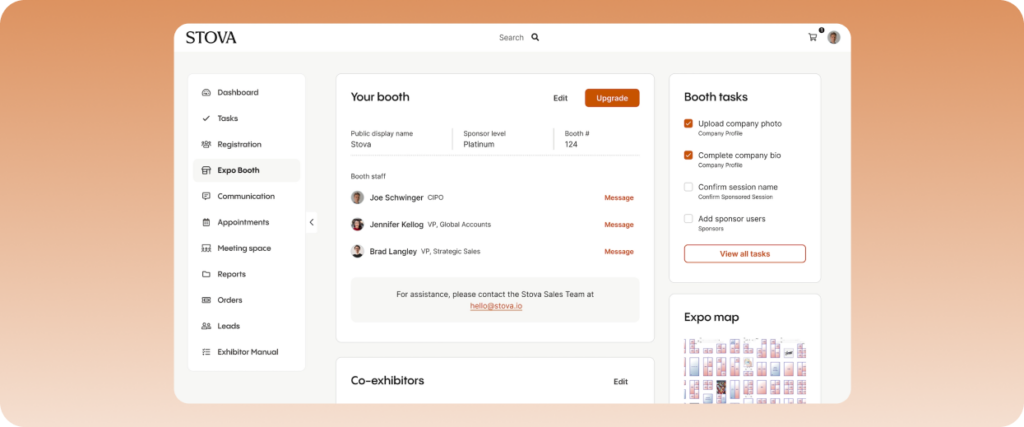
Stova Aloha is an innovative mobile event check-in app designed to simplify and enhance the attendee check-in process for small to medium-sized events. The app integrates seamlessly with Stova’s registration platform, ensuring a streamlined workflow from pre-event setup to onsite operations.
Key Features
- Dual Mode Check-In: Switches between staff-assisted check-in and self-service kiosks through one unified platform interface.
- Offline Functionality: Maintains full check-in and badge printing capabilities during internet outages through local data synchronization.
- Registration Integration: Connects directly with Stova’s registration system to pull attendee data, custom fields, and accommodation details.
- Multi-Device Printing: Links to badge printers through Bluetooth, AirPrint, or Wi-Fi connections for flexible printing locations.
- Flexible Entry Options: Processes attendees through QR code scans, name lookup, or email verification with automatic status updates.
Pricing
Contact Stova directly for pricing plans.
What users say
G2 rating: 4.2/5 (198 reviews) | Capterra rating: 4.3/5 (81 reviews)
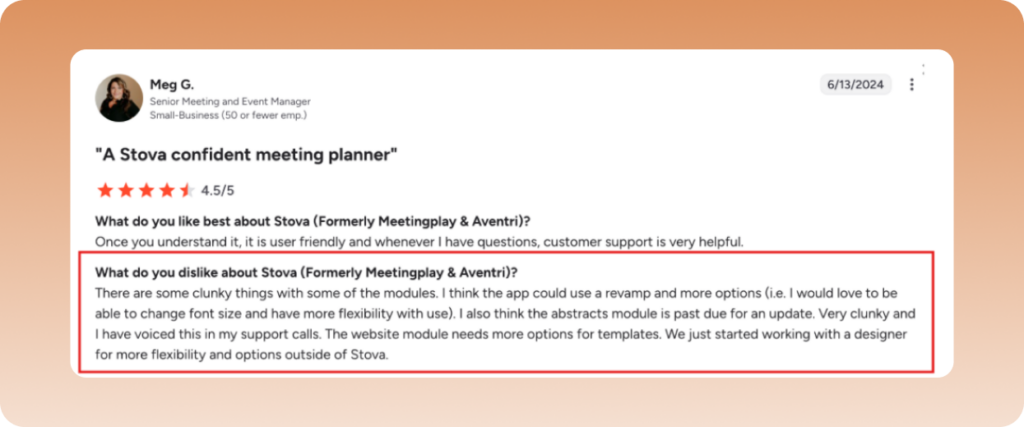
This G2 reviewer noted is user friendly but offers limited flexibility.
Pros
- Supports QR code, name, and email check-ins
- Instant badge printing via Bluetooth, AirPrint, or Wi-Fi
- Reliable offline functionality for uninterrupted operations
- Flexible staff-assisted and self-service kiosk modes
- Seamlessly integrates with Stova’s registration platform
- Intuitive design for easy use by staff and attendees
Cons
- Only compatible with iPad devices
- Geared toward small to medium-sized events
7. Eventleaf
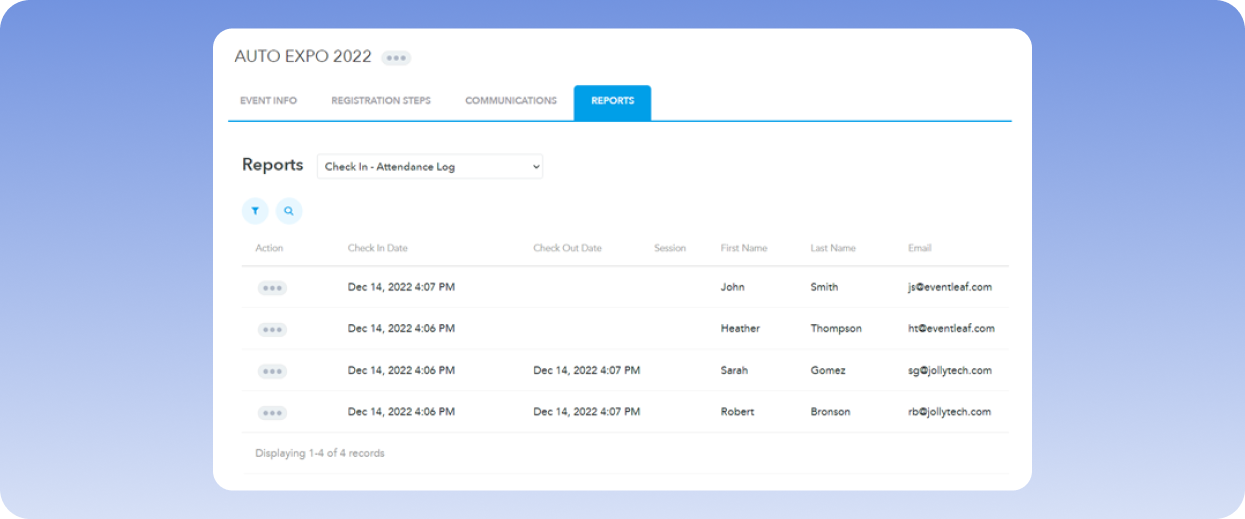
Eventleaf is a versatile event management platform that streamlines the organization of both in-person and virtual events. As part of its in-event experience, it offers tools for quick attendee check-in via mobile devices or kiosks. It supports instant badge printing and provides real-time tracking to manage arrivals and event flow effectively to enhance the overall event experience.
Key Features
- Mobile Check-In Flow: Validates attendees through a streamlined mobile interface with instant access to registration details and payment status.
- Self-Service Stations: Deploys multiple check-in kiosks that handle name searches and QR code validation without staff assistance.
- Offline Check-In Mode: Stores complete attendee data locally on each device, enabling full check-in functionality without internet access.
- Badge Generation System: Integrates with multiple printer types to create name badges with custom layouts and variable attendee information.
- Real-Time Analytics: Collects check-in timestamps, tracks attendance patterns, and generates instant reports for capacity management.
Pricing
Eventleaf offers a free starter plan for up to 100 visitors per month. Paid plans start at $50 per month per location for the Basic plan, and $100 per month per location for the Professional plan, with additional features and higher visitor capacities.
What users say
G2 rating: 4.7/5 (111 reviews) | Capterra rating: 4.8/5 (181 reviews)
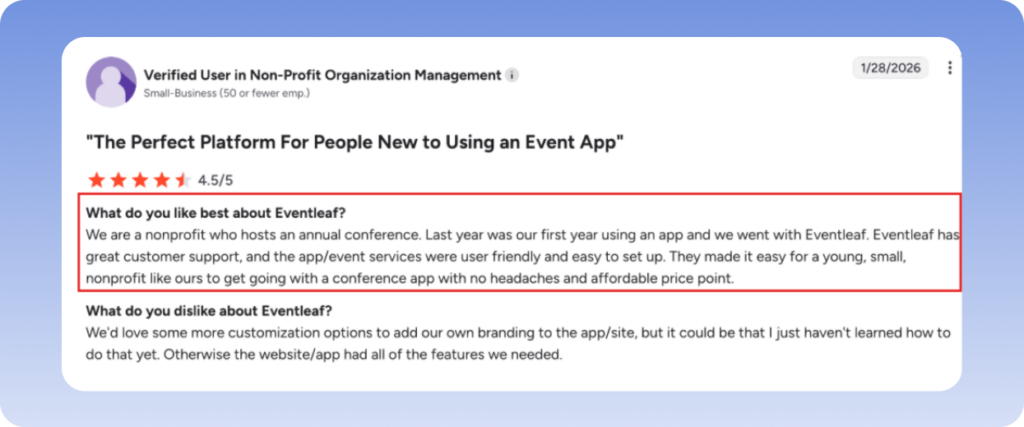
Users have praised Eventleaf’s customer support and found the app and event services user-friendly and easy to set up.
Pros
- User-friendly interface simplifies event setup
- Comprehensive feature set supports diverse event types
- Responsive customer support enhances user experience
- Customizable event pages support consistent branding
- Real-time analytics provide insights into event performance
- Mobile app enables efficient on-site attendee management
Cons
- Some users report a learning curve for advanced features
- Occasional technical issues during event execution
8. Whova
Whova is an all-in-one event management platform designed to enhance attendee engagement and streamline event logistics. Whova supports an easy-to-use event check-in feature that makes check-in at registration desk paperless and quick.
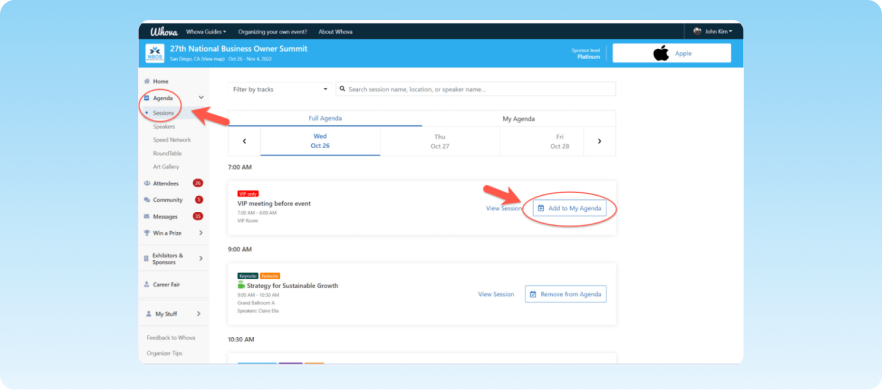
The feature allows attendees to check in using one of four different methods, saving time and shortening lines.
Key Features
- QR Code Check-In: Enables quick attendee check-in through QR code scanning, minimizing queues.
- Name Search Functionality: Allows manual attendee check-in by searching names, accommodating those without QR codes.
- Web Dashboard: Staff can authorize check-ins directly from the event dashboard using their laptop or tablet.
- Contactless Self Check-in: Attendees can check-in themselves instantly via physical stations.
- Attendance Management: Event planners can run separate check-in for tickets for different days or sessions.
Pricing
Whova offers customized pricing based on event requirements. Contact Whova for pricing based on attendee count and event duration.
What users say
G2 rating: 4.8/5 (1,888 reviews) | Capterra rating: 4.8/5 (2,447 reviews)
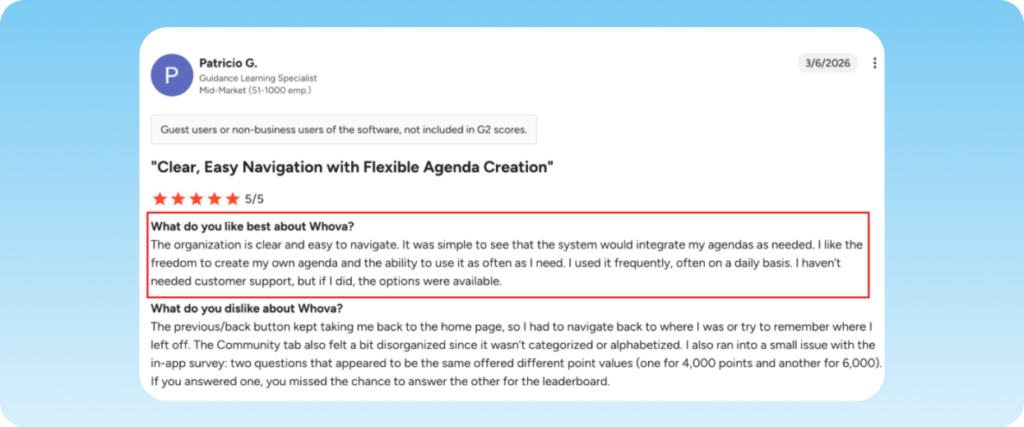
Patricio mentioned on G2 that the system integrates his agendas as needed, and he liked the freedom to build his own agenda and reuse it as often as he wants, often daily.
Pros
- User-friendly interface simplifies event setup
- Multiple check-in options
- Attendance management for different ticket sessions and types
- Mobile app enables efficient contactless check-in
Cons
- Limited desktop functionality; mobile app is more robust
- Some users report challenges with image sizing during setup
9. EventMobi
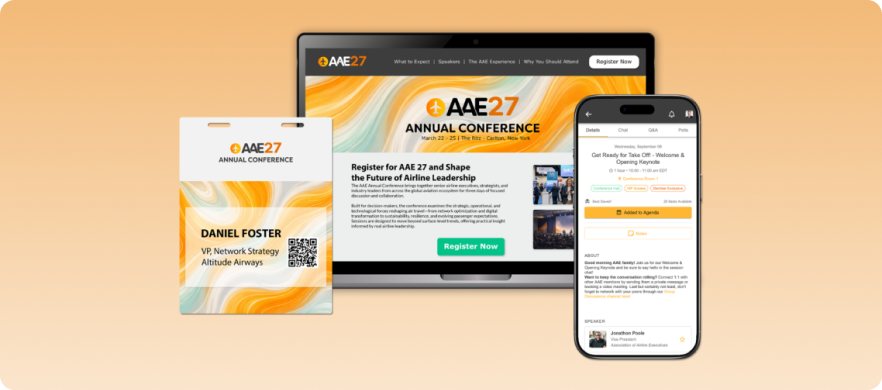
EventMobi is a versatile event management platform that supports virtual, hybrid, and in-person events. It enhances check-in efficiency with its dedicated check-in app, customizable badge printing, and real-time attendance tracking. These features ensure smooth entry for attendees while providing actionable data for organizers.
Key Features
- Event Check-In App: Speeds up entry through mobile check-in with automatic data synchronization across all staff devices.
- Self-Service Kiosks: Transforms tablets into dedicated check-in stations where attendees can locate their registration and print badges independently.
- Badge Customization: Creates professional name badges with custom branding, QR codes, and attendee-specific information for instant printing.
- Attendance Dashboard: Shows live check-in rates, peak arrival times, and attendance patterns through an intuitive visual interface.
- Session Management: Records and tracks attendance across concurrent sessions while monitoring room capacity and engagement levels.
Pricing
EventMobi offers three pricing options, depending on the services you’re interested in:
- Event App and Virtual & Hybrid Event Platform (starting at $3,500 per event)
- Registration, Website & Ticketing Platform (starting at $2,500 per event)
What users say
G2 rating: 4.6/5 (255 reviews) | Capterra rating: 4.7/5 (103 reviews)
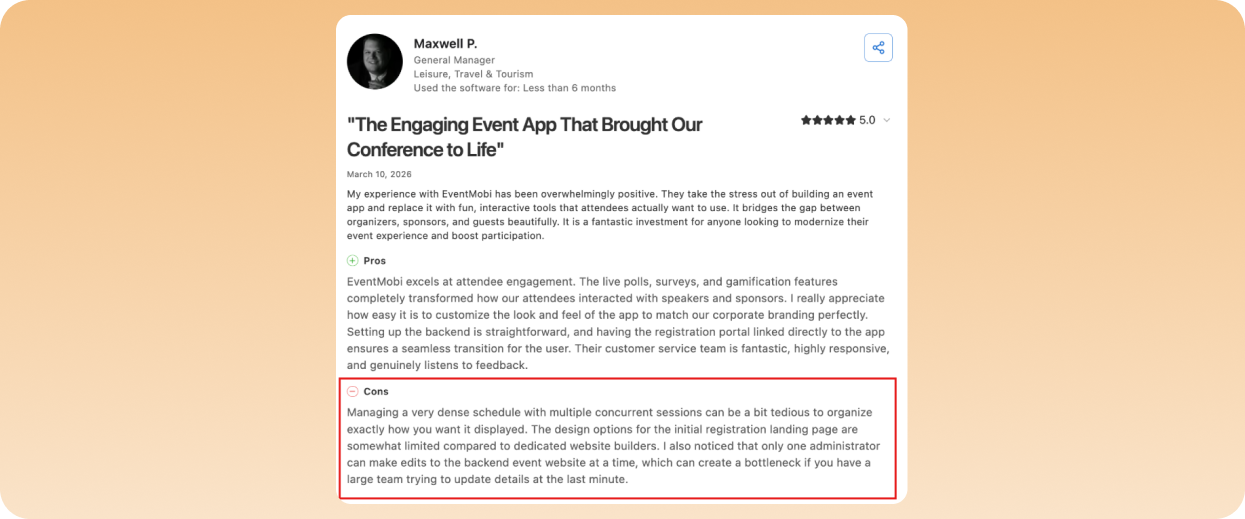
Users have noted that while it offers strong customization options, it is less suitable for large events with multiple sessions.
Pros
- User-friendly interface simplifies event setup
- Comprehensive feature set supports diverse event types
- Responsive customer support enhances user experience
- Customizable branding ensures consistency across event materials
- Real-time analytics provide actionable insights
- Mobile app enables efficient on-site attendee management
Cons
- Some users report occasional technical glitches during events
- Advanced customization may require a learning curve for new users
Best free or budget option
10. Eventbrite
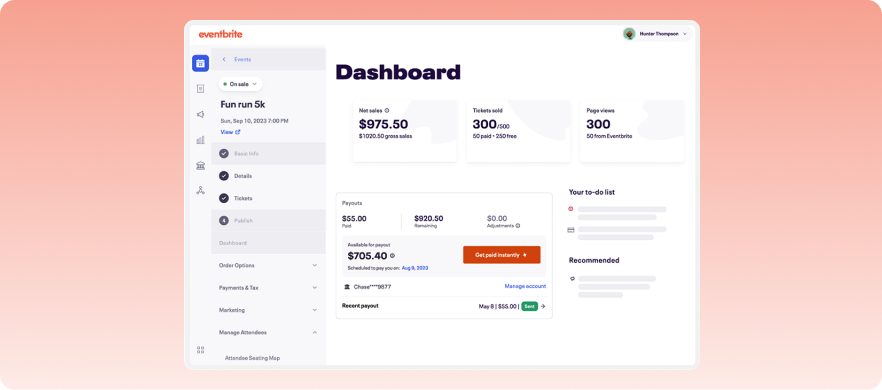
Eventbrite is a widely used event management and ticketing platform that simplifies the organization of various events, from small gatherings to large conferences.
It offers quick and efficient check-in via QR code scanning, reducing wait times. Its mobile organizer app helps manage attendee check-ins on-site while providing real-time data on attendance, enhancing event flow and professionalism.
Key Features
- Mobile Check-In App: Enables rapid attendee check-in through QR code scanning on smartphones and tablets, reducing wait times and streamlining entry.
- Real-Time Tracking: Monitors attendee check-in status and attendance patterns instantly, providing organizers with live event flow metrics.
- On-Site Sales Management: Processes ticket sales and attendee check-ins simultaneously at the venue, accommodating last-minute registrations.
- Customizable Check-In Settings: Configures ticket type validation rules and enables automated check-in options to optimize processing speed.
- Manual Search Capability: Locates and checks in attendees quickly through name or email search when QR codes aren’t available.
Pricing
Eventbrite operates on a per-ticket fee structure for paid events. Organizers can choose to absorb these fees or pass them on to attendees. Publishing events with free tickets incur no fees.
What users say
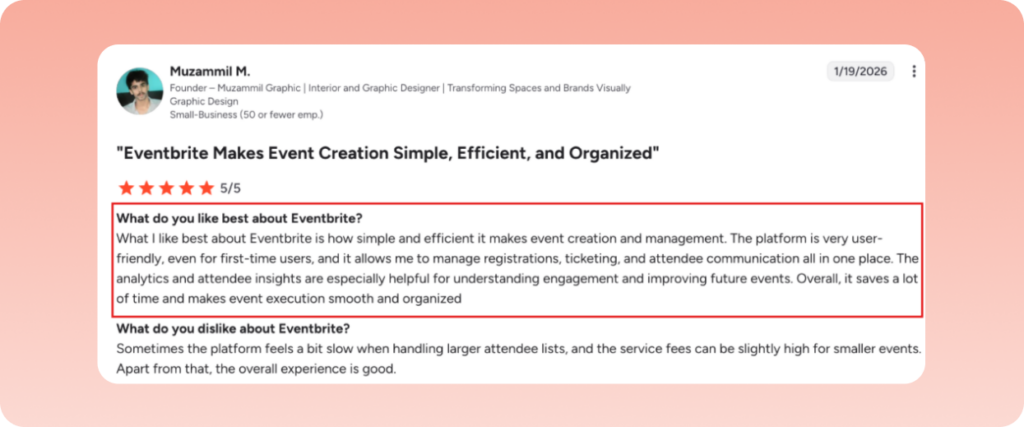
Eventbrite’s analytics and attendee insights are praised for being insightful and helpful.
Pros
- User-friendly interface simplifies event setup
- Extensive marketplace enhances event discoverability
- Mobile app enables efficient on-site attendee management
- Analytics offering insights into event performance
Cons
- Limited customization for ticket types and pricing structures
- Customer support response times can be slow during peak periods
How to track event attendance
If you want to gather actual, helpful data from your event attendance, you need to properly track your event attendance. Here’s how you can do it in five clear steps.
- Set up a digital check-in system before the event. You can easily do it by choosing an event check in app that scans QR codes or runs self-service kiosks.
- You should capture every entry. If your event has multiple sessions, breakout rooms, or restricted areas, scan attendees at those entry points too.
- Monitor check-in in real time using the live dashboard that most modern check-in tools come with. You can use it during the event to spot bottlenecks and reroute staff if need be.
- Track no-shows and walk-ins separately. Walk-ins are valuable data you should gather, especially for proving organic interest in your event.
- After the event, generate reports that break down attendance by ticket type, session, time of arrival, and any other filters that matter to you. This data goes into your post-event debrief and informs your next event’s planning.
What is an event check-in kiosk?
An event check-in kiosk is a self-service station where attendees can check themselves into an event without needing external help.
An event check in kiosk usually has a tablet as a screen that runs event management software. At events, the check-in kiosk is often paired with a badge printer that prints a name badge on the spot.
The sole purpose of these kiosks is to make the event check-in process easy and less time-consuming. The attendee:
- Walks up to the event check-in kiosk
- Scans their QR code or types in their name
- And the kiosk processes them
Once an attendee’s badge prints out (that usually happens within seconds), they’re in.
Choosing the best event check-in tool
Event check-in tools are essential for creating seamless, efficient, and professional attendee experiences. Each tool listed offers unique strengths, but finding the right one depends on your event’s specific needs. For a robust and versatile solution, consider EventsAir.
EventsAir provides comprehensive tools for streamlined check-ins, customizable registration workflows, and real-time analytics. Whether hosting in-person, virtual, or hybrid events, EventsAir ensures a flawless start to your event while enhancing attendee satisfaction and operational efficiency.
Book a demo to see how EventsAir can transform your event check-in process.
FAQs
1. What is an event check-in app?
An event check in app is a mobile or tablet-based application that processes attendee arrivals at an event. The function of such an app is to scan QR codes from tickets, look attendees up by name or email in the database, and mark them as checked in. Most event check-in apps also support badge printing, session tracking, and real-time attendance dashboards.
2. Do I need internet access for seamless event check-in?
Yes. A stable internet connection is recommended for reliable event check-in, as it enables attendee lookups, real-time registration updates, badge printing, and attendance tracking. Before your event, it’s a good idea to confirm the venue’s Wi-Fi capacity or arrange a dedicated internet connection to ensure check-in runs smoothly.
If you’re expecting a high volume of attendees, work with your venue and event technology provider in advance to test connectivity and avoid delays during peak arrival times.
3. Can event check-in software print badges on the spot?
Yes, most modern event check-in tools allow attendees to print badges right at the event. EventsAir, for instance, supports on-demand badge printing, with instant printing from synced registration data at check-in.
4. How long does event check-in usually take?
With a modern event check in system, the check-in process takes about 5 to 15 seconds per attendee. Self-service kiosks tend to work faster, especially when you pair them with QR code scanning.
See EventsAir in action
Discover why 12,000+ event professionals trust EventsAir to deliver effortless events, every time.





Ready to transform event chaos into clarity?
With EventsAir, you’ll move from chasing logistics to creating unforgettable moments. Plan faster, act with confidence, and deliver exceptional events. Discover what’s possible with a personalized demo today.