

Here are 16 Best Onsite Event Badge Printing Software for Efficient Attendee Management

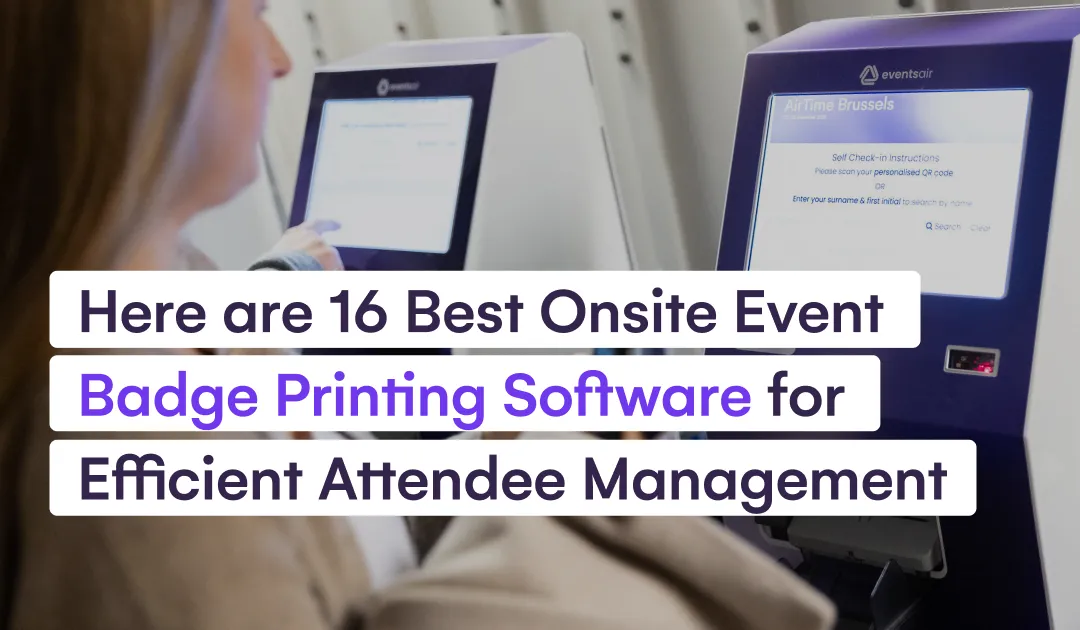
When hosting an event, the check-in process is your first chance to make a great impression. Attendees want quick, hassle-free entry, and onsite badge printing plays a big part in making that happen.
In this EventsAir article, we’ll introduce you to the best onsite event badge printing software, built to make everything from fast printing to attendee management a breeze. You’ll discover how these tools can save you time, cut down on stress, and keep your event running smoothly.
Why trust us?
With over 35 years of experience and more than 400,000 events powered worldwide, EventsAir is a trusted leader in event management. For example, Global Events used EventsAir for the 29th Scientific Conference of Hellenic Medical Students, processing 1,200 check‑ins in four hours and achieving a 4.94/5 satisfaction rating.
We draw on our expertise in simplifying event processes, from registration to badge printing, to research and shortlist the best tools for the job.
What is onsite badge printing software?
Onsite badge printing software enables event organizers to design and print attendee badges live at the venue, rather than pre-printing them. The system is usually integrated with your event’s registration check-in platform, allowing you to print badges as your guests arrive.
Here’s how it typically works:
- Attendees register online or via guest list import (spreadsheet/CRM).
- At the venue, check-in occurs via QR code, ticket scan, kiosk, or manual search.
- The software sends attendee data to a connected badge printer.
- A badge–paper badges, PVC/plastic badges, RFID-enabled badges, QR code-enabled badges– is printed on durable stock within seconds.
- The badge is handed to the attendee, and the check-in status is automatically updated.
This managed process ensures a quick and efficient check-in experience for attendees, allowing your event management team to focus on other key areas.
Why use onsite badge printing software?
- Faster check-in: Badges are printed as attendees arrive, eliminating the need to search through pre-printed badges, making check-in quicker and more efficient.
- Flexibility for walk-ins: Easily print or reprint badges for last-minute registrants or corrections at the door.
- Less waste and better cost-efficiency: Only print badges for attendees who show up, reducing unnecessary printing for no-shows.
- Professional branding and customization: Design badges with logos, event colors, QR codes, and attendee roles for a polished look.
- Better tracking and security: Use QR codes or barcodes for easy access control, session tracking, and identity verification.
Top 16 onsite badge printing software for in-person check-ins
1. EventsAir
EventsAir is a powerful, all-in-one event management software that offers a versatile check-in and badging solution, which allows you to optimize wait times and create a smooth, personalized check-in process.
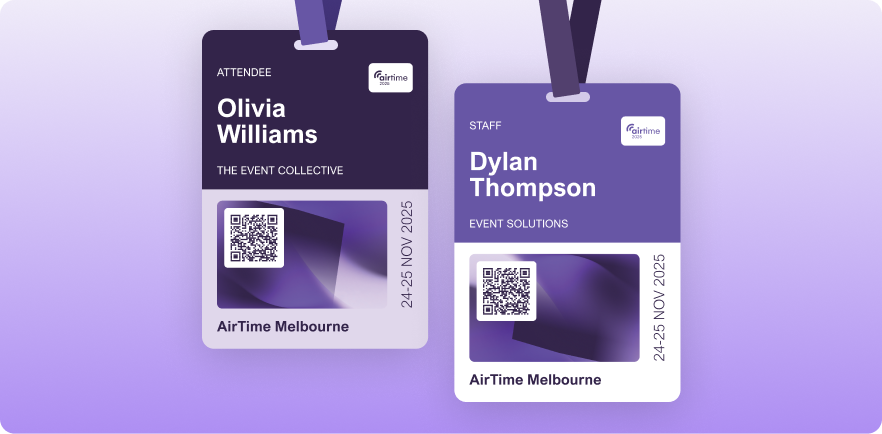
Instead of pre‑printing badges for every registrant, our tool links to your registration list so you only print badges for people who actually show up.
There’s also a vast partner network that handles onsite execution, including staffing, kiosks, and printing hardware. This ensures arrivals stay smooth, wait times are short, and the check‑in desk runs cleanly.
Key features
- Flexible check‑in methods: Guests can check in via QR code, ticket scan, self‑service kiosk or staff‑assisted desk, whichever fits your event.
- Live badge printing: Once check‑in is confirmed, the attendee’s info goes directly to a badge printer and their badge is printed on demand.
- Custom badge design: Create badges on-site with pre-designed templates or create new ones with logos, names, and roles to match your event branding.
- Automated check-in options: Use beacon technology for automatic check-in via mobile devices, with badges ready for pick-up on arrival.
Pricing
We offer three pricing plans based on event scale: Single (1 event), Multi (3+ events), and Unlimited (unlimited events). Check our pricing page for more details.
Best for
Events with unpredictable attendance or onsite registrations, including conferences, trade shows or any gathering expecting walk‑ins or last‑minute changes.
2. InEvent
InEvent is an all-in-one event management platform that handles registration, check-in, ticketing, and onsite badge printing for in-person, hybrid, or virtual events.
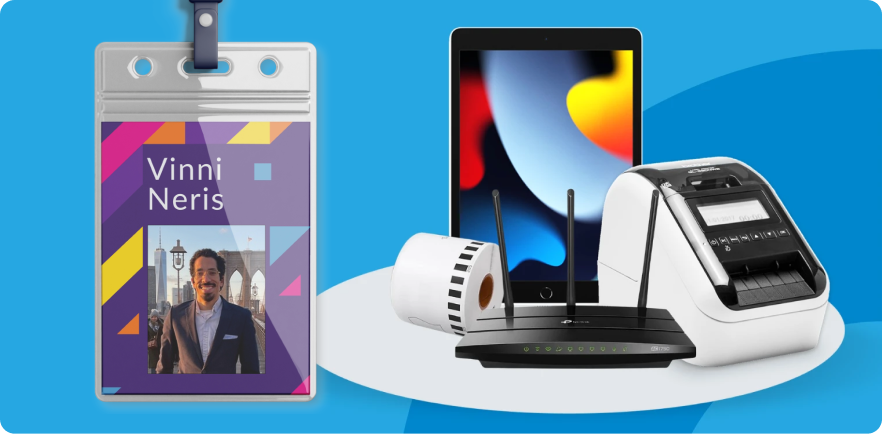
Its badge printing module integrates with major printer brands like Zebra and Epson, supporting customized badge design, contactless check-in, and real-time attendance tracking.
Key features
- Badge printing and design: Drag-and-drop builder for custom badges with logos, QR codes, and role labels.
- Onsite and contactless check-in: Syncs registration data, prints badges on demand using supported printers.
- Multi-format support: Supports plastic, paper, RFID/NFC-enabled badges, plus lanyards or wristbands.
Pricing
You can choose between two plans: Single Event: US$ 6,000 and Annual Subscription: US$ 9,000.
Best For
Ideal for large events needing a comprehensive platform for registration, check-in, and professional badge printing.
3. Zoho Backstage
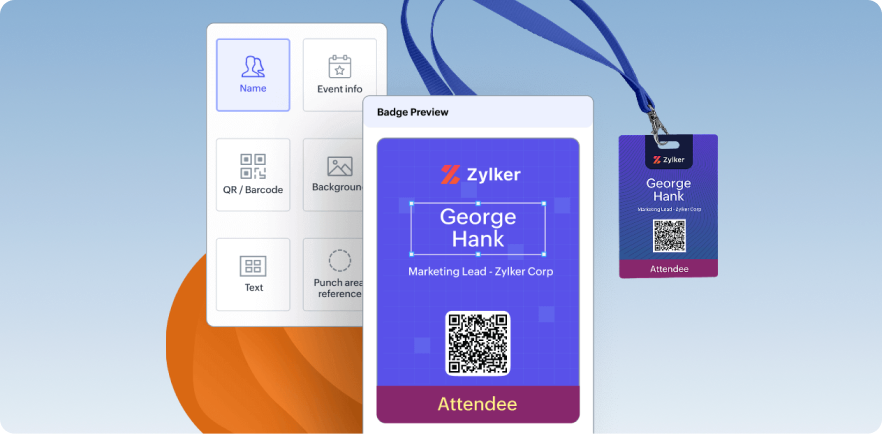
Zoho Backstage simplifies onsite badge printing with its customizable badge design module, letting you create attendee, speaker, staff, and sponsor badges with photos, roles, QR codes, and branding. You can print badges live (on demand) at check-in or pre-print in bulk.
Key features
- Badge designer: Drag-and-drop builder with customizable layouts, roles, photos, and QR codes.
- Printer support: Works with standard badge printers (USB, Bluetooth, network) and integrates with mobile terminals (e.g., SUNMI) for on-the-go printing.
- Self-serve kiosk mode: Attendees scan a QR code to print their own badges, reducing queues and staff workload.
Pricing
Zoho Backstage offers both Subscription (starting at $149/month) and Pay-per-event (starting at $379/event) models.
Best for
Events of any size needing flexible, live badge printing with self-service check-in and easy printer setup.
4. Eventify
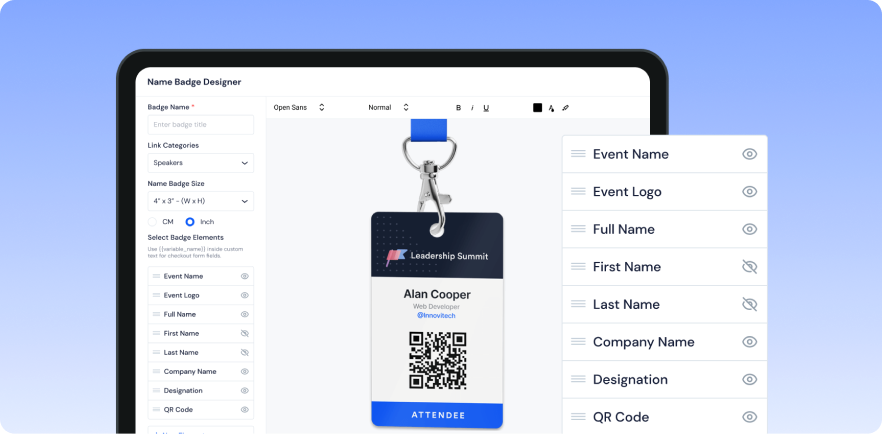
Eventify’s badge-printing feature allows you to design and print custom badges on-site. Upload attendee data, create badge templates, and print badges instantly or in batches. This solution reduces queue times at registration desks and supports self-service check-in with QR codes.
Key features
- Badge designer: Drag-and-drop layout creation with logos, names, QR codes, and titles.
- On-site printing: Supports wired or Wi-Fi printers (e.g., Zebra, Brother) for instant badge printing at event check-in.
- Self check-in and reprint: Attendees or staff can scan QR codes at kiosks to print or re-print badges, even offline if the network drops.
Pricing
Eventify’s “Register” plan, including badge printing and check-in, starts at about US$50/month (billed annually).
Best for
Small to mid-size events needing simple, fast onsite badge printing with minimal hardware and easy check-in.
5. RegFox
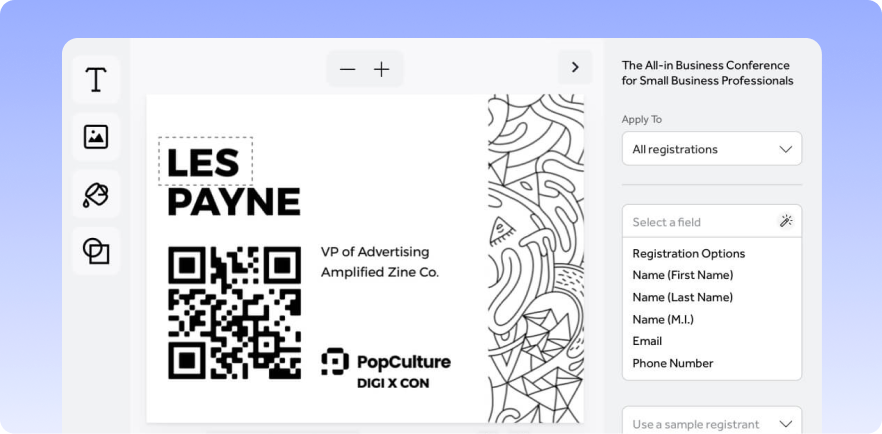
RegFox offers integrated badge printing directly linked to its attendee database. You can design custom badges and print them on-site (individually or in bulk) or export the full roster for third-party printing. It supports common badge printers (Zebra, Dymo, Avery) and offers outsourcing via vetted partners.
Key features
- Visual badge designer: Customize layouts, fonts, logos, attendee info, and sponsor branding.
- Printer compatibility: Works with industry-standard printers (Zebra, Dymo, Avery) for labels or badges.
- Integrated workflow: Badge printing pulls directly from your registration database, no manual data merging required.
Pricing
- Standard plan: $0.99 + 1% per paid registrant, capped at $4.99 per person (no monthly fee).
- Premium plan: $1.99 + 1% per registrant, capped at $5.99.
Best for
Small to mid-size events needing flexible, affordable badge printing with minimal setup.
6. Azavista
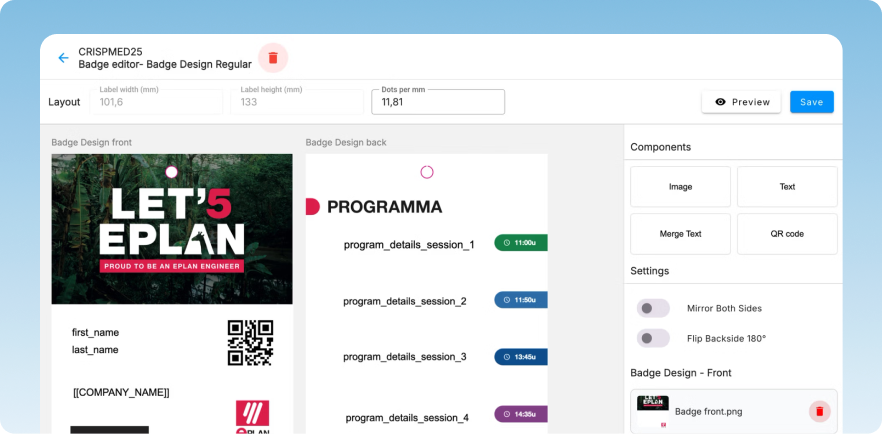
Azavista’s onsite badge printing solution streamlines event check-ins by delivering high-quality, custom-branded badges in just five seconds. With portable printers and plug-and-play kiosks, Azavista ensures a smooth, professional start to any event, eliminating long lines and delays.
Key features
- Badge design software: Effortlessly design badges with drag-and-drop functionality, adding logos, attendee details, QR codes, and more.
- Self check-in kiosks: Set up plug-and-play kiosks that eliminate queues and sync with your event management system for real-time data.
- Lightning-fast badge printing: Print customized badges in five seconds or less, with spot editing capabilities for on-the-spot updates.
Pricing
Pricing available on request.
Best for
Events of any size needing quick, professional onsite badge printing and seamless check-in, with real-time tracking and analytics.
7. Expo Pass
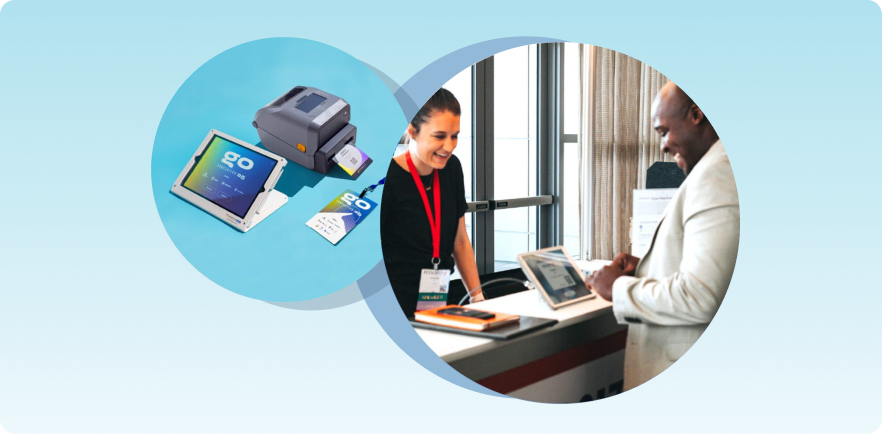
Expo Pass simplifies event check-ins with its seamless on-site badge printing and event management tools. It’s designed for speed and efficiency, with features like customizable badges, iPad kiosks, and real-time analytics, ensuring every attendee is welcomed professionally and quickly.
Key features
- Custom badge design: Drag-and-drop interface for designing full-color, branded badges with QR codes, logos, and attendee details.
- On-site badge printing: Instant badge printing with no pre-sorting, eliminating wait times and ensuring quick check-ins.
- iPad check-in kiosks: Attendees can check in by scanning QR codes or searching by name, with customizable check-in screens.
Pricing
Pricing starts at $4,995. Custom quotes are available based on event needs.
Best for
Events of any size needing fast, efficient badge printing, seamless registration, and detailed analytics for a smooth check-in process.
8. Momentive
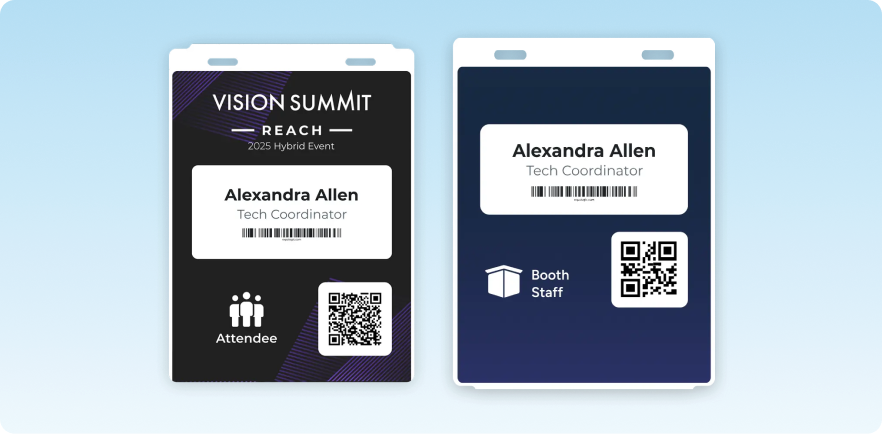
Momentive Software streamlines event check-in with real-time badge printing and seamless integration with major CRM and AMS systems. You get efficient onsite check-in experience, customizable badges, and advanced reporting to ensure a smooth, hassle-free event experience for you and your guests.
Key features
- Multiple check-in modes: Supports standard lookup or contactless barcode/QR scan, with self-service or staff-assisted check-in.
- Integration with registration/CRM/AMS: Syncs registrant data for seamless printing from existing systems.
- Flexible badge options and customization: Supports various badge styles with barcode/QR codes, logos, role identifiers, and more.
Pricing
Pricing available on request.
Best for
Medium to large conferences or member-based organizations needing integrated registration, badge printing, and check-in with CRM/AMS support.
9. Nunify
Nunify offers a dedicated check-in app that supports onsite badge printing. Event organizers can scan a QR code or search manually as attendees arrive, printing badges instantly.
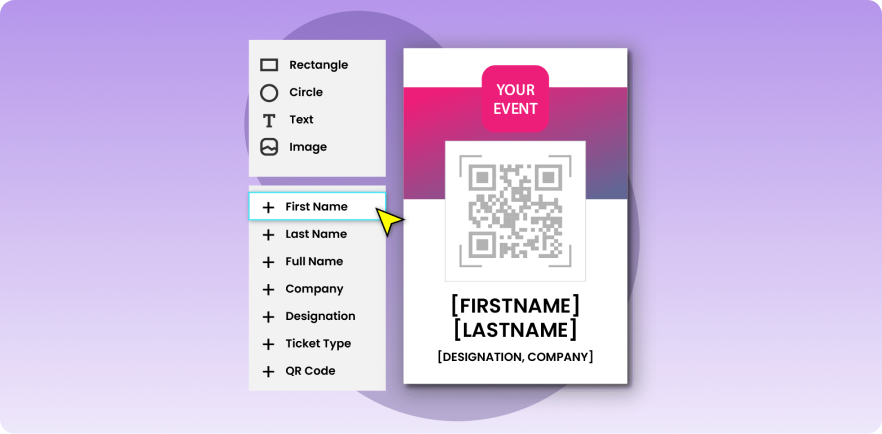
The app’s offline mode ensures printing works even when internet connectivity is unreliable, making check-in fast and flexible, especially for walk-ins or late registrations.
Key features
- Badge designer: Drag-and-drop builder for custom badges with logos, names, QR codes, and attendee roles (VIP, staff, etc.).
- Onsite and kiosk check-in: Supports both staff-assisted and self-serve badge printing via kiosk mode.
- Offline printing support: Works seamlessly without an internet connection, ideal for unreliable networks.
Pricing
Limited free plan available. Paid plan with advanced features starts at $699/quarter.
Best for
Event organizers seeking flexible, offline-capable check-in and badge printing solutions for both small and large events.
10. Webex Events
Webex Events Onsite provides on‑site badge printing and check‑in for in‑person events. It lets you design, customize and print badges on demand at the door or pre‑configure kiosks for self‑service badge printing.
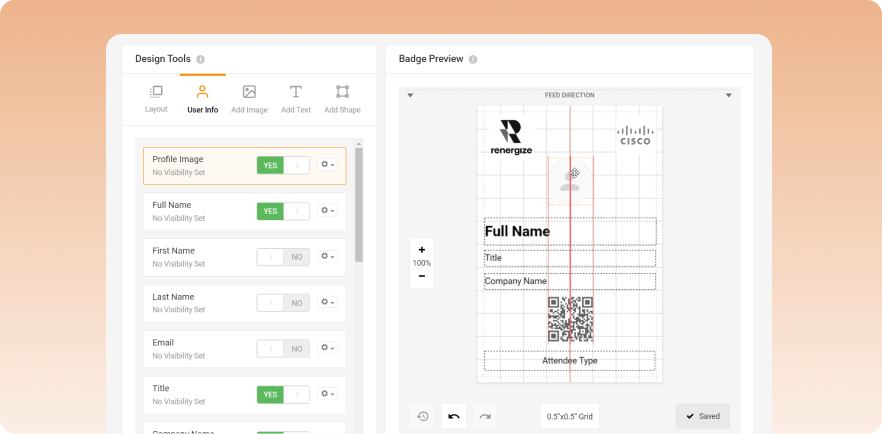
It supports paper or adhesive badges of different sizes, with customizable layouts, QR codes, roles, and branding.
Key features
- Custom branding and advanced customization: Tailor the event experience with custom fields, badge rules, and advanced badge design options.
- Onsite hardware rental: Rent badge printers and check-in hardware through trusted vendors, like Choose 2 Rent, or use your own equipment.
- Session check-ins: Manage access, monitor attendance, and track registration and participation for specific sessions, with real-time updates.
Pricing
Pricing available on request.
Best for
Events requiring flexible, customizable check-in and badge printing solutions, with added health safety protocols and session management features.
11. Noodle Live
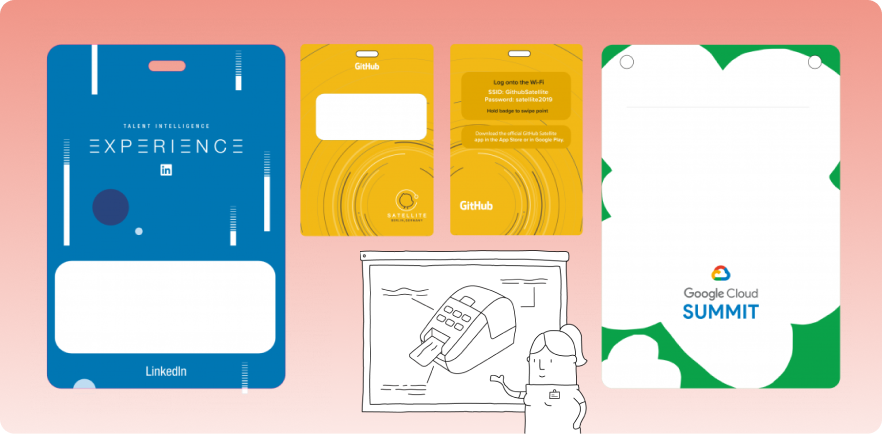
Noodle Live delivers on‑site event badge printing and check‑in with a fast “print‑on‑demand” badging system. It supports both staffed and self‑service badge stations, enabling attendees or staff to print personalized badges in 5–10 seconds at arrival.
Key features
- RFID/NFC badges: Use smart badges for easy session check-ins, contact sharing, and access control.
- Lead capture: Equip exhibitors with an iOS/Android app to capture leads, take notes, and send documents.
- Location and session scanning: Track attendance, manage access control, and monitor session participation in real time.
Pricing
Pricing available on request.
Best for
Events of any size needing flexible, customizable check-in solutions, RFID/NFC capabilities, and real-time data tracking for enhanced attendee experience and ROI.
12. EventMobi
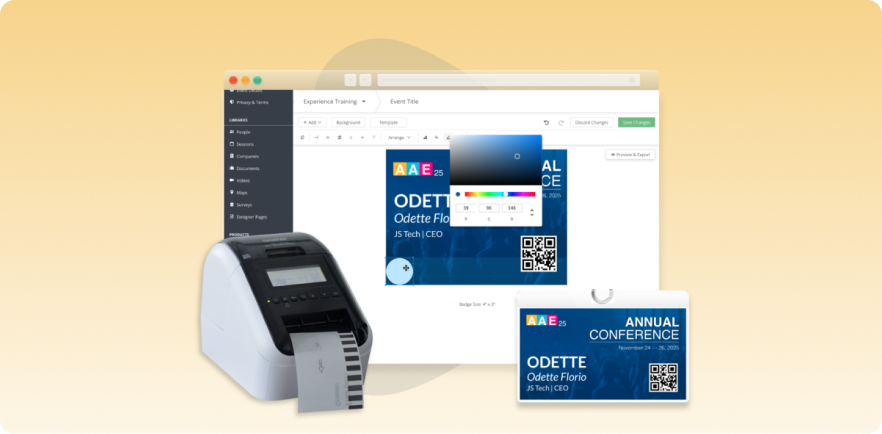
EventMobi provides on-site badge printing and check-in for live events as part of its event management solution offering a built-in badge designer for custom badges. You can print badges on-site using thermal or label printers or opt for pre-printed badges.
Key features
- Badge designer and layout export: Create custom badges (standard 4x3" or 4x6") and export as PDFs for inkjet/label printing or send to print houses.
- On-site badge label and thermal printing: Supports portable, wireless hardware for instant printing at check-in desks or kiosks.
- Pre-printed badge ordering: Order professionally laminated badges for delivery (US, Canada, Germany).
Pricing
Per-event license starting at US$3,000/event; annual unlimited-event license for US$8,900/year.
Best for
Mid- to large-size conferences or expos needing flexible badge printing with integrated check-in and session management.
13. Fielddrive
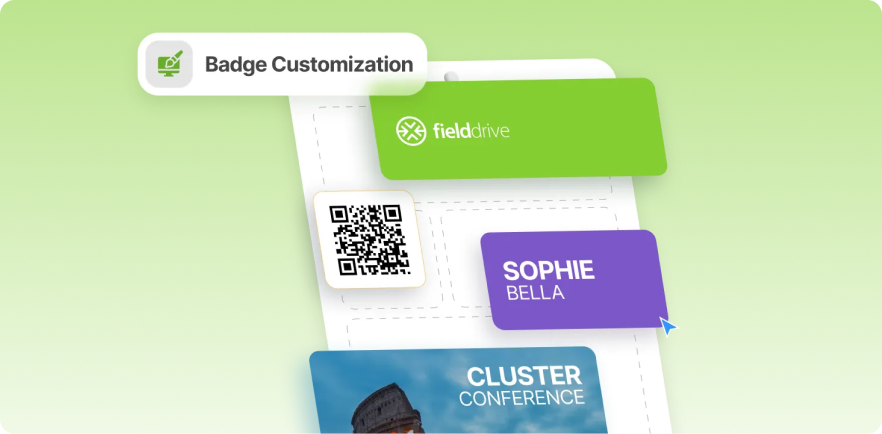
Fielddrive offers live, on-demand badge printing through check-in kiosks, with badges printing in about 6 seconds as attendees arrive. It supports contactless check-in via QR codes or facial recognition and prints fully customizable badges on sustainable, recyclable materials.
Key features
- Fast badge printing: Two-sided, full-color badges printed in ~6 seconds for high-throughput events.
- Touchless and flexible check-in: QR-code or facial recognition check-in, with kiosks for self-service or staff-assisted flow.
- Sustainable printing options: Biodegradable/recyclable badge materials with no plastic holders required.
Pricing
Pricing available upon request.
Best for
Medium to large-scale events that prioritize fast throughput, flexible badge design, and eco-friendly materials.
14. Guidebook
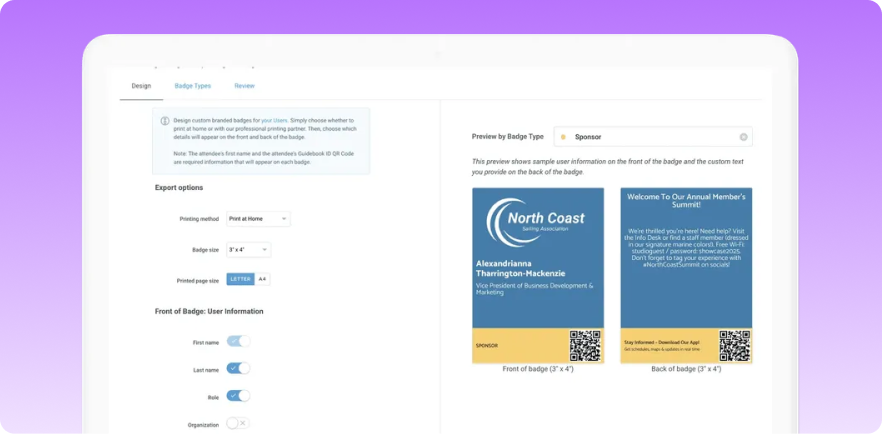
Guidebook provides an intuitive badge design and printing solution, offering DIY, professional, and on-site printing options. Integrated with event registration tools, Guidebook enables a smooth check-in experience and efficient event tracking using QR-coded badges.
Key features
- Faster check-in and smarter tracking: Use unique QR codes for quick check-ins, session verification, and networking.
- Integrated with event ecosystem: Sync badges with your event app and registration system.
- DIY & professional printing: Print at home, local shops, or order through Guidebook’s partner for professional prints.
Pricing
Starts at $1,999 for small events, covering up to 200 employees.
Best for
Events needing flexible, customizable badge printing and streamlined management, with DIY, professional, or on-site options.
15. Accelevents
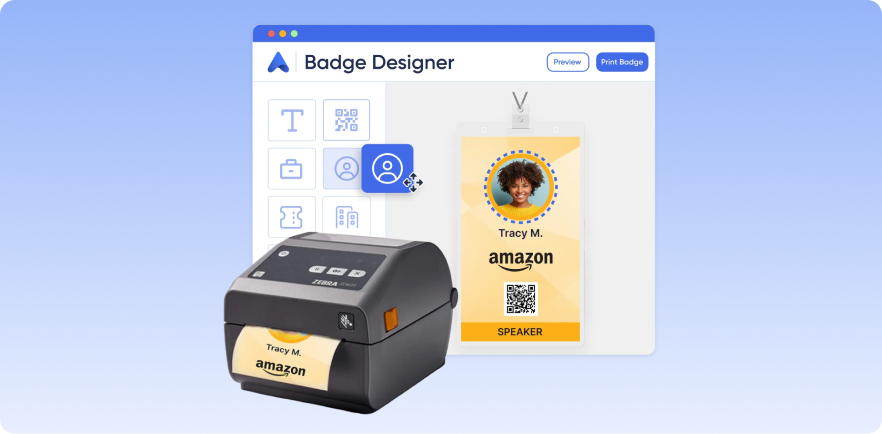
As part of its event management solution, Accelevents offers seamless on-site event badge printing with a user-friendly Badge Designer. You can print badges on-demand, customize designs, and provide a smooth check-in experience with quick, self-service kiosks.
Key features
- Custom badge design: Easily create badges for different attendee types with unlimited design options.
- Self-service kiosks: Attendees check in and print badges themselves, reducing wait times.
- Multiple kiosks, one printer: Connect several iPads to one printer for efficient check-in.
- On-site kit: Includes everything you need for check-in and badge printing at your event.
Pricing
Starts at $7,000 for one event.
Best for
Events with an extensive budget needing fast, customizable badge printing with on-site self-service kiosks and integrated registration.
16. Dreamcast
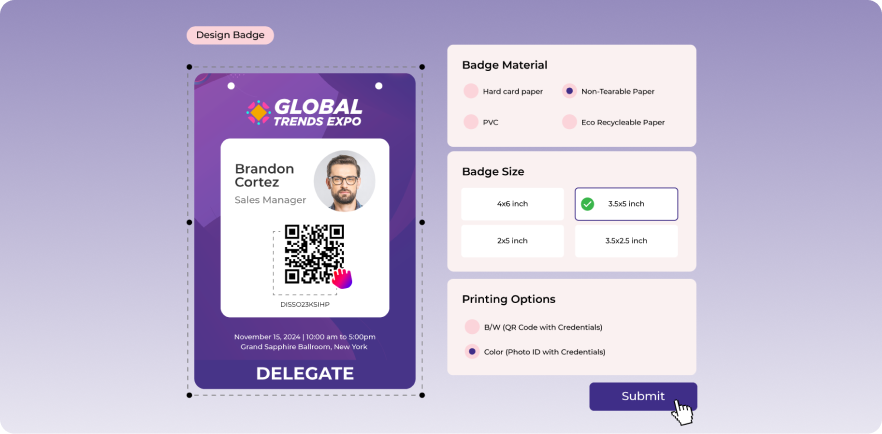
Dreamcast offers a seamless event check-in and badge printing solution designed to maximize efficiency. With instant badge printing, custom kiosks, turnstiles, and QR code scanning, you get a smooth, immersive event experience with minimal wait times and optimized attendee flow.
Key features
- Custom badge designs: Tailor fonts, colors, styles, and add QR codes or sponsor logos to create branded badges.
- Efficient registration: Handle online and on-site registrations with automated badge printing and kiosk check-ins.
- Automated check-in: Reduce the need for staff with automated check-ins, minimizing labor costs and errors.
Pricing
Pricing available on request.
Best For
Events of all sizes that need customizable badge printing, efficient check-in solutions, and advanced access control to enhance attendee experiences.
What to look for when choosing onsite badge printing software
Not sure which badge printing solution to opt for? Here’s what to prioritize in your potential choice:
- Customizable badge design tool: Choose software with a badge design tool that allows for customization of logos, colors, QR codes, fonts, and role labels. EventsAir excels in this area, providing easy-to-use tools to create professional, custom badges with your event’s branding.
- On-demand and bulk printing options: Ensure the software offers both on-demand printing and bulk printing, so you can handle different event scenarios.
- Support for walk-ins and last-minute changes: The software should accommodate walk-ins and handle last-minute changes smoothly. With EventsAir, managing unexpected registrations is quick and easy. We help you stay prepared for every attendee.
- Printer compatibility: Ensure the software works with various badge printers (thermal, PVC, label) and integrates with your registration system. Again, EventsAir integrates well with different printers to ensure reliable performance.
- Self-service / kiosk mode: If you want to reduce staff workload, choose software that connects with self-service kiosks. EventsAir allows attendees to print their own badges to save time and improve the check-in process.
- Pricing: Choose software that fits your event type and budget. Keep in mind additional charges for per-badge printing, software licensing, and onsite support when making your decision.
EventsAir is the #1 event management software for onsite event badge printing
From customizable badge designs to fast printing options, it’s important to prioritize flexibility and ease of use when choosing the right badge printing software for an event.
EventsAir stands out as a top choice for simplifying event check-in. Our platform offers planners and organizers comprehensive tools for badge printing, attendee tracking, and more, ensuring seamless event management and a hassle-free check-in process.
Request a demo today to see how EventsAir can transform your event experience.
Frequently asked questions
Here are answers to common questions on onsite badge printing software:
How does instant onsite event badge printing work?
Instant badge printing works through self check-in kiosks, host check-in stations, or VIP check-in areas, allowing badges to be printed quickly as attendees arrive.
What features should I focus on when comparing badge printing tools for different event sizes?
Prioritize flexibility, ease of use, integration with your registration system, customization options, and support for both on-demand and bulk printing.
What printing options are available with badge printing software?
Badge printing software typically offers options for thermal, label, and PVC printing, with the flexibility to print on-site or order pre-printed badges.
How customizable are the badges I can print with this software?
You can fully customize badges with logos, attendee details, colors, fonts, QR codes, and different layout styles to match your event’s branding.
Can I integrate the badge printing software with my current registration or CRM/AMS system?
Yes, most badge printing software integrates seamlessly with existing registration or CRM/AMS systems, syncing attendee data for quick and accurate badge printing.
Does the badge printing software support walk-ins and last-minute registrations?
Yes, the software supports walk-ins and last-minute registrations, allowing you to print badges instantly for new or updated attendees on-site.
Can the badges be scanned for session check-ins, access control, or lead retrieval?
Yes, badges with QR codes or barcodes can be scanned for session check-ins, access control, and lead retrieval, offering easy data tracking and attendee management.
What's the best onsite event badge printing software?
Each tool has its strengths, but EventsAir is the best all-rounder. It offers customizable badge design, fast printing, self check-in, and seamless integration, making it ideal for events of any size.
See EventsAir in action
Discover why 12,000+ event professionals trust EventsAir to deliver effortless events, every time.





Ready to transform event chaos into clarity?
With EventsAir, you’ll move from chasing logistics to creating unforgettable moments. Plan faster, act with confidence, and deliver exceptional events. Discover what’s possible with a personalized demo today.