

Here Are the 10 Best Event Website Builders in 2026


Your event website is the central hub of your promotional strategy. It's where potential attendees learn, explore, and decide whether to register. Every detail — from design to functionality — plays a role in building trust and driving action.
A strong website builder gives you the tools to create branded, responsive pages that adapt as your event evolves. It also ensures your website connects seamlessly with the rest of your event ecosystem, so data flows automatically between registration, email marketing, mobile apps, check-in, and analytics.
In this guide, we compare 10 leading event website builders for professional events, conferences, and trade shows. Each platform is evaluated based on usability, integration, scalability, and the features that matter most to today’s planners.
What makes a great event website builder?
When evaluating website builders for events, look for features that support flexibility, speed, and data connectivity. The right tool helps you move fast, stay on brand, and keep your audience engaged from first impression to follow-up.
Here’s what to look for:
- Design flexibility without coding. You need drag-and-drop tools and customizable templates that match your brand without requiring a developer.
- Integrated registration. The website builder should connect directly to your registration system so attendee data flows automatically.
- Mobile optimization. With a large share of visitors coming from mobile devices, responsiveness isn’t optional. Your builder should create clean, fast-loading pages across all screen sizes.
- Content management. Easy ways to update speakers, sessions, sponsors, and schedules as details change. Even better? If this updates automatically as you make changes to your event.
- Analytics and tracking. Built-in tools to measure traffic, conversions, and campaign performance.
- Scalability. The builder should handle everything from simple landing pages to complex multi-track conference sites.
10 Best event website builders
| # | Tool | Best for | Starting price | Free plan |
| 1 | EventsAir | All-in-one event management | Custom pricing | No |
| 2 | Cvent | Enterprise events and venue sourcing | ~$6,000+/year | No |
| 3 | Bizzabo | Marketing-focused B2B events | $17,900+/year | No |
| 4 | Swoogo | Customizable registration workflows | Custom pricing | No |
| 5 | Whova | Attendee engagement and networking | Custom pricing | No |
| 6 | Eventbrite | Simple ticketed events | Free (fees per ticket) | Yes |
| 7 | Splash | Design-focused planners | Custom pricing | No |
| 8 | Accelevents | Mid-market conferences | Custom pricing | No |
| 9 | Wix Events | Small events | $17/month +2.5% of ticket sales | Yes |
| 10 | Webflow | Custom design with developer resources | $29/month | Yes (limited) |
1. EventsAir
Best for: All-in-one event management with fully integrated website, registration, and onsite tools
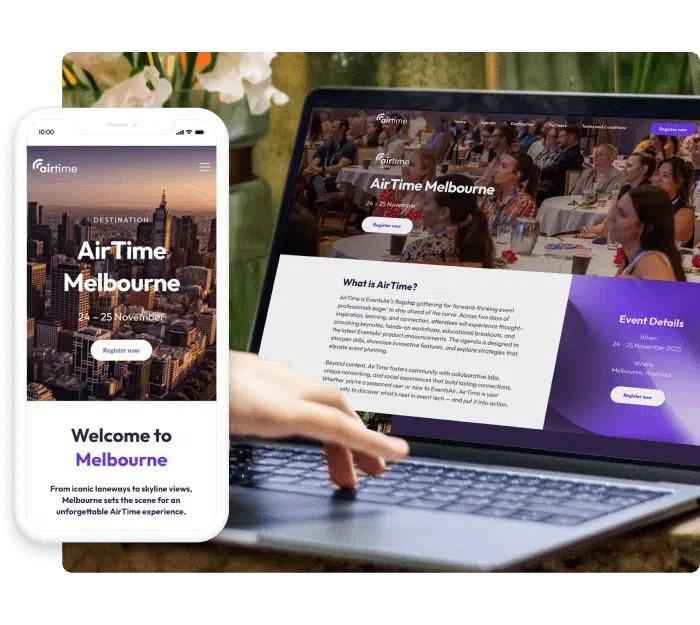
EventsAir is a comprehensive event management platform where the website builder is one component of a unified system. Your event site connects directly to registration, attendee management, mobile apps, check-in, and analytics without requiring third-party integrations or manual data syncing between tools.
Unlike standalone website builders, changes made anywhere in EventsAir reflect everywhere automatically. Update a speaker in the system and it appears on the website, in the mobile app, and on your agenda instantly. This eliminates the duplicate data entry that plagues disconnected tools.
Key features
- Drag-and-drop builder: Create branded event websites with customizable templates and layouts without coding. Full control over colors, fonts, imagery, and page structure.
- Integrated registration: Forms with conditional logic, multiple ticket types, member validation, and payment processing built directly into your event site.
- Content sync: Speaker, session, sponsor, and exhibitor information updates across website, app, and onsite tools automatically when you make changes once.
- Mobile-responsive: Sites optimized for all devices by default with no additional configuration required. Options to create alternative layouts for both tablet and mobile devices.
- Real-time analytics: Track registrations, traffic sources, and conversion rates from a unified dashboard alongside all other event metrics.
- White-label options: Fully branded experiences with custom domains, removing all platform branding for a seamless attendee experience.
Pricing
Contact sales for a quote.
Pros
- True all-in-one platform eliminates integration headaches
- Website, registration, app, and check-in all share the same data
- Strong support for complex events (multi-track conferences, hybrid events)
- Comprehensive onsite tools including badge printing and kiosks
Cons
- Custom pricing requires sales conversation
- May be more platform than needed for simple single-day events
2. Cvent
Best for: Enterprise organizations with large-scale events and venue sourcing needs
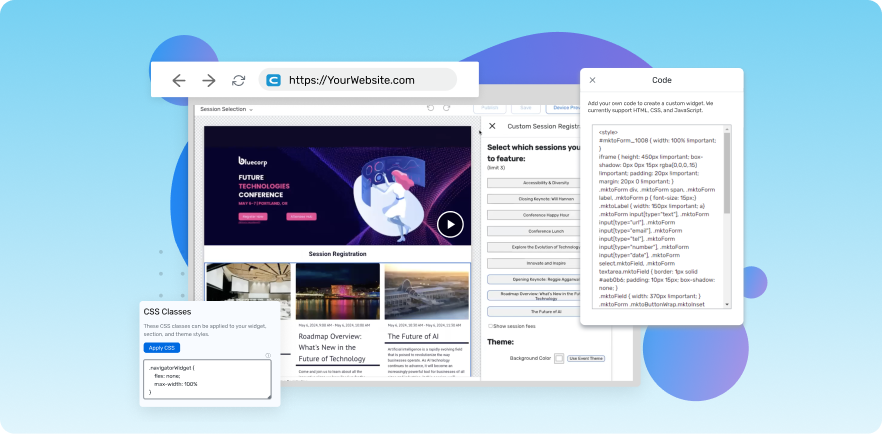
Cvent is an enterprise-grade event management platform with a website builder as part of its broader suite.
The platform is particularly strong for organizations managing multiple large events who also need venue sourcing tools. Cvent's global venue marketplace is a standout feature that competitors don't match, though the website builder itself is just one piece of a complex system.
Key features
- Template-based builder: Create event websites using Cvent's templates with customization options for branding and layout.
- Venue sourcing integration: Connect your event site to Cvent's venue marketplace for sourcing and managing venue relationships.
- Registration tools: Comprehensive registration and attendee management integrated with the website.
- Marketing suite: Email campaigns and promotional tools to drive traffic to your event site.
- Reporting: Extensive analytics and reporting across events and attendee data.
Pricing
Enterprise pricing starting around $6,000+ per year. Pricing varies significantly based on features, event volume, and add-ons.
Pros
- Comprehensive feature set for enterprise needs
- Strong venue sourcing capabilities unavailable elsewhere
- Established platform with extensive integrations
- Robust reporting tools
Cons
- Steep learning curve with complex interface
- Pricing structure can be confusing with add-on costs
- Can be overwhelming for smaller teams or simpler events
- Integration issues between tools in the suite
3. Bizzabo
Best for: Marketing teams running B2B events who need strong CRM integration
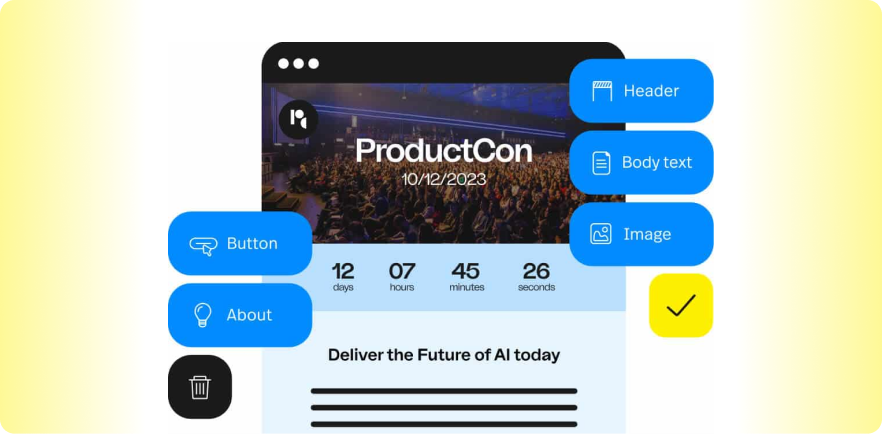
Bizzabo is an event experience platform with website building capabilities designed for marketing-driven B2B events. The platform emphasizes integration with marketing automation tools like HubSpot, Salesforce, and Marketo. Its website builder is modern and clean, though template options are limited compared to dedicated website tools.
Key features
- Event website builder: Create event pages with modern templates designed for B2B conferences and marketing events.
- Marketing integration: Native connections to Salesforce, HubSpot, and Marketo for lead tracking and campaign attribution.
- AI matchmaking: Intelligent networking features that connect attendees based on shared interests and profiles.
- Analytics dashboard: Real-time tracking of registration, engagement, and marketing performance.
- Virtual production: Built-in live streaming, Q&A, and polling for virtual and hybrid events.
Pricing
Starting around $17,999 per year.
Pros
- Strong marketing and CRM integrations out of the box
- Clean, modern interface
- Good virtual event production tools
- Solid customer support reputation
Cons
- High price point relative to competitors
- Only five website templates available
- Some features require add-on purchases
- Learning curve for first-time users
4. Swoogo
Best for: Event teams who need highly customizable registration workflows and website flexibility
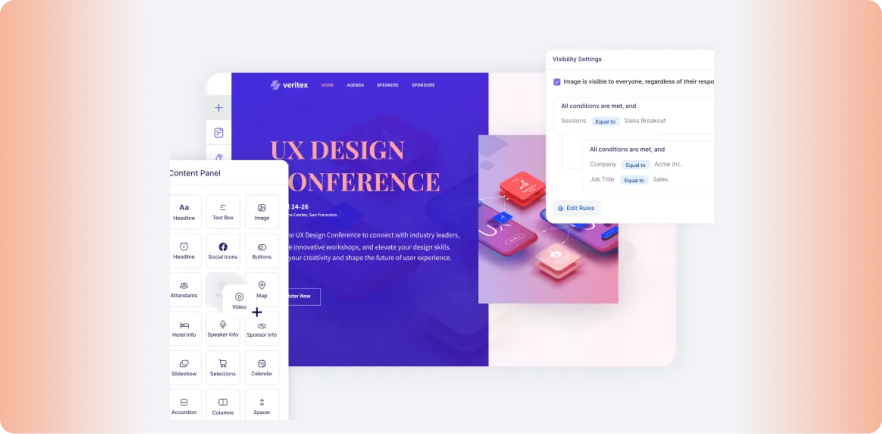
Swoogo is an event management platform known for its flexible drag-and-drop builder that allows significant website and registration form customization without coding. It's a good fit for teams with complex registration requirements who want control over design.
Key features
- Drag-and-drop builder: Highly customizable website and form builder with granular control over design elements and registration logic.
- Registration flexibility: Support for complex registration workflows, conditional logic, multiple ticket types, and group registration.
- White-label capabilities: Full branding control with custom domains and removal of platform branding.
- Email automation: Built-in email tools for confirmations, reminders, and promotional campaigns.
- Integrations: Connections to major marketing platforms and CRMs for data sync.
Pricing
Custom pricing based on number of users and events. Tiered structure that scales with team size.
Pros
- Highly customizable without needing developers
- Handles complex registration requirements well
- Good integration options with marketing tools
- Intuitive interface for website building
Cons
- Relies on third-party partners for mobile apps and some onsite tools
- Pricing can escalate as team grows
- Virtual event features less robust than some competitors
- Less comprehensive than full all-in-one platforms
5. Whova
Best for: Events prioritizing attendee engagement and networking over website design
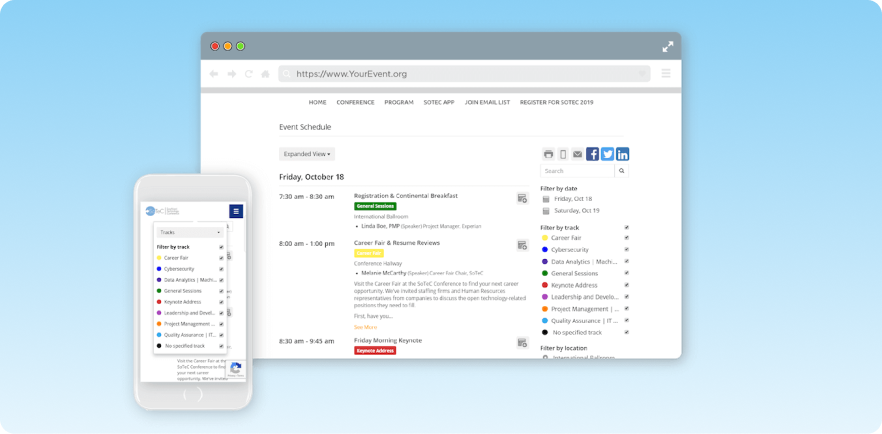
Whova is an event management platform best known for its award-winning attendee app rather than its website builder. The platform includes website creation tools, but they're less sophisticated than competitors focused on web design.
Key features
- Event website builder: Create event pages with registration integration, though with fewer design options than dedicated builders.
- Attendee app: Great mobile app with networking, schedule management, and engagement features.
- Networking tools: Matchmaking, meeting scheduling, and community features to connect attendees.
- Exhibitor management: Tools for managing sponsors and exhibitors with lead capture capabilities.
- Marketing features: Promotional tools and social media integration for event marketing.
Pricing
Custom pricing. Contact for quote.
Pros
- Excellent attendee app with strong engagement features
- Good networking and community building tools
- User-friendly experience for attendees
- Solid exhibitor and sponsor management
Cons
- Website builder less sophisticated than competitors
- Better known for app than web capabilities
- May need additional tools for complete event management
- Design customization options are limited
6. Eventbrite
Best for: Simple ticketed events and public events benefiting from marketplace discovery
Eventbrite doesn’t offer a fully-featured website builder. But if you’re looking to get a simple registration page live quickly (and aren’t looking for advanced features) it might be a good fit for you.
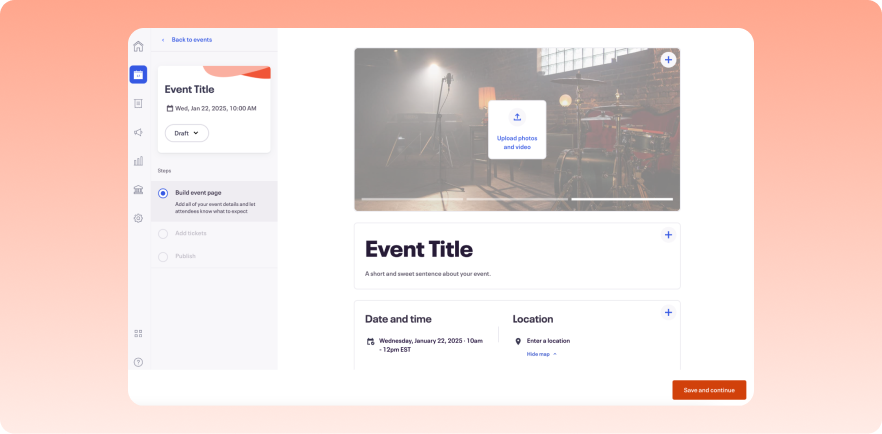
You can create event listings with descriptions, images, and ticketing, but design customization is minimal.
Key features
- Event page creation: Build simple event listings with descriptions, images, dates, and ticket information.
- Ticketing: Straightforward ticket sales with multiple ticket types and payment processing included.
- Discovery marketplace: Your event appears in Eventbrite's marketplace where attendees browse and discover events.
- Basic email tools: Confirmation emails and basic attendee communication features.
- Mobile check-in: App for scanning tickets and managing check-in at the door.
Pricing
Free for free events. For paid events: 3.7% + $1.79 per ticket (fees can be passed to attendees).
Pros
- Free to start with no upfront costs
- Very easy to use with minimal learning curve
- Built-in event discovery through Eventbrite marketplace
- Good for public-facing consumer events
Cons
- Very limited website customization (more event listing than website builder)
- Per-ticket fees add up quickly for larger events
- Not designed for B2B conferences or professional events
- Minimal branding control compared to other options
7. Splash
Best for: Marketing teams running high volumes of branded events
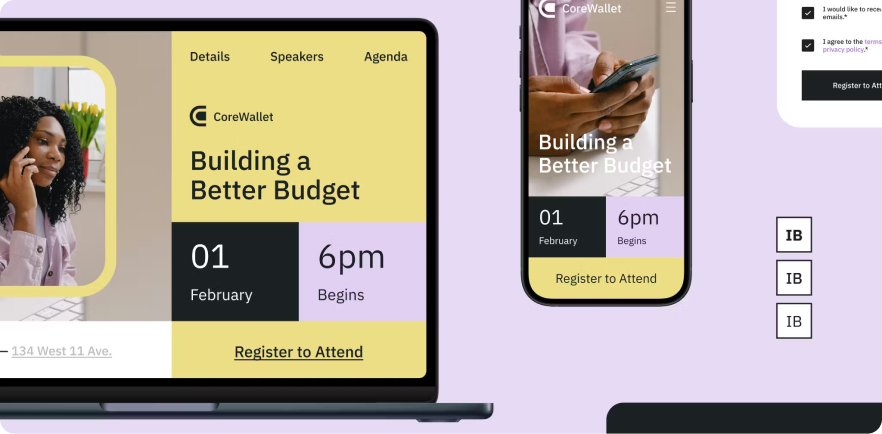
Splash is an event marketing platform with a website builder focused on brand control. You create templates with your brand guidelines, then use them across event pages, emails, and other touchpoints.
This works well for teams running dozens or hundreds of events per year who need consistency without rebuilding pages from scratch each time.
Key features
- Template-based builder: Create event pages using branded themes. Built-in access to Giphy and Unsplash for imagery.
- Brand controls: Permission-based editing lets you lock down brand-sensitive elements while allowing team members to customize content.
- Multi-channel output: Design an event once and generate assets for pages, emails, and social from the same source.
- CRM integration: Connects to Salesforce, Marketo, HubSpot, and Eloqua for syncing registration data.
Pricing
Custom pricing. Contact for quote.
Pros
- Strong design capabilities for branded event pages
- Good for high-volume event programs with many smaller events
- Marketing-focused analytics and ROI tracking
- Easy to use for RSVP-style events
Cons
- Builder can feel limiting for custom designs without coding knowledge
- Learning curve to use all features effectively
- Not built for large multi-track conferences
8. Accelevents
Best for: Mid-market conferences needing unified registration, onsite, and virtual capabilities
Accelevents is a modern event management platform with a website builder designed around a single data model. This means your website, registration, check-in, mobile app, and virtual event tools all share the same data without sync issues.
Key features
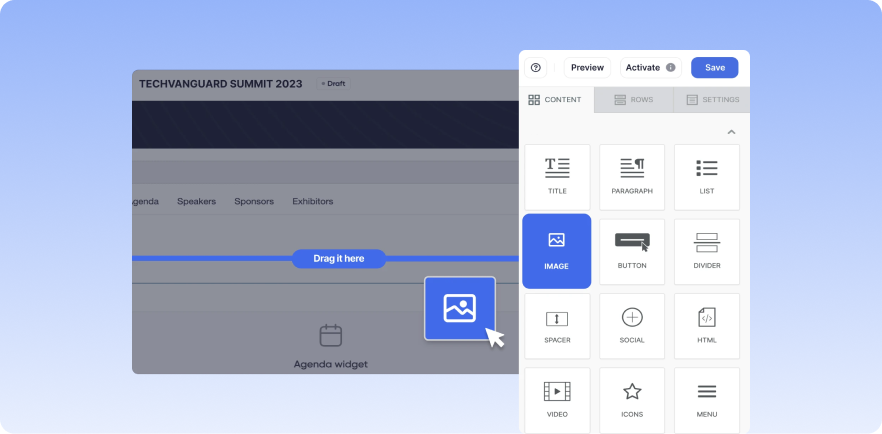
- Drag-and-drop builder: Create event websites with customizable layouts, reusable sections, and component visibility controls.
- Unified data model: Website, registration, check-in, and app all connected so updates reflect everywhere automatically.
- Badge design and printing: Built-in tools for creating and printing attendee badges onsite.
- Virtual event platform: Integrated virtual capabilities for hybrid and online events.
- Native integrations: Connections to Salesforce, HubSpot, Marketo without add-on fees.
Pricing
Custom pricing.
Pros
- Unified data model reduces sync issues between tools
- Good balance of features for mid-market events
- No add-on charges for integrations
- Strong customer service reputation
Cons
- Less established brand than enterprise competitors
- May lack some advanced features of larger platforms
- Smaller user community for peer support
9. Wix Events
Best for: Small events
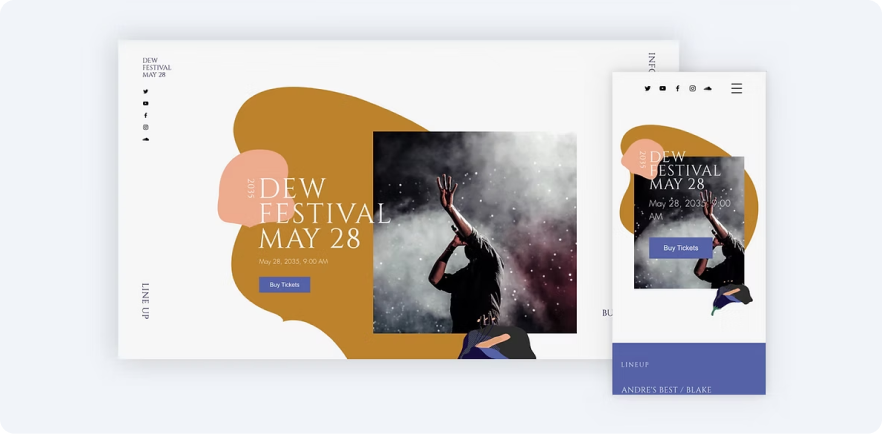
Wix is a general-purpose website builder with event functionality built in. You get access to 500+ event templates and can add ticketing, RSVPs, guest management, and payment processing. It's not a dedicated event platform, so you won't find features like attendee apps, lead capture, or complex registration logic. But for simple events where you need a page and a way to sell tickets, it works.
Key features
- Drag-and-drop builder: Create event pages using Wix's template library with full design customization.
- Ticketing and RSVPs: Sell unlimited ticket types, set capacity, create waitlists, and collect RSVPs.
- Seating maps: Create interactive venue floor plans where guests can select seats.
- Guest management: Track attendance, manage guest lists, and send automated confirmation emails.
- Mobile app: Check in guests, scan tickets, and sell at the door using the Wix app.
Pricing
Free plan available with Wix branding. Business plans start at $17/month to accept payments. Wix charges a 2.5% service fee on ticket sales (can be passed to attendees).
Pros
- Affordable with free option for RSVP-only events
- Easy to use with no learning curve
- Large template library
- Good for personal events like weddings and parties
Cons
- Not designed for professional conferences or B2B events
- No attendee app or networking features
- Limited registration customization and conditional logic
- Would need separate tools for serious event management
10. Webflow
Best for: Design-focused teams with development resources who need complete creative control
Webflow is a visual web design tool, not an event platform. It offers (almost) complete creative freedom for teams with design skills or agency support who want unique, highly customized event websites.
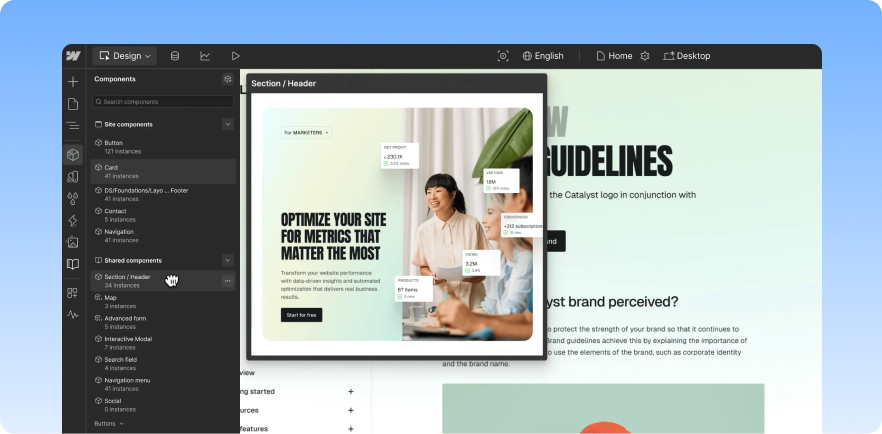
Source: Finsweet
You'll need to integrate third-party tools for registration, ticketing, and event management. Choose Webflow only if design differentiation is critical and you have resources to manage multiple integrations.
Key features
- Visual design editor: Full control over design with CSS-level customization through a visual interface, no coding required.
- CMS capabilities: Content management system for organizing and updating event information like speakers and sessions.
- Custom animations: Create sophisticated interactions and animations for standout visual experiences.
- Responsive controls: Granular control over how designs appear across different screen sizes.
- Third-party integrations: Connect external registration, ticketing, and event tools via embeds and APIs.
Pricing
Free plan with Webflow branding. Paid plans from $29/month for custom domains and additional features.
Pros
- Complete design freedom unavailable in event platforms
- Professional-quality visual results possible
- Good for unique, highly branded experiences
- Strong for marketing-focused event sites
Cons
- No built-in registration, ticketing, or event management
- Requires design skills or developer/agency resources
- Must integrate and manage multiple third-party tools
- Not practical for teams without technical capabilities
Build event websites that convert with EventsAir
Your event website should work seamlessly with everything else: registration, email campaigns, mobile apps, check-in, and analytics. When these tools are disconnected, you spend more time managing data than improving your event.
EventsAir brings it all together in one platform. Build branded event websites, set up registration with complex pricing and conditional logic, and track performance in real time. No integration headaches, no data silos.
Ready to simplify your event tech stack? Get started with EventsAir today.
See EventsAir in action
Discover why 12,000+ event professionals trust EventsAir to deliver effortless events, every time.





Ready to transform event chaos into clarity?
With EventsAir, you’ll move from chasing logistics to creating unforgettable moments. Plan faster, act with confidence, and deliver exceptional events. Discover what’s possible with a personalized demo today.