

Whova Event Management Software Review: Features, Pros, Cons, and Pricing


Whova may be a popular platform, but is it the right fit for you?
In this Whova event management software review, we break down its features, strengths and where it falls short. We also compare it to EventsAir, an all-in-one event management platform, so you can clearly see which one fits your needs best.
Having supported more than 400,000 events globally, we’ve seen how different event platforms perform under real operational pressure, giving us firsthand insight into the features, workflows, and reporting capabilities event teams actually need.
That perspective helps us evaluate tools like Whova with a practical understanding of what matters in day-to-day event delivery.
What is Whova?
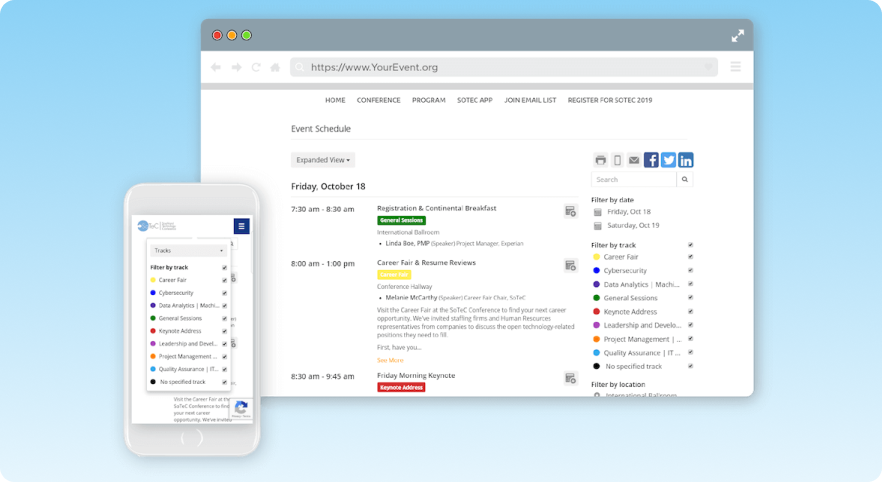
Whova is an event management platform built to handle most parts of the event lifecycle. Event planners use it to manage registrations, marketing, speaker submissions, attendee networking, and post-event reporting, all from one place.
It brings all of this together through features like:
- Event apps
- Event website builder,
- Registration & ticketing,
- Exhibitor management, and
- Abstract management.
It’s been around for over a decade and has built a pretty broad client base. And from what most users say, the mobile app is really what stands out.
Whova’s mobile app works like a social hub. With it, participants can browse each other's profiles, send direct messages, organize meetups, and keep up with the event agenda. Most user reviews highlight this as one of Whova’s stronger areas.
That said, it’s not all smooth. Some users have mentioned navigation challenges and a bit of a learning curve when starting out, among other challenges. We’ll get into that in the pros and cons section, but first, let’s take a closer look at its features.
Whova’s features & functionality at a glance
1. Event management tools
Whova includes event management tools such as name badge generation, attendee check-in, pre-event surveys and polls, and post-event analytics.
Most of these tools are genuinely useful. The name badge feature, for example, pulls directly from your attendee list and lets you print in bulk or on demand using different templates. The check-in process also runs through QR code scanning on a phone or laptop. This makes it fairly seamless in day-to-day use.
Whova also handles surveys and session feedback in-app, with pre-built question templates available if you don’t want to start from scratch. You can also generate and send certificates digitally after events, which cuts down on manual work.
As a result, Whova ticks a lot of boxes for many event planners. But due to the number of features, it can also feel a bit cluttered, especially when you’re trying to move quickly between tools.
2. Event app & attendee engagement
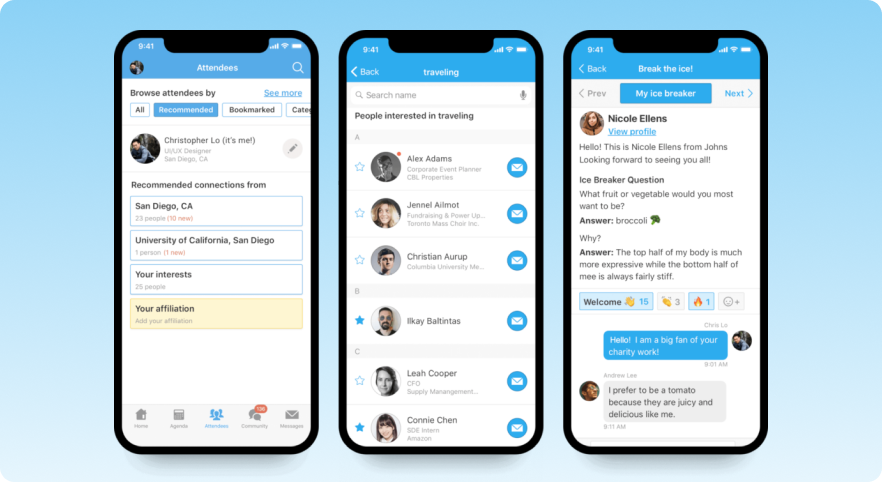
The mobile app is Whova's most talked-about feature. It replaces the printed event program, letting attendees build a personalized agenda, access session materials, join live polls, and use the community board to organize meetups, discussions, and even rideshares.
Beyond that, the app includes a range of engagement features. There’s gamification through leaderboards and photo contests, push notifications for updates, and a social wall that can display event highlights and sponsor content.
Whova also leans into networking. Attendees can browse each other’s profiles, send direct messages, schedule meetings, and take part in speed networking through rotating video chatrooms. Taken together, the app gives planners a fairly complete set of tools to keep attendees engaged beyond just sessions.
3. Speaker & exhibitor management
Whova features a dedicated Speaker Center where speakers can fill out their own forms with bios, headshots, session details, A/V needs, and anything else you specify. Changes are synced automatically across the mobile app and website. This way, you don’t have to manually update record fields every time some information changes.
There’s also a Call for Speakers feature that lets you set up a branded submission portal, embed it on your own website, and track applications as they come in. Accepted submissions feed directly into the Speaker Center without manual entry.
Whova makes lead retrieval straightforward for exhibitors. They can set up digital booths with videos, brochures, and chat, then capture leads by scanning attendee QR codes on their phones, no extra hardware needed. Captured leads can be exported to a CRM or followed up through in-app messaging during or after the event.
There’s also some basic ROI tracking, along with features like the Passport Contest to encourage booth visits, though how useful that is will depend on the type of event.
4. Event website builder
Whova lets you build event webpages without needing to code or design anything. You get a few templates to start with, and things like your agenda, speakers and sponsors can be embedded into your existing site. The pro is that updates made in Whova sync to the embedded pages automatically.
It also has a built-in social media component. Here, you can create promotional graphics using templates and schedule posts across multiple channels. The dashboard also gives you ready-to-post templates for speakers and attendees, along with basic web tracking so you can see how your pages are performing.
It's a fairly capable setup for event marketing, especially if you don't have a dedicated design or web team. That said, if you have strong branding requirements or a complex existing website, the embedded pages may feel limiting.
5. Registration & ticketing
Whova’s registration system is fairly flexible. You can set up different ticket types, run early bird pricing, offer group or member-only tickets, and apply discount codes. Add-ons like merchandise or extra sessions can be included at checkout, and attendees can make additional purchases after the fact.
One useful touch is the follow-up system. If someone starts registration but doesn’t finish, you can send automated reminders to bring them back.
Whova also features customizable forms and lets users create separate registration pages for different attendee groups if needed. Each ticket type can have its own confirmation email, and session sign-ups are tracked during registration. All of this flows into the event app, badges and check-in automatically.
On the payment side, Whova processes through Stripe and offers early payouts. Offline payment methods like check and wire transfer are supported as well.
That said, once everything is live, the experience can feel a bit busy. A few users mention that notifications and in-app prompts can get excessive, which sometimes makes it harder to focus on actual attendee interactions.
6. Virtual/hybrid event capabilities
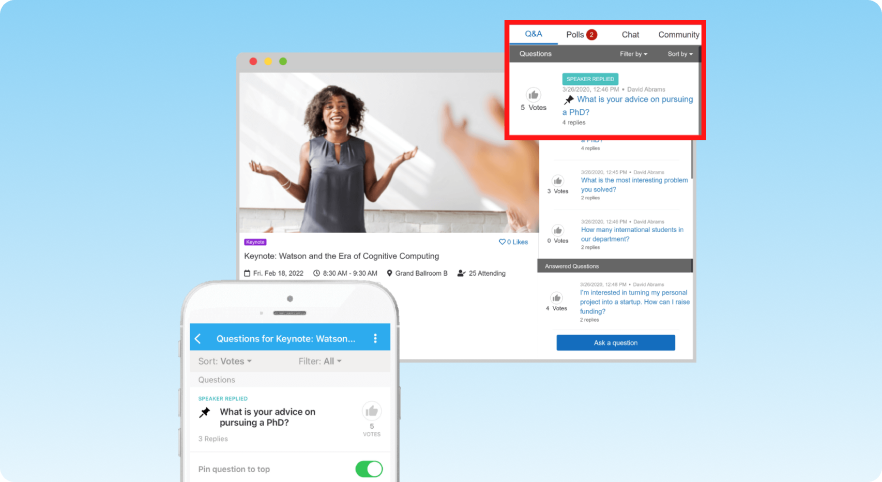
Whova is one of the few virtual event platforms that handles hybrid setups well. Both in-person and remote attendees are managed through the same platform and get access to the same features (live sessions, Q&A, polls, community boards, networking tools, exhibitor booths, etc) whether they're on the mobile app or a desktop browser.
For virtual sessions, Whova supports major streaming platforms and integrates with tools like Zoom. With it, you can run live sessions, upload pre-recorded content, and make recordings available afterward.
There’s also an Artifact Center for things like poster sessions, pitch competitions and galleries. This can be particularly useful for academic or research-heavy events.
In hybrid setups, Whova's approach is to keep both audiences in the same space. They share the same community boards, networking features and gamification tools, rather than being split into separate experiences.
Whova highlights an example where its setup helped reduce A/V costs, though that comes from its own marketing, so it’s worth taking with some caution. That said, ease of setup does come up fairly often in third-party reviews.
7. Analytics & reporting dashboard
Whova generates a post-event report that it claims can run over 60 pages. It covers metrics like engagement, networking, marketing performance, session attendance, sponsor impressions and logistics, all delivered as a branded PDF.
Real-time analytics are available during the event as well. With this feature, you can track app downloads, sponsor banner views, check-in progress, survey responses and overall activity as things are happening.
The reporting depth is one of the more genuinely useful parts of the platform. Being able to show sponsors concrete data on impressions and lead volume is the kind of thing that helps prove events' ROI, and having session-level attendance data makes post-event planning more informed.
Whether the report format suits your organization's needs is worth verifying before committing. A 60-page PDF isn’t always the easiest thing for stakeholders to go through, especially if they just want the key takeaways.
Pros & cons of Whova
Users generally find Whova valuable for organization and networking, though it faces recurring criticism regarding its user interface and notification system.
Below are some of the Whova pros and cons frequently surface across user reviews on G2 and Capterra.
Pros of Whova
1. Comprehensive agenda management
One of the most praised features is the ability for participants to view the full event schedule and create a personalized agenda.
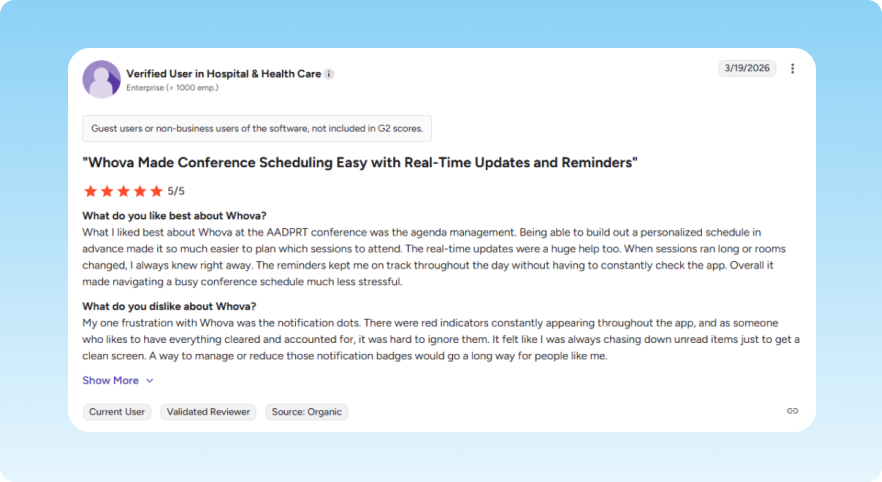
Users appreciate the "choose your own adventure" aspect, where they can browse sessions in advance, RSVP to specific ones, and receive reminders. This feature is often described as a way to simplify or navigate complex events with overlapping times.
2. User engagement through gamification
The platform includes features designed to increase participation, such as leaderboards and photo contests. Users report that these fun elements encourage them to level up by interacting with others, although some find them distracting.
3. Enhanced networking and connection
Whova features robust networking tools including the ability to search for other attendees, engage in community boards, and use QR codes for sharing contact with other guests and exhibitors.
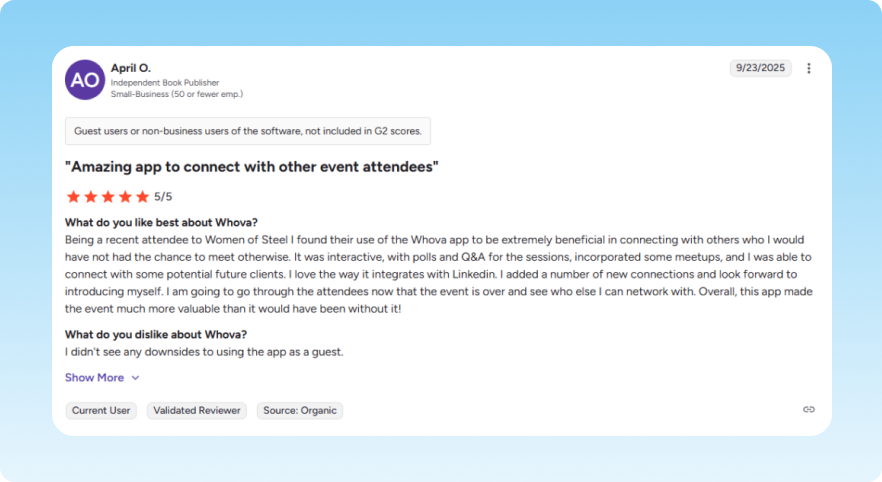
This makes it useful for continuing conversations started in person or finding collaborators based on shared interests.
4. Integrated note-taking
The ability to take notes directly within the app during sessions is a significant benefit for many. This feature allows attendees to keep their thoughts organized alongside the relevant session information.
Cons of Whova
1. Notification overload
If there's one complaint that shows up again and again in user reviews, it's the notifications.
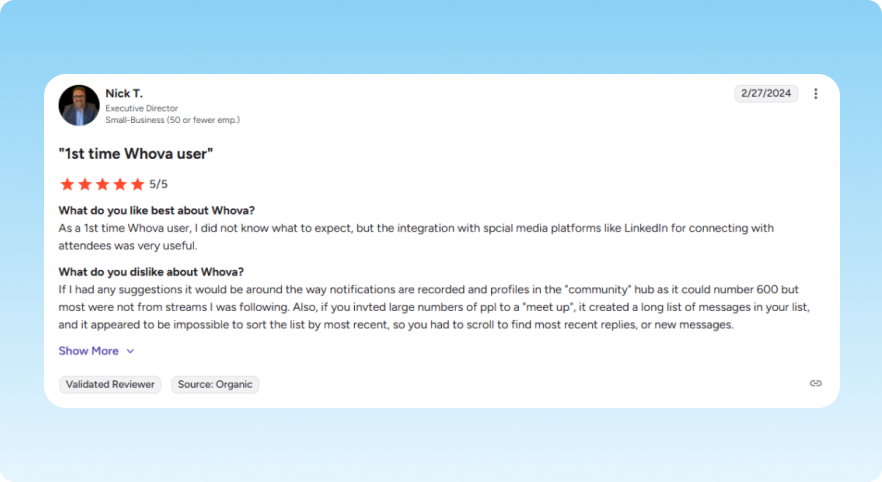
Users describe the alerts as overwhelming and distracting, and even adjusting the settings doesn't always help. Some specifically that the platform’s upsell notifications feel intrusive and distracting.
2. First-time onboarding takes adjustment
While some users find the app intuitive, many of them have reported an overwhelming first-time experience. The interface can feel cluttered with too many tabs and features, making it hard to find specific items.
3. Limited customization and flexibility
From an organizer's perspective, the software is sometimes criticized for being rigid and lacking flexibility. Specific issues include canned email messages that cannot be edited, difficulty managing attendee groups, and a lack of registration filters for tracking new sign-ups.
4. Content export and note management issues
Although note-taking is a pro, many users find it difficult to export or transfer those notes to other formats like Word, Google Docs, or email. Some users suggest that an automated convention file containing their notes and session slides would be a major improvement.
5. Technical and interface inconsistencies
Some reviews mention technical glitches, such as PowerPoint attachments not loading correctly or the app requiring frequent logins.
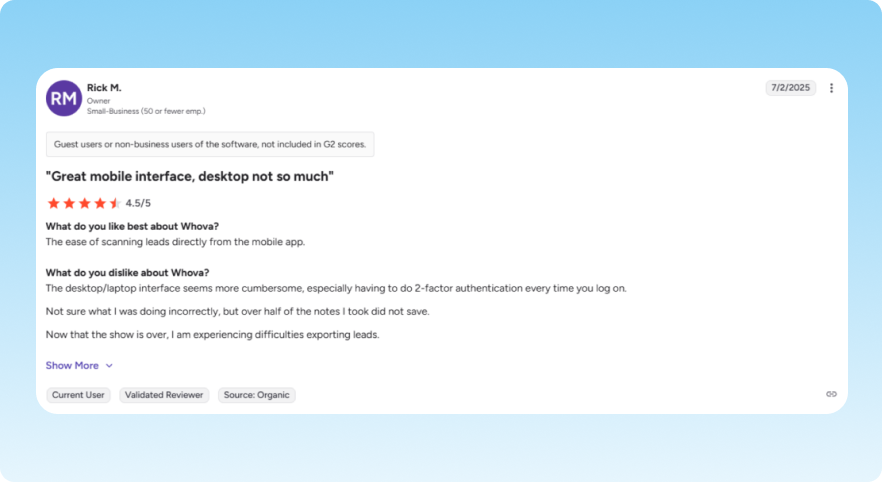
Additionally, there are noted discrepancies between the mobile and desktop versions, with some features (like full room names or calendar syncing) being easier to use on one platform than the other.
Whova pricing: How much does it cost?
Like most event management platforms, Whova doesn't publish its pricing openly.
To get a quote, you have to fill out a form. It’ll include details like how your event will run, how long it is, your expected attendee count, and how many events you host each year. Afterwards, someone from the team will follow up with pricing. This means you can’t really know what you’ll pay upfront.
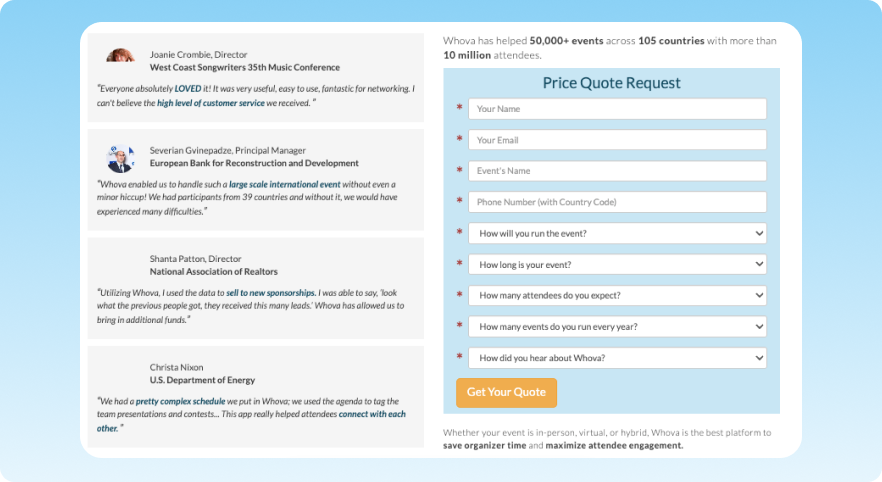
What Whova does make clear is that pricing scales with event size and the features you want included. Their app is free to download and use for attendees, though. Organizers are the ones paying.
The one piece of pricing that is publicly visible is Whova’s registration fee, which is 3.0% plus $0.99 per ticket, processed through Stripe.
Whova vs EventsAir: Why EventsAir is the more complete alternative
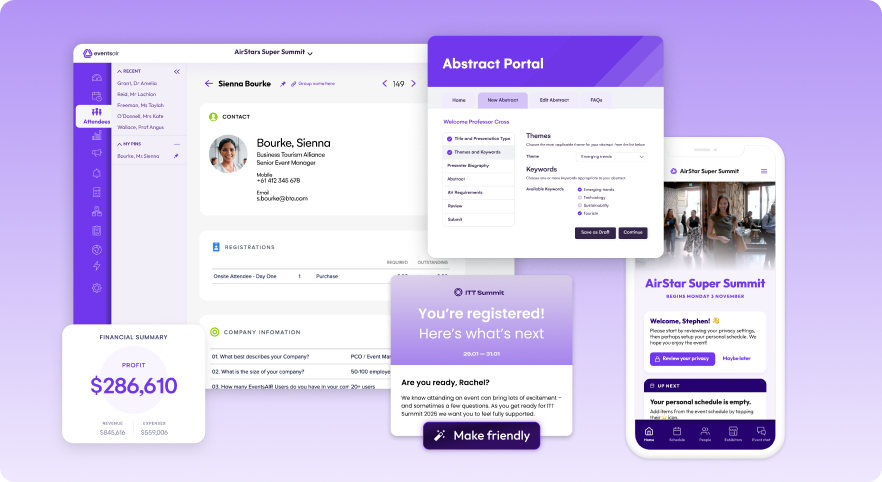
Despite its strong feature set, Whova still relies on third-party tools for areas like payments and more advanced event workflows, which can add greatly limit you as your events grow.
EventsAir helps professional event planners deliver complex events with confidence through a comprehensive platform that unifies registration, engagement, marketing, onsite, and reporting into one connected event ecosystemis. Tools like self-check-in, built-in lead capture, and robust integrations help reduce duplicate data and streamline operations while helping event teams maximize ROI.
Here’s why leading event planning teams choose EventsAir over Whova.
| # | Features | Whova | EventsAir |
| 1 | Event lifecycle management | Focused on engagement and event experience | Manages the entire event lifecycle from initial planning to post-event reporting |
| 2 | Payments | Relies on third-party processors like Stripe | Features a built-in payment system (EventsAir Pay) plus third-party integrations |
| 3 | Analytics and reporting | Standard post-event reports | Uses real-time dashboards to deliver deeper, actionable insights |
| 4 | Attendee experience | Mobile app for attendee engagement and networking | Integrated mobile apps with self check-in kiosks for faster, attendee engagement |
| 5 | Lead retrieval | QR-based lead capture with basic export | Native lead capture tools to help exhibitors maximize ROI on booth investments |
| 6 | Event scale and flexibility | Supports hybrid events across different event types | Designed for large, multi-region hybrid events with advanced capabilities |
Final verdict: There’s a better way to manage events
For many teams, Whova covers the basics well, especially when it comes to audience engagement and event networking. However, as event complexity increases, its reliance on third-party tools and workflow limitations can become harder to manage.
EventsAir offers a more complete, seamless approach to event management, with stronger capabilities across payments, analytics and reporting, lead retrieval, and attendee experience. Request a free demo today and see for yourself just how comprehensive EventsAir is.
See EventsAir in action
Discover why 12,000+ event professionals trust EventsAir to deliver effortless events, every time.





Ready to transform event chaos into clarity?
With EventsAir, you’ll move from chasing logistics to creating unforgettable moments. Plan faster, act with confidence, and deliver exceptional events. Discover what’s possible with a personalized demo today.