

Accelevents Pricing: All You Need to Know in 2026


Event management platforms rarely publish pricing. Most times, you have to talk to their sales team, explain your needs, and wait for a custom quote.
But Accelevents does things a bit differently. While some of its plans still require direct contact with sales, the platform does publicly share pricing information for part of its offering, giving organizers a clearer starting point for comparison.
But what features are included in each plan and how do you decide? You see, pricing alone rarely tells the full story. Understanding which features are included, where limitations appear, and how pricing scales as events grow is often just as important as the base cost itself.
Having worked alongside event teams for more than 35 years, we’ve seen firsthand how pricing structures can impact operational flexibility, attendee experience, and long-term event scalability. That perspective helps us evaluate not just what platforms cost, but how well they support the evolving needs of professional event organizers.
This Accelevents pricing overview breaks down each plan, its included features, and potential limitations. We’ll also compare Accelevents with EventsAir, a more comprehensive event management platform built for organizations that need greater flexibility, control, and event lifecycle depth.
What is Accelevents and who is it for?
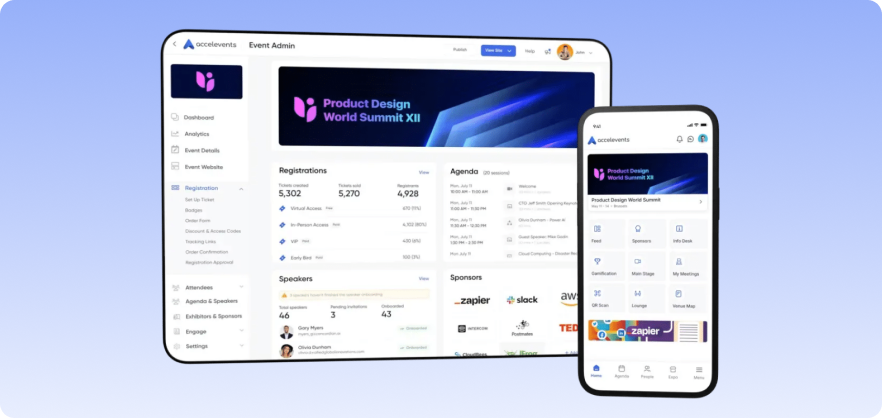
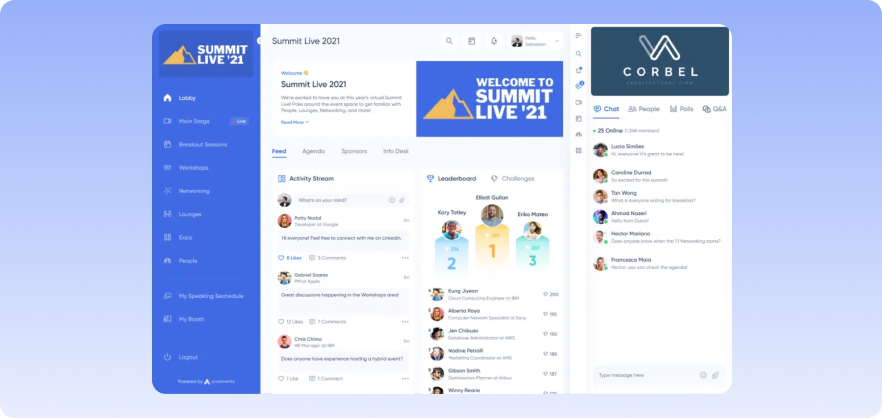
Accelevents is an enterprise-ready event management platform built for organizations running complex events. It brings together registration, agenda and speaker management, event marketing, and onsite operations in one system.
The platform also supports hybrid and virtual events through its mobile app and engagement tools. This makes it best suited for teams that need a reliable platform to manage events at scale.
How does Accelevents pricing work?
Accelevents uses a flat fee model. This means you get charged a set annual price for the platform rather than a cut of every ticket sold. Pricing is mainly based on two factors: how many events you can run and how much control you have over branding.
Accelevents provides four plans:
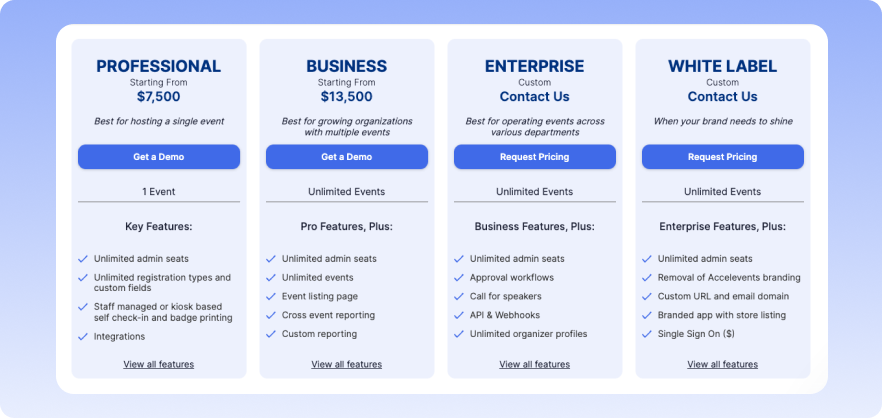
The Professional plan, which is the starting plan, covers a single event. Every plan above that gives you unlimited events, with the price going up as you add capabilities like API access, approval workflows, or full white labeling.
The Enterprise and White Label plans don’t have public pricing, so you’ll need to contact sales for a quote. Across all plans, Accelevents includes unlimited admin seats and 24/7 live support, with additional add-ons available for purchase separately.
Accelevents plans at a glance
Here’s what each Accelevents plan looks like at a glance.
1. Professional plan (Starting from $7,500)
The “starting from” label implies that the base price is for the most stripped-down version of the plan. Depending on what you need, add-ons will push that number higher.
The defining characteristic of the Professional plan is that it covers a single event. Here’s a quick overview of all the feature categories:
1. Registration
This plan gives you a lot of flexibility when setting up registration. You can create different ticket types, use custom fields, and control access with discount or access codes. It also supports things like waitlists, group bookings, and even passwordless registration. One thing to note is that you can’t add your own transaction fees to tickets on this plan.
2. Event management
This plan covers the necessities of running an event, from managing your agenda to sending updates through push notifications. It also includes dedicated portals for speakers and exhibitors, so they can manage their own details without back-and-forth. Teams also get floor plan tools and the ability to track and issue continuing education credits.
3. In-person events
For onsite events, the basics are well covered. You can handle lead capture, set up self-service check-in kiosks, and manage badge printing without extra tools. That said, the mobile event app is not included here and comes as a paid add-on.
4. Branding
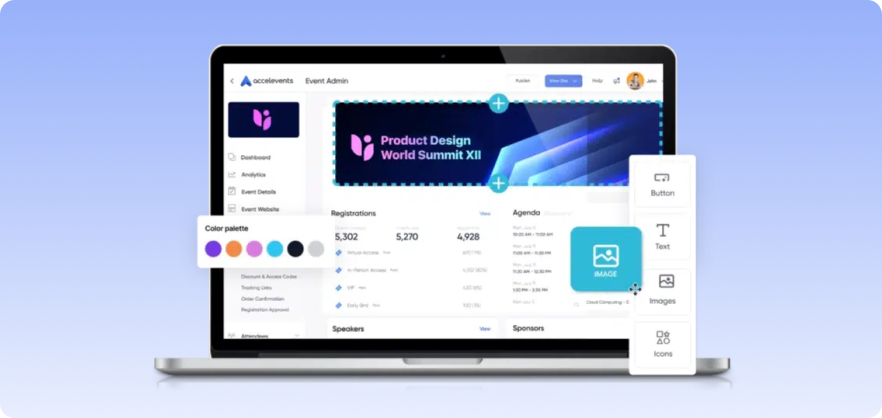
Branding capabilities are fairly basic on this plan. You get embeddable registration and agenda widgets plus the Event Website Builder. Custom CSS, advanced website builder options, and anything white label related are not available on this plan.
5. Attendee engagement
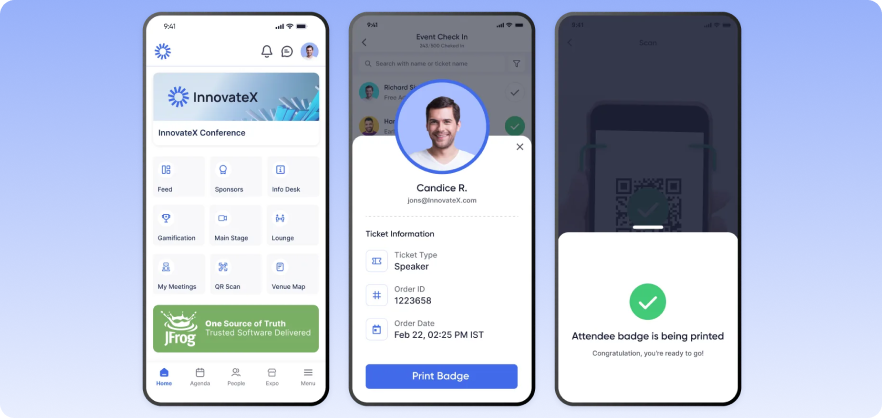
Gamification, surveys, pre-scheduled meeting booking, polls, threaded chat, moderated Q&A, custom event areas, and AI matching are all included.
6. Integrations
On this plan, Accelevents can connect with tools like HubSpot, Salesforce, Marketo, Pardot, and Zapier, which covers most standard workflows. However, deeper customization through APIs or webhooks aren’t included.
7. Analytics
Data export, UTM and tracking links, and unlimited custom shareable reports. This works well for single events, but since the plan doesn’t support multiple events, cross-event reporting isn’t included.
8. Event marketing
You get the advanced email template builder, sponsor placements, and tracking. Audience segmentation and a custom email domain are not included.
9. Security and permissions
There’s no restriction on admin seats, so your team can access the platform without worrying about additional user costs.
10. Support
Finally, support is available around the clock, and you’ll also have access to onboarding guidance and account management. But if you need hands-on support during the event itself, that’s available as a paid add-on.
2. Business plan (Starting from $13,500)
Like the Professional plan, the “starting from” pricing means your actual cost depends on the features you add. Most of the core functionality carries over, but the key difference at this tier is the inclusion of unlimited events. This makes it a better fit for teams running events regularly.
Beyond that, you also get cross-event reporting, which becomes useful once you’re managing multiple events, along with an event listing page to showcase them. On the marketing side, audience segmentation is introduced, and teams can create reusable templates and set up recurring events.
Still, this tier is not without its limitations. Approval workflows are not included at this level, and you still can’t add your own transaction fees to tickets.
Here’s what’s included and not included from other feature categories:
- Branding: Business plan gives you the Event Website Builder and embeddable widgets, but Custom CSS, Advanced Event Website Builder, and anything beyond that are still not available here.
- Integrations: The same as Professional in terms of both what’s included and what’s not included.
- Security and permissions: Also unchanged from Professional. There are unlimited seats but unlimited organizer profiles and two-factor authentication are not included.
The main reason to move to the Business plan is event volume rather than features. If you’re running more than one or two events a year, the per-event math on the Professional plan stops making sense. But if you’re upgrading purely for additional features, it’s worth double-checking whether those features are actually included here or only available in higher-tier plans.
3. Enterprise plan
The Enterprise Plan is where Accelevents starts to feel more like part of your organization’s core infrastructure. Pricing for this plan is custom, so you’ll need to contact sales for a quotation.
This tier offers deeper customization and controls. You get access to approval workflows, API access, webhooks, custom JavaScript, unlimited organizer profiles, and two-factor authentication. Custom domains can also be added as an add-on.
Branding sees a meaningful upgrade as well. With Custom CSS and the Advanced Event Website Builder, teams have far more control over how event pages look, without needing a full white-label setup.
On the event management side, most features carry over from the Business plan. Custom event templates and recurring events are still included, while more specialized capabilities like Hosted Buyer with Smart Matchmaking and Event Website Build Out remain add-ons.
It’s best suited for organizations managing events across multiple departments rather than simply running more events.
4. White label plan
The White Label plan is Accelevents’ top-tier offering. It is built specifically for organizations that want to remove Accelevents branding from the experience entirely. If you don’t want the platform’s name to appear anywhere, whether to attendees or internally, this is the plan that makes that possible.
Pricing is custom, and the plan includes a custom domain, a custom email domain, and a fully branded mobile app with its own app store listing.
It also unlocks features that aren’t available on the lower tier plans. Task management for exhibitors and speakers is included here (it’s an add-on on other plans), along with the ability to add your own transaction fees, which is exclusive to this tier. Custom email domains for marketing emails are also only available on this plan. Single Sign-On is supported, but still comes as a paid add-on even at this level.
Optional Accelevents add-ons
Accelevents pricing doesn’t include every feature in the base plans. Instead, there are four add-ons which most people assume are included by default but have to be bought separately depending on how your events are set up.
1. Attendee mobile app
The attendee mobile app covers core event interactions. Attendees can browse the agenda, bookmark sessions, network with others, engage with exhibitor booths, receive push notifications, and access live or on-demand content. Even though it’s a core part of most events, it’s not included in any plan and must be purchased separately.
2. Virtual event hub
The virtual event hub supports online and hybrid delivery. It includes live streaming, session recordings, on-demand viewing, breakout rooms, 1:1 meetings, virtual booths, and engagement tools like polls, Q&A, and chat. Like the mobile app, this is available as a paid add-on across all plans.
3. Dedicated event support
With dedicated event support you can request for live assistance from an Accelevents team member during your event. Pricing starts at $250 per hour per support representative, with a minimum of two consecutive hours. There’s also an advanced support package priced at $2,500 per event. Regardless of what you choose, costs can add up quickly depending on your needs.
4. Single sign-on
SSO allows users to log in using credentials from platforms like Salesforce, Okta, Ping Identity, YourMembership, and Microsoft Entra. While this is a standard requirement for many organizations, it’s only available as an add-on to the White Label plan and not offered on lower tiers.
EventsAir: A smarter alternative to Accelevents
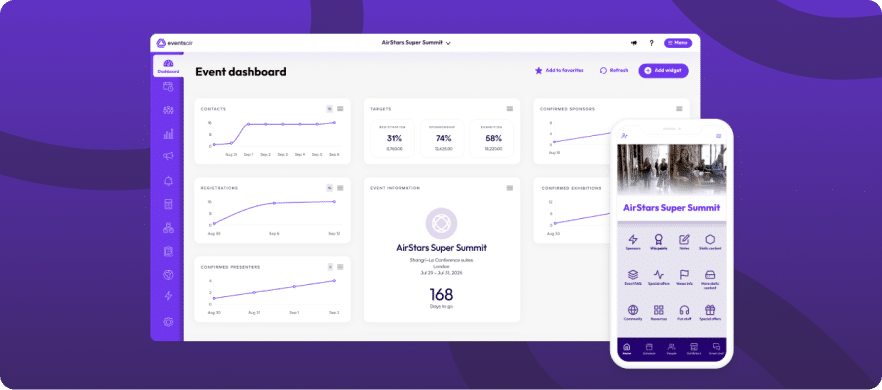
Accelevents gradually unlocks features across plans. This means you’re constantly balancing budget against functionality. And in many cases, the plan you can afford may not include what you actually need.
EventsAir removes that trade-off. It’s a comprehensive event management platform that lets teams manage the entire event lifecycle in one place, without splitting essential functionality across tiers.
Here’s where EventsAir’s approach works better than Accelevents’ pricing model:
1. No reliance on add-ons for core functionality
With Accelevents, key features like mobile apps and virtual event capabilities often come as add-ons. EventsAir brings these into a single system, meaning you don’t have to stitch together essential parts of your event or pay extra just to run it properly.
2. Built for hybrid and large-scale events from the start
EventsAir supports virtual and hybrid events from day one, not as an add-on. It runs in-person, virtual, and hybrid events from a single platform, and doesn’t need extra tools to fill gaps. It’s also built for multi-regional events, with localization already in place. This ensures you’re not stuck managing separate tools or layering extra features just to make things work.
3. Fewer hidden limitations as you scale
Accelevents locks important capabilities like SSO, custom domains, or even adding your own transaction fees behind higher tiers or specific plans. In some cases, they’re not available at all unless you upgrade significantly. EventsAir avoids this kind of fragmentation by delivering a comprehensive suite of features for every event, regardless of budget. Although it also offers add-ons, they feel less like a necessity. As a result, you’re not hitting feature walls as your needs grow or being forced into higher tiers just to unlock standard capabilities.
Final take: Is Accelevents pricing worth it?
Accelevents pricing can be difficult to navigate. Costs aren’t always clear upfront, key features are spread across tiers, and important capabilities like the mobile app or virtual hub come as add-ons. This makes it harder to determine what you’ll end up paying or whether a plan actually covers everything you need.
EventsAir takes a more straightforward approach. It offers a complete, scalable solution all without splitting essential functionality across multiple tiers. You’re not stitching together core functionality or upgrading just to unlock basics. It’s a setup that holds up better as your events get more complex.
Get a free demo today and see for yourself what EventsAir is capable of.
See EventsAir in action
Discover why 12,000+ event professionals trust EventsAir to deliver effortless events, every time.




Ready to transform event chaos into clarity?
With EventsAir, you’ll move from chasing logistics to creating unforgettable moments. Plan faster, act with confidence, and deliver exceptional events. Discover what’s possible with a personalized demo today.