

We Reviewed the Best RingCentral Events Alternatives for Event Management

RingCentral Events looks great on paper for virtual and hybrid events. But dig into user reviews, and you’ll find that it isn’t a great fit for everyone. Support issues, technical glitches during live events, and customization walls sometimes push users to look for alternatives.
The good news? You’ve got options.
In this EventsAir guide, we’ve done the heavy lifting to analyze platforms that solve these challenges. Whether you need an all-in-one powerhouse or a specialized solution, we’ll help you find a platform that fits your needs.
What is RingCentral Events?
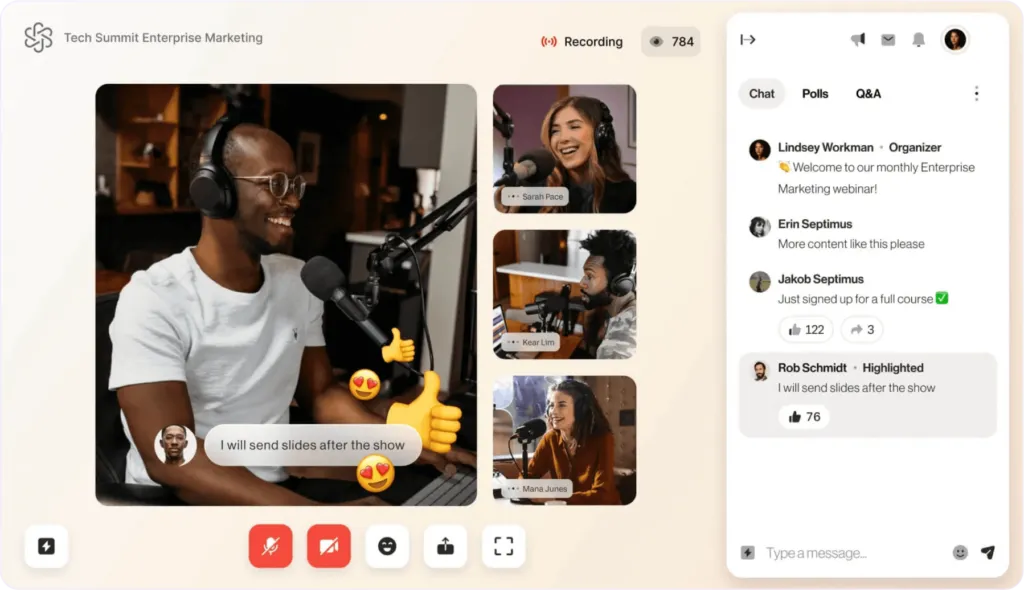
RingCentral Events is a platform for managing virtual and hybrid events. It enables teams to host webinars, live events, and interactive sessions with tools for registration, audience engagement, and presentation delivery.
Previously known as Hopin, the company‘s Events and Session product lines were acquired by RingCentral and rebranded as RingCentral Events. Despite the name change, it retained many of the features that made Hopin popular, including virtual stages, networking spaces, and engagement tools for hybrid audiences.
Key features
- Virtual venues: Multi-format event hosting with virtual reception areas, stages, and networking zones for engaging online experiences.
- AI content tools: Built-in AI writing assistant for landing pages, caption translation, and automated Q&A categorization to streamline event management.
- Event analytics: Comprehensive reporting on attendance, engagement, and ROI with detailed metrics for post-event analysis.
- Integration Hub: Access to 40+ app integrations and APIs for customizing event setup and connecting existing tools.
Pricing
RingCentral Events offers a free trial with three tiered plans:
- Free: 30-day free trial with full platform functionality, 10 organizers, and up to 1000 registrations
- Events pro ($99/organizer/month): Unlimited registrations and virtual events, virtual venue, advanced attendee management, and detailed reporting
- Events pro+ ($199/organizer/month): Pro features plus content repurposing, 40+ integrations, and onsite tools
- Events enterprise ($299/organizer/month): Everything in Pro+, Al captions translation, custom domain APIs, and lead retrieval
Why look for RingCentral Events alternatives?
While RingCentral Events provides essential event management features, many teams find they need more specialized tools to achieve their goals. Here are the top reasons why searching for alternatives may be beneficial:
- Customer support challenges: Long response times and difficult onboarding process, with some users reporting 45+ day delays in account activation.
- Technical limitations: Users report issues with video streaming integration, lack of built-in captioning, and problems with speaker connections during live events.
- Integration constraints: Limited integration capabilities with popular platforms like Zoom, restricted payment gateway options, and basic HubSpot integration.
- Customization restrictions: Basic branding options and limited event customization features on lower-tier plans.
- Platform stability: Some users experience software lag during events and technical difficulties managing multiple speakers.
10 Best alternatives to RingCentral Events compared
Quick look
1. EventsAir
Best for: End-to-end event lifecycle management
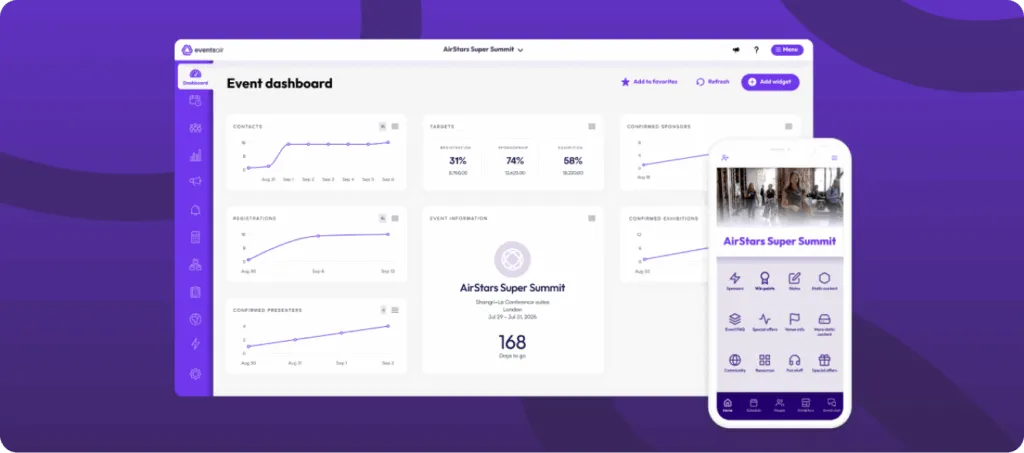
EventsAir is a robust event management platform designed for in-person, virtual, and hybrid events. It supports the entire event lifecycle from planning to post-event analysis, making it a comprehensive solution for professional organizers and enterprises.
In a single, unified system, you get advanced registration, attendee engagement, event marketing, mobile apps, sponsor management, analytics, and much more. This breadth makes it a strong fit for managing complex events, removing the need for multiple technology vendors.
Key features
- Comprehensive event management: All-in-one platform for virtual, hybrid, and in-person events with integrated registration, marketing, and analytics tools.
- Advanced registration: Custom registration pathways with conditional logic, multi-language support, and secure payment processing through EventsAir Pay.
- Attendee engagement: Real-time interaction tools including live polling, Q&A, gamification, and a private social network accessible through the mobile app.
- Robust analytics: Over 150 built-in reports with real-time data tracking, custom dashboards, and secure data sharing capabilities.
- Mobile solutions: Two customizable apps – an attendee app for event engagement and networking, plus an organizer app for on-site management and check-in.
Pricing
EventsAir offers flexible pricing plans tailored to your specific needs. Our plans are customized based on the number of events you host and the number of users requiring access. Best of all, every plan includes unlimited registrations, so your event size won’t impact the cost of using our platform.
Want help finding the perfect plan? Contact our sales team for a no-commitment demo.
Pros
- Comprehensive suite of event management tools
- Strong support for hybrid and virtual events
- High customization for registration and attendee experiences
- Integrates seamlessly with multiple platforms
- Real-time analytics for data-driven decisions
Cons
- Steep learning curve for new users
What users say
EventsAir holds a 4.4 rating on G2, with reviewers often highlighting its all-in-one feature set and strong hybrid event support.
2. vFairs
Best for: Immersive 3D virtual and hybrid event environments
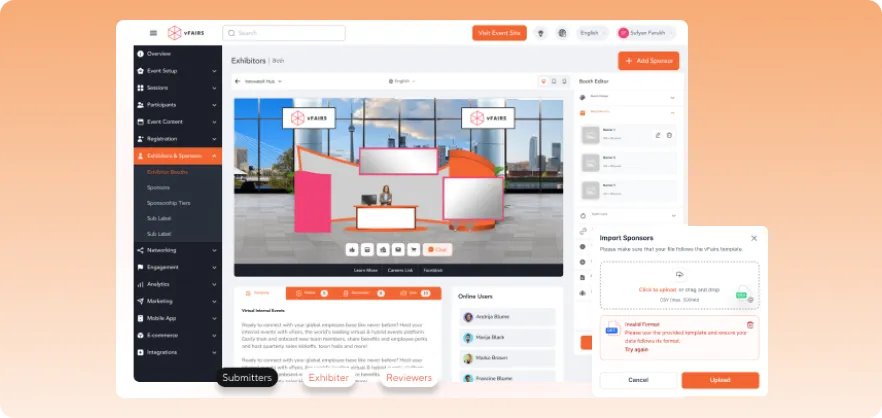
vFairs is an event management platform that facilitates virtual, hybrid, and in-person events. It offers customizable solutions to create immersive experiences, enhancing attendee engagement and streamlining event execution. But, although strong for virtual and hybrid events and exhibitor experience, its features are less comprehensive for complex in-person or customized event needs.
Key features
- Virtual event platform: Provides 3D virtual environments for webinars, exhibit halls, and networking lounges.
- Event registration & ticketing: Enables custom landing pages and secure payment integrations.
- Mobile event app: Offers branded apps for personalized agendas and real-time updates.
- Onsite check-in & badge printing: Facilitates quick check-ins and instant badge printing with QR codes.
- Event analytics: Delivers real-time dashboards and detailed reports on attendee engagement.
Pricing
vFairs doesn’t publish exact rates. Pricing is quote-based and depends on registration volume and feature needs.
Pros
- Comprehensive event management features
- Immersive virtual environments
- Strong support for hybrid events
- User-friendly interface
- Excellent customer support
Cons
- Pricing details not publicly available
- Configuring the backend requires a learning curve
What users say
vFairs has a 4.7 rating on G2 and many users love its immersive virtual environments. However, a recurring theme in reviews is that the backend can feel complex to navigate for advanced configurations.
3. Airmeet
Best for: Virtual networking and audience interaction
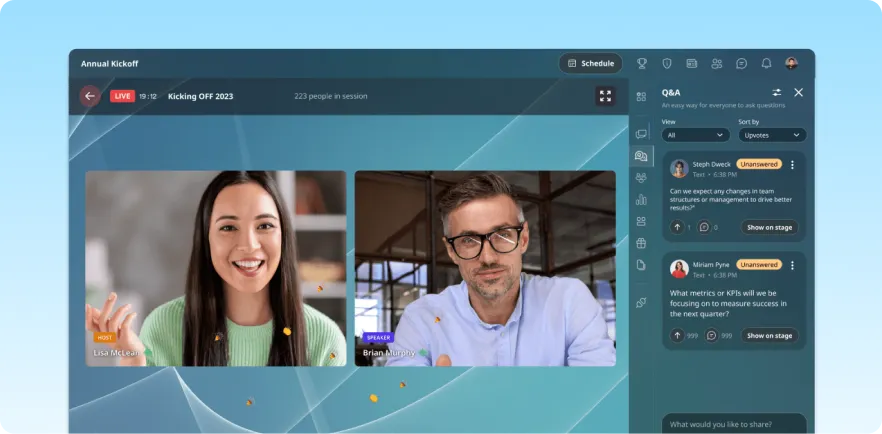
Airmeet is a virtual events platform designed to host interactive webinars, conferences, and workshops. It emphasizes attendee engagement through features like networking lounges and real-time analytics, providing an immersive experience for participants. While excellent for virtual use, the platform has less support for extensive in-person event management requirements.
Key features
- Interactive sessions: Facilitates live polls, Q&A, and chat functionalities to boost audience participation.
- Social lounge: Offers virtual tables for networking, enabling attendees to connect seamlessly.
- Event analytics: Provides detailed insights into attendee behavior and engagement metrics.
- Custom branding: Allows customization of event spaces to reflect your brand identity.
- Integrations: Supports integration with CRM and marketing tools for streamlined workflows.
Pricing
Airmeet structures its pricing around three distinct service levels:
- Premium Webinars ($167/month): Essential webinar package for teams of 2, supporting up to 10,000 attendees with engagement tools, analytics, and CRM integration.
- Events Platform (Custom pricing): Complete virtual and hybrid event solution for teams of 5, featuring multi-track capabilities, branded experiences, and comprehensive support.
- Managed Services (Custom quote): Full-service event management including custom design, professional hosting, and end-to-end support with detailed analytics.
All plans scale from 100 to 10,000 attendees.
Pros
- User-friendly interface
- Strong focus on attendee engagement
- Flexible customization options
- Robust analytics for performance tracking
- Scalable to accommodate various event sizes
Cons
- Mobile app experience lags behind desktop version
- Limited in-person event support
What users say
Airmeet holds a 4.6 rating on G2. Users praise its engagement tools and social lounge networking, but also note that the mobile app is difficult to use compared to the desktop platform.
4. Cvent
Best for: Large-scale enterprise event planning and venue management
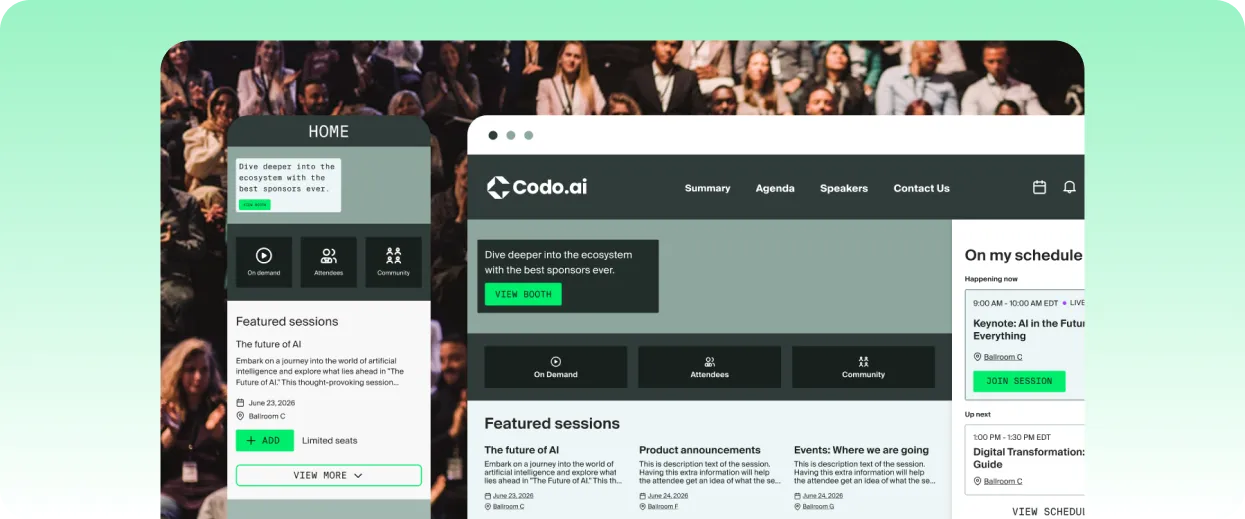
Cvent is an event management software for running in-person conferences, trade shows, and hybrid events. Popular among large enterprises and organizations with complex event portfolios, its features provide venue sourcing, registration, event marketing, and CRM integration at scale. However, its modular pricing means cost increases with additional modules, scale, and advanced functionality.
Key features
- Event registration and ticketing: Create customized registration workflows, collect data, and process payments in the platform for smooth attendee management
- Venue sourcing: Search for and connect with venues through Cvent’s supplier marketplace without leaving the platform
- Customizable registration: Allows multi-tier registration forms for audience segmentation
- Event marketing: Creates branded event website and campaigns directly from the platform
- Onsite solutions: Mobile check-in, self-service kiosks, and badge printing support high-volume arrival management at large events
Pricing
Cvent doesn’t publish standard rates. Pricing typically depends on event volume and attendee numbers.
Pros
- Well-suited for large-scale, multi-event annual programs
- Extensive venue sourcing network
- Strong customization options for registration and attendee pathways
- Wide range of enterprise CRM and marketing integrations
- Large user community
Cons
- Steep learning curve and long onboarding time for new users
- Pricing can become expensive with additional requirements and support
What users say
Cvent has a 4.3 rating on G2 and reviewers point to its venue sourcing network and enterprise-grade customization as top strengths. Other frequent mentions include a steep learning curve, expensive pricing with advanced features, and an outdated interface compared to newer platforms.
5. Bizzabo
Best for: Marketing-focused branded event experiences and attendee journeys
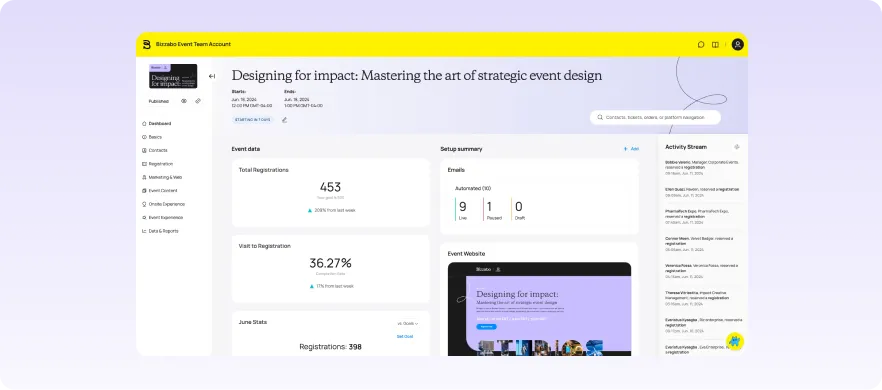
Bizzabo is an event management platform that serves mid-market and enterprise marketing teams running branded conferences, customer summits, and multi-format event programs.
Its primary strengths are a quality user interface and the depth of its attendee experience features, though customization options are narrower than some competitors offer.
Key features
- Event experience OS: Manage registration, event websites, marketing, and attendee journeys from an experience-focused platform
- Klik SmartBadge: Wearable event badges that enable tap-to-connect networking, session tracking, and real-time engagement data without phones
- Onsite tools: Mobile check-in and badge printing for seamless attendee arrival support
- Salesforce integration: Connects natively with Salesforce, so event data syncs easily with CRM records
- Event analytics: Tracks registration performance, session attendance, and attendee engagement with detailed dashboards
Pricing
Bizzabo uses a custom annual subscription model, offering plans beginning at $499 per user per month or $17,999 yearly with access to unlimited events and registrations. Add-ons are also available at increased prices.
Pros
- Robust networking and engagement tools
- Clean, easy-to-navigate user interface
- Comprehensive reporting and analytics features
- Flexible branding options
- Excellent customer support
Cons
- Less advanced operational and logistics support compared to marketing and event experience features
- Effective navigation poses a steep learning curve
What users say
Bizzabo holds a 4.3 rating on G2. User feedback shows its clean interface and strong attendee engagement tools, but also notes that its operational and logistics features are less powerful than its event experience tools.
6. Accelevents
Best for: Unified, fast hybrid event execution
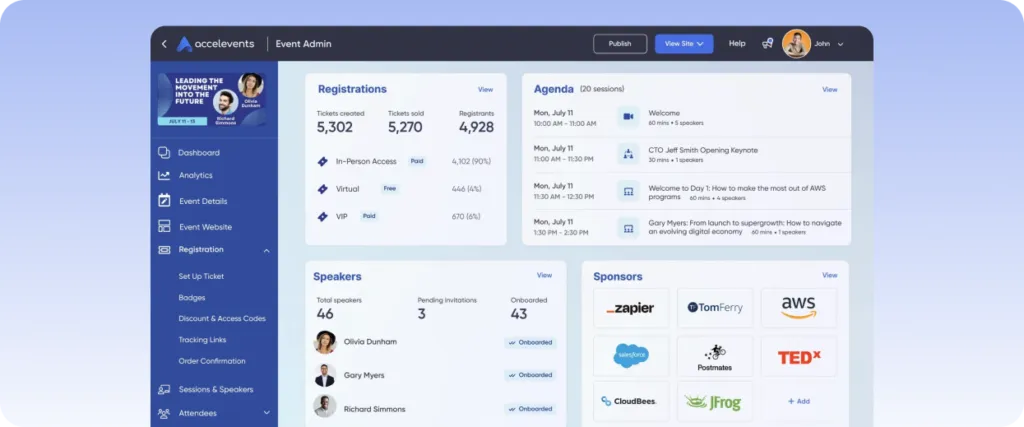
Accelevents is ideal for teams that need to move quickly without sacrificing flexibility. It serves nonprofits, associations, corporate event teams, and agencies running in-person, virtual, and hybrid events with a focus on straightforward setup and strong onsite tools.
It’s known for fast setup and a responsive support team, though its customization options are less consistent.
Key features
- Event registration and ticketing: Build branded registration pages, sell tickets, and manage attendee information from one platform
- Virtual and hybrid event tools: Host live streams, virtual sessions, networking opportunities, and hybrid experiences within a unified environment
- Sponsor and exhibitor management: Create virtual booths, sponsor profiles, lead capture workflows, and branded exhibitor experiences
- Attendee engagement: Live polls, Q&A, and session feedback tools are built into the platform without requiring a third-party integration
- Fundraising and auction tools: Built-in silent auction and mobile bidding features make it a practical option for nonprofit events with a fundraising component
Pricing
Plans begin at $7,500 for a single event and $13,500 for unlimited events, with tailored enterprise and white-label options available on request.
Pros
- Fast onboarding and setup time
- Strong feature set covering registration, ticketing, virtual events, sponsorships, and engagement tools
- Easy to use for non-technical event team members
- Responsive and highly rated customer support team
- Frequent product updates and feature enhancements
Cons
- Limited customization compared to competitors
- Occasional inconsistencies in analytics dashboards
What users say
Accelevents has a 4.7 rating on G2, with several user reviews praising its excellent support team. Other customers mention less robust customization and bugs in its event app.
7. Whova
Best for: Mobile-first event experience and networking
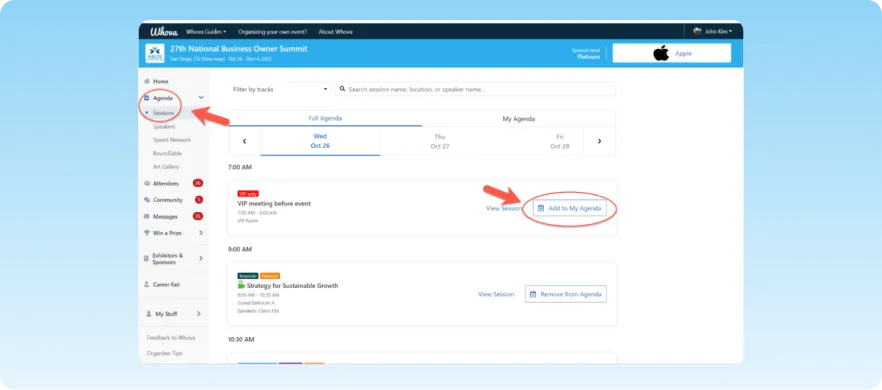
Whova is a mobile-first event management platform, popular for conferences, trade shows, and education events with a strong emphasis on attendee networking and engagement. Its mobile app allows participants to browse sessions, build personalized agendas, connect with attendees, and engage with speakers and sponsors, but can be difficult to navigate.
Key features
- Event app: Provides attendees with agendas, speaker information, announcements, and networking tools on both mobile and desktop
- Registration and ticketing: Supports event registration, ticket sales, attendee data collection, and confirmation management
- Sponsor and exhibitor promotion: Helps sponsors and exhibitors showcase products, capture leads, and engage attendees through virtual and onsite experiences
- Agenda and abstract management: Organize tracks, call for speakers, and upload speaker bios automatically in the app and agenda
- Gamification: Leaderboards, photo contests, and community challenges encourage attendees to engage more actively throughout the event
Pricing
Whova’s pricing is quote-based and tailored to event format, duration, and number of attendees.
Pros
- Highly-rated mobile app experience
- Easy agenda, speaker, and session management for event organizers
- Strong networking, engagement, and gamification tools
- Detailed analytics and reporting
- Responsive customer support
Cons
- Excessive in-app notifications affect usability
- Difficult navigation, especially for new users
What users say
Whova holds a 4.8 G2 rating, with reviewers highlighting its strong mobile app and networking tools. Others mention that in-app notifications, unclear navigation, and missing or hard-to-locate features affect the overall experience.
8. InEvent
Best for: Customizable, enterprise-level event operations
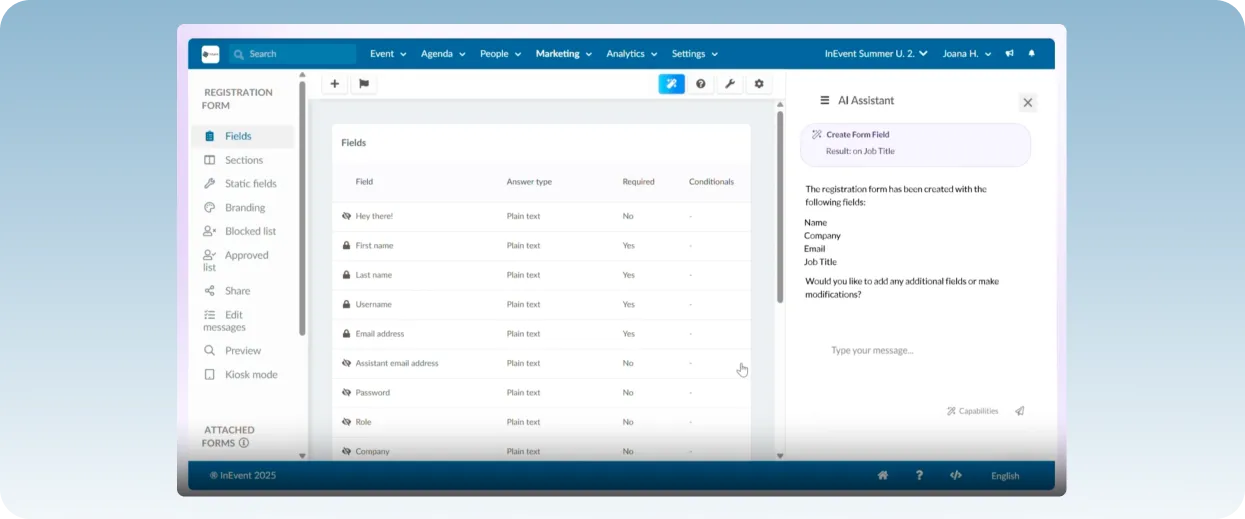
InEvent is an event management platform for teams that need capable, versatile software with customizable configuration. It balances a robust feature set with easy setup and onboarding compared to other legacy platforms, while supporting complex event workflows.
However, its self-configured system requires more technical knowledge than simpler alternatives offer.
Key features
- Registration and ticketing: Build branded registration pages with multiple ticket types and payment processing
- Virtual event delivery: Host live sessions with integrated streaming, Q&As, polls, and chat in an interactive environment
- Mobile event app: Personalize attendee experience with session schedules, networking tools, and push notifications through a branded app
- Sponsor and exhibitor tools: Exhibitor profiles, virtual booths, and lead capture support sponsor ROI tracking for both in-person and virtual formats
- CRM integrations: Native connections with Salesforce, HubSpot, and marketing automation platforms sync event data with existing workflow
Pricing
InEvent starts at $6,000 for single events or $9,000 annually, with quote-based plans across three tiers:
- V&H Advanced: Custom branding, engagement tools, and basic integrations
- V&H Pro: Everything in Advanced plus additional integrations and AI tools
- V&H Full: Full feature access, including housing management, AI tools, engagement tools, and custom integrations
Pros
- Broad feature set covering registration, engagement, networking, and event production
- Strong CRM integrations for post-event data handling
- Powerful AI-driven automation
- Structured onboarding resources
- Highly customizable event environments, branding, and attendee journeys
Cons
- Customization presents a learning curve for non-technical users
- Enterprise pricing may be a barrier for smaller teams
What users say
InEvent has a 4.5 rating on G2, with reviewers pointing to its broad feature set and strong CRM integrations as key strengths. Users also note that configuring advanced workflows is complex without technical expertise.
9. EventMobi
Best for: Association-focused mobile event management

EventMobi is built around the event app, attendee experience, and agenda management experience. It is an effective tool for nonprofits, association events, and professional conference organizers who need a reliable, easy-to-use app and high participation rates.
Its feature set is adequate for day-to-day event management, but lacks the support required for complex, multi-module enterprise environments.
Key features
- Event app: Provide attendees with real-time agenda updates, session information, speaker profiles, and push notifications through a branded mobile app
- Agenda management: Build and update multi-track agendas with session details, speaker assignments, and room allocations synced directly to the attendee app
- Lead retrieval: Exhibitors and sponsors can scan attendee badges and capture lead data without separate tools
- Gamification: Gamification tools like badges and leaderboards encourage attendees to engage with sessions, exhibitors, and networking activities throughout the event
- Speaker coordination: Collect speaker information, manage bios and headshots, and coordinate session details through a central speaker workflow
Pricing
- Single event package starts at $3,500 per year for one-time events
- Unlimited event package begins at $7,900 per year, offering multiple events yearly
- Additional services like registration and ticketing are priced separately, starting at $2,500 per event or $7,500 annually for unlimited use
Pros
- Easy-to-use interface for both organizers and attendees
- Strong attendee engagement features
- Flexibility across in-person, virtual, and hybrid events
- Pricing structure accommodates various event ranges
- Detailed analytics and reporting for decision-making
Cons
- Less advanced customization in website design and branding
- Some features in agenda management require third-party support or integration
What users say
EventMobi holds a 4.6 rating on G2, with reviewers highlighting its ease of use, but also noting its limited branding and customization features compared to other event platforms.
10. Swoogo
Best for: Flexible registration and website customization
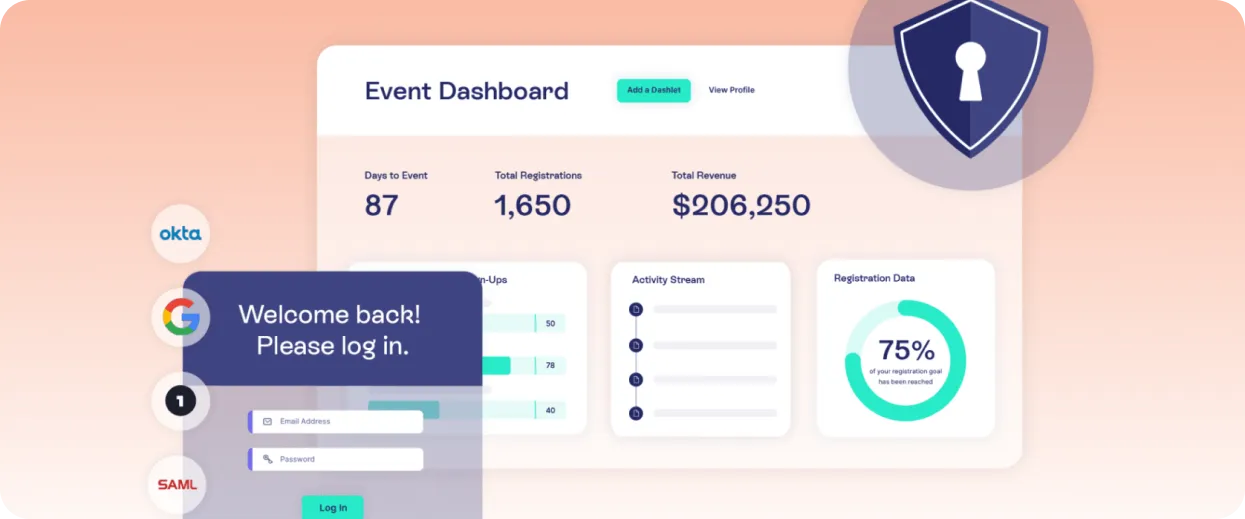
Swoogo serves corporate event teams, marketers, associations, and organizations that require personalization without extensive technical resources. It’s best known for its flexible registration form and website customization.
But, while it covers registration and email marketing, other event services like reporting, abstract management, and onsite tools have more limited scopes.
Key features
- Flexible registration builder: Create complex, conditional registration forms for attendee personalization
- Drag-and-drop website builder: Build branded event landing pages with session and speaker details connected to the platform
- Integrations: Connects with Salesforce, Marketo, and other CRM and marketing platforms to facilitate data syncing
- Reporting and analytics: Gain event insights with reports on registrations, payments, and attendee data
- Email marketing: Build and send targeted communications to different attendee segments directly from the platform
Pricing
Pricing starts at $11,800 annually for one user and includes unlimited events and attendee registrations, plus full access to available features and integrations.
Pros
- Flexible registration customization
- Unlimited events and registrations across all plans
- Easy, intuitive interface and navigation
- Powerful website builder that allows extensive branding and customization
- Responsive customer support
Cons
- Advanced customization requires a learning curve
- Some reviews note weaker reporting and analytics features
What users say
Swoogo boasts a 4.9 rating on G2, with several positive reviews around its flexible registration builder and responsive support team. Its most common critique is that reporting and analytics fall short of the platform’s other capabilities.
How to choose the right RingCentral Events alternative
The best RingCentral Events alternative for you depends on the type of events you run, the experience you want to create, and the level of operational support your team needs. Here’s what you need to consider before comparing and switching event tools:
1. Define your event format
Identify what type of event you’re running, whether virtual-only, in-person conferences, or a mix of both. Some platforms are primarily for webinars and online sessions, which means they may struggle with onsite registration, event check-in, or hybrid features.
Look for a platform that can support all your event formats without requiring separate tools or overcomplicating your workflow.
2. Identify necessary features
Next, identify what specific features you’ll need to execute a successful event. These might include registration management, attendee engagement and networking, sponsor and exhibitor tools, mobile apps, live streaming, or lead capture.
Prioritizing must-have capabilities makes it easier to compare vendors objectively.
3. Consider your team’s operational needs
A great event platform should improve the experience for your event team as much as it does for attendees. Look for tools that help organizers manage onsite operations, communicate with staff, access real-time reporting, automate routine tasks, and control user permissions. Features like a dedicated organizer app can also help teams stay connected and make informed decisions while the event is running.
A platform that simplifies operations will save significant time and administrative costs throughout the event lifecycle.
4. Evaluate scalability and flexibility
Your event technology should support both your current needs and future growth. Look for a platform that can accommodate larger audiences, additional event formats, and evolving requirements without forcing you to switch systems or upgrade later.
5. Review integrations and data management
When your software doesn’t connect with your current stack, event data stays in silos, which slows your team down. Ensure the platform integrates with your existing CRM, marketing, payment, or analytics tools.
Strong integrations reduce manual work, improve data accuracy, and help create a more efficient event management process.
6. Request demos and compare the user experience
A software can appear to have all the right features, but function poorly when it’s actually used. Before making a final decision, schedule product demos and test the attendee and organizer experience whenever possible.
Seeing the platform in action often reveals practical strengths and limitations that are difficult to identify from feature lists alone.
Finding the perfect event management solution
Choosing an event management platform is a significant decision. Each alternative we’ve reviewed addresses RingCentral Events’ limitations in different ways, whether that’s more immersive environments or stronger engagement.
For organizations needing a comprehensive solution, EventsAir leads the pack. Its all-in-one platform handles everything from registration to analytics, with robust support and proven stability – key features that RingCentral users often find lacking.
Want to discover how EventsAir can transform your event management strategy? Schedule a demo today.
Frequently asked questions
1. What should I prioritize when comparing RingCentral Events alternatives?
Begin by identifying your event requirements rather than focusing on feature lists alone. Then, check what platforms and features would support those requirements, including event formats, attendee engagement needs, sponsor requirements, and scalability as you grow.
If your events span multiple formats, look for a platform like EventsAir with comprehensive features for the full event lifecycle rather than webinar-heavy software. This way, you can maintain a unified workflow regardless of your requirements and avoid stitching different tools together.
2. What is the best RingCentral Events alternative?
The best RingCentral Events alternative is EventsAir, our all-in-one event management software for in-person, hybrid, and virtual events. Our extensive feature set offers everything you need to run a seamless event, including registration, attendee management, communications, onsite operations, exhibitor and sponsor management, engagement, reporting, and analytics in a single platform.
With practical AI capabilities through Air Intelligence, flexible integrations, and purpose-built tools designed to help planners work more efficiently, EventsAir is well suited to associations, corporations, event agencies, government organizations, and higher education institutions looking for a scalable event management solution.
3. What features show if an event platform is scalable?
To select a scalable RingCentral Events alternative, check how the platform supports features like multi-event formats, complex registration modules, attendee segmentation, reporting, and advanced integrations. A platform that requires multiple add-ons or separate systems as your needs grow may become difficult and expensive to manage.
4. How important are integrations when choosing an event platform?
The integrations your platform supports and whether they work well with your existing stack determine data synchronization, accuracy, and manual load. Look for platforms that connect with your specific CRM, marketing automation, payment processing, and reporting tools to streamline event operations.
See EventsAir in action
Discover why 12,000+ event professionals trust EventsAir to deliver effortless events, every time.





Ready to transform event chaos into clarity?
With EventsAir, you’ll move from chasing logistics to creating unforgettable moments. Plan faster, act with confidence, and deliver exceptional events. Discover what’s possible with a personalized demo today.