

15 Best Hybrid Event Software for 2026: Features, Pricing, and Best Use Cases

Planning a hybrid event means juggling in-person and virtual experiences, and making sure they work together seamlessly. From managing two audiences to handling registrations, tech, and live engagement, it can quickly get overwhelming.
That’s where hybrid event software comes in. The right platform brings everything into one place, helping you deliver a smooth, connected experience for all attendees.
In this EventsAir guide, we’ll break down the best hybrid event software to help you plan smarter, avoid mistakes, and run events that truly connect.
Types of hybrid events
Hybrid events are gatherings where participants can attend in person or join virtually through an online platform. They can take different formats depending on their goals and audience. Here are the four most common types of hybrid events organizations run today:
1. Hybrid conferences
The most common format, typically structured around keynote sessions, workshops, and networking. Interactive tools like live streaming, live polls, and Q&A keep remote and onsite audiences equally engaged throughout.
2. Hybrid trade shows and expos
Where in-person events feature physical exhibition booths, hybrid versions extend the expo floor online with virtual exhibitor spaces. Remote attendees can browse, interact with vendors, and connect with sponsors without being on site.
3. Hybrid corporate meetings
Town halls, annual meetings, and leadership summits are a natural fit for hybrid delivery. Distributed teams and remote stakeholders can participate fully alongside in-room attendees, with no drop in engagement or decision-making visibility.
4. Hybrid training sessions and workshops
Organizations use hybrid formats to deliver live training to physical and remote audiences simultaneously. Breakout rooms and collaboration tools support active participation, while session recordings help staff revisit content and retain knowledge long after the event ends.
Why are businesses investing in hybrid events?
According to EventsAir’s State of Events 2026 Report, nearly half of event professionals (46.6%) rate hybrid events as important to their strategy — ranking them above both live and on-demand virtual formats.
- Expands audience reach: Hybrid events allow businesses to include remote participants from different cities, countries, and time zones. This increases access and visibility beyond a physical venue.
- Reduces event costs: A hybrid event strategy reduces travel and venue costs. This allows companies to deliver high-quality experiences without any added overhead.
- Unlocks deeper event insights: Hybrid events are usually planned with hybrid event management software. With these tools, organizers can easily track attendance, engagement rates, and networking activity. They also get access to detailed analytics that go beyond what in-person events typically offer.
What is hybrid event software?
Hybrid event software is a platform that helps you run events for both in-person and virtual audiences, at the same time, from one place.
Instead of juggling multiple tools for registration, check-in, engagement, and streaming, hybrid event software brings everything under one roof. It lets you manage sessions, track attendance, send updates, and keep both audiences engaged with features like live chat, polls, Q&A, and more.
The goal? To create one seamless event experience, no matter how people choose to attend.
Why is hybrid event software important?
- Keeps everything in one place: Manage attendees, speakers, sessions, and engagement from a single dashboard, no more switching between tools.
- Delivers consistent experiences: With live streaming, shared Q&A, and synchronized content, all attendees stay on the same page, no matter where they are.
- Boosts engagement: Features like live chat, polling, breakout rooms, and digital networking lounges keep virtual attendees as connected as those onsite.
- Provides actionable insights: Track participation, feedback, and behavior across both audiences to improve your next event. With platforms like EventsAir, you get real-time analytics and integrated reporting tools to measure and refine success.
- Scales with ease: Whether you’re hosting a small seminar or a large-scale international summit, hybrid event software adapts to your needs.
Top 15 hybrid event software to consider
Here are the hybrid event platforms we’ll be considering:
- EventsAir
- Eventify
- Accelevents
- Canapii
- SpotMe
- Swoogo
- Brella
- EventMobi
- vFairs
- RingCentral Events
- Cvent
- Bizzabo
- Airmeet
- Webex Events
- Zoom Events
1. EventsAir
Best for: Large-scale international hybrid conferences that need a centralized planning system
EventsAir is designed to simplify hybrid events by combining live streaming, attendee engagement, content delivery, and event management, all in one integrated system. Whether you’re hosting a conference, training, or summit, EventsAir makes it easy to deliver connected, flexible, and memorable hybrid experiences without technical headaches.
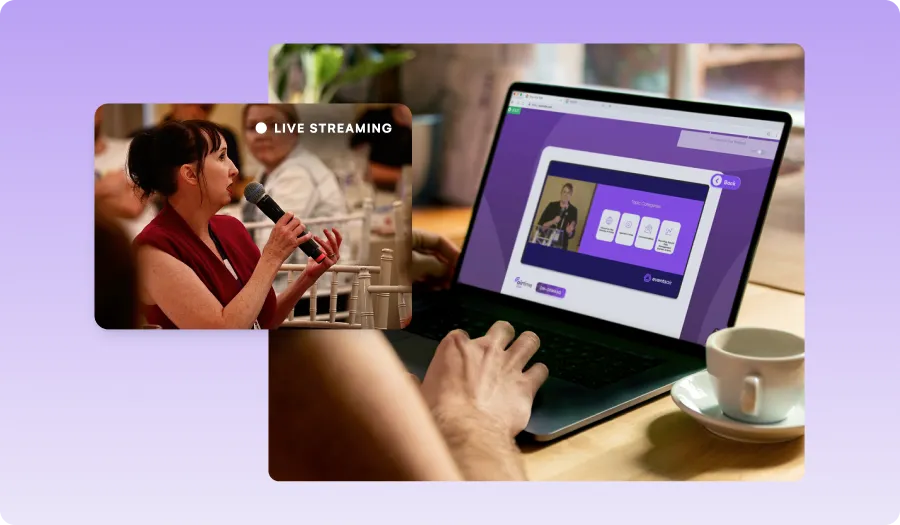
With over 30 years of experience and more than 400,000 events supported globally, EventsAir has been the trusted partner behind complex, high-impact hybrid events across global markets.
Our platform powered WTC2023, a global hybrid conference with over 2,000 attendees from 65+ countries, offering everything from custom registration flows and real-time voting to advanced exhibitor tools and one-click event cloning.
Key Features
- All-in-one platform: Register attendees and manage speakers, sessions, and engagement for virtual and in-person attendees in one place.
- Hybrid streaming tools: Broadcast live sessions, switch between multiple camera feeds, and integrate pre-recorded content.
- Unified attendee engagement: Interactive Q&A, polls, live chat, networking, and gamification keep all attendees involved.
- Global accessibility: Expand your event’s reach with real-time translation, closed captioning, and assistive features, ensuring inclusivity for all participants.
- Comprehensive analytics: Gain insights into attendee engagement, session attendance, exhibitor interactions, and sponsorship ROI across both event formats.
- 24/7 expert support: Dedicated hybrid event specialists to ensure smooth production and attendee experience.
- Secure and scalable: Built with a security-first design to handle events from small seminars to large international summits.
Pricing
- Custom pricing: EventsAir offers flexible plans based on the number of events and users. Whether you’re running one event or scaling up to unlimited, you’ll get full platform access, 24/7 support, and unlimited registrations with pricing that fits your goals.
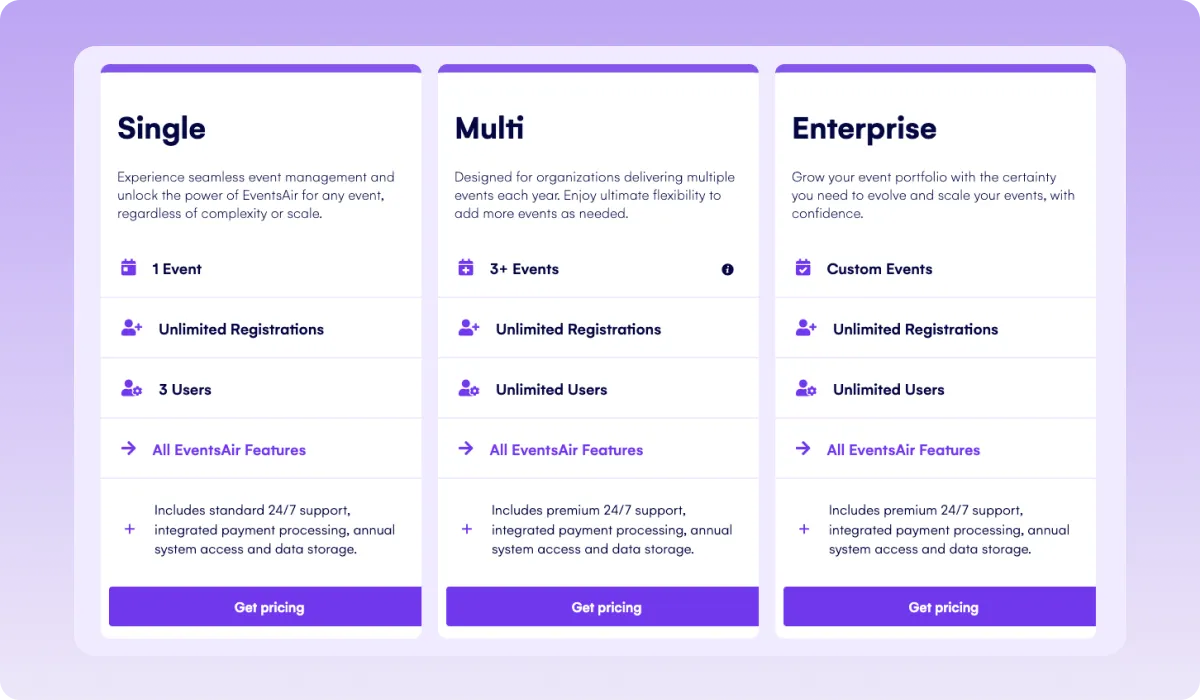
For exact pricing details, schedule a free demo with the EventsAir sales team.
Pros
- All-in-one platform covering the full event lifecycle, eliminating the need for multiple disconnected tools
- Unlimited registrations and users across all pricing tiers, with no per-attendee fees
- Native mobile app, badging, and exhibitor tools included at no extra cost
- Built-in broadcast production studio (AIRCast Studio) for hybrid and virtual delivery
- Detailed analytics and 150+ purpose-built reports for informed decision-making
- SOC 2 Type II, PCI-DSS Level 1, and GDPR compliant
- 24/7 dedicated support
Cons
- The breadth of features means a longer onboarding curve for smaller teams or planners who only run occasional events
- Best value is realized at scale; single, small event users may find the platform more than they need
2. Eventify
Eventify is a versatile hybrid event platform that assists organizers in planning, managing, and executing events with both in-person and virtual components. It offers tools for registration, ticketing, check-ins, lead retrieval, and audience engagement, creating a seamless experience for attendees and organizers alike.
The platform is suitable for various events, including conferences, networking events, trade shows, and corporate meetings, providing features like interactive floor maps, product showcases, and networking tools. However, while Eventify is strong for engagement and lead capture, ticketing fees can add up, especially at scale.
Key Features
- AI-Powered Matchmaking: Smart algorithms connect attendees with similar interests to spark meaningful conversations, no matter where they are.
- Interactive Event App: A branded mobile app lets attendees view schedules, join Q&As, answer polls, chat, and get real-time updates, boosting engagement on-site and online.
- Lead Scanning: Exhibitors can capture and track leads instantly with QR code scanning and integrated follow-up tools, ideal for hybrid expos and trade shows.
- Gamification: Tools like live Q&A, polls, social feed integration, and gamification (quizzes, challenges) boost interaction and keep both virtual and physical attendees engaged
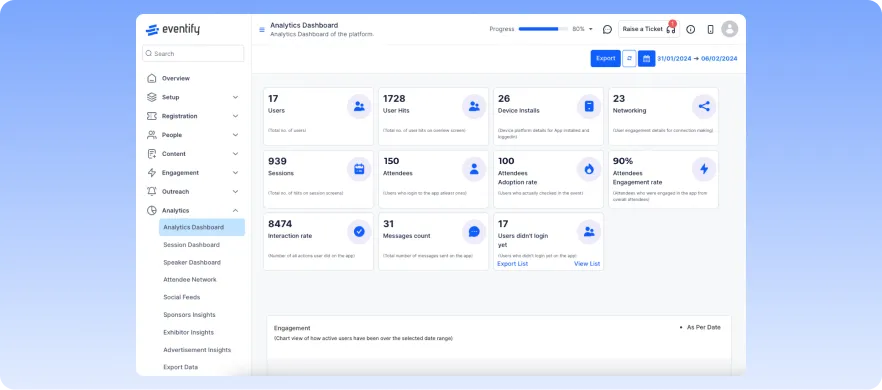
- Comprehensive Analytics: Access real-time data on attendee behavior, session participation, and more to evaluate event success.
Pricing
Four plans are available:
- Register ($99/month): Includes basic registration and check-in features.
- Engage ($149/month): Adds engagement and networking features.
- Advance ($299/month): Offers more advanced networking, lead scanning, and sponsorship management features
- Ultimate (Custom): Includes all features in Advance plus AI automation
Pros
- Flexible session tracking with automated attendance verification
- Seamless exhibitor lead scanning with QR-based retrieval
- Customizable branding for a personalized event experience
- Comprehensive attendee engagement with in-app messaging and networking.
- Detailed analytics for tracking engagement and performance
Cons
- File and media asset management features are not user-friendly
- Paid ticketing fees apply, even for free events
- Comes with restrictions on how agendas and speaker profiles can be configured
3. Accelevents
Best for: Simple hybrid events
Accelevents is a comprehensive hybrid event platform designed to streamline the planning and execution of in-person, virtual, and hybrid events. It offers a suite of tools that cater to various event needs, ensuring a smooth experience for organizers and attendees.
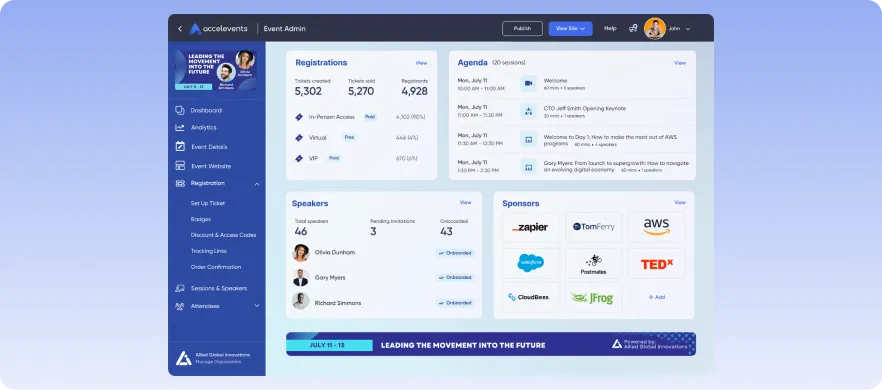
Accelevents also supports integrations with several CRM platforms to ensure that users are able to manage their data without any hassle. Its broad feature set makes it appealing for many event types. But some enterprise teams may find its customization tools limiting.
Key Features
- Unified attendee experience: Deliver a consistent experience across in-person and virtual audiences with integrated tools for content delivery, badge printing and onsite check-in, networking, and engagement
- Built-in live streaming: Host keynotes, sessions, and panels without needing third-party software, ensuring both audiences can tune in seamlessly
- Mobile app: Keep all attendees connected with access to agendas, live updates, Q&A, polling, and networking, whether they’re onsite or remote
- Exhibitor and sponsor tools: Support hybrid expos with virtual booths, lead capture, and engagement features that work across both formats
- Real-time analytics: Track behavior and participation from both in-person and online attendees to optimize engagement and future event strategy
Pricing
Pricing starts at $7,500 for a single event and $13,500 for unlimited events, with custom plans available for larger organizations and white-label solutions.
Pros
- All-in-one platform for managing hybrid events
- User-friendly interface with customizable features
- Comprehensive analytics for data-driven decision-making
- Scalable solutions suitable for events of all sizes
Cons
- Restrictions on theme and branding customization options
- Challenges with event duplication and content transfer
- Event hub and site navigation is less intuitive
4. Canapii
Best for: Global hybrid events
Canapii is an award-winning hybrid event platform that offers innovative solutions for managing in-person, virtual, and hybrid events. Trusted by over 5,000 companies worldwide, Canapii provides a comprehensive suite of tools designed to enhance attendee engagement and streamline event management.
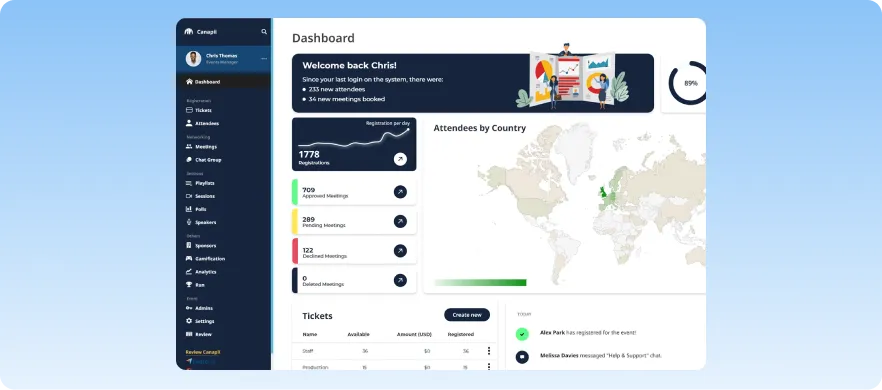
With a combination of interactive features and real-time language support, Canapii is suitable for international, globally distributed audiences. It does, however, require a more hands-on setup process before events.
Key Features
- All-in-one event platform: Manage registrations, agendas, and post-event follow-ups across both in-person and virtual formats from one dashboard.
- Real-time multilingual support: Offer simultaneous translation in 50+ languages to make your hybrid events accessible to global audiences.
- Engagement across both audiences: Use live polls, Q&A, gamification, and social media integration to keep virtual and in-person attendees equally involved.
- Analytics: Monitor engagement, attendance, and behavior across both formats to understand audience preferences and optimize future events.
- Custom-branded experiences: Create a cohesive hybrid experience with fully branded event pages, virtual environments, and mobile apps.
Pricing
- Trial Plan: Free access to core features for up to 5 admin users, suitable for basic events.
- Paid Plan: Starts at $2950. It is designed for smaller events, offering essential event management features with 10 admin places included
Pros
- Comprehensive suite of features for hybrid event management
- Excellent Networking and Meeting Features
- Strong focus on attendee engagement and networking
- Flexible pricing plans to suit various event sizes and budgets
- 24/7 customer support for seamless event execution
Cons
- Platform’s customization options and setup process are complex
- Lacks more advanced matchmaking algorithms compared to competitors
- Difficult to quickly locate sessions or content during live events
5. SpotMe
Best for: Industries that need high customization and compliance
SpotMe is an enterprise-grade hybrid event platform designed to deliver personalized, branded experiences across in-person, virtual, and hybrid formats. Trusted by over 12,000 global companies, SpotMe offers various tools to enhance attendee engagement and streamline event management.
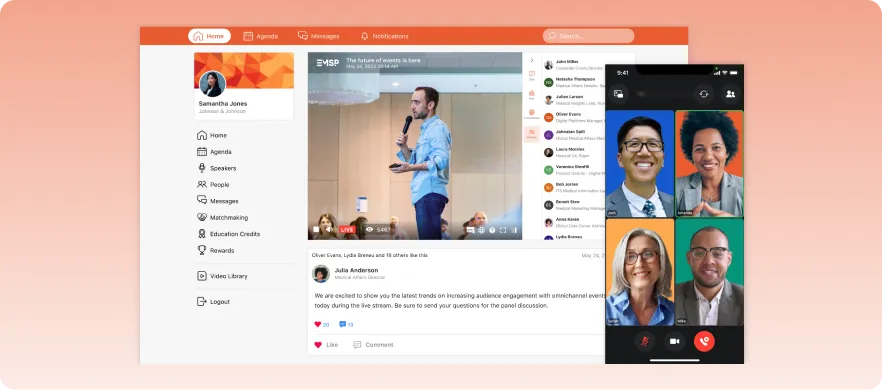
Although a good fit for compliance-heavy environments, its customization options and feature set can be daunting for new users.
Key Features
- Branded event apps: Deliver a unified experience with custom-branded apps that work seamlessly across devices for both in-person and virtual attendees.
- Engagement across formats: Keep all participants involved with live polls, Q&A, breakout rooms, and social feeds that work for both remote and onsite audiences.
- AI-powered networking: Enable smart matchmaking and virtual meeting spaces to connect attendees, regardless of location.
- Event analytics: Track real-time engagement and attendee behavior across both audiences to fine-tune your strategy and prove ROI.
- CRM integration for follow-up: Automatically sync attendee data from both in-person and virtual interactions into CRMs like Salesforce and Marketo for better post-event engagement.
Pricing
SpotMe offers custom plans based on a set number of events, with features scaling accordingly. Exact figures are not revealed online.
Pros
- Highly customizable and branded event experiences
- Robust engagement tools to enhance attendee interaction
- Seamless integration with major CRM platforms
- Comprehensive analytics for data-driven decision-making
Cons
- Sporadic outages or reliability issues during live events
- Platform’s extensive features and customization options can be overwhelming initially
- QR code check-in can only be done within the SpotMe app.
6. Swoogo
Best for: Teams managing high event volumes
Swoogo is a user-friendly hybrid event platform that simplifies event management through customizable registration, marketing, and analytics tools. It caters to events of all sizes, offering flexibility and scalability to meet diverse needs.
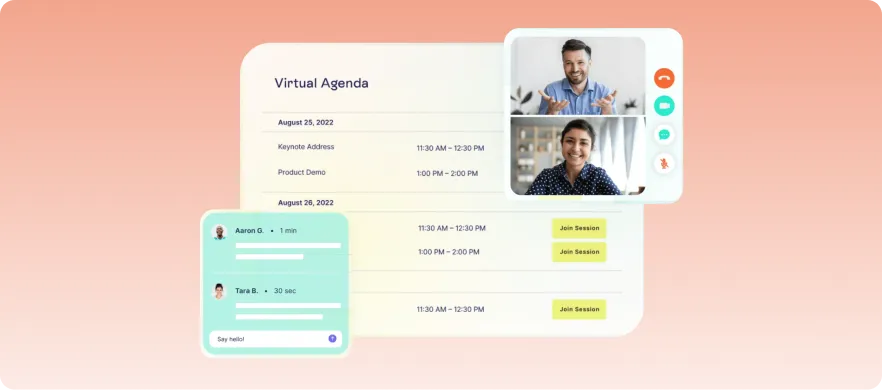
This platform has a design that excels in data management and integration capabilities. It allows easy integration with various CRM and marketing tools, thus allowing smooth data management and engagement tracking across events.
Key Features
- Hybrid-ready registration: Create custom registration forms with conditional logic and multiple attendee types to support both in-person and virtual audiences.
- Branded Event websites: Use a drag-and-drop builder to create responsive event sites that provide essential info and access for all attendees, wherever they are.
- Integrated marketing for hybrid reach: Run automated email campaigns and track engagement across virtual and onsite channels to boost attendance and ROI.
- Analytics across both audiences: Gain detailed insights into behavior, session attendance, and engagement from in-person and remote participants.
- CRM integration for unified data: Sync attendee data, virtual and physical, into tools like Salesforce and Marketo for seamless post-event follow-up.
Pricing
Plans start at $11,800 per year, including unlimited events and registrations, along with access to all platform features and integrations.
Pros
- Intuitive interface with customizable features
- Unlimited events and registrations are included in the pricing
- Advanced analytics for informed decision-making
- Comes with robust marketing and communication tools
- Excellent customer support and training resources
Cons
- Limited flexibility in template customization without coding knowledge
- Some users report challenges with registration transfer processes
7. Brella
Best for: Networking-first hybrid events and conferences
This hybrid event platform is designed to facilitate meaningful connections between attendees, sponsors, and exhibitors. It combines AI-powered matchmaking with a suite of engagement tools to enhance both in-person and virtual event experiences.
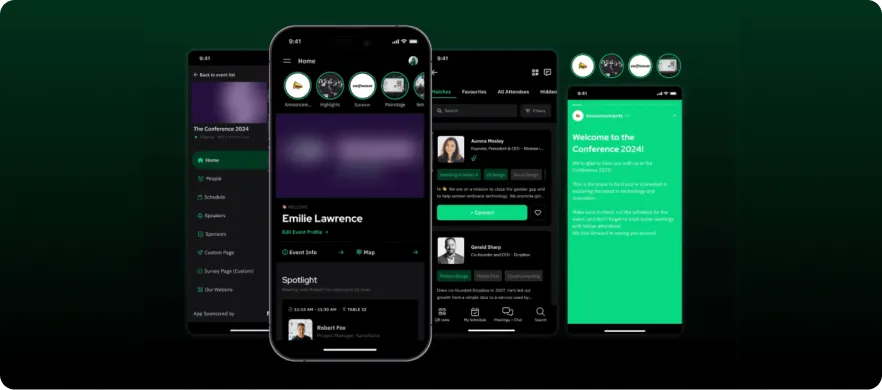
Brella connects participants based on shared interests and goals, promoting effective networking and event experience. Outside matchmaking and engagement though, its features may feel narrower, especially for organizations that need highly advanced, all-in-one event infrastructure.
Key Features
- AI-powered networking across audiences: Brella’s intelligent matchmaking connects both in-person and virtual attendees based on shared interests and goals for meaningful hybrid networking.
- Built-in streaming: Host and stream sessions directly in the platform, ensuring a consistent experience for both onsite and remote participants.
- Sponsor booths: Offer sponsors interactive virtual booths alongside in-person presence, complete with live chat, content showcases, and lead capture tools.
- Unified event analytics: Track engagement, session attendance, and networking success across physical and digital touchpoints to evaluate event performance.
- Cross-device accessibility: Ensure all attendees stay connected with Brella’s responsive web app and native mobile apps for iOS and Android.
Pricing
Brella operates on a quote-based pricing model, tailoring costs to the specific needs and scale of your event. Interested organizers would need to contact Brella directly.
Pros
- Advanced AI matchmaking enhances networking
- Robust analytics provide valuable event
- Customizable virtual booths increase sponsor visibility
- User-friendly interface across all devices
- Can book, manage, and synchronize meetings across devices
Cons
- Limited registration or event management tools
- Content is only available for a limited time after the event
- Requires a significant amount of admin work to get events up and running
8. EventMobi
Best for: Hybrid event planners that want flexible event apps and high customization
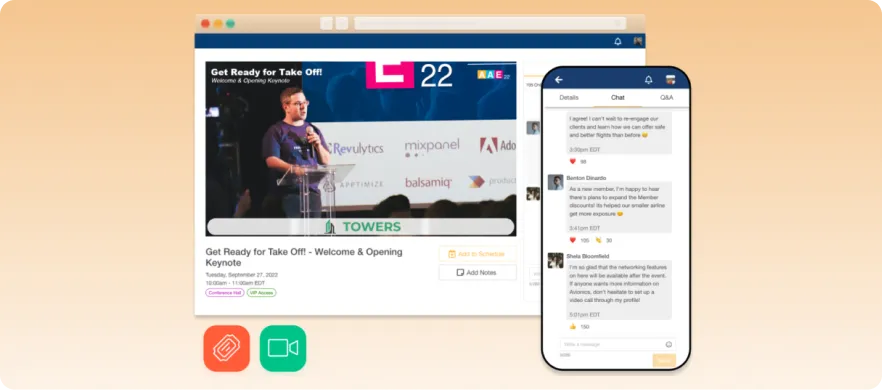
EventMobi is a platform that offers reliable tools for event planning, attendee engagement, and analytics. It’s designed to deliver smooth experiences for both in-person and virtual participants.
Since its inception in 2009, it has grown into a widely adopted solution among event planners managing both mid-sized and large-scale hybrid programs. But branding control and virtual event design remain limited according to user reviews.
Key Features
- Customizable event apps: Deliver a seamless experience for both virtual and in-person attendees with branded mobile and web apps featuring schedules, speaker info, and interactive tools.
- All-in-one registration and check-in: Manage ticketing, registration, and attendee check-ins, whether onsite or remote, through one integrated system.
- Real-time engagement tools: Use live polls, surveys, and Q&A sessions to connect with both audiences and keep them actively involved.
- On-demand content access: Let attendees revisit sessions post-event with a hybrid-ready content library, maximizing your event’s impact.
- Cross-channel analytics: Measure engagement and performance across physical and virtual touchpoints to guide future improvements.
Pricing
- Single Event Package: Starting at $3,500, suitable for one-time events.
- Unlimited Events Package: Starting at $9,000 per year, ideal for organizations hosting multiple events annually.
- Additional services, such as registration and ticketing, start at $2,500 per event or $7,500 annually for unlimited usage.
Pros
- All-in-one platform simplifies event management
- Flexible pricing accommodates various event scales
- Extensive customization of event apps and websites without coding
- Comprehensive analytics support data-driven decisions
Cons
- The built-in video call feature is less flexible than standalone solutions like Zoom
- Some users report occasional system lag or technical issues
- Some advanced features require additional setup or integration
9. vFairs
Best for: Event planners organizing immersive virtual experiences
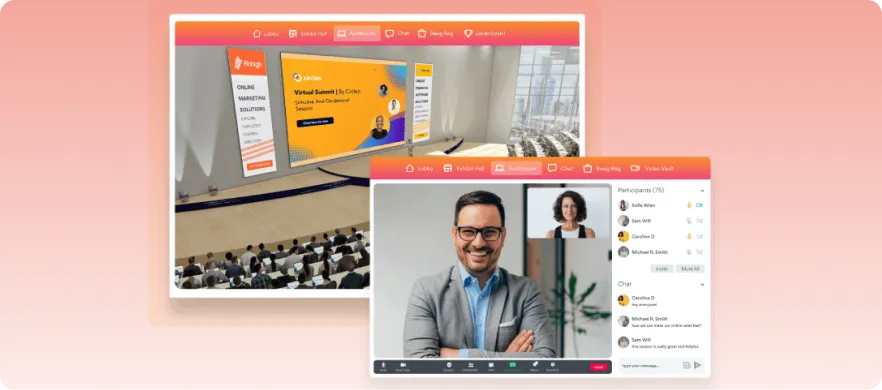
vFairs is a comprehensive hybrid event platform designed to facilitate engaging virtual, in-person, and hybrid events. It offers a wide array of features to create immersive experiences for attendees. It’s more used for webinars, conferences, and virtual meetups.
Its analytics dashboard, however, has limitations around real-time attendee tracking, data visualization, and export flexibility.
Key Features
- Immersive 3D venues: Replicate the feel of physical events with customizable 3D virtual environments that complement in-person setups.
- Hybrid-ready exhibitor booths: Enable both onsite and remote attendees to explore exhibitor offerings through interactive digital booths with multimedia, live chat, and lead capture tools.
- Live and virtual session streaming: Host keynotes, panels, and workshops with integrated live streaming and engagement tools like Q&A, polls, and chat.
- Seamless networking across audiences: Support real-time interactions via chat, video calls, and intelligent matchmaking between in-person and virtual attendees.
- Integrated analytics and mobile access: Track hybrid engagement across formats and provide mobile-friendly tools for schedules, content, and networking.
Pricing
- vFairs offers customized pricing based on event requirements, including per-event and annual license options. Interested organizers should contact vFairs directly for a personalized quote.
Pros
- Immersive 3D environments enhance virtual attendee experience
- Robust exhibitor tools for lead generation and engagement
- Comprehensive analytics for measuring event success
- Excellent customer support and guidance
- Scalable solutions suitable for various event sizes
Cons
- Limitations in customizing some graphical elements and user interfaces
- Chat and networking interface sometimes lags
- Limited geographic or language support in some regions
10. RingCentral Events
Best for: Teams scaling from webinars to structured hybrid events
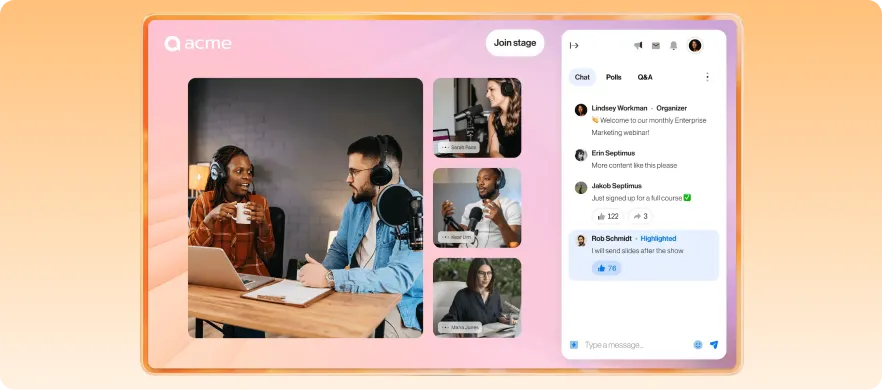
RingCentral Events, formerly Hopin Events, is an all-in-one hybrid event platform that enables organizers to create interactive and engaging events, combining virtual and in-person experiences seamlessly.
RingCentral also boasts scalable pricing. However, it is not ideal for managing more complex event configurations.
Key Features
- Virtual Venue: Simulate physical event spaces with areas like Reception, Stage, Sessions, Networking, and Expo.
- Integrated live streaming: Deliver keynotes and sessions to a global audience in real-time, ensuring consistent access across virtual and onsite participants.
- Cross-format networking: Support interactive networking through one-on-one and group video calls, messaging, and chat, bridging the gap between in-person and virtual attendees.
- Exhibitor booths: Enable sponsors and exhibitors to connect with all audiences via dynamic virtual booths and on-site activations.
- Real-time analytics: Measure engagement, attendance, and content performance across both event formats.
- Seamless integrations: Sync with CRM, marketing, and collaboration tools to unify event operations and data flow.
Pricing
- Free Trial: Try all Events Enterprise features free for 30 days, includes 10 organizers and up to 1,000 registrations.
- Paid Plans: Pricing starts at $99/organizer/month (billed annually) for unlimited virtual events, with advanced features and support options scaling up to $299/organizer/month.
Pros
- Easy-to-use interface for organizers and attendees
- Helpful and responsive customer support
- Wide range of attendee engagement tools
- Customizable layouts and branding options
- Detailed analytics for event performance
Cons
- Limited moderation controls for hosts
- Complex registration for some users
- Vendors can’t access the venue early for setup
11. Cvent
Best for: Managing large-scale conferences and corporate events
Cvent is a hybrid event management software for large organizations that need to run complex events with multiple tracks and sessions. It offers strong registration, abstract management, attendee engagement, and robust integration capabilities for streaming tools.
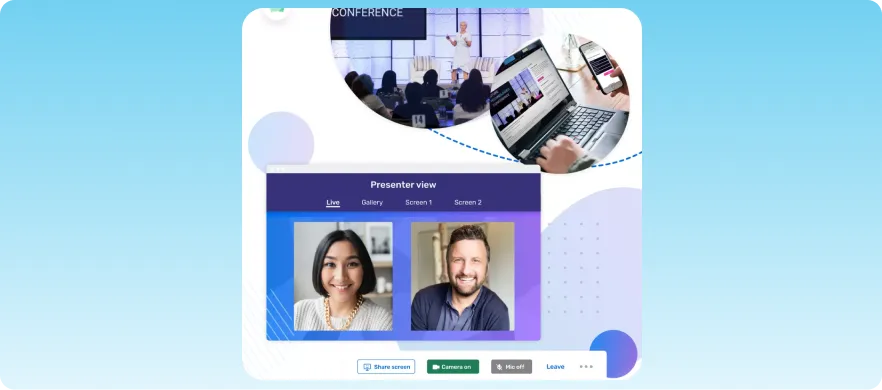
While its extensive depth is great for enterprise users, it lacks simultaneous collaboration for effective collaboration.
Key features
- Advanced registration management: Create custom registration paths and attendee journeys for both in-person and virtual audiences
- Integrated venue sourcing: Simplify venue discovery and management directly within the platform for streamlined event planning workflows
- Hybrid engagement tools: Keep attendees connected through live polling, Q&A, networking, and personalized agendas
- Enterprise-level analytics: Track attendee behavior, engagement, and event ROI across virtual and onsite experiences
- CRM and marketing integrations: Sync attendee data with Salesforce, Marketo, HubSpot, and other business tools for smoother follow-up
Pricing
Cvent pricing is custom-based and tailored to specific organizational needs.
Pros
- Comprehensive event management ecosystem
- Strong reporting and analytics capabilities
- Excellent integration support for enterprise teams
- Scalable for large and complex hybrid events
- Robust engagement features
Cons
- No simultaneous collaboration
- Expensive for smaller organizations
- Some customization features require technical expertise
12. Bizzabo
Best for: Enterprise teams that need high-level engagement tools
Bizzabo is a hybrid conference platform focused on engagement and branding. It delivers a polished attendee experience with solid networking and content tools making it ideal for mid-to-large hybrid events.
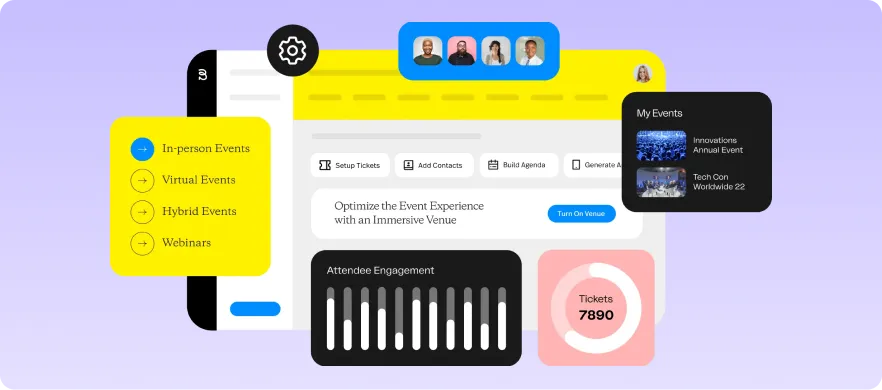
Although the platform possesses strong marketing and interaction features, some advanced features are available only on higher-tier plans.
Key features
- Event experience management: Coordinate registration, content, engagement, and networking from one platform
- Smart networking tools: Help attendees connect through AI-powered matchmaking and meeting scheduling
- Built-in streaming studio: Deliver live and pre-recorded sessions without relying heavily on external streaming tools
- Detailed event analytics: Measure engagement, attendance, and sponsor performance across audiences
- Customizable event branding: Create polished event pages and apps tailored to your organization’s identity
Pricing
Bizzabo offers annual pricing starting at $499/user/month, and supports unlimited events, attendee registrations, event apps, reporting tools, and campaign management.
Add-ons are also available at additional, custom quotes.
Pros
- Strong attendee networking capabilities
- Quick event cloning and updates
- Modern and intuitive user interface
- Excellent engagement and reporting tools
- Good branding and customization flexibility
Cons
- Less operational functionality compared to marketing and event experience
- Some advanced features require onboarding support
- Occasional lag during high-traffic sessions
13. Airmeet
Best for: Webinars, community events, and networking-focused hybrid experiences
Airmeet is a flexible hybrid event solution designed around interactive sessions and virtual networking. Its simplicity, clean interface, and social-style interaction features make it attractive for webinars and community-driven events.
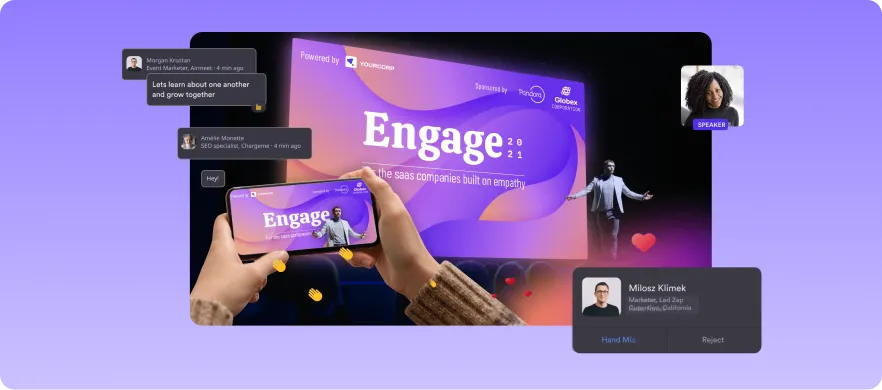
However, those managing complex hybrid events may find its customisation and integration functionality lacking.
Key features
- Networking lounges: Encourage spontaneous conversations and small-group discussions for stronger networking
- Social webinars: Deliver live presentations with audience chat, reactions, and engagement features built in
- Flexible event formats: Support conferences, workshops, expos, meetups, and training sessions from one platform
- Sponsor visibility tools: Give sponsors branded booths, attractive positioning, and engagement opportunities
- Analytics dashboard: Track attendee participation, engagement, and session performance, accessible a few minutes after events begin
Pricing
Airmeet offers four pricing plans, namely:
- Premium webinars: Starts at $167/month and supports two team members per organization
- Events: Custom pricing only. Supports five team members per organization
- Managed events: Billed per event, with brand conference starting from $4999
- Agency plan: Custom pricing with unlimited registrations and up to 250 events per year
Pros
- Strong audience engagement experience
- Easy-to-use interface for attendees and organizers
- Effective networking and breakout features
- Flexible event format support
- Robust backstage and session management
Cons
- Limited customization compared to enterprise competitors
- Some integrations require higher-tier plans
- Some users report occasional streaming stability issues
14. Webex Events (formerly Socio)
Best for: High-security, internal corporate meetings
Part of Cisco’s ecosystem, Webex Events is a hybrid conference platform designed for corporate meetings, training sessions, and internal events. It offers reliable streaming and strong security features, coupled with networking, registration, and analytics.
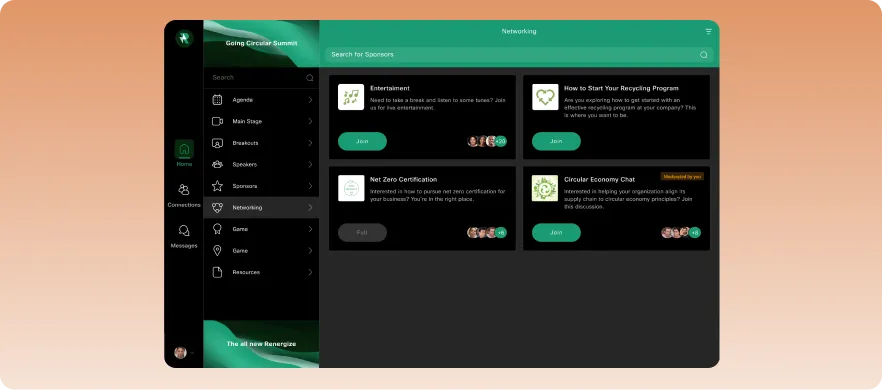
Its secure environment makes it dependable for enterprise use. Branding and customisation options, however, remain relatively limited compared to more specialist hybrid event solutions.
Key features
- Secure event hosting: Deliver virtual and hybrid sessions with enterprise-grade security and reliability
- Integrated attendee engagement: Use chat, Q&A, polling, and breakout sessions to encourage participation
- Event registration tools: Manage attendee sign-ups, event ticketing, and communications from one dashboard
- Cross-device accessibility: Allow attendees to participate seamlessly from desktop or mobile devices
- Detailed reporting: Monitor attendee engagement, session performance, and participation metrics
Pricing
Webex offers a flexible pricing structure and has provisions for meetings, calls, webinars, and custom contact center and CPaaS. Its basic Meetings Plans include:
- Webex free: Costs $0/user/month and supports unlimited meetings, up to 100 attendees, screen sharing, and advanced security
- Webex meet: $12/user/month and supports unlimited meetings, an AI assistant, and up to 200 attendees with advanced security and support
- Webex suite: Provides meet + call services at $22.50/user/month. Includes all Meet features, business phone number for unlimited local and domestic long-distance calling
- Webex enterprise: Custom pricing with all Suite features, up to 1000 attendees, unlimited cloud meeting recording, and FedRAMP authorized security
Pros
- Reliable streaming and platform stability
- Strong security and compliance features
- Free plan available for teams on a tight budget
- Comprehensive registration and reporting capabilities
- Suitable for enterprise-scale events
Cons
- Interface can feel less modern than competitors
- Branding customization options are somewhat limited
- Some advanced features require additional licensing
15. Zoom Events
Best for: Simple hybrid events
Zoom Events is a hybrid event management software built on Zoom’s popular meeting and webinar infrastructure. It’s ideal for organizations that want a straightforward, reliable, and familiar option.
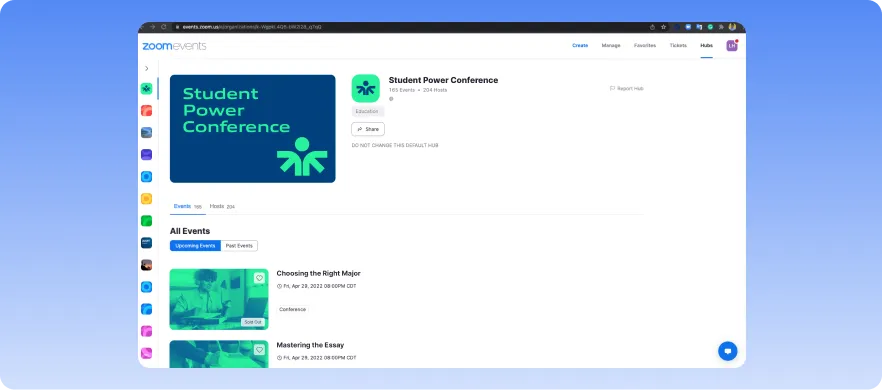
Although easy to use, the platform functions more as an upgraded meeting tool than a fully immersive hybrid event planning solution.
Key features
- Built-in webinar and event hosting: Run webinars, conferences, and hybrid sessions directly within the Zoom ecosystem
- Audience engagement tools: Keep attendees involved with polls, Q&A, reactions, breakout rooms, and live chat features
- Event registration and ticketing: Create branded registration pages and manage attendee sign-ups from one dashboard
- Multi-session event support: Host multi-track events with virtual lobbies, agendas, and session management tools
- Cross-device accessibility: Let attendees join events easily across desktop, browser, and mobile devices
Pricing
Zoom Events pricing is divided into three plans and scales with the number of attendees (billed annually):
- Webinars: Costs $83.33/month for 500 attendees. Includes engagement, performance reports, and custom backgrounds
- Webinars plus: Costs $290.83/month for 500 attendees. Includes all Webinars features plus pre-recorded content, richer analytics, and Zoom AI companion
- Events: Costs $415.83/month for 500 attendees. Includes Webinars Plus features, multiple stages, and real-time networking
Pros
- Familiar interface for most attendees and organizers
- Reliable streaming and webinar performance
- Easy setup for smaller and mid-sized hybrid events
- Strong engagement tools like polls and breakout rooms
- Intelligent post-event insights
Cons
- Branding and customization options are somewhat limited
- Pricing increases quickly for larger attendee capacities
- Registration and navigation workflows can occasionally feel confusing
How we evaluated each hybrid conference platform
To evaluate each platform, we focused on how well each tool supports real hybrid event delivery. Here’s what we focused on:
- All-in-one workflow management: We assessed how well each platform centralizes key event workflows. Hybrid event planners should be able to handle registration, attendee management, virtual access, onsite check-in, engagement, sponsor visibility, and analytics without having to jump between tools.
- Event format flexibility: We also considered how well each platform fits different event formats. A robust platform should be able to handle conferences, trade shows, corporate meetings, association events, and virtual-heavy programs.
- Usability and scalability: Finally, we reviewed software pricing, integrations, ease of use, and scalability. These factors determine how effectively a platform supports real-world hybrid event planning workflows.
What to look for in hybrid event software
Knowing what to look for when choosing a solution stops you from derailing your audience experience with technical and communication issues. Below are some of the most important features to consider before committing to any tool:
1. Live streaming and content delivery
A strong hybrid conference platform should have reliable support for live streaming for keynotes, breakout sessions, and workshops without requiring complicated third-party setups. Look for platforms that also offer on-demand content, pre-recorded sessions, and smooth playback across devices.
2. Audience engagement
Hybrid attendees need ways to actively participate, rather than just watch. Features like live chat, Q&A, polls, reactions, breakout rooms, and networking lounges help maintain both virtual and in-person audience engagement throughout the event.
3. Registration and attendee management
Good hybrid event software should simplify registration, ticketing, check-in, and attendee communication from one central system. Flexible registration flows and audience segmentation also make hybrid event planning and personalization much easier, especially if you’re handling a wider audience.
4. Mobile app for virtual and onsite access
Many attendees rely on mobile devices during events, whether they’re onsite or remote. A stable mobile app improves communication, networking, agenda access, and real-time engagement for both virtual and in-person audiences.
5. Analytics and reporting
You need an accurate way to measure your attendees’ participation and involvement, especially when they’re not physically present. The best hybrid event solutions provide detailed insights into attendance, engagement, session performance, and sponsor activity.
6. Integrations and data sync
When event insights are generated, they shouldn’t sit unused and unanalyzed. Strong hybrid event management software should sync this data smoothly with marketing automation, CRM, and reporting tools. This will help to reduce manual work and improve post-event follow-up.
7. Sponsor and exhibitor tools
After securing sponsors and exhibitors, you must provide them with visibility and measurable ROI across both virtual and onsite audiences. Prioritize platforms that support virtual booths, lead capture, attendee interactions, and sponsor analytics within the same hybrid event environment.
Host seamless hybrid events with EventsAir
Choosing hybrid event software relies on identifying a platform that supports attendee experiences without creating more work for your team.
If your event is simple, a webinar-first tool may be enough. But if you need registration, streaming, engagement, mobile access, and reporting to work together, you’ll need a more connected hybrid event management platform.
EventsAir gives professional event teams one place to plan, deliver, and measure hybrid events across the full event lifecycle. From registration and attendee engagement to exhibitor tools, onsite delivery, and real-time analytics, EventsAir helps you manage hybrid complexity with more control.
Ready to simplify your next hybrid event? Book a demo with EventsAir today.
Frequently asked questions
1. What is the best event software for teams in 2026?
EventsAir. The platform combines hybrid event management, attendee engagement, analytics, registration, and integrations within a single scalable platform.
It also supports everything from small corporate meetings to large international conferences, making it a strong choice for teams that need a flexible and comprehensive event management solution.
2. What integrations should I look for when selecting an event management platform?
Prioritize platforms that integrate with your CRM, marketing automation tools, payment systems, and streaming platforms. Without these, you risk manual data entry, fragmented workflows, and poor post-event follow-up.
3. How do event management platforms keep both virtual and onsite participants engaged?
The best platforms connect both audiences using interactive polls, live chats, Q&A sessions, event apps, matchmaking, and personalized agendas. EventsAir combines all of these with real-time networking and engagement tracking. This results in a consistent, engaging experience for both virtual and onsite attendees.
4. What should I prioritize when comparing different event management platforms?
Ease of use, scalability, analytics, attendee engagement tools, and support quality. Ensure the platform aligns with your long-term hybrid event strategy rather than just one event.
See EventsAir in action
Discover why 12,000+ event professionals trust EventsAir to deliver effortless events, every time.




Ready to transform event chaos into clarity?
With EventsAir, you’ll move from chasing logistics to creating unforgettable moments. Plan faster, act with confidence, and deliver exceptional events. Discover what’s possible with a personalized demo today.