Best Lead Retrieval Apps for Trade Shows: What They Are, Top 9 Options, and How to Pick One
Every lead your booth staff fails to capture properly costs you money and returns nothing. These failures add up fast across a three-day trade show, making it harder to measure event ROI accurately. The right…

Every lead your booth staff fails to capture properly costs you money and returns nothing. These failures add up fast across a three-day trade show, making it harder to measure event ROI accurately. The right lead retrieval app fixes most of that. It helps your team capture, qualify, and follow up on leads without the post-event chaos.
But even with some of these apps, a lot of exhibitors leave trade shows with hundreds of scanned badges and almost nothing to show for it a month later. The contacts are there. The follow-up just never happens the right way because the data is incomplete, unqualified, or exists in a format nobody wants to deal with.
That’s a lead retrieval problem, and the right lead retrieval app solves it. This guide covers the 9 best lead retrieval apps for trade shows worth considering. But before we introduce you to the list, let’s cover some basics.
Why listen to us?
At EventsAir, we’ve worked with many of the world’s best event teams to ensure all their leads are accurately and promptly qualified.

As an event management platform, we’ve spent years working closely with exhibitors, sponsors, and event organizers across all kinds of events. That gives us a ground-level understanding of what actually matters when it comes to capturing and converting leads on the event floor.
What is a lead retrieval app?
A lead retrieval app helps exhibitors capture attendee contact information at trade shows and events. Most events today issue badges with a QR code or barcode linked to their registration data. Exhibitors scan the badge, and the lead’s details appear instantly in the app, eliminating manual data entry.
Beyond capturing contacts, most of these apps let you qualify leads on the spot. Booth staff can score leads, add notes, tag interests, and do more while the conversation is still fresh.
There are two types of lead retrieval solutions. Some exist as standalone apps that exhibitors can use in any event. Other lead retrieval solutions are tied to specific event management platforms and only work when the organizer is already using that system.
Our list covers both types.
9 best lead retrieval apps for trade shows
| # | Event website builder | Best for | Free trial | Starting price |
| 1 | EventsAir | Exhibitor ROI on EventsAir-powered events | No | Custom, request a quote |
| 2 | Whova | Events where attendees are already active in the Whova app | Can be requested | Custom |
| 3 | iCapture | Exhibitors who need universal scanning with verified data accuracy | No | $8,000 |
| 4 | Captello | Booth engagement through gamification at any event | No | Custom |
| 5 | Webex Events | Team collaboration on lead scoring and notes | No | $68.75/user/month (1K attendees) |
| 6 | Cvent LeadCapture | Exhibitors who need flexibility across Cvent and third-party events | No | Custom |
| 7 | Momencio | Deep post-scan engagement tracking for B2B teams | No | $100/seat/month |
| 8 | vFairs Lead Capture App | Leveraging session and content interaction data for lead context | No | Custom |
| 9 | Leadature Lead Capture App | High-traffic enterprise events with instant literature delivery | No | Custom |
1. EventsAir
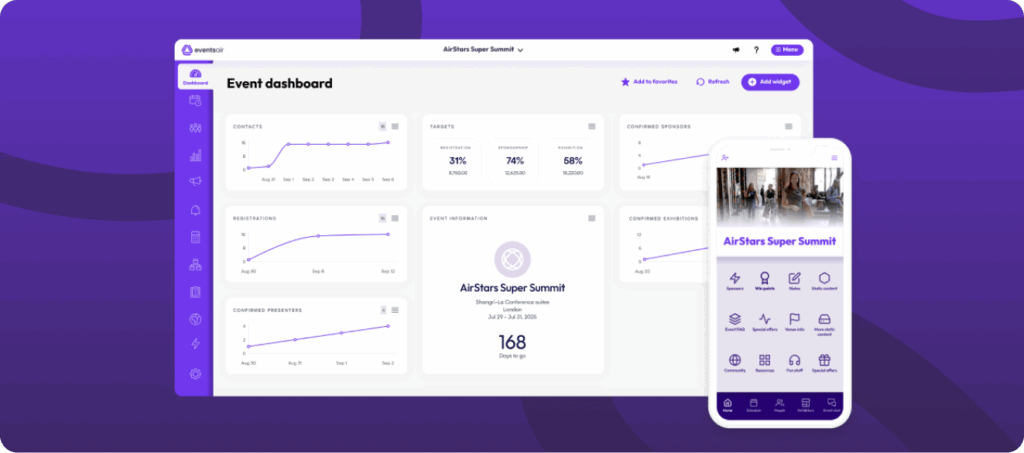
EventsAir is a comprehensive event management platform designed for large conferences, association events, and corporate meetings. Its lead capture functionality is part of the broader EventsAir ecosystem, meaning it works seamlessly alongside the platform’s registration, engagement, reporting tools, and more.
Exhibitors can use the dedicated lead capture app to scan attendee badges, qualify leads with custom questions, and capture valuable contact information directly on the show floor. Because it’s integrated with the event platform, captured leads can be easily exported or analyzed after the event to measure follow-up activity and ROI.
The app also supports attendee interaction through networking features, including private messaging and the EventStream social feed, helping exhibitors connect with attendees and continue conversations beyond the booth.
Key features
- Badge scanning with custom qualification questions: Exhibitors can scan attendee badges and immediately run through a set of custom questions built before the event.
- Automated follow-up triggers: Once a lead is captured and tagged with specific qualifiers, EventsAir can automatically trigger follow-up actions, such as sending a personalized email or scheduling a next step.
- Exhibitor portal: Organizers can provide each exhibitor with a portal to manage access to the lead-capture app and pull their lead data after the event.
- Real-time lead data access: Captured leads show up instantly in the exhibitor’s dashboard.
- CRM and marketing tool integrations: Leads can be exported or pushed directly into CRM systems as part of your CRM and event marketing workflow.
Pricing
EventsAir offers a quote-based custom pricing system based on your event and organization size. Reach out to the sales team to get specific numbers.
Pros
- Deep integration with event operations
- Custom qualification questions
- Follow-up automation
- Comprehensive data & analytics
- The app can work offline
Cons
- Overkill for smaller, simpler events
2. Whova
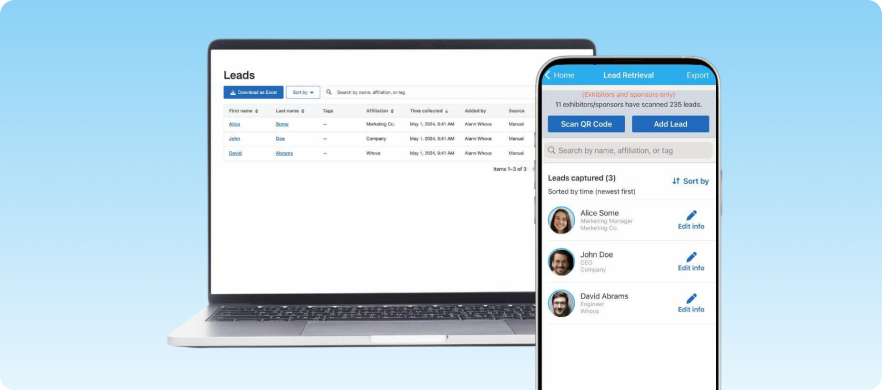
Whova offers lead retrieval as an exhibitor feature. If the event organizer runs the event on Whova, exhibitors can purchase lead retrieval access as an add-on.
The Whova app also offers lead-capture tools for booth staff. The downside is that if the event isn’t on Whova, you simply can’t use it. There’s no such thing as bringing Whova to a trade show that hasn’t adopted it.
Key features
- QR code scanning: Scan attendee badges and phones through the existing Whova app.
- Business card scanning and manual entry: Covers edge case attendees who don’t have a scannable badge.
- Virtual booth lead capture: Capture leads via attendee interaction with an exhibitor’s virtual booth.
- In-app follow-up: Exhibitors can follow up leads within Whova via chat or by scheduling a video call.
- CRM export: Lead data can be exported to a CRM after the event.
Pricing
Leadature uses a quote-based pricing system. Contact their sales team for more precise pricing information. A free trial can also be requested.
Pros
- Booth staff need almost no training
- Multiple capture methods
- Attendees are already warmed up through in-app networking
Cons
- Lead retrieval is usually an add-on cost per exhibitor
- Limited offline capability, so lead capture struggles with unstable internet connections on busy trade show floors
- Lacks advanced lead scoring tools, making it harder to prioritize high-intent prospects after the event
3. iCapture
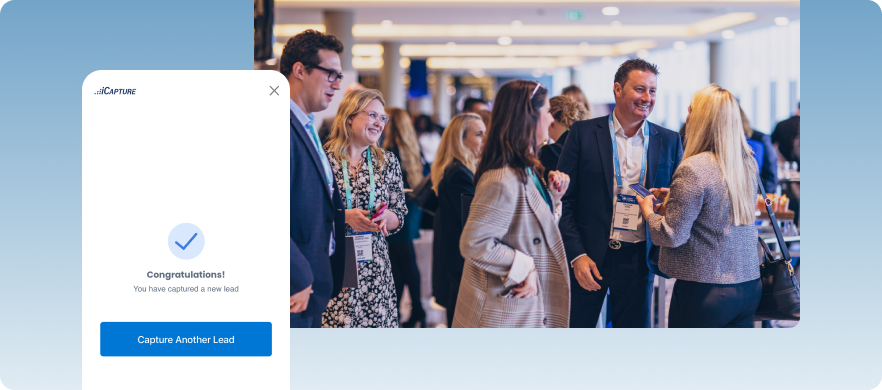
iCapture is purely built for the exhibitor. It works at almost any event because it doesn’t depend on the organizer using any particular platform. It focuses on lead quality over lead quantity. The tool helps teams to capture who stopped by, what was said, what they’re looking for, and where they are in the buying process.
Key features
- Universal badge and business card scanning: Works at almost any event, regardless of the organizer’s platform.
- Customizable qualification forms: Tailor post-scan questions to match your sales process.
- Conversation notes: Booth staff can log notes from conversations with prospects.
- Human-verified data transcription: Captured data is reviewed by real people for accuracy.
- CRM and marketing automation integrations: Push leads directly into your existing tools.
- Offline functionality: Capture leads even when the trade show Wi-Fi drops out.
Pricing
iCapture pricing starts at $8,000. Contact their sales team for more precise pricing information.
Pros
- Works at most events, regardless of the organizer’s platform
- Human-verified transcription helps with unusual fonts or worn cards
- Leads sync directly to your CRM in real-time, so your sales team can start follow-up while the event is still running
Cons
- One of the more expensive options in the category
- Interface can feel dense for teams that just want a quick scan
- No AI-based lead enrichment, so any gaps in the captured data stay as gaps
4. Captello
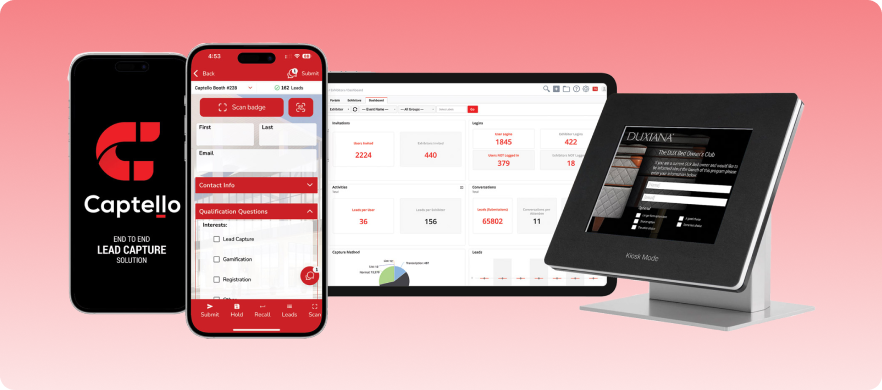
Captello is another lead-capture platform built for exhibitors only and isn’t tied to a specific event management system. It’s also one of the more feature-heavy options in this category. The platform leans hard into gamification, which can either be a differentiator or a distraction depending on how your team operates.
Key features
- Universal badge scanning: Works across events without depending on the organizer’s platform.
- Gamification templates: Offers a range of game templates (spin-to-win, trivia, and contest-style interactions) to attract people to the booth.
- Customizable lead qualification forms: Build post-scan forms tailored to your sales workflow.
- AI-assisted follow-up email: Automates personalized outreach after a lead is captured.
- Team messaging: Allows quick messaging between team members present at an event.
- CRM and marketing automation integrations: Sync captured leads with your existing stack.
- ROI reporting: Track and measure the return on your trade show investment.
Pricing
Captello uses a quote-based pricing system. Contact their sales team for more precise pricing information.
Pros
- Works at most events without depending on the organizer’s platform
- No per-user or per-device fees
- Gamification is genuinely differentiated
Cons
- Can feel overwhelming to set up
- Some advanced features require additional API kit setup
- The mobile app can lag during high-traffic events when scanning leads in quick succession
5. Webex Events
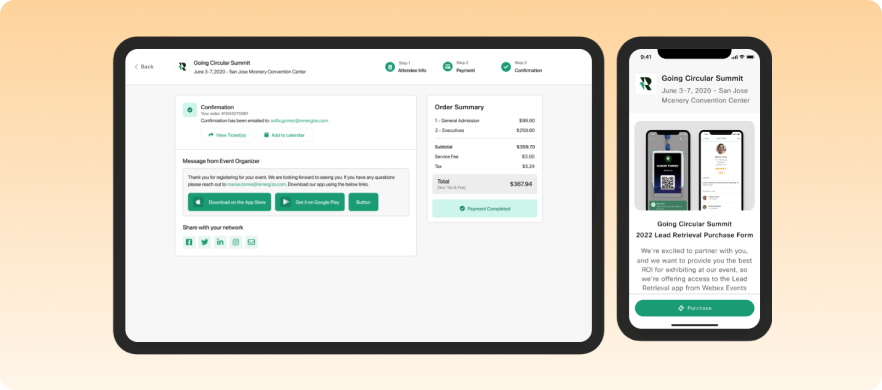
Webex Events covers a number of event management needs. Its lead retrieval module works within a much larger platform. It allows exhibitors to scan attendee QR codes and pull up their profiles from Webex’s ecosystem. The platform also helps them to set up a flow in which exhibitors purchase their lead retrieval licenses independently.
Key features
- QR code scanning: Pull up attendee profiles from Webex’s ecosystem by scanning their QR codes.
- Lead rating and team notes: Score leads and collaborate on notes with your booth team.
- Real-time booth analytics: Monitor booth performance as the event is happening.
- Self-serve license purchasing: Exhibitors can purchase their lead retrieval licenses independently.
- Offline functionality: Capture leads even without a stable internet connection.
- External CRM integration: Push lead data into your existing CRM systems.
Pricing
Webex Events pricing plans start at $68.75/user/month for webinars with 1000 attendee capacity. There’s also a custom plan for larger event capacities.
Pros
- Team collaboration on notes and lead scoring is well-designed
- Real-time booth performance dashboard
- No extra hardware needed, works on any phone or tablet
Cons
- Only works at Webex Events-powered events
- Enterprise-grade pricing
- Lead export is CSV-based and arrives two business days after the event (according to some users), which delays follow-up
6. Cvent LeadCapture
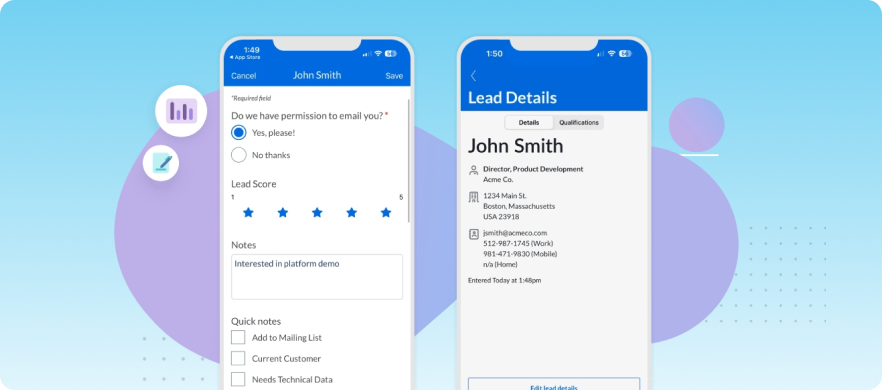
Cvent is among the big names in event management software, and LeadCapture is its module for exhibitor-side lead retrieval. But Cvent also markets a “Universal LeadCapture” version that exhibitors can use at third-party events, not just Cvent-powered ones.
Where Cvent LeadCapture falls short is in depth. Reviews consistently point out that it’s reliable for badge scanning and basic qualification, but it lacks the advanced nurturing features that dedicated tools offer.
Key features
- Badge scanning with lead rating: Scan badges and rate leads on the spot.
- Custom qualification questions: Tailor post-scan forms to your sales process.
- E-Literature delivery: Exhibitors can send documents and web links directly to a lead’s email from the trade show floor.
- Lead assignment: Captured leads can be assigned to specific sales reps or teams from the platform.
- Organizer-side booth analytics: Event organizers get visibility into booth-level performance.
Pricing
Cvent uses a quote-based pricing system. Contact their sales team for more precise pricing information.
Pros
- Universal LeadCapture version works at third-party events too
- E-Literature feature underrated addition
- iOS and Android app available, no hardware rental required
Cons
- Cost is a recurring complaint in reviews
- First-time exhibitors often need extra onboarding support
- Reporting has had issues pulling complete data, according to some users
7. Momencio
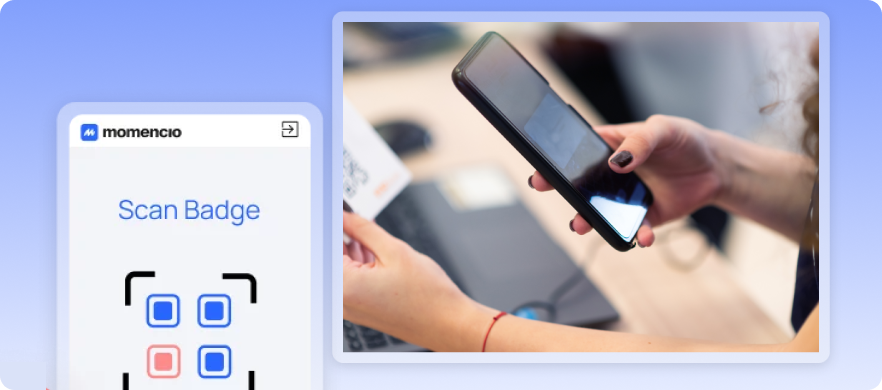
Momencio is a lead-capture and engagement platform for B2B exhibitors. However, its versatility is somewhat limited, primarily targeting industries such as life sciences, technology, and financial services. The platform tracks what content a lead viewed, how long they spent on it, whether they opened the follow-up email, and what they clicked inside it.
Key features
- Personalized microsites: Momencio can automatically send leads a personalized microsite built around their specific interests.
- AI lead enrichment: Fills in gaps in a captured lead record automatically.
- Content engagement tracking: See what content a lead viewed, how long they spent on it, and what they clicked.
- Real-time rep performance dashboards: Monitor how each booth rep is performing during the event.
- Branch logic surveys: Route leads through different qualification questions based on their responses.
Pricing
Momencio uses a tiered pricing system that starts from $100/seat/month and scales depending on the features you need.
Pros
- Deep post-scan engagement tracking
- Branch logic surveys improve lead qualification quality
- LiveMicrosites create a second touchpoint after the event automatically
Cons
- Can feel like too many features if you just need a reliable scan-and-qualify flow
- Completing basic activities requires pushing through multiple steps, which slows reps down during fast-paced events
- Setting up advanced features like automation and custom CRM integrations comes with a learning curve
8. vFairs Lead Capture App
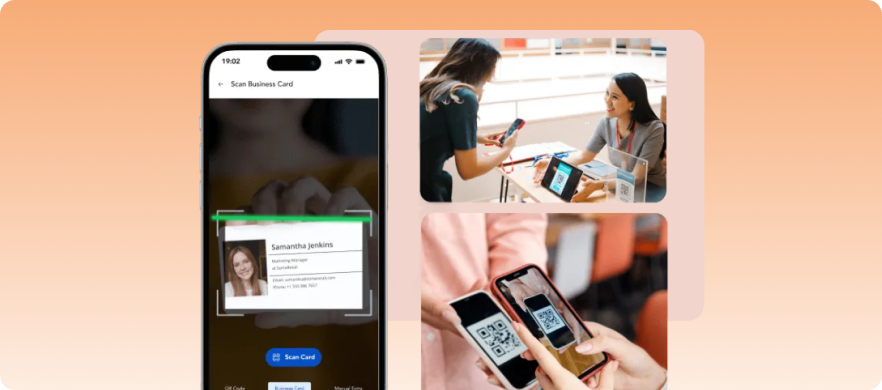
vFairs is primarily an all-in-one event management platform, and the Lead Capture App is one piece of that ecosystem. Using the app, exhibitors scan vFairs badges or the mobile event app to capture an attendee’s data. The downside is that the entire event must be managed on vFairs.
Key features
- Session and content interaction data: Informs lead context by showing what sessions and content an attendee engaged with.
- Chat and meeting history: Any chat conversations or meeting bookings an attendee initiated show up within the exhibitor’s view of that lead.
- Voice and written notes: Add voice or text notes per lead for fast documentation.
- Organizer-level visibility: Organizers can see lead activity across all booths.
- Team collaboration: Multiple booth staff can work together within the app.
Pricing
vFairs uses a quote-based pricing system. Contact their sales team for more precise pricing information.
Pros
- Session and content engagement data add context to a lead
- Voice notes help with fast-moving event floors
- Organizers get real-time visibility across all booths, which helps measure exhibitor performance during the event
Cons
- Only works at a vFairs-powered event
- CRM integration is limited, often requiring manual export and import rather than direct syncing
- The app interface isn’t optimized for fast, high-volume scanning at busy trade show booths
9. Leadature Lead Capture App
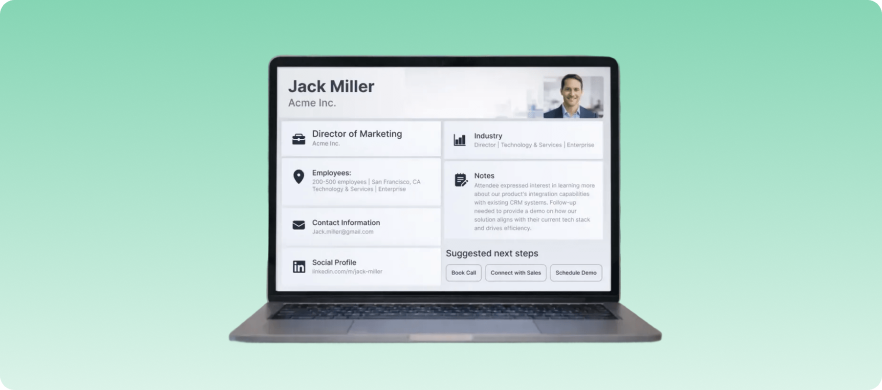
Leadature has been used by Fortune 500 exhibitors and enterprise event agencies for years, and that track record has given it a reputation for reliability in high-traffic environments.
One thing Leadature does that genuinely differentiates it is the instant literature email. The moment a lead is scanned and their interests are tagged, Leadature can fire a personalized thank-you email with the relevant product literature attached. It also supports an unusually broad range of badge types, including 2D barcodes, QR codes, and RFID.
Key features
- Instant literature delivery: The moment a lead is scanned and their interests are tagged, Leadature fires a personalized thank-you email with the relevant product literature attached.
- Branching logic forms: Route leads through different qualification questions based on their answers.
- Real-time executive dashboards: Live reporting for leadership during the event.
- White-label branding: Customize the app’s appearance to match your company’s brand.
Pricing
Leadature uses a quote-based pricing system. Contact their sales team for more precise pricing information.
Pros
- Multi-language business card OCR covers international events well
- RFID badge support covers more event badge types than most
- Works reliably offline, which is critical for busy trade show floors with spotty connectivity
Cons
- UI feels dated compared to newer tools
- Less flexibility in customization
- Lacks the automated nurturing workflows that newer tools in the category offer
Factors to consider before deciding on your ideal lead retrieval app
Just like every event is different, each lead retrieval platform has various strengths and weaknesses that can affect your decision on which one is best for you. Let’s dive into what to consider before making the all-important choice.
1. Standalone vs. platform-native
If you exhibit at events run by different organizers, you need a universal scanner that works regardless of the event’s tech stack. But if you’re the organizer, a platform-native tool will give you richer data because it’s pulling from the same system running registration and badging.
2. What happens to the lead data after the scan
Some apps just dump raw contacts into your CRM. Others preserve the qualification scores, conversation notes, and content engagement data alongside the contact record. That difference matters when your sales team picks up the lead two weeks later.
3. Booth staff turnover
If your team changes from event to event, the app needs to be dead simple. A powerful tool that requires a 30-minute walkthrough before each show isn’t practical when you’re onboarding temp staff the morning of.
4. Per-event vs. annual pricing
Some tools charge per event, others per seat annually. If you’re doing 10+ shows a year, the annual model usually wins. For two or three events, per-event pricing keeps costs lower.
Run better events and capture better leads with EventsAir
A standalone lead retrieval app can help exhibitors collect contacts on the show floor. But when lead capture is disconnected from your event registration, badging, and engagement data, it can be difficult to see the full picture of how attendees interacted with your event.
EventsAir brings these pieces together in one platform. Leads captured by exhibitors are connected to the same system running your event, making it easier to analyze engagement, demonstrate sponsor ROI, and reduce manual data cleanup after the event.
If you’re looking for a platform that combines lead capture with full event management capabilities, EventsAir can help. Book a demo to see how it works in practice.
FAQs
1. What’s the difference between lead capture and lead retrieval?
Lead capture and lead retrieval are distinct steps in the process. Lead capture is the act of scanning a badge and collecting contact information. Lead retrieval is the process of exporting that data into a CRM or database for follow-up. Most apps today handle both.
2. Should I use the event’s official lead retrieval system or bring my own app?
The event’s official app usually provides richer data because badge information is encrypted. Third-party scanners often only pull a name and badge ID. That said, if you exhibit at multiple events, a universal app gives you one consistent workflow instead of relearning a new tool every show.
3. Can a lead retrieval app work without a strong Wi-Fi signal?
The top lead retrieval apps, like EventsAir, work offline. Trade show floor Wi-Fi is notoriously unreliable, so offline mode is something to confirm before committing to any tool. Leads captured offline should sync automatically once the connection is back.
Product Comparison
See EventsAir in action
Discover why 12,000+ event professionals trust EventsAir to deliver effortless events, every time.