

10 Best AI Event Management Software in 2026 [By Use-Case]

.webp)
Planning a successful event requires balancing countless moving parts—from registration and marketing to attendee engagement, onsite operations, and post-event reporting. AI-powered event management software is helping event professionals manage these tasks more efficiently by combining traditional event management capabilities with intelligent tools that reduce manual work, surface insights, and improve the planning experience.
Rather than replacing event planners, today’s AI is designed to support them. Depending on the platform, AI can help generate content, summarize survey responses, recommend sessions, answer attendee questions, surface insights from event data, and make it easier for teams to find the information they need throughout the event lifecycle.
However, AI capabilities vary significantly between event management platforms. Some have invested in dedicated AI assistants and productivity tools, while others have introduced AI into specific workflows such as reporting, communications, or attendee engagement. Understanding these differences is essential when choosing an event management platform that aligns with your organization’s goals.
This guide reviews ten of the best AI event management software platforms in 2026. Each one is listed with a specific use case in mind, so you can find the right fit for your team, your events, and your budget.
What is AI event management software?
Event management software helps planners organize, run, and measure events. It includes everything from registration and scheduling to attendee communication and post-event reporting.
AI adds an intelligence layer on top of that foundation. Instead of just storing data, the platform actively uses it by automating repetitive tasks, generating content, summarizing information, identifying trends, and helping planners quickly find the insights they need.
The level of AI maturity varies across platforms. Some offer dedicated AI assistants that support planners throughout the event lifecycle, while others have introduced AI into specific features such as reporting, attendee communications, or session recommendations.
Understanding how AI is applied – and whether it solves real planning challenges – is often more important than simply choosing a platform with the most AI features.
Key benefits of AI in event management
AI does not replace event planners, but removes the work that gets in the way of good planning. Here are some of the key benefits:
- Save time on everyday planning tasks: AI helps reduce manual effort by assisting with tasks such as drafting event descriptions, creating attendee communications, summarizing survey responses, and generating content. Rather than replacing event planners, AI speeds up routine work so teams can focus on strategy, attendee engagement, and event delivery.
- Find information and insights faster: Modern AI-powered event management software can make event data easier to access. Depending on the platform, planners may be able to search reports using natural language, summarize attendee feedback, or quickly identify trends without manually filtering through dashboards and spreadsheets.
- Improve the attendee experience: Many platforms use AI to enhance the attendee experience through features such as session recommendations, AI-powered chat assistants, personalized content suggestions, or faster access to event information. While capabilities vary, these tools can help attendees find relevant information more quickly and make the most of the event.
- Simplify post-event reporting and analysis: Post-event reporting often involves reviewing registrations, engagement metrics, survey responses, and exhibitor outcomes. AI can help summarize feedback, identify recurring themes, and surface key insights, making it easier to evaluate event success and share results with stakeholders.
- Increase productivity across the event lifecycle: The greatest benefit of AI today is improving planner productivity. Whether it’s accelerating content creation, answering attendee questions, assisting with reporting, or helping teams locate information faster, AI enables event professionals to accomplish more while maintaining control over planning and decision-making.
The best AI event management software in 2026
Here is a side-by-side look at all ten platforms before we get into the individual reviews.
1. EventsAir
Best for: Full AI event lifecycle management
Managing a complex event across multiple tools creates a specific kind of chaos. Data lives in different places. Teams work in silos. And by the time something goes wrong, it is already too late to fix it cleanly.
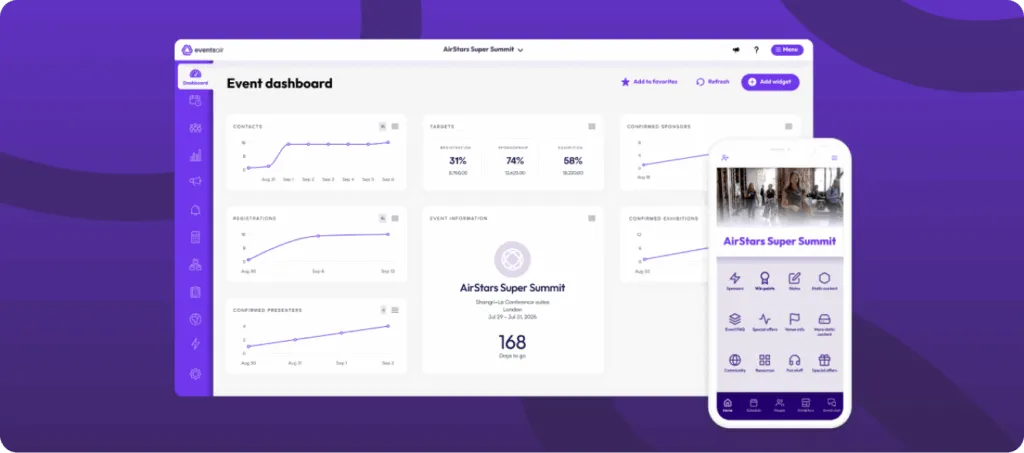
EventsAir is built to replace that fragmented approach. The platform handles everything from pre-event planning to registration. It also includes onsite check-in, attendee engagement, and post-event reporting. All from one place. For teams running in-person, virtual, or hybrid events, that consolidation alone changes how the work gets done.
The AI layer is where things get more interesting. In April 2026, EventsAir launched Air Intelligence at IMEX Frankfurt. It is a suite of AI-powered assistants built directly into the platform. The Attendee Assistant handles real-time event guidance for delegates. The Content Assistant supports event communications. The Planner Assistant surfaces insights and supports decision-making while the event is live. Instead of building reports after the fact, planners can interact with event data as it unfolds.
That real-time visibility matters. Most platforms generate analytics after the event ends. EventsAir shows you registration trends, session attendance, and engagement signals. You see them while there is still time to act.
EventsAir also supports exhibitors with purpose-built lead capture tools. Exhibitors can identify and qualify leads in real time rather than collecting business cards and following up days later. That results directly in stronger sponsor ROI.
EventsAir is trusted by more than 12,000 event professionals. It has powered over 400,000 events globally, across associations, corporate teams, government agencies, and professional conference organizers.
Pros
- Single platform covering the full event lifecycle across in-person, virtual, and hybrid formats
- Real-time AI-powered insights through Air Intelligence during live events
- Purpose-built exhibitor and lead capture tools that support measurable sponsor ROI
- Best-in-class customization
- Easy to use and a supportive onboarding experience
Cons
- Some advanced features may go unused by smaller teams
Rapiergroup used EventsAir to unify registration and engagement for 3,000 delegates from 88 countries at the RCOG World Congress. They replaced multiple disconnected tools with one platform. Read the full story.
Request a demo today or learn more about pricing here.
2. Cvent
Best for: Large-scale enterprise event programs
Running events at enterprise scale comes with real complexity. Multiple sessions, large attendee volumes, venue sourcing, and compliance requirements all need to fit into one workflow.
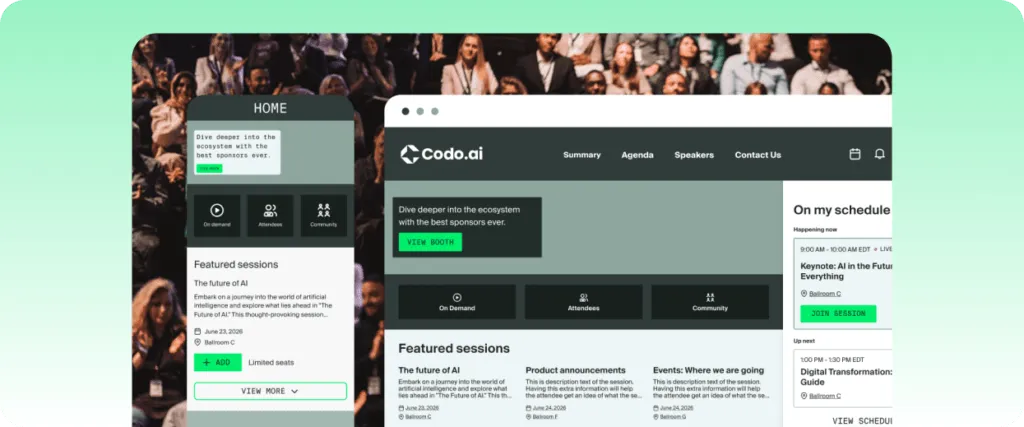
Cvent is one of the most established platforms in the market. It handles registration, venue sourcing, attendee management, and reporting. This spans in-person, virtual, and hybrid formats. For large organizations with dedicated event operations teams, the breadth of features covers most use cases.
On AI, Cvent has added tools for agenda building, content creation, and session recommendations. These are useful features. They are not a unified AI layer across the full platform, but rather AI applied to specific workflows.
The platform is difficult to implement. Teams typically need significant onboarding time and internal resources to configure it fully. Pricing is custom and not publicly listed.
Pros
- Broad feature set covering the full range of enterprise event needs
- Strong venue sourcing network and supplier management tools
- Established integrations with major CRM and marketing platforms
Cons
- Implementation can be lengthy and resource-intensive
- The pricing model can be difficult to predict with add-on costs
- AI features are applied to specific workflows rather than embedded across the platform
3. Bizzabo
Best for: Marketing-led events and ROI tracking
Marketing teams running B2B conferences need more than logistics management. They need to connect event data to the pipeline, prove ROI, and understand how attendees engage across every touchpoint.
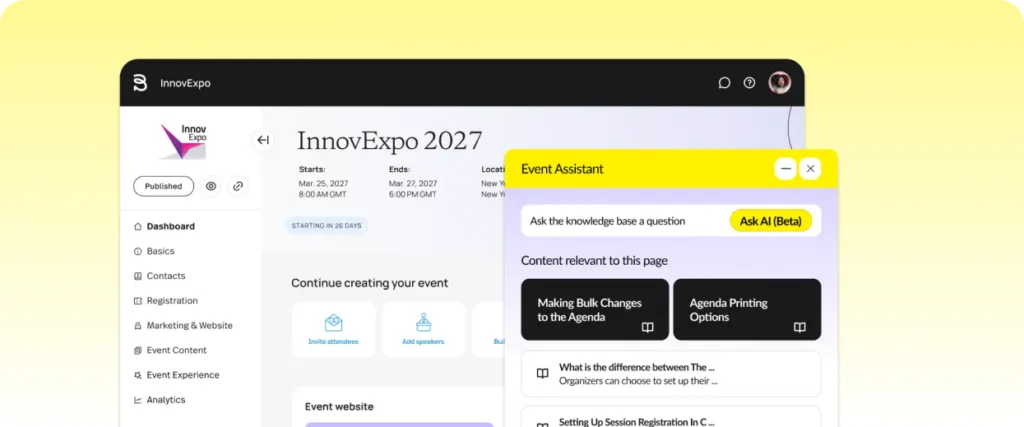
Bizzabo focuses on that use case. The platform includes Bizzy, an AI copilot for attendees. It also includes the Klik SmartBadge, which captures real-time behavioral data onsite. Registration, event websites, and email tools are built into the platform. Salesforce and HubSpot integrations connect event data to existing marketing stacks.
Bizzabo dropped from Leader to Visionary in Gartner’s 2026 Magic Quadrant. That shift shows some concerns around execution pace. The platform remains capable of marketing-focused event programs. Teams with broader operational needs may want to evaluate it more closely.
Pros
- Strong marketing integrations connecting event data to CRM and pipeline reporting
- Klik SmartBadge provides real-time behavioral data capture onsite
- Built-in website, registration, and email tools reduce reliance on separate marketing tools
Cons
- Dropped to Visionary in Gartner’s 2026 Magic Quadrant, reflecting execution concerns
- Less suited to demanding workflows beyond marketing-led events
- Errors can add up quickly when changing or updating fields
4. RainFocus
Best for: Mega-conferences with complex data needs
Some events are simply large. Thousands of attendees, hundreds of sessions, difficult registration logic, and deep analytics requirements. Not every platform is built to handle that load.
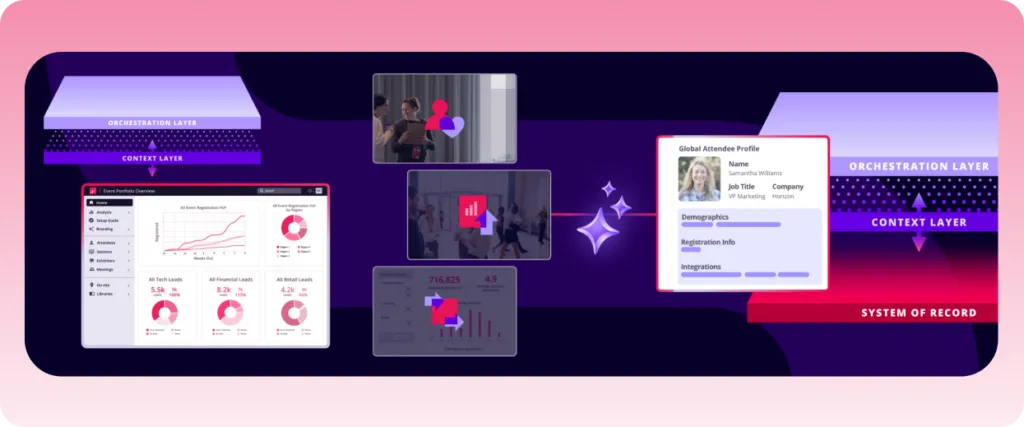
RainFocus is designed for large enterprise conferences. It has earned a Leader position in Gartner’s 2026 Magic Quadrant. It handles difficult registration workflows, session-level access control, and behavioral analytics at scale. AI features include sentiment analysis, session recommendations, and AI-assisted reporting.
The trade-off is complexity. RainFocus requires significant implementation time and internal technical resources. It is built for organizations that run mega-conferences as a core business activity, not teams looking for a fast setup. Pricing is custom and not publicly listed.
Pros
- Built to handle large-scale conferences with difficult registration and session logic
- Deep behavioral analytics and cross-event reporting capabilities
- Gartner Magic Quadrant Leader in 2026
Cons
- Reports don’t always update in real time, which matters for a platform built around live event data
- Mobile app is much lighter than desktop, a problem for teams managing things on the floor
- Customization requests take time to action, so last-minute workflow changes can cause disruptions
5. Swoogo
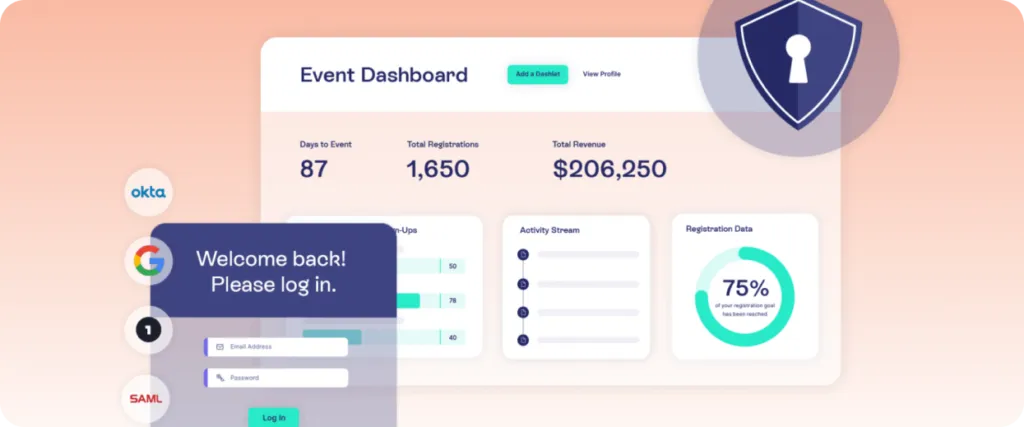
Best for: Flexible registration without per-attendee fees
Registration costs can add up fast when pricing is tied to attendee volume. For teams running multiple events a year, that model creates unpredictable budgets.
Swoogo takes a different approach. It charges a flat annual fee starting at $11,800 per year with unlimited events and registrations. The platform includes a drag-and-drop form builder, custom event websites, and email tools. AI features support website copy and email content generation, and they’ve also released their own MCP for external AI connections.
Swoogo offers registration and marketing well. Its virtual and hybrid event capabilities are more limited. Platforms built with virtual-first infrastructure tend to go further. Teams with varied onsite or hybrid delivery needs may find that it falls short in those areas.
Pros
- Flat annual pricing with unlimited events and registrations
- Flexible drag-and-drop registration and website builder
- Transparent pricing model that is easy to budget for
Cons
- Virtual and hybrid delivery capabilities are less developed than specialist platforms
- Embedded AI features are limited to content generation rather than deeper event intelligence
- Limited customization options
6. vFairs
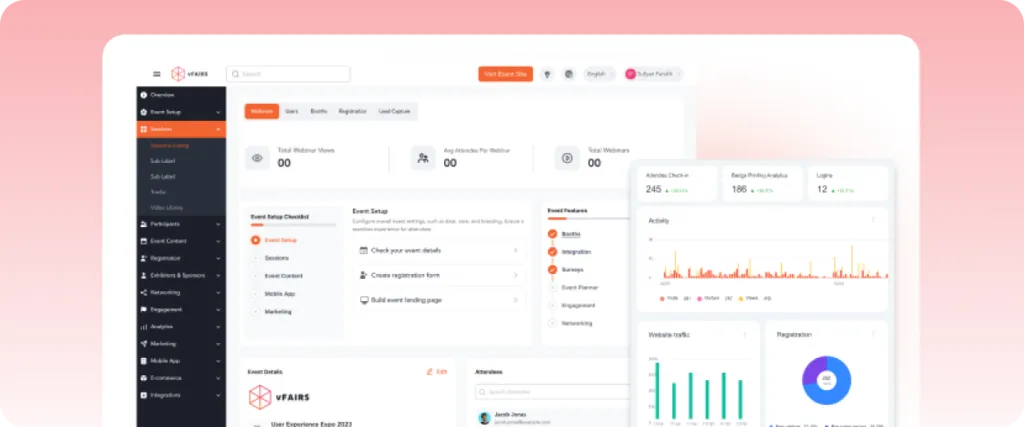
Best for: Virtual and hybrid events with immersive environments
Virtual events have a reputation for low engagement. Attendees log in, watch a stream, and leave. The platform often has little to do with that outcome, but the right one can change it.
vFairs is built for immersive virtual and hybrid experiences. It supports 3D virtual environments, exhibitor halls, networking lounges, and gamification tools. An AI reporting chatbot handles post-event data queries. Registration, check-in, and badge printing cover the in-person side.
The platform has strong support ratings and supports a wide range of event formats. It is a Gartner Magic Quadrant Leader in 2026. Where it is less strong is as a standalone marketing platform. It connects to CRM and marketing tools. But it functions primarily as the event execution platform, not an end-to-end marketing solution.
Pros
- Strong virtual and hybrid environment tools, including 3D spaces and exhibitor halls
- Provides in-person, virtual, and hybrid formats within one platform
- Gartner Magic Quadrant Leader in 2026 with strong user support ratings
Cons
- Functions primarily as an event execution layer rather than a full marketing platform
- AI features are more limited compared to platforms with dedicated AI suites
- Steep learning curve, with some tools requiring backend development experience for customizations
7. Whova
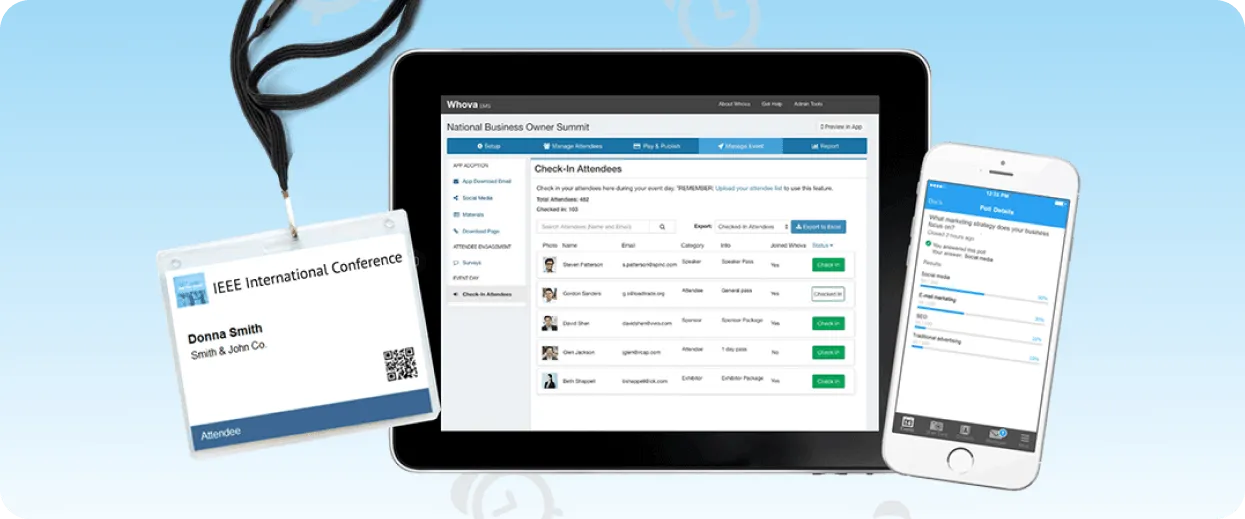
Best for: Attendee networking and community engagement
Attendee networking is one of the hardest outcomes to deliver at scale. Getting the right people in front of each other in a room of hundreds or thousands requires more than a directory.
Whova focuses on this problem. The platform includes AI-matched introductions, community boards, in-app messaging, and a social wall. Attendees can find relevant connections before the event starts. Organizers get engagement data across all these interactions.
Whova is web-based rather than a native app. In venues with unreliable WiFi, that can create friction. The platform works well for content-led conferences where networking is a key outcome. It is not ideal for events with difficult logistics requirements. The same goes for large enterprise programs needing deep analytics.
Pros
- AI-powered attendee matchmaking and networking tools
- Community boards and in-app messaging extend engagement beyond sessions
- Strong ratings on G2 with 1,800+ verified reviews and a 4.8-star rating
Cons
- A web-based platform can be affected by unreliable venue WiFi
- Less suited to enterprise logistics requirements
- Attendees and organizers both flag notification overload as a recurring issue
8. Stova
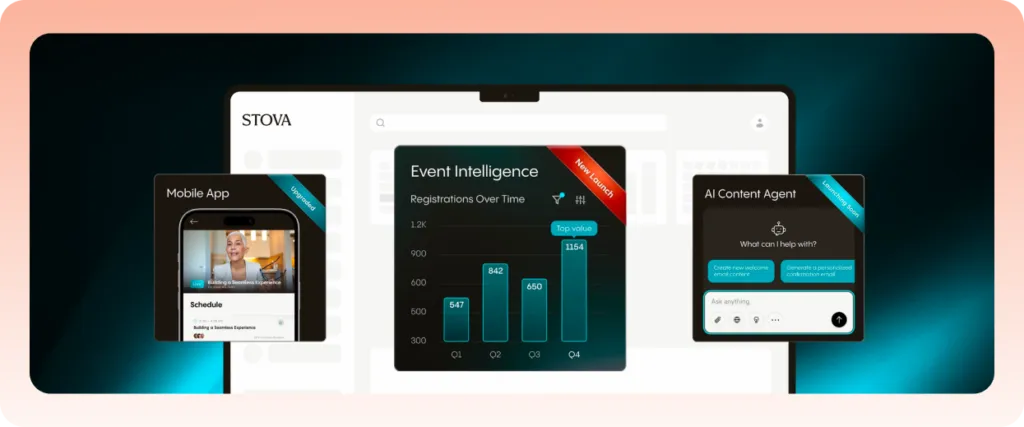
Best for: Structured conference logistics and onsite operations
Stova was formed by combining three legacy event platforms: MeetingPlay, Aventri, and Eventcore. It offers registration, check-in, badge printing, and sponsor management. The platform is well-suited to conferences with structured agendas and defined exhibitor programs.
Large conferences often have structured agendas, multiple sponsors, and complex onsite requirements. They need a platform that handles the operational side without gaps. AI features are present but not deeply embedded. Teams looking for an AI-first platform may find it limited in that area. Pricing is custom and not publicly listed.
Pros
- Covers core conference logistics, including registration, check-in, and badge printing
- Well-suited to structured events with sponsors and exhibitor programs
- Enterprise-class security and broad integration options
Cons
- Gartner flagged limited AI-driven capabilities in its 2026 assessment
- Formed by combining legacy platforms, which can create inconsistencies in the user experience
- Low market visibility is noted by Gartner as an area of concern
9. Accelevents
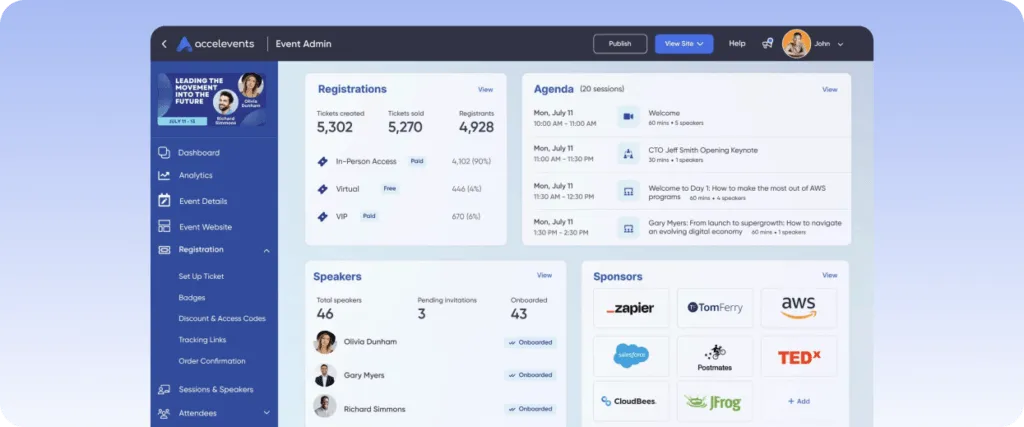
Best for: Mid-market teams needing a unified data model
Switching between registration, engagement, and analytics tools mid-event creates gaps. Data does not sync cleanly, and teams spend time reconciling information instead of managing the event.
Accelevents is built around a single data model. Registration, onsite check-in, mobile app, virtual tools, and analytics all operate from the same data layer. That means check-in activity is immediately visible in reporting. No manual exports or integrations are needed.
The platform serves mid-market teams well. It supports in-person, virtual, and hybrid formats. Pricing starts from $7,000 per event. The support team is frequently noted in reviews for fast response times. It is a Gartner Niche Player in 2026. That highlights its position as a capable mid-market option, not an enterprise-grade solution.
Pros
- Single consistent data model across registration, onsite, mobile, and virtual tools
- Provides in-person, virtual, and hybrid formats within one platform
- Strong customer support with fast response times noted consistently in reviews
Cons
- Gartner Niche Player positioning reflects mid-market rather than enterprise scale
- AI features are less developed compared to platforms with dedicated AI investment
- Customization hits a ceiling fast, and unlocking more can come with added cost
10. EventMobi
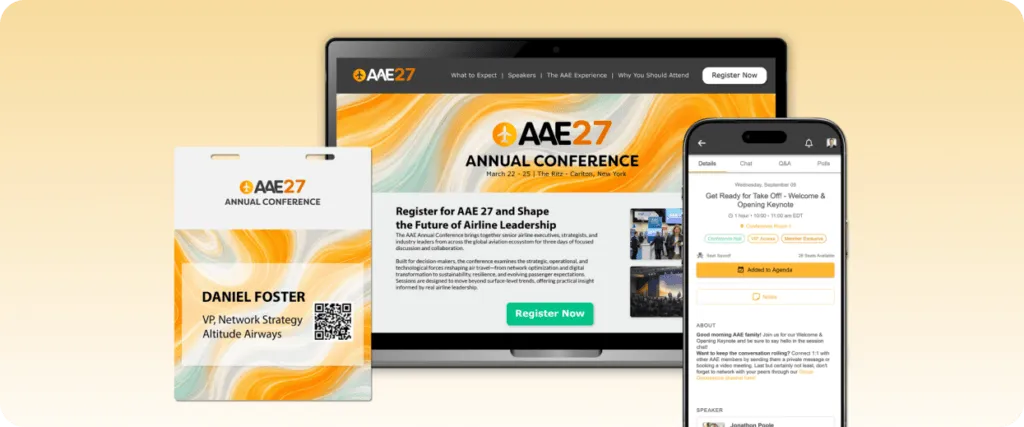
Best for: Associations and recurring event programs
Annual conferences, chapter meetings, and member gatherings happen on a regular cycle. Each one needs a platform that is easy to reconfigure without starting from scratch.
EventMobi handles this use case. The platform includes registration, a mobile event app, agenda management, and engagement tools. It is known for fast deployment and a straightforward interface. Pricing starts from $3,000 per event or via annual plans.
Gartner placed EventMobi in the Niche Players quadrant in 2026. The assessment noted limitations in sponsor management, marketing personalization, and hosted conference functionality.
For associations with straightforward event needs, it works well. For teams running multi-track conferences, it may not go far enough. The same applies to programs with deep analytics requirements.
Pros
- Fast deployment and straightforward interface suited to recurring event programs
- Offers registration, mobile app, and attendee engagement in one platform
- Flexible pricing starting from $3,000 per event
Cons
- Gartner noted limitations in sponsor management and marketing personalization
- Less suited for multi-track conferences with deep analytics needs
- AI capabilities are limited compared to platforms with dedicated AI development
How we evaluated these tools
Each platform was reviewed against the same set of criteria:
- AI depth and application, from dedicated AI suites to targeted features like automated reporting and session recommendations
- Whether the platform handles in-person, virtual, and hybrid events from one unified environment
- Registration, attendee management, and analytics depth, including real-time data access and how cleanly information flows without manual exports
- CRM and marketing tool integrations, since most teams connect their event platform to existing stacks
- Ease of use and onboarding, including setup time and technical resource requirements
- Overall fit based on event type, team size, and internal resources
Should you use an AI event management software?
AI is quickly becoming a valuable addition to modern event management platforms, but it shouldn’t be the primary reason you choose one. The best platforms combine strong event management capabilities with AI features that genuinely help planners work more efficiently.
When evaluating AI-powered event management software, look beyond the marketing claims. Consider whether the platform can support your event types, scale with your organization, integrate with your existing technology, and provide the reporting, flexibility, and support your team needs.
Then assess how its AI capabilities enhance those core functions, whether that’s helping create content, summarize event insights, improve attendee support, or streamline everyday planning tasks.
If your events are becoming more complex, choosing a platform with practical AI capabilities can help your team save time without changing the way they already work.
EventsAir combines enterprise event management with AI-powered tools designed to improve productivity across the event lifecycle. Whether you’re managing conferences, trade shows, association events, or corporate meetings, it provides the flexibility, scalability, and support needed to deliver successful events today.
Book a demo to see how EventsAir can help your team plan smarter, work more efficiently, and deliver exceptional event experiences.
Frequently asked questions
1. What does AI event management software actually do?
AI-powered event management software enhances traditional event planning by helping teams work more efficiently throughout the event lifecycle. Depending on the platform, AI can assist with content creation, summarize attendee feedback, answer common questions, help planners find information more quickly, and support reporting and post-event analysis. While AI capabilities vary between platforms, the goal is the same: to reduce manual effort and help event professionals make faster, more informed decisions.
EventsAir’s Air Intelligence suite extends these capabilities with dedicated AI assistants for attendees, planners, and content creation, helping teams save time while maintaining control over the planning process.
2. Does AI event management software integrate with CRM and marketing tools?
Most do. Common integrations include Salesforce, HubSpot, Marketo, Mailchimp and Zoom. The depth of integration varies, so it is worth checking specific connectors during a demo. EventsAir connects with major CRM and marketing platforms as part of its core setup.
3. Can AI event platforms handle hybrid and virtual events?
Yes, most platforms on this list support in-person, virtual, and hybrid formats. Some, like vFairs, specialize in immersive virtual environments. Others are stronger for in-person logistics with virtual add-ons. EventsAir is built to handle all three formats from one platform, with no add-ons required.
4. Is AI event software worth it for smaller teams?
It depends on event complexity, not team size. A small team running data-heavy events can benefit. A larger team running simple events may not need advanced AI features yet. Either way, EventsAir scales with the complexity of your events, not the size of your team.
5. What makes EventsAir different from other platforms on this list?
EventsAir combines enterprise-grade event management with AI capabilities designed to solve real planning challenges – not simply add AI for the sake of it.
Its Air Intelligence suite helps planners save time through practical tools for content creation, attendee assistance, and planner productivity, while the core platform provides the flexibility, scalability, and end-to-end event management capabilities organizations need to deliver successful events.
Rather than replacing human expertise, EventsAir’s approach to AI is to enhance decision-making, reduce manual effort, and help event teams focus on creating exceptional event experiences.
See EventsAir in action
Discover why 12,000+ event professionals trust EventsAir to deliver effortless events, every time.





Ready to transform event chaos into clarity?
With EventsAir, you’ll move from chasing logistics to creating unforgettable moments. Plan faster, act with confidence, and deliver exceptional events. Discover what’s possible with a personalized demo today.