

How to Build an Event Tech Stack (and When to Consolidate It)


If you've run more than a couple of events, you already know the overwhelming feeling of having one tool for registration, another for email campaigns, and a CRM tracking your leads. Then there's a separate app for attendee engagement and maybe a check-in system that doesn't talk to any of them. Each tool does its job fine, but getting them to work together is a different story.
According to Forrester, 22% of large enterprises deploy six or more event tech solutions. And the more tools you add, the more time you spend syncing data between them.
This guide covers what a solid event tech stack looks like and when it starts working against you. It'll also help you decide if consolidation is the smarter path.
What goes into a modern event tech stack
Before you can decide whether your stack needs consolidating, it helps to know what a typical one looks like. Most event teams end up with tools across five or six core layers. And each one usually means a separate vendor, a separate login, and a separate data silo.
1. Registration and ticketing
Dedicated registration and ticketing tools handle attendee sign-ups, payment processing, and ticket types. For simpler events, a basic registration tool gets the job done. But once you're running multi-track conferences with different tiers and early-bird pricing, it gets complex fast.
2. Email marketing and communications
Most event teams use a general-purpose email platform like Mailchimp, HubSpot, or ActiveCampaign for promotions and follow-ups. But your email tool and your registration tool are almost always separate systems. So keeping attendee lists in sync means manual exports, CSV uploads, or thankfully in some cases, a seamless integration that keeps everything organized.
3. Event apps and attendee engagement
Mobile event apps handle the day-of experience, covering agendas, session ratings, live polls, Q&A, and networking features. But if your app is from a different vendor than your registration system, attendee data has to flow between them somehow.
4. Onsite check-in and badging
Badge printing, QR code scanning, and check-in kiosks are handled by yet another tool or hardware provider. When it's disconnected from registration, last-minute changes (a name correction, a ticket upgrade, a dietary flag) don't sync automatically. Your team ends up patching gaps by hand.
5. CRM and lead management
For B2B events and conferences with sponsors, lead data has to get back into your CRM. That's Salesforce, HubSpot, or Microsoft Dynamics. Sponsor and exhibitor leads from the event app or badge scans need to flow into the right pipeline. That usually depends on Zapier, a custom API, or a manual export someone runs the morning after.
6. Analytics and reporting
Getting a full picture of your event usually means pulling data from three or four dashboards. You'll end up exporting CSVs and building your own report in a spreadsheet. And when each tool has its own reporting format, reconciling the numbers can take hours.
When your stack starts working against you
A few standalone tools work fine when you're running two or three small events a year. But as your event program grows, the cracks show up fast.
1. Data lives in too many places
Every tool in your stack has its own version of "the truth." Registration data says you've got 800 attendees, but the event app shows 620 active profiles. And the badge system printed 765. When the numbers don't match, you're tracking down the discrepancy instead of making decisions.
According to Event Tech Live, 63% of event planners cite data quality as a barrier to AI and predictive analytics. Fragmented tools are one of the biggest reasons the data isn't clean.
2. Manual syncing eats your team's time
If you've ever spent a morning exporting attendee data from one tool, reformatting it, and uploading it into another, you know how tedious it gets. Now multiply that across six integrations and twenty events a year.
According to Gartner data, organizations running unused entitlements and overlapping tools lose 25% of their SaaS budget on average. And that's before you count the hours your team spends maintaining those connections.
3. Reporting becomes a patchwork
Sponsors want to know how many leads their booth generated. Your leadership team wants total ROI across the portfolio. Your marketing team needs attribution data. When each answer lives in a different system, pulling together a coherent report takes far more effort than it should.
4. Scaling gets expensive and fragile
Think about what happens when a two-person event team grows to five, or when you go from regional conferences to a global program. Each new team member needs access to every tool. And each new event type (a hybrid conference, a virtual seminar, a gala dinner) might need a different combination of platforms.
CyberCon Melbourne went through exactly this when they scaled from 2,000 to 5,000+ attendees. They needed their tech to scale with them, and a fragmented stack couldn't keep up.
How to tell when consolidation makes more sense
Adding another tool isn't always the wrong answer. But there are clear signals that your stack's outgrown the stitched-together approach.
You're paying more for integration than for the tools themselves
When integration costs start rivaling what you're paying for the actual software, that's a sign. It's especially common for associations and PCOs running a full portfolio of events, where each one needs the same integrations set up fresh.
Your team spends more time managing tools than managing events
If your event coordinators have become part-time systems administrators, the stack's actively slowing you down. They're jumping between logins, fixing sync errors, and reformatting data.
MHEC, an education association, was in this exact position. They streamlined and cloned 20+ annual events onto one system, and it freed their team to focus on programming.
You can't get a clear picture of event performance
When pulling a basic attendance or ROI report requires data from four different dashboards, the stack isn't serving you anymore. You need analytics that reflect the full attendee journey without manual stitching.
You're running multiple event formats
In-person, virtual, and hybrid events each have different technical requirements. If you're using one platform for in-person conferences and a completely different setup for webinars, you're maintaining two parallel stacks. That doubles the overhead.
What to look for in a consolidated event platform
Consolidation doesn't mean settling for a tool that does everything at a surface level. You want a platform that covers the full event lifecycle and still handles your specific workflows.
1. Full lifecycle coverage from one system
Consolidation isn't just about handling more functions from one login, it's about how much you can actually do within each of those functions, across the entire event lifecycle. It's easy to find a platform that covers registration, engagement, onsite delivery, and reporting on paper. But bring your engagement layer in-house and you might find live polls and Q&A are included, while the attendee app or gamification tools are a separate line item.
A platform like EventsAir covers the full event lifecycle, plan, engage, deliver, and scale, from one connected system, with every module sharing the same data layer. That means your event website, registration, communications, customizable event app, onsite check-in, sponsor management, and reporting all pull from the same data.
It's also worth checking how AI shows up in the platform you choose. The difference between AI as a genuine workflow aid, drafting communications, surfacing insights, and guiding attendees to the right session.
2. Integrations with what you already use
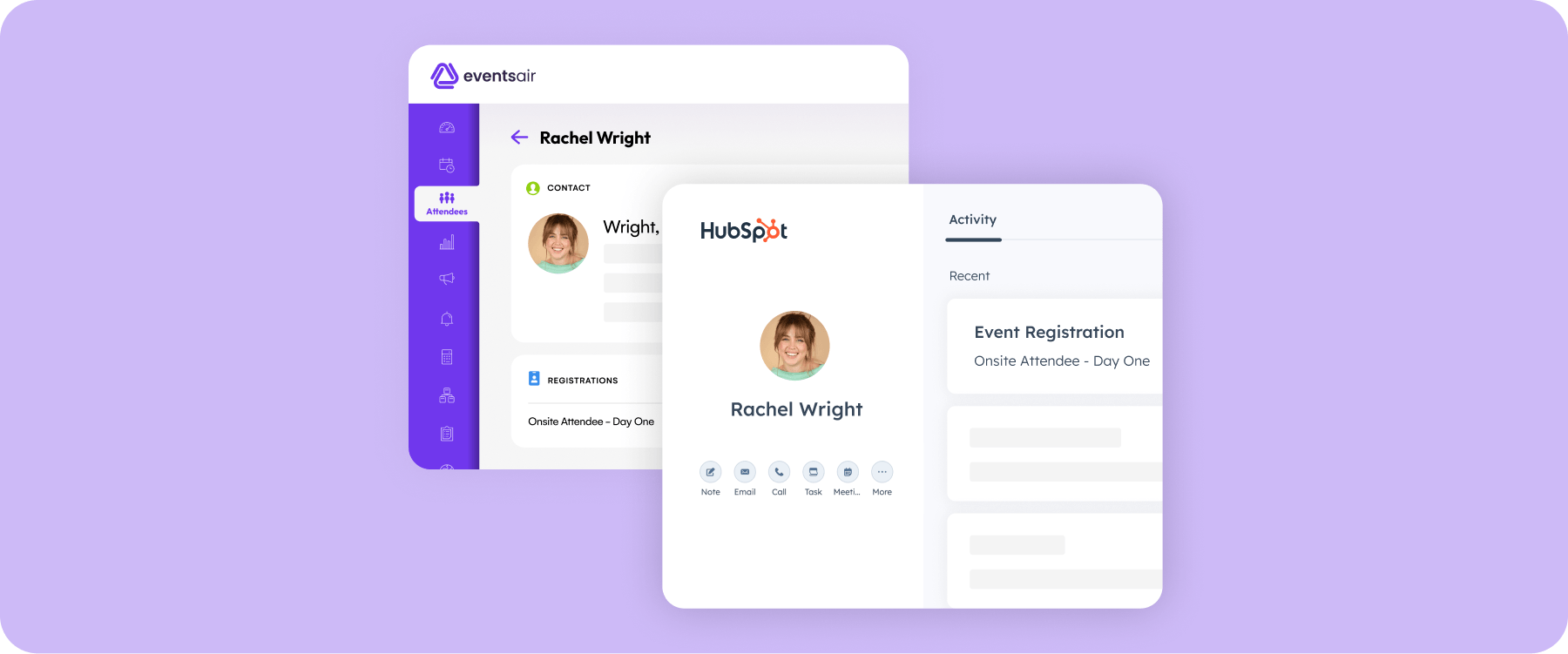
Even a consolidated platform needs to connect with your CRM, accounting software, and marketing tools. EventsAir integrates with Salesforce, HubSpot, Microsoft Dynamics 365, Zoho, Xero, and QuickBooks through Smart Connectors and an open API, so you won't have to abandon the systems that already work.
Because these are supported integrations from one platform, you're not managing a web of connections between six different tools."
3. Support for every event format
Your platform should handle in-person, virtual, and hybrid events without making you switch systems. If you're running a three-day conference one month and a virtual seminar series the next, you shouldn't need separate tech stacks for each.
4. Pricing that scales with your program
Many standalone and best-of-breed platforms charge per-user or per-seat, a model that can scale unpredictably as your team grows, while others use a custom-quote structure based on event scope.
EventsAir uses a tiered request-a-quote model. The Single tier covers one event with up to three users. Multi covers three or more events with unlimited users, and Enterprise is fully custom. All tiers include unlimited registrations and 24/7 support, so you won't see per-registrant fees creeping up as your events grow.
Building a stack that grows with you
Your event tech stack should make your events easier to run, not harder. If you're early in your program and handling a few simple events, a lean stack of two or three tools is probably all you need.
But once you've grown past that point, and juggling multiple tools starts costing more time than it saves, it's worth looking at consolidation. Manually syncing data and patching gaps between systems isn't a sustainable way to scale.
EventsAir was built for that transition, bringing registration, engagement, onsite operations, sponsor management, and virtual and hybrid delivery into one place, backed by over 30 years of event expertise.
Book a demo to see how it fits your program.
FAQs
1. What tools are in a typical event tech stack?
Most event teams work with a handful of core tools: registration and ticketing software, an email marketing platform, and a mobile event app for engagement. Depending on your events, you might also use an onsite check-in and badging system, a CRM for lead management, analytics tools, or a virtual platform.
There's no universal number that's right, some teams run lean with two or three tools, while others managing larger or more complex programs use closer to five or eight. The right stack depends on your event size and complexity, not a fixed benchmark.
2. How much does an event tech stack cost?
Costs vary widely depending on the tools you choose and how many events you run, from free tiers for smaller programs to enterprise-level pricing for larger ones. One cost that's easy to underestimate is integration work, connecting separate tools so data flows between them without manual exports.
For mid-to-large organizations running multiple tools, this can add a meaningful amount to your annual spend on top of licensing. It's worth factoring into your budget conversations early, rather than discovering it later.
3. When should you consolidate your event tech stack?
There's no single trigger, but a few signals tend to show up together: your team spending more time managing tools than managing events, data that doesn't match up between systems, or running events across multiple formats on separate platforms.
None of these on their own means you need to consolidate immediately, but if several are showing up at once, especially as you grow from a handful of events to a fuller portfolio, it's a good time to evaluate whether your current setup is still serving you.
4. What's the difference between best-of-breed and all-in-one event platforms?
Best-of-breed means choosing a specialist tool for each function, registration, engagement, analytics, and connecting them yourself. All-in-one means using a single platform that covers the full event lifecycle from one system. Best-of-breed can offer more depth in a specific category, but adds complexity at the connections between tools. All-in-one keeps everything in one place, which simplifies day-to-day workflow.
Neither approach is right or wrong, the best fit depends on your team size, event complexity, and how much integration management you want to take on.
See EventsAir in action
Discover why 12,000+ event professionals trust EventsAir to deliver effortless events, every time.

.webp)

Ready to transform event chaos into clarity?
With EventsAir, you’ll move from chasing logistics to creating unforgettable moments. Plan faster, act with confidence, and deliver exceptional events. Discover what’s possible with a personalized demo today.