

15 Best Conference Apps for Mobile Phones


A last-minute room change or an app crash during your keynote can unravel hours of careful planning in seconds. Event organizers need tools that simplify event management, improve attendee engagement, and drive success. But with so many apps available, choosing the right one can be overwhelming.
The best mobile event app can transform your conference experience, making everything from registration to post-event feedback easier. Not all apps provide the same level of functionality, and choosing the wrong one can create unnecessary challenges.In this EventsAir guide, we'll walk through the 15 best conference apps for mobile phones. We’ll cover key features, pros and cons, pricing, and honest tradeoffs so you can choose the perfect tool for your conference.
What are mobile event apps?
Mobile event apps are software tools designed to simplify event management and enhance attendee engagement. They provide features like registration, event agendas, networking, and real-time updates, all accessible from attendees’ smartphones.
These days, mobile event apps are considered essential for conferences. They improve event logistics, simplify communication, and increase attendee satisfaction, and offer seamless experiences before, during, and after the event.
Why are mobile event apps important for conferences?
Conferences can be chaotic for organizers and attendees alike. With multiple sessions running simultaneously, speakers spread across different rooms, and packed agendas to manage, things can unravel fast without the right tools.
Mobile apps for events and conferences address this directly. Here’s how they help:
- Clearer session navigation: Attendees can view multi-track agendas, filter sessions, save favorites, and receive reminders before important talks begin. This reduces missed sessions and helps people move through the conference without confusion.
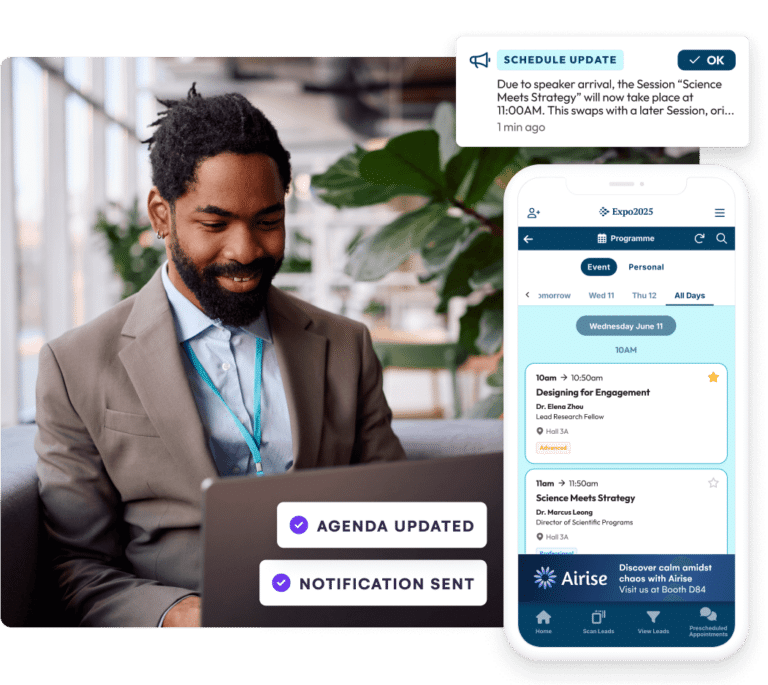
- Faster communication during changes: Room changes, speaker delays, and schedule updates happen often at conferences. A mobile event app lets organizers send push notifications quickly instead of relying on signage, emails, or manual announcements.
- Better attendee engagement: Features like live polls, Q&A, event surveys, session feedback, and discussion tools make presentations more interactive. This helps attendees participate actively rather than sit through sessions passively.
- Smoother check-in and onsite flow: Conference apps can support QR code check-in, badge scanning, attendance tracking, and offline access. This matters when large groups arrive at once or when the venue Wi-Fi becomes unreliable.
- Stronger event data and reporting: Conference planning software helps organizers see which sessions attracted the most interest, how attendees used networking tools, and what feedback looked like in real time. These insights make it easier to improve future events and report outcomes to stakeholders.
What do conference organizers need from a mobile event app?
From logistics to live engagement, conference organizers have a lot to manage. Here is what your ideal conference planning app should support:
1. Multi-track navigation
Planning a conference involves ensuring attendees can keep track of different sessions. To do this effectively, you need an event app that supports multi-track scheduling, personalized agendas, session filtering, and alerts so attendees can easily navigate the event without confusion.
2. Speaker and presentation management
Managing dozens of speakers can escalate quickly, especially when hosting large conferences. As such, you need a tool that takes away this burden by simplifying presenter and speaker management, presentation uploads, session timing, and communication. This way, you stay in the loop about updates.
3. Large-scale check-in and registration
One of the major reasons attendees lose interest at conferences is due to long queues and slow registration. Conference planning software prevents this by speeding up attendee check-in, QR code scanning, and registration tracking. This keeps the processes smooth, even for large crowds.
4. Offline access for attendees
With hybrid or in-person only events, attendees must have access to key features on their conference apps in case of unstable internet. Look for an app that allows attendees to access schedules, speaker information, maps, and saved sessions without depending entirely on Wi-Fi or mobile data.
5. Audience engagement tools
Keeping attendees engaged throughout a conference is more challenging than ever. Look for a conference planning app that includes features such as live polling, Q&A, surveys, gamification, and interactive session experiences. These tools encourage participation, help speakers gather feedback in real time, and create a more engaging attendee experience.
6. Networking and meeting management
Networking is one of the main reasons people attend conferences, so your app should make it easy for attendees to connect. Features such as attendee messaging, meeting scheduling, matchmaking, and networking communities help facilitate meaningful interactions.
7. Real-time analytics and reporting
Conference organizers need access to accurate data before, during, and after the event. Look for an app that provides real-time reporting on registrations, attendance, engagement, networking activity, and survey responses.
8. Data privacy and security
A data breach at a conference can damage trust irreparably. This risk is especially high in academic, enterprise, and medical settings where sensitive information is collected at scale.. Look for secure logins, encrypted storage, and permission controls. GDPR compliance and similar privacy measures are also non-negotiable.
For medical and scientific conferences, the exposure is even greater. Unpublished research, abstracts, and presenter details require the highest levels of protection. In these cases, choose event conference software with strict access controls and recognised compliance certifications built in as standard.
15 Best mobile event apps for conferences
Quick look
| # | App | Best for | Pricing | G2 rating |
| 1 | EventsAir | Full-cycle conference management | Custom pricing | 4.5/5 |
| 2 | Cvent | Large-scale corporate events | Custom pricing | 4.3/5 |
| 3 | Whova | Conferences and trade shows | Custom pricing | 4.8/5 |
| 4 | Bizzabo | B2B conferences and summits | Starts at $499/user/month or $17,999 annually | 4.3/5 |
| 5 | RingCentral | Virtual and hybrid conferences | From $99 monthly | 4.5/5 |
| 6 | Eventbrite | Small to mid-sized conferences | From 3.7% + $1.79 per ticket | 4.4/5 |
| 7 | vFairs | Multilingual virtual and hybrid conferences | Custom or per-event pricing | 4.7/5 |
| 8 | EventMobi | Association and educational conferences | Starts at $3,500 per event or $7,900/year | 4.6/5 |
| 9 | Stova | Enterprise conferences and high-touch corporate events | Custom pricing | 4.2/5 |
| 10 | Attendify | Small-scale networking conferences | Custom pricing | 4.5/5 |
| 11 | Swapcard | Trade conferences and expos focused on networking | From $610 yearly | 4.5/5 |
| 12 | Brella | Schedule-heavy B2B conferences and industry gatherings | Custom pricing | 4.7/5 |
| 13 | Grip | Large exhibitions and conference expos | Custom pricing | 4.7/5 |
| 14 | PheedLoop | Academic and association conferences | From $950 per event | 4.8/5 |
| 15 | CrowdComms | Internal conferences and association meetings | Custom pricing | 4.6/5 |
Now let’s look at each mobile event app in detail.
1. EventsAir
EventsAir is a comprehensive conference and event management software with a fully branded mobile app that lets you streamline multiple aspects of your event on one tool, rather than juggling them across different platforms.
With over 30 years of experience, EventsAir supports over 400,000 events worldwide, providing a seamless experience for both organizers and participants.
Key features
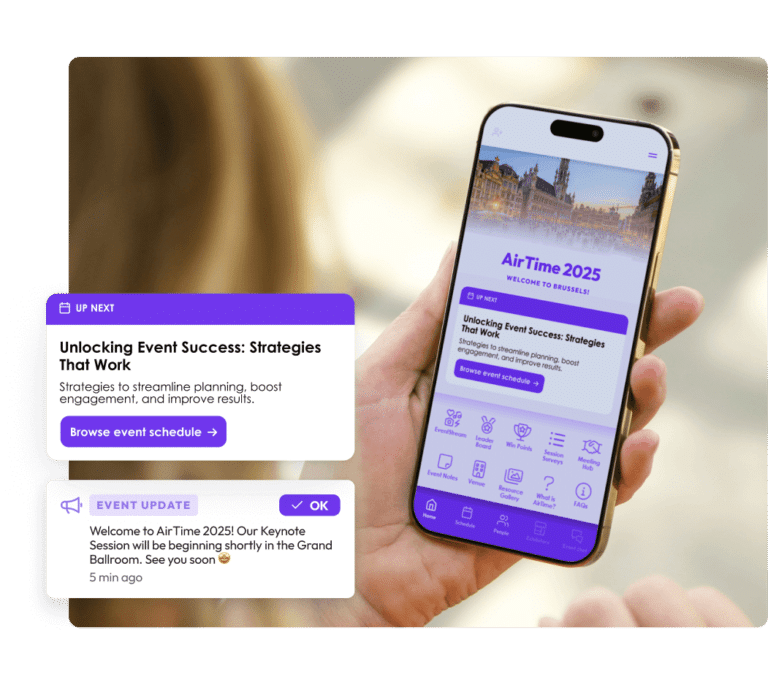
- Branded mobile app: Delivers a fully branded event experience with schedules, networking, engagement tools, real-time updates, and event information in one place.
- Personal agenda: Allows attendees to build personalized schedules, bookmark sessions, and stay on track throughout the event.
- Attendee Assistant: Provides AI-powered support to help attendees find sessions, access event information, navigate schedules, and get answers to common event questions.
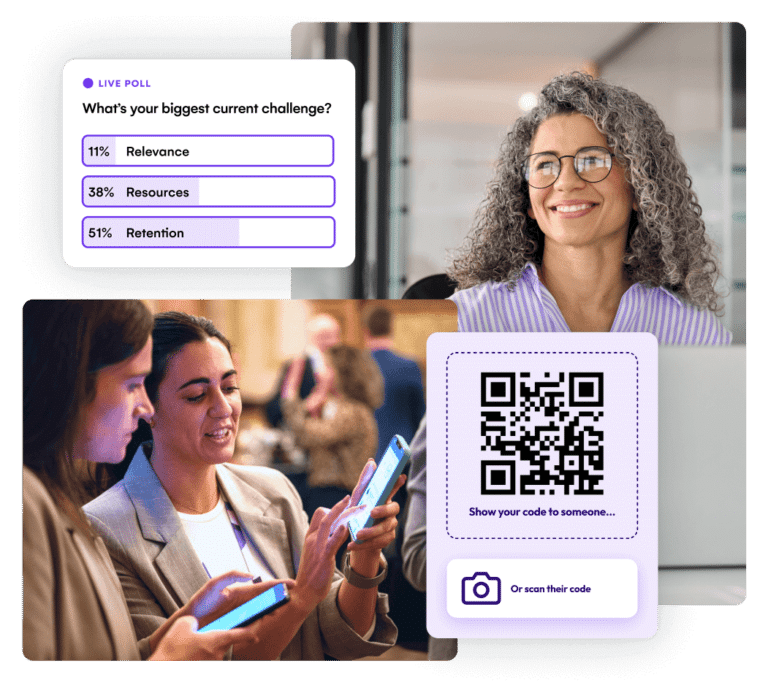
- Live engagement tools: Enables real-time polling, Q&A, surveys, and interactive experiences that drive attendee participation and feedback.
- Networking capabilities: Allows attendees to connect through in-app messaging, meeting scheduling, and contact sharing.
- Gamification: Incorporates leaderboards and point systems to encourage attendee interaction and engagement.
- Private social network: Allows attendees to share updates, photos, and videos while interacting with other participants.
- Session content access: Provides access to presentation materials, handouts, and other session resources.
- Sponsor and exhibitor experiences: Allows sponsors and exhibitors to showcase their profiles, capture leads, and engage with attendees through the event app.
- Push notifications: Delivers real-time event updates, schedule changes, and important announcements directly to attendees.
- Hybrid event support: Seamlessly integrates virtual and in-person components, providing a cohesive experience for all attendees.
- Offline accessibility: Allows attendees access to schedules, session details, and saved content without relying on Wi-Fi, while organizers can use offline event check-in tools.
Pricing
Pricing for EventsAir is customized based on the specific needs and scale of each event. Feel free to contact us directly for a tailored quote.
Pros
- Customizable mobile app enhances attendee experience
- Real-time engagement tools boost interaction
- Robust networking features facilitate connections
- Gamification elements increase attendee participation
- Content access extends event value
- Seamless integration of hybrid event components
Cons
- Attendee data is stored individually, not in groups (e.g., by company)
- Separate exhibition and sponsoring portals
2. Cvent
Cvent is a conference and event management software that offers personalized experiences, real-time updates, and robust engagement tools. Its mobile app, the Attendee Hub, offers extensive features, suitable for large-scale conferences and corporate events. Teams with high customization needs, however, may find the page formatting options somewhat limited.
Key features
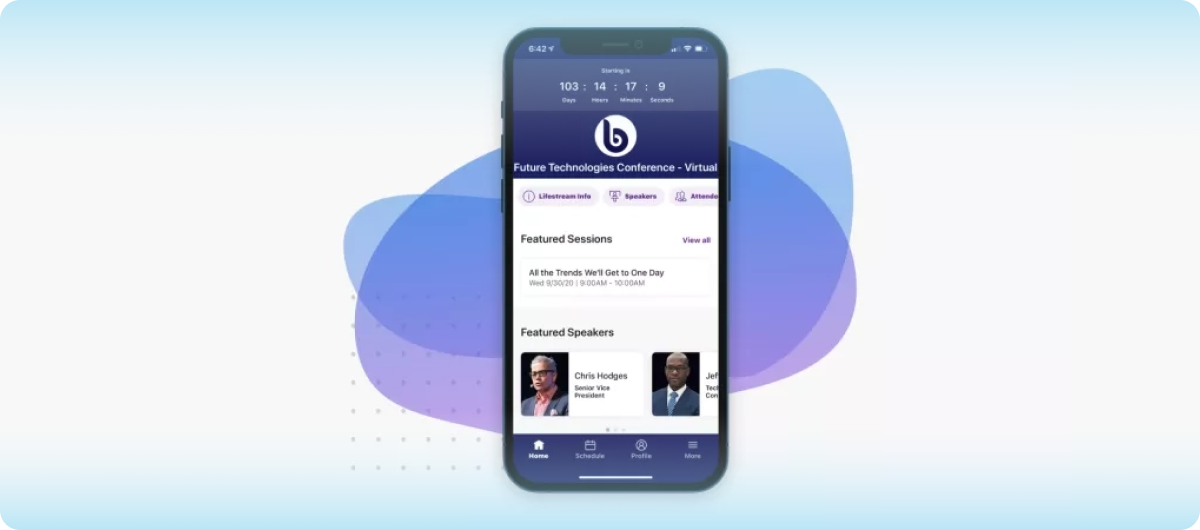
- Personalized agenda: Allows attendees to create custom schedules with session recommendations.
- AI-powered networking: Suggests connections based on attendee profiles and interests.
- Interactive tools: Includes live Q&A, polls, and gamification to enhance engagement.
- Exhibitor & sponsor profiles: Enables detailed listings with lead retrieval options.
- Push notifications: Sends real-time updates and alerts to attendees.
- Multilingual support: Offers content in multiple languages to cater to diverse audiences.
- Offline support: Attendees can register and check in offline.
Pricing
Cvent offers custom pricing based on the size and specific needs of each event. Organizers must contact Cvent directly to receive a personalized quote tailored to their event requirements.
Pros
- Comprehensive platform covering all event stages
- Robust engagement and networking features
- Seamless integration with other Cvent tools
- Scalable for events of various sizes
- Extensive support and training resources
Cons
- Steep learning curve for new users
- Limited customization options compared to other platforms
3. Whova
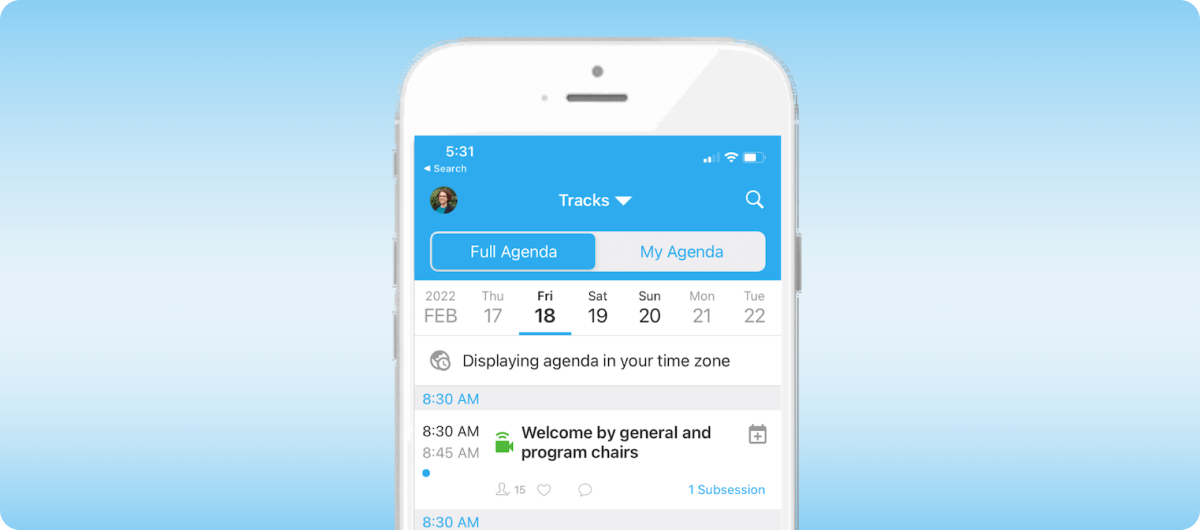
Whova is one of the best conference management software solutions, designed to streamline the planning and execution of in-person, virtual, and hybrid events. It offers a comprehensive suite of easy-to-use tools that enhance engagement and simplify event logistics. Whova may, however, be unsuitable for teams running high-production conferences.
Key features
- Branded mobile app: Provides a customizable app for attendees, featuring personalized agendas, live updates, and networking capabilities.
- Real-time engagement: Facilitates live polling, Q&A sessions, and instant notifications to keep attendees informed and engaged.
- Networking opportunities: Enables attendees to connect through in-app messaging, community boards, and virtual meetups.
- Sponsor & exhibitor tools: Offers lead retrieval, business card scanning, and promotional opportunities to enhance sponsor ROI.
- Agenda management: Allows organizers to create and manage dynamic event schedules, including session details and speaker information.
- Offline access: Ensures attendees can access event information even without an internet connection.
Pricing
Whova's pricing is tailored to the specific needs and size of each event. Organizers can request a personalized quote by contacting Whova directly.
Pros
- Customizable mobile app enhances attendee experience
- Facilitates real-time engagement with live polling and Q&A
- Offers robust networking features for attendees
- Provides tools for sponsors and exhibitors to maximize ROI
- Simplifies agenda management for organizers
- Ensures offline access to event information
Cons
- Some users report occasional app performance issues
- Pricing structure can be complex for smaller events
4. Bizzabo
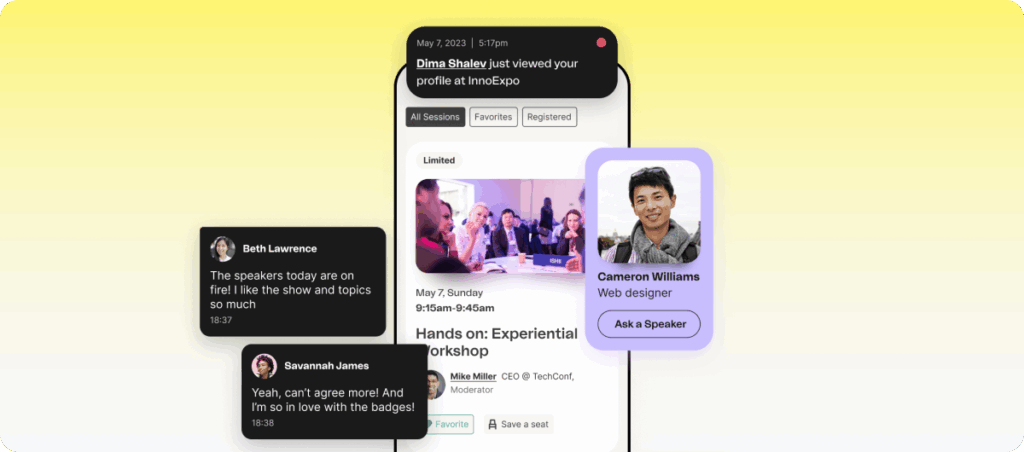
Bizzabo is an all-in-one conference management platform tailored for B2B conferences and large-scale corporate events. It helps organizers plan, market, and execute virtual and hybrid events effectively. Although the platform’s advanced features prioritize engagement, data analytics, and seamless integration, they come at a price point that may be costly for teams with a lean budget.
Key features
- Event experience OS: Centralizes event planning, registration, and analytics into a single platform.
- Customizable mobile app: Provides a branded app for attendees, featuring personalized agendas, live updates, and networking tools.
- Klik SmartBadge™: Wearable technology that facilitates contactless check-ins, lead capture, and attendee tracking.
- AI-powered networking: Suggests connections based on attendee profiles and interests.
- Advanced analytics: Offers real-time insights into attendee behavior, session popularity, and overall event performance.
- Integration capabilities: Connects with over 2,500 business systems, including CRM and marketing platforms.
- Cached event content: Stores important conference content within the app for offline access.
Pricing
Bizzabo’s pricing is subscription-based, starting at $17,999 per year or $499/month, for the Event Experience OS, which includes unlimited events and registrations. Add-on features like Klik SmartBadge™ and virtual production services are available at custom rates.
Pros
- Centralizes event management into a single platform
- Enhances attendee engagement through AI-driven networking
- Provides real-time analytics for data-driven decisions
- Seamless integration with existing business tools
- Offers scalable solutions for large events
Cons
- Limited customization
- Users report occasional registration issues
5. RingCentral Events
RingCentral Events, formerly known as Hopin, is a flexible, no-code platform designed for virtual and hybrid events. It offers tools for ticketing, live streaming, networking, and analytics, enabling organizers to create interactive experiences for attendees. Its integration capabilities are strongest within RingCentral's ecosystem, which may be limiting for some teams.

Key features
- Customizable event builder: Allows organizers to design events with stages, sessions, and expo areas.
- Live streaming: Supports high-quality video streams with integrated backstage controls.
- Networking tools: Facilitates one-on-one and group video chats for attendee interaction.
- Engagement features: Includes chat, Q&A, polls, and integrations to enhance attendee participation.
- Analytics dashboard: Provides real-time insights into attendee behavior and event performance.
- Hybrid event support: Seamlessly integrates in-person and online components for a cohesive experience.
Pricing
RingCentral Events offers offers a tiered pricing model with the following options:
- Free trial: Free for 30 days, includes Events Enterprise features with 10 organizers and up to 1,000 registrations.
- Events Pro: $99/organizer/month (paid annually), includes unlimited webinars, virtual events, advanced registration, and attendee management.
- Events Pro+: $199/organizer/month (paid annually), includes additional features like 40+ app integrations, onsite capabilities, and a dedicated customer success manager.
- Events Enterprise: $299/organizer/month (paid annually), includes lead retrieval, APIs, custom domains, and assisted onboarding.
Pros
- User-friendly, no-code event setup
- High-quality live streaming capabilities
- Robust networking tools for attendee interaction
- Comprehensive engagement features
- Real-time analytics for performance tracking
- Strong hybrid event support
Cons
- Users report limitations in customization and branding options
- Occasional connectivity issues and glitches can disrupt the attendee experience
6. Eventbrite
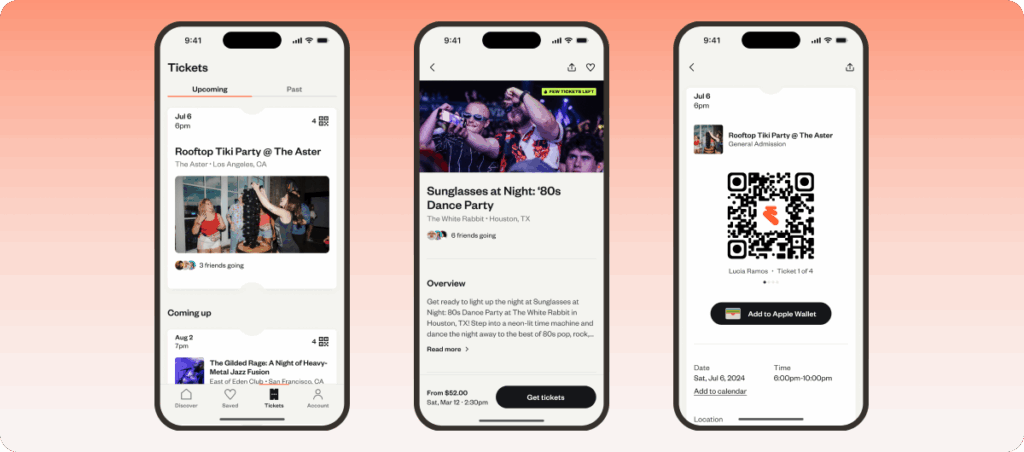
Eventbrite is a popular event management and ticketing platform designed for small to large events. This conference software simplifies the process of event registration, ticket sales, and marketing. Although it has a user-friendly interface, Eventbrite may not be ideal for complex conferences that require more advanced tools.
Key features
- Customizable event pages: Lets organizers create branded event pages with custom ticket types, descriptions, and images.
- Ticketing & registration: Streamlines ticket sales, registration, and check-in with mobile and barcode scanning features.
- Event marketing: Includes email campaigns, social media integrations, and promotional tools to increase event visibility.
- Real-time analytics: Provides detailed insights into ticket sales, attendee demographics, and event performance.
- Eventbrite organizer app: Helps event organizers manage tickets, check-ins, and event details from a mobile device.
- Integration capabilities: Seamlessly integrates with CRM systems, email marketing tools, and financial software.
- Offline ticket scanning: Enables organizers to scan tickets and manage attendee check-ins offline once event data has been synced.
Pricing
Eventbrite pricing is based on attendee ticketing fees.
- Free plan: Ideal for free events, with no setup fees or service charges.
- Service fee: Charges 3.7% + $1.79 per sold ticket for basic features and limited support.
- Eventbrite Pro add-on: From $15 monthly for sending more emails and accessing more marketing tools.
- Custom plan: Custom pricing for large-scale events, with enhanced support and features.
Pros
- Easy to use and set up events
- Strong ticketing and registration features
- Provides effective event marketing tools
- Customizable event pages for branding
- Detailed real-time analytics
- Integrates well with other platforms
Cons
- Fees can add up for paid events
- Limited customization on lower-tier plans
7. Vfairs
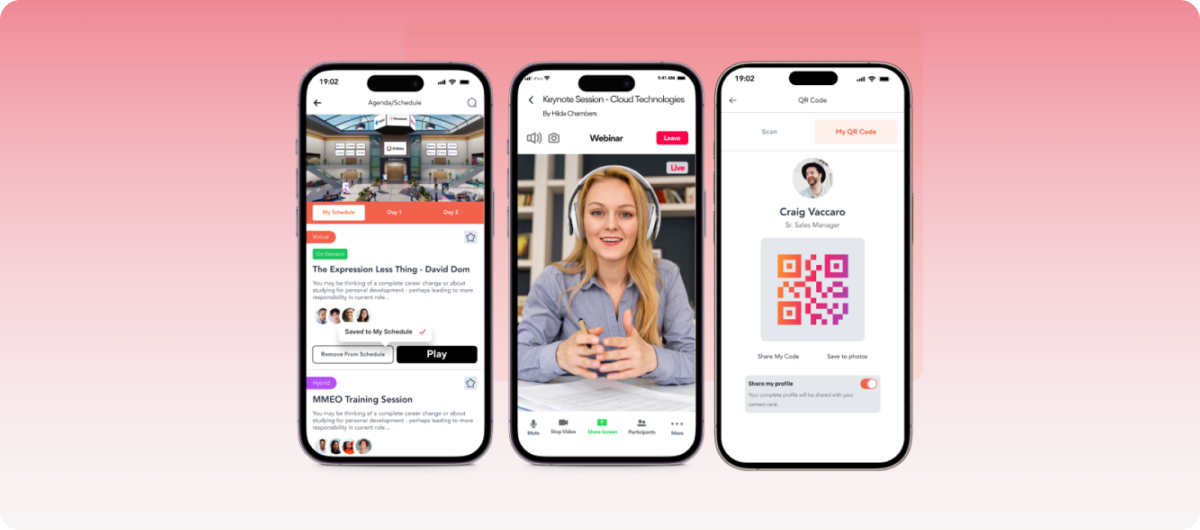
vFairs is a versatile event platform tailored for virtual, hybrid, and in-person events. It offers immersive 3D environments, customizable branding, and robust networking tools, making it ideal for conferences, trade shows, and career fairs. However, analytics and reporting fall short of what planners need and often require workarounds.
Key features
- Immersive 3D environments: Create virtual lobbies, exhibit halls, and auditoriums.
- Customizable branding: Tailor event spaces with logos, colors, and themes.
- Networking tools: Facilitate one-on-one and group chats, video calls, and matchmaking.
- Mobile app: Provides a branded app with features like agenda scheduling and live notifications.
- Gamification: Includes leaderboards, scavenger hunts, and interactive polls.
- Analytics dashboard: Offers real-time insights into attendee behavior and event performance.
- Offline session navigation: Allows attendees to access schedules, maps, and session details offline after downloading event data.
Pricing
vFairs offers customized pricing based on event format, features, and scale. Plans include:
- Single event license: Suitable for hosting a single live event.
- Annual licenses: Include multiple events per year with additional features.
Enterprise solutions: Offer extensive customization and dedicated support.
For specific pricing details, contact the vFairs sales team.
Pros
- Highly customizable 3D virtual environments
- Robust networking and engagement tools
- Dedicated project management and support
- Scalable solutions for various event sizes
- Mobile app enhances attendee experience
- Supports multiple event formats seamlessly
Cons
- Backend editing restrictions: Limited control without developer help
- Occasional performance issues: Slowdowns and glitches reported
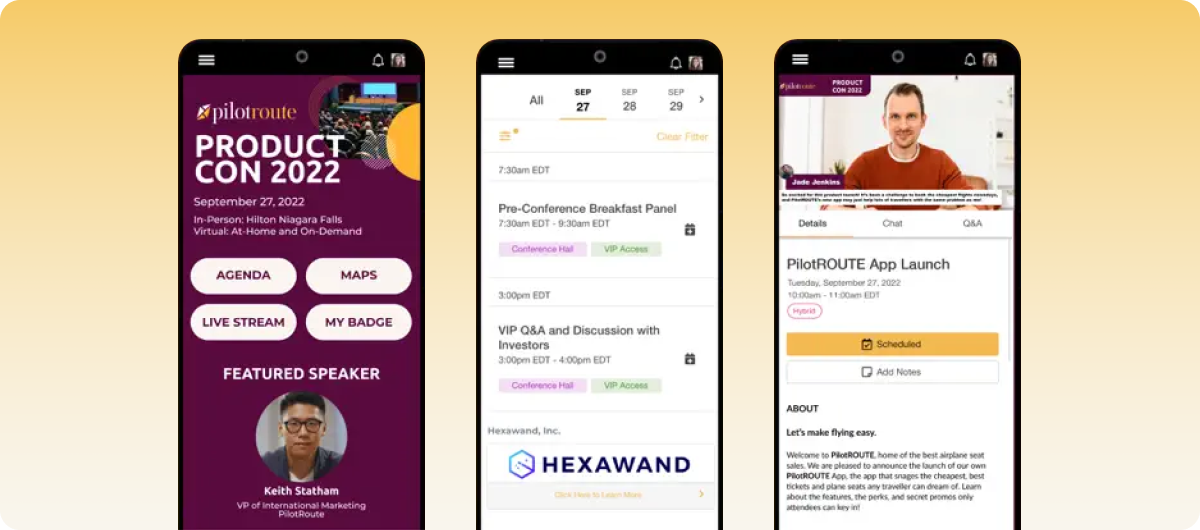
8. EventMobi
EventMobi is a cloud-based conference event registration software designed for in-person, virtual, and hybrid events. It offers live engagement tools, badge printing, customization, and offline accessibility. This makes EventMobi perfect for conferences, expos, and corporate meetings, but its limited insights can be a hurdle for organizers who need to track ROI.
Key features
- Customizable mobile apps: Allows organizers to design branded apps with personalized agendas, speaker bios, and session details.
- Live engagement tools: Includes features like live polls, Q&A sessions, and attendee messaging to enhance interaction.
- On-site check-in and badge printing: Streamlines attendee check-in with QR code scanning and customizable badge designs.
- Gamification: Incorporates leaderboards and challenges to increase attendee participation and engagement.
- Analytics dashboard: Provides real-time insights into attendee behavior, session popularity, and overall event performance.
- Multi-event management: Supports the management of multiple events simultaneously, ideal for organizations hosting regular conferences or meetings.
- Offline access: Allows attendees to access schedules, maps, and session details offline after downloading event data.
Pricing
EventMobi offers two pricing models:
- Per event: Starts at $3,500 per event.
- Per year: Starts at $7,900 annually, including unlimited events.
- Custom pricing: Available for organizations with unique event requirements.
Pros
- User-friendly interface for both organizers and attendees
- High customization options for branding and content
- Custom pricing for unique conference needs
- Excellent customer support with dedicated assistance
- Effective gamification features to boost engagement
Cons
- Lack of advanced analytics: Limited data insights.
- Limited integration capabilities: While standard integrations are available, custom integrations may require extra cost or effort.
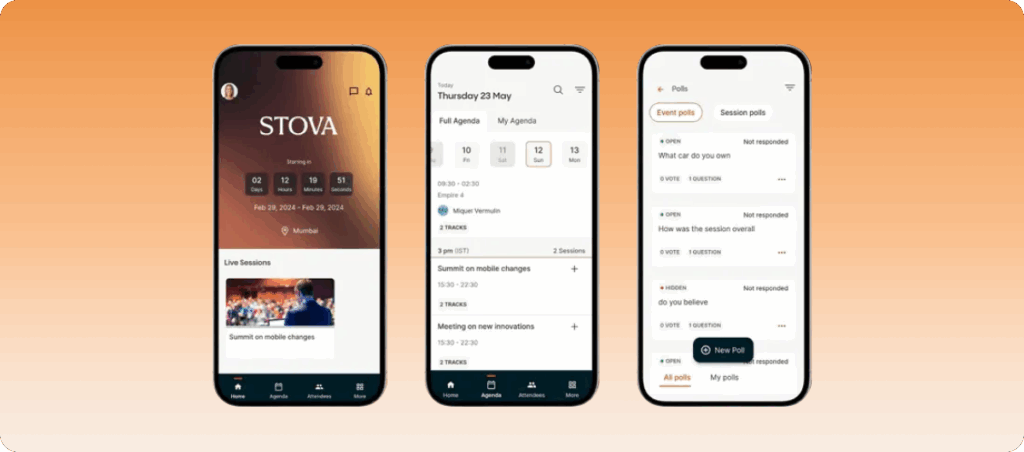
9. Stova
Stova, formerly known as Aventri, is a cloud-based event management platform designed for in-person, virtual, and hybrid events. It offers end-to-end solutions for event registration, attendee engagement, and data analytics, catering to various event sizes. However, these features may require more setup time and internal resources, especially for complex events.
Key features
- Event registration and ticketing: Streamlines the process with customizable forms and payment integrations.
- On-site check-in and badge printing: Facilitates smooth attendee arrival with QR code scanning and customizable badges, all accessible offline.
- Attendee engagement tools: Includes live polls, Q&A sessions, and networking features to enhance participant interaction.
- Event marketing: Provides email campaigns, social media integrations, and promotional tools to increase event visibility.
- Analytics and reporting: Delivers real-time insights into attendee behavior, session popularity, and overall event performance.
- Mobile app: Offers a branded app with features like agenda scheduling, attendee messaging, and live notifications.
Pricing
Stova offers custom pricing based on event size and features:
- General packages: Starter, Core, Pro, and Enterprise plans, each with increasing features like session planning, reporting, and lead retrieval.
- Free Exclusive Trial: Available to explore Stova’s capabilities. Contact Stova for personalized pricing.
Pros
- User-friendly interface for both organizers and attendees
- Excellent customer support with dedicated assistance
- Seamless integration with registration and event ticketing systems
- Effective gamification features to boost engagement
- Comprehensive analytics for post-event analysis
Cons
- Limited customization: Some users find customization options frustrating
- Some users report a learning curve for new features
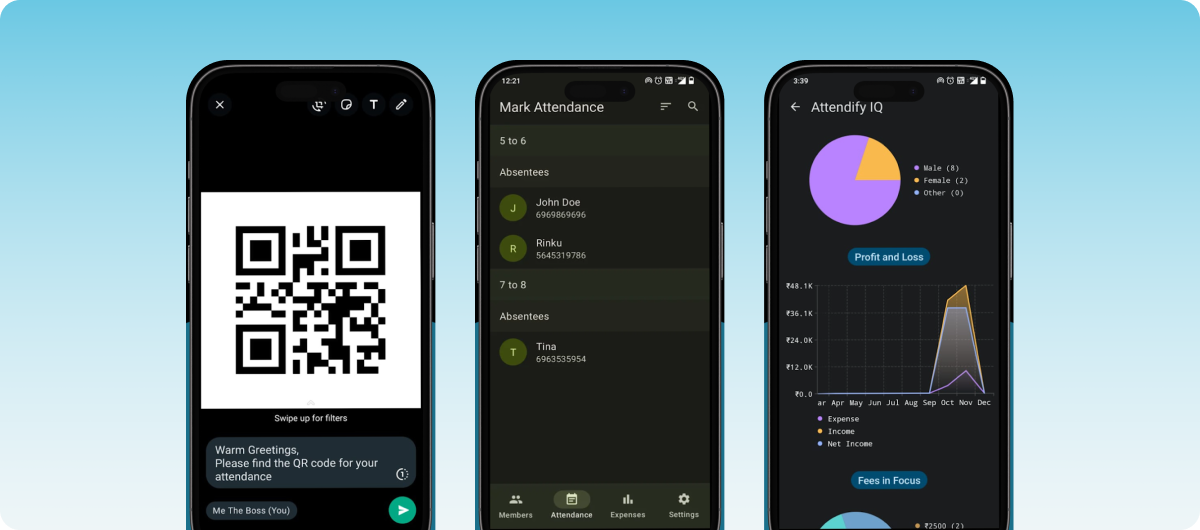
10. Attendify
Attendify is a mobile-first event platform designed to enhance attendee engagement through social networking. It offers a customizable event website builder that facilitates networking, content sharing, and real-time updates. Although it works well for small trade shows and corporate meetings, the platform lacks the advanced features larger events typically require.
Key features
- Customizable event apps: Design branded apps with personalized agendas, speaker bios, and session details.
- Private social network: Enables attendees to share posts, photos, and messages, fostering community engagement.
- Live engagement tools: Includes features like live polls, Q&A sessions, and attendee messaging to enhance interaction.
- Event analytics: Provides real-time insights into attendee behavior, session popularity, and overall event performance.
- Multi-event support: Allows organizers to manage multiple events within a single app, streamlining operations.
- Integration capabilities: Supports integration with CRM and marketing automation tools for a holistic data experience.
- Offline access: Lets attendees continue viewing agendas, speaker profiles, and saved conference information without internet access.
Pricing
Pricing for Attendify isn’t publicly available. For more details, contact the Attendify team.
Pros
- User-friendly drag-and-drop interface
- Quick setup with minimal technical expertise required
- Robust social networking features to boost attendee engagement
- Real-time analytics for data-driven decision-making
- Multi-event support for organizations hosting regular events
- Integration with various CRM and marketing tools
Cons
- Overly simplified: not suitable for large conferences
- Limited customization options
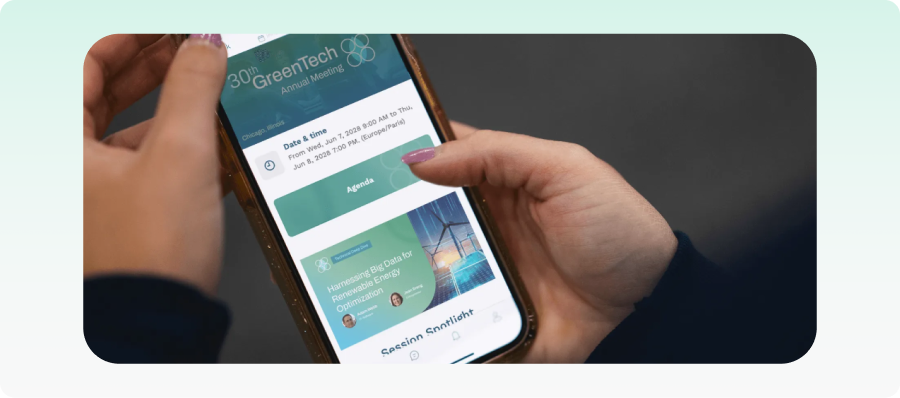
11. Swapcard
Swapcard is an AI-powered conference engagement app designed to improve networking and exhibitor engagement. This platform uses intelligent matchmaking to connect attendees and exhibitors based on their interests. As such, its networking capabilities are strong, but the branding options are limited for teams seeking more design flexibility.
Key features
- AI-powered matchmaking: Recommends attendees, exhibitors, and sessions based on user behavior and interests.
- Networking tools: Supports direct messaging, meeting scheduling, and attendee connections.
- Offline accessibility: Provides offline access to cached schedules, attendee profiles, and saved event information within the app.
- Exhibitor management: Help sponsors and exhibitors capture leads and measure engagement.
- Mobile event app: Build a conference app that offers personalized schedules, session reminders, and real-time event updates.
Pricing
Swapcard offers various pricing options based on event size, app requirements, and feature needs:
- Event engagement platform: From $610/year, depending on attendee volume and upgrades.
- Registration & management platform: Custom pricing depending on tech requirements and support level.
Pros
- Strong AI networking recommendations
- Straightforward interface for attendees
- Excellent exhibitor and sponsor tools
- Good hybrid event functionality
- Highly rated for networking and engagement
Cons
- Advanced customization can be limited
- Some users report clutter during very large events
12. Brella
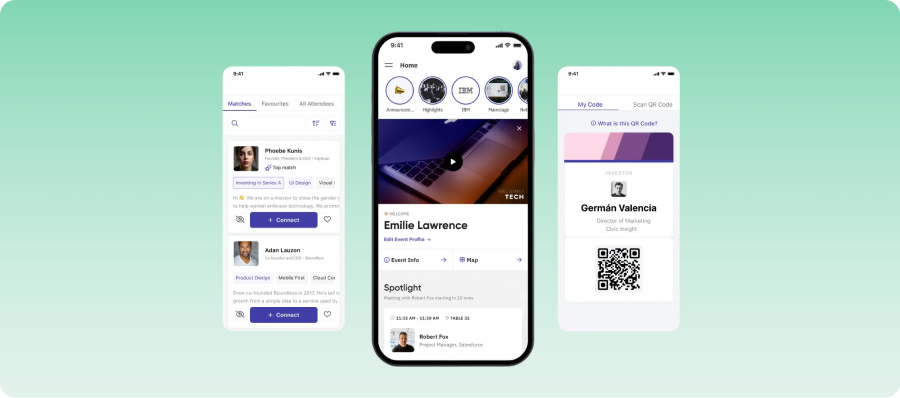
Brella is a networking-focused conference planning software. It uses AI-powered matchmaking to help attendees create meaningful business connections. Brella also features a robust scheduling engine, making it ideal for large conferences that need schedule tracking. However, it has less depth in areas like registration and analytics.
Key features
- Intelligent matchmaking: Connects attendees based on shared interests and business goals using AI.
- Meeting scheduling: Allows attendees to book one-on-one meetings directly within the app.
- Hybrid networking support: Supports both virtual and in-person networking experiences.
- Offline access: Allows attendees to access previously loaded meeting schedules and attendee profiles even when offline.
- Communication tools: Access communication media, including messaging and attendee interaction features for effective event marketing.
Pricing
Brella offers custom pricing depending on event size and networking requirements.
Pros
- Excellent networking and matchmaking experience
- Easy meeting scheduling functionality
- Simple and intuitive interface
- Strong attendee engagement features
- Fast setup process for organizers
Cons
- Less comprehensive for full-scale event management
- Pricing requires direct consultation
13. Grip
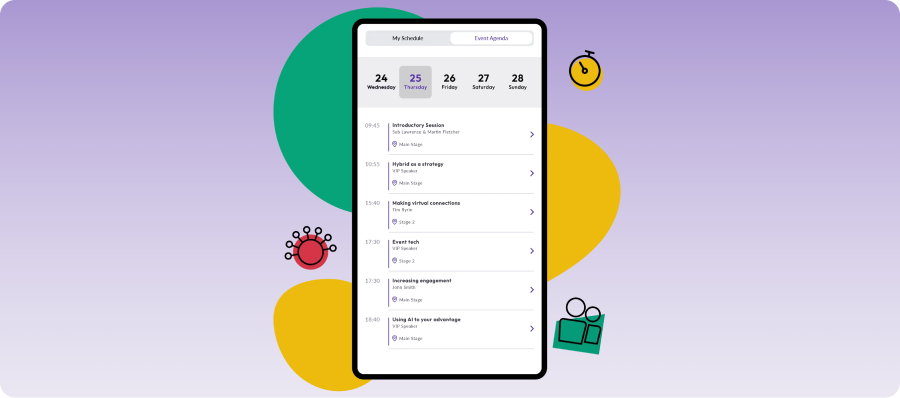
Grip is an AI-driven networking and engagement platform built for exhibitions and large conferences. Its intelligent matchmaking and lead capture tools make it especially useful to large conference organizers. The interface, however, can feel unintuitive, and integrations with external tools require additional effort to set up smoothly.
Key features
- AI-powered matchmaking: Suggests relevant attendees, exhibitors, and buyers.
- Hosted buyer management: Supports structured meetings between buyers and exhibitors.
- Lead capture tools: Helps exhibitors collect and manage leads efficiently.
- Networking recommendations: Encourages high-value business connections during events.
- Mobile app support: Provides attendees with schedules, networking, and event information.
- Analytics and reporting: Tracks networking performance, exhibitor engagement, and event ROI.
- Offline access: Supports offline viewing for saved schedules, attendee information, and networking data during internet interruptions.
Pricing
Grip uses custom enterprise pricing based on event requirements and attendee size.
Pros
- Strong AI-powered matchmaking
- Built for large exhibitions and hosted buyer programs
- Useful exhibitor and sponsor engagement tools
- Strong networking analytics
- Good fit for business-focused conferences and expos
Cons
- Pricing is enterprise-led and not publicly transparent
- Limited customization options
14. PheedLoop
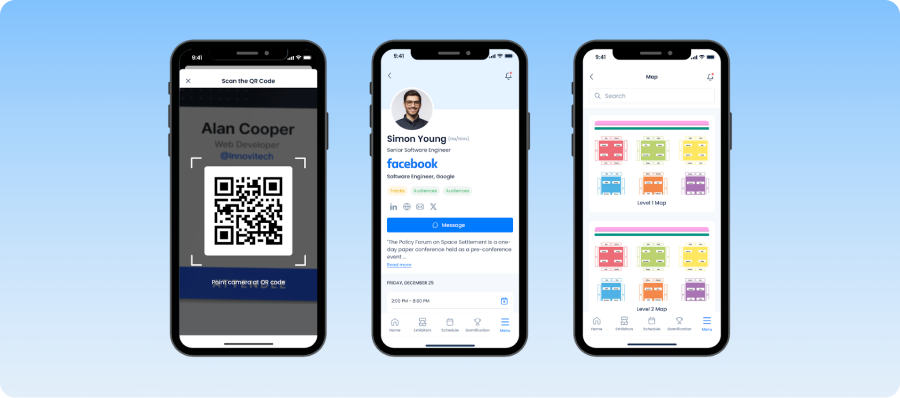
PheedLoop is an all-in-one conference management platform designed for academic conferences and university events. It combines event registration, app building, abstract management, and attendee management tools into one system, which can be a hassle to navigate due to its complexity.
Key features
- Abstract and speaker management: Supports paper submissions, reviews, and speaker coordination.
- Conference registration: Handles ticketing, registration, and attendee management.
- Hybrid and virtual event tools: Supports livestreaming, virtual sessions, and hybrid experiences.
- Mobile conference app: Provides schedules, networking, and attendee communication tools.
- On-site check-in and badge printing: Simplifies conference registration and entry management.
- Offline event access: Attendees can access conference schedules, speaker information, and session details without relying entirely on Wi-Fi.
Pricing
PheedLoop offers various plans depending on your needs:
- Events management software plans: Start at $950 per event, depending on audience size and added features.
- On-site services: Start at $2 plus the basic costs, depending on audience size.
- Live event support: Start at $450.
Pros
- Excellent abstract management capabilities
- Comprehensive conference management tools
- Highly customizable platform
- Suitable for both virtual and in-person conferences
- Perfect for academic conferences
Cons
- Initial setup can feel complex
- Some advanced tools require additional modules
15. CrowdComms
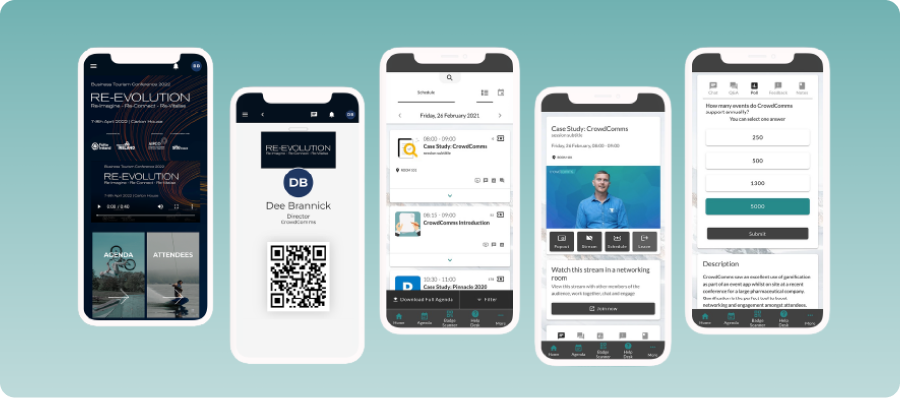
CrowdComms is a conference registration software where organizers can build branded mobile event apps, boost attendee engagement, and track hybrid conference experiences with communication tools. This makes it a strong option for enterprise conferences and association meetings, but its advanced features may require extra costs for setup.
Key features
- Branded event apps: Create customized mobile apps for your conferences and meetings.
- Live engagement tools: Supports engagement tools, like polls, Q&A sessions, and surveys.
- Session management: Organize agendas, speaker information, and session updates from one platform.
- Offline access: Allows attendees to view agendas, maps, and speaker profiles offline for easier conference navigation.
- Hybrid event support: Features support virtual, in-person, and hybrid event experiences.
Pricing
CrowdComms offers custom pricing based on event size, app requirements, and feature needs.
Pros
- Strong branded mobile app experience
- Good attendee communication features
- Reliable support for hybrid conferences
- Flexible customization options
- Simple attendee interface that is easy to navigate
Cons
- Pricing is not publicly transparent
- Some advanced features may require additional setup
How to choose the best mobile app for events and conferences
With so many options to choose from, selecting the best conference planning app can be difficult. Here’s a guide on which platforms to choose depending on your needs:
- Consider ease of use: A conference app should be intuitive for both organizers and attendees. Event teams should be able to manage schedules, speakers, communications, and content without a steep learning curve, while attendees should be able to navigate the event, access information, and engage with confidence.
- Look out for seamless agenda and session management: Your event app should make it easy to manage complex schedules, communicate last-minute changes, and allow attendees to build personalized agendas. Real-time updates help ensure attendees never miss important sessions or announcements.
- Evaluate check-in process and on-site experience: Look for tools that support fast registration, QR-based check-ins, offline access, and real-time attendee tracking. At conferences, long queues or system delays can tire our attendees quickly, thus disrupting their experience.
- Compare pricing options: Pricing varies across conference apps, from per-event and per-attendee fees to annual subscriptions or custom enterprise plans. Always look out for platforms that fit your budget and offer enough tools to streamline your event management process.
- Check analytics and post-event insights: Good platforms help you run successful events and understand them too. It’s important to prioritize tools that track session attendance, engagement levels, networking activity, and feedback so that you can improve future conferences.
- Assess hybrid event support: If you are running both in-person and virtual audiences, you need a true hybrid conference platform. Look for tools that keep both audiences equally engaged, regardless of the format.
Overall, the best conference management software is the one that fits your specific use case at the most accessible price.
Choose the right mobile app for your next conference
We've shown you a variety of mobile apps for conferences and events, each offering unique features to enhance attendee engagement, streamline logistics, and improve overall event success. From customizable apps to real-time analytics, these tools offer key solutions. However, EventsAir stands out by providing an all-in-one, seamless experience for in-person, virtual, and hybrid events.
EventsAir offers a fully branded mobile app with advanced features like live engagement, networking tools, and real-time event updates, all tailored to your specific event needs.
Want to learn more? Reach out to us today and schedule a demo!
Frequently asked questions
1. What should organizers look for in an event app?
The best event apps combine attendee engagement, event management, and communication tools in a single platform. Key features to look for include personalized agendas, speaker and session management, networking capabilities, live polling and Q&A, push notifications, analytics, and offline access.
It's also important to choose an app that automatically syncs with your event management platform. This ensures schedule changes, speaker updates, exhibitor information, and attendee data are updated in real time without requiring organizers to make changes in multiple systems.
For larger conferences, associations, and academic events, scalability, security, and integration capabilities should also be key considerations.
2. How much do mobile event apps typically cost?
Pricing varies considerably across the market. Some tools start with per-event pricing, while others use annual subscriptions or custom enterprise plans. Before picking a tool, assess what is included at each price point so you are not caught out by hidden fees or missing features later.
3. Do mobile conference apps work offline?
Many modern conference apps offer offline functionality, allowing attendees to access schedules, speaker profiles, venue maps, session details, and saved content without an internet connection.
Offline access can be particularly valuable at large conferences where Wi-Fi networks may become congested or unreliable, helping attendees stay informed throughout the event.
4. Can I manage hybrid events with a mobile conference app?
Yes. Many event apps support hybrid events by providing a shared experience for both in-person and virtual attendees. Features may include live streaming, on-demand content, networking, attendee engagement tools, and real-time event updates.
The best hybrid event apps help ensure all attendees can participate and stay connected regardless of how they attend.
5. How do conference apps protect attendee data?
Reputable options use secure logins, encrypted storage, permission-based access controls, and compliance with regulations such as GDPR. Academic, medical, and enterprise events should treat these measures as a baseline requirement, not an optional extra.
See EventsAir in action
Discover why 12,000+ event professionals trust EventsAir to deliver effortless events, every time.


Ready to transform event chaos into clarity?
With EventsAir, you’ll move from chasing logistics to creating unforgettable moments. Plan faster, act with confidence, and deliver exceptional events. Discover what’s possible with a personalized demo today.