

Virtual Events Checklist: Everything You Need to Plan, Run, and Measure a Successful Online Event

Running a virtual event without a checklist is like navigating an unfamiliar city without a map. You might get there, but you'll miss turns, waste time, and arrive frazzled.
A well-structured virtual events checklist changes that. It gives your team a shared source of truth, keeps every stakeholder aligned, and ensures the experience your attendees receive matches the one you planned. Whether you're hosting a 200-person webinar or a 5,000-delegate international conference, the fundamentals don't change. Only the scale does.
This guide breaks down exactly what your virtual events checklist needs to cover, from setting objectives to post-event analysis, with practical guidance at every step.
What is a virtual events checklist?
A virtual events checklist is a structured planning document that covers every stage of the virtual event lifecycle, from defining goals and selecting a platform through to day-of execution and post-event evaluation.
Unlike a generic task list, an effective virtual events checklist is organized by phase and tied to measurable outcomes. It helps event planners anticipate problems before they happen, align teams across functions, and deliver consistent, high-quality attendee experiences regardless of event size or format.
Why does a virtual events checklist matter?
Virtual events introduce a distinct set of risks that in-person events don't face: platform failures, connectivity issues, attendee drop-off, and the challenge of sustaining engagement through a screen. A checklist doesn't eliminate these risks, but it dramatically reduces them.
Here's what a well-used checklist delivers:
- Fewer surprises on event day. Proactively identifying technical dependencies, speaker requirements, and audience needs means fewer last-minute fires.
- Stronger attendee experience. When logistics are managed systematically, your team can focus on what actually matters: delivering value to attendees.
- Clearer accountability. Each checklist item carries an owner and a deadline, reducing ambiguity across large planning teams.
- Measurable outcomes. Post-event items ensure you capture data while it's fresh, enabling smarter decisions for the next event.
- Scalability. A documented checklist becomes a repeatable template your team refines over time, compounding efficiency across every event you run.
According to our State of Events report, event professionals are now spending between $10k–$30k anually on their event management software. The most successful teams are those treating planning as a systematic, data-driven process rather than an ad hoc one.
The complete virtual events checklist
Phase 1: Strategy and objectives
Every strong virtual event starts with clarity on goals, audience, and success metrics. Without this foundation, even technically flawless events can fail to deliver meaningful outcomes.
Define your event goals:
- What does success look like? Consider leads generated, registrations achieved, net promoter score, revenue, and session engagement rate.
- Are you hosting a flagship annual conference, a lead-nurture webinar, or a member education series? The format should follow the function.
- Set SMART goals (Specific, Measurable, Achievable, Relevant, Time-bound) and share them with every stakeholder before planning begins.
Define your audience:
- Who is attending, and what do they need to get out of this event?
- Build one or two attendee personas capturing job role, industry, pain points, and engagement preferences.
- Identify any accessibility requirements early. Live captions, translation, and screen reader compatibility all need to be built into your platform and content plan from the start.
Set your KPIs:
- Map each goal to a trackable metric.
- Common virtual event KPIs include registration conversion rate, live attendance rate, session engagement (poll participation, Q&A volume), satisfaction score (NPS or CSAT), and post-event survey completion rate.
Phase 2: Platform selection and configuration
Your virtual event platform is the venue. Choosing the wrong one has cascading effects on every other element of your checklist.
Evaluate platforms against your event requirements:
- Does it support the format you need: live streaming, on-demand, hybrid, or a combination?
- Can it scale to your expected attendee volume without degrading performance?
- Does it offer the engagement tools your audience expects, including live polling, Q&A, networking, and gamification?
- Is it accessible, with WCAG 2.1 compliance, captioning, and translation options?
Assess integration depth:
Your event platform shouldn't sit in isolation. Evaluate how well it connects with your CRM, AMS (if you're an association), marketing automation tools, and payment gateways. Disconnected systems create manual reconciliation work and data gaps that undermine your post-event analysis.
EventsAir's Open API and pre-built Smart Connectors integrate with major CRM platforms (HubSpot, Salesforce, Microsoft Dynamics 365), AMS systems (Membes, iMIS, WildApricot), and accounting tools (Xero, MYOB, QuickBooks), so your event data flows directly into the systems your team already uses.
Configure your platform:
- Set up registration paths with conditional logic for different attendee types (members, non-members, speakers, sponsors)
- Brand all touchpoints: registration pages, confirmation emails, event app, and session pages
- Enable and test payment processing
- Configure the agenda, session scheduling, and speaker portals
Run a technical rehearsal:
Before any attendee sees your event, run a full end-to-end rehearsal. Test every registration type, every integration, and every engagement tool. Include your speakers. Identify and resolve issues while you still have time to fix them.
Phase 3: Content and speaker management
Content quality is the single most important driver of virtual event success. In EventsAir's 2026 industry report, 78% of event professionals identified content quality as the top factor in event outcomes.
Build your program:
- Curate speakers whose expertise directly addresses your audience's needs
- Balance session formats across keynotes, panels, workshops, and live Q&As to sustain attention throughout the event
- Schedule with intention: place high-value sessions at peak attendance times and avoid front-loading all your best content
Manage speakers systematically:
- Use a dedicated speaker portal to centralize bio submissions, headshot uploads, presentation files, and AV requirements
- Brief speakers on platform mechanics: how to share screens, how the Q&A tool works, and what happens if their audio drops
- Set clear deadlines for asset submission and communicate them early
Optimize content for virtual delivery:
- Shorter sessions (20 to 40 minutes) with interactive breaks outperform long-form presentations in virtual formats
- Build in live polls, Q&As, and audience challenges throughout each session, not just at the end
- Pre-record backup versions of critical sessions in case of technical issues on the day
- Ensure both your internal team and external speakers are equipped with the latest virtual presentation skills to keep your audience engaged and entertained
Phase 4: Tech stack and integrations
A virtual event typically involves just as much technology as an in-person event. Getting your stack integrated and tested before event day is non-negotiable.
This is where the case for an all-in-one platform becomes most tangible. When registration, communications, the event app, engagement tools, and reporting all live in the same system, there's no data mapping to maintain, no sync errors to chase, and no gaps in your attendee record.
Event management platforms like EventsAir are built with this in mind, consolidating your core tech into a single environment so your team spends less time managing tools and more time managing the event.
But, if you’re still juggling multiple virtual tools, this is what you need to consider.
Core tech to configure and test:
- Event registration and payment processing
- Email marketing and automated communications (confirmations, reminders, day-of instructions)
- Event app or attendee portal
- Streaming and broadcast tools
- Networking and matchmaking functionality
- Lead capture (for sponsors and exhibitors)
- Analytics and reporting dashboards
Integration checklist:
- CRM sync: are registrations flowing into your CRM with the right fields mapped?
- Finance reconciliation: is payment data matching your accounting system?
- Marketing automation: are post-registration sequences triggering correctly?
- AMS integration (if applicable): are member records being updated, and are CPD/CE points being logged automatically on session attendance?
Cybersecurity and access controls:
- Enable attendee authentication for gated content
- Set session-level access controls where required, such as VIP sessions and sponsor exclusive master classes
- Confirm data handling is GDPR and regional privacy compliant
- Ensure your platform stores payment data under PCI-DSS Level 1 compliance
Phase 5: Marketing and attendee communications
Registration numbers don't manage themselves. A structured communications plan aligned to your event timeline is essential for driving attendance and managing expectations.
Build your communications calendar:
- Save the date (as soon as the event is confirmed)
- Registration open announcement
- Speaker and agenda announcements, dripped out to sustain interest
- Early-bird deadline reminder
- Two-week countdown email
- One-week reminder with practical joining instructions
- Day-before and day-of reminders
Segment your communications:
Different attendee types need different information. First-time attendees need more onboarding context. VIPs and speakers need dedicated briefing communications. Sponsors and exhibitors need deliverable timelines and lead capture instructions.
EventsAir's email marketing tools support segmented campaign sequences with deep filtering, so each group receives relevant, timely communications without manual list management.
Optimize for conversion:
- Pay close attention to subject lines: keep them specific, benefit-led, and free of generic event-marketing phrasing
- Include social proof: speaker names, session topics, and testimonials from past events
- Make registration frictionless with fewer form fields, one-click return links for incomplete registrations, and mobile-optimized pages
Phase 6: Stakeholder and sponsor management
Sponsors, exhibitors, and internal stakeholders each have their own requirements. Managing these proactively prevents last-minute requests from derailing your event day. But it also ensures that everyone gets the most out of your virtual event platform and sets expectations to maximize ROI.
For sponsors and exhibitors:
- Define and document deliverables clearly in the sponsorship agreement
- Give sponsors access to self-service portals to manage their own branding assets, registrations, and lead capture setup
- Brief sponsors on how to use lead capture tools during the event
- Schedule pre-event sponsor briefings to walk through the platform and set expectations
For internal teams:
- Assign clear ownership for every checklist item
- Hold regular planning syncs in the weeks leading up to the event
- Conduct a final run-of-show review 48 to 72 hours before go-live
Phase 7: Event day execution
By event day, your checklist should be mostly complete. What remains is a structured run-of-show that gives your team clear cues and escalation paths.
Before go-live:
- Final tech check: streaming platform, audio, video, and slide sharing
- Speaker green room check-ins and audio/video confirmation
- Confirm all sessions are correctly scheduled and accessible
- Brief moderators and support staff on their roles
- Test attendee registration and access flow end-to-end
During the event:
- Monitor session attendance and engagement metrics in real time
- Keep a dedicated technical support channel open for speakers and staff
- Track live poll and Q&A participation, as low engagement is a signal to intervene
- Document any issues as they occur for the post-event debrief
Post-session:
- Session feedback surveys can be triggered automatically in EventsAir, so attendee responses are captured immediately while the content is fresh. For a more in-depth read on overall event sentiment, consider sending a longer-form event survey once the full program has wrapped.
- Push on-demand recordings to attendees who missed sessions
- Deliver sponsor lead data within 24 hours of the event close
Phase 8: Post-event analysis
The most overlooked phase of any virtual event checklist is what happens after the event closes. Post-event analysis is where the data you collected becomes decisions that improve your next event.
Collect and consolidate your data:
- Attendance vs. registration rate, both overall and by session
- Live engagement metrics: poll participation, Q&A volume, and session satisfaction ratings
- NPS or CSAT scores from post-event surveys
- Sponsor and exhibitor lead capture numbers
- Financial summary: revenue vs. budget, and overall ROI
Conduct your debrief:
Bring your core team together as soon as possible after the event for a full event debrief. Focus on three questions:
- What worked well and should be repeated?
- What didn't work and why?
- What would we do differently next time?
Document findings formally. A debrief that isn't documented doesn't improve future events. It just produces a useful conversation that disappears.
Distribute post-event communications:
- Thank-you emails with access links to on-demand content
- Post-event survey (if not already sent during the event)
- Sponsor and exhibitor ROI reports
- Key highlights for internal stakeholders and boards
EventsAir's reporting suite gives organizers access to 150+ purpose-built reports across registrations, engagement, financials, and survey data. Custom dashboards and powerful report filters mean you can build your board report or sponsor summary once and reuse it for every event.
How EventsAir supports every stage of your virtual events checklist
A checklist is only as effective as the platform behind it. EventsAir's all-in-one event management platform is designed to cover every phase outlined above, without requiring a fragmented stack of disconnected tools.
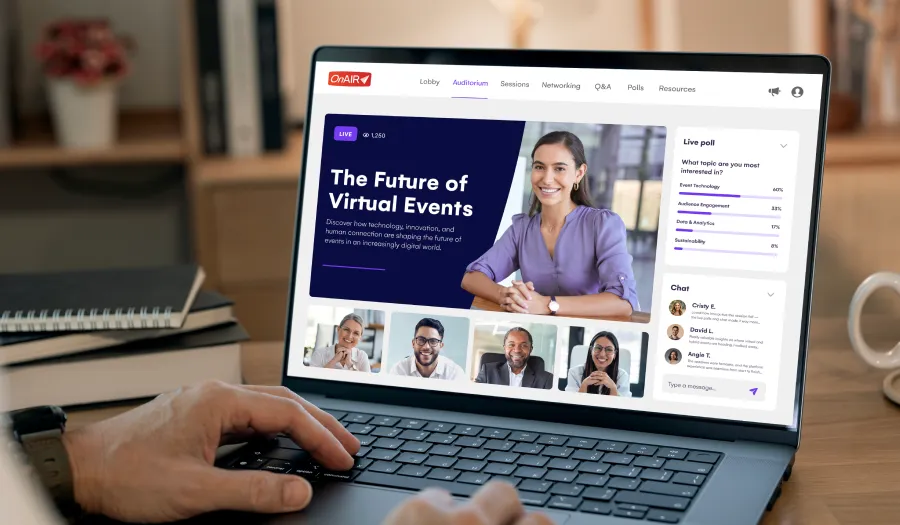
The OnAIR virtual event platform provides a fully branded, customizable environment for virtual and hybrid events, including live and pre-recorded session delivery, 3D virtual lobbies, virtual exhibition halls, networking groups, and an interactive Meeting Hub. Built-in broadcast production tools through AIRCast Studio let you manage vision switching, lower-third graphics, and breakout rooms directly within the platform, removing the need for a separate production vendor.
Key capabilities that support your virtual events checklist include:
- Dynamic registration: Conditional-logic registration flows with member verification, promo codes, and abandoned-cart recovery
- Attendee App: Fully white-labeled, with personalized schedules, live polls, gamification, and QR networking, included at no additional cost that can be easily run in parallel to your virtual event portal
- AI Content Assistant: Generates on-brand event communications tailored to audience, format, and event stage
- Engagement tools: Live polling, Q&A, EventStream social feed, and gamification with goals and badges
- Smart Connectors: Pre-built, no-code integrations with CRM, AMS, accounting, and marketing tools
- Analytics and reporting: 150+ reports, real-time dashboards, and secure stakeholder sharing links
The Academy of International Business used OnAIR to host over 50 sessions at their virtual annual congress, achieving a record 1,255 delegates. It's a strong example of what the right platform makes possible when virtual event planning is executed well.
Ready to plan your next virtual event?
A thorough checklist is the foundation. The right platform is what makes executing it effortless.
EventsAir brings every phase of your virtual events checklist into a single, unified platform, from registration and marketing to day-of engagement and post-event reporting. With a full suite of virtual and hybrid tools included as standard, it's built for event professionals who need to deliver complex, high-quality events at scale.
Request a demo to see how EventsAir supports every stage of your virtual event planning process.
Frequently asked questions about virtual events checklists
What should be included in a virtual events checklist?
A complete virtual events checklist covers eight phases: strategy and objectives, platform selection, content and speaker management, tech stack integration, marketing and communications, stakeholder management, event day execution, and post-event analysis. Each phase should include specific tasks, owners, and deadlines.
How early should I start working through a virtual event checklist?
It depends on the size and complexity of your event, but starting earlier than you think you need to is rarely a mistake. Platform configuration, speaker management, sponsor deliverables, and marketing all run in parallel and all require meaningful lead time.
For large-scale events, many of these workstreams kick off simultaneously from the moment the event is confirmed – think anywhere between 6 weeks to 6 months out depending on complexity and scale.
What is the most common mistake in virtual event planning?
Underinvesting in technical rehearsals and platform testing. Many planners focus heavily on content and marketing but neglect to run end-to-end technical dry runs with speakers before event day, which is where most day-of issues originate.
How do I measure the success of a virtual event?
Measure against the event KPIs you defined at the start of planning. Common metrics include registration-to-attendance conversion rate, live session engagement (polls, Q&A), attendee satisfaction (NPS/CSAT), session completion rates, and financial ROI. Post-event surveys and analytics dashboards are essential for capturing this data accurately.
What platform features matter most for virtual event success?
Look for reliable streaming infrastructure, native engagement tools (polling, Q&A, gamification), a white-labeled attendee app, networking functionality, integration with your existing CRM or AMS, and robust post-event reporting.
The best platforms deliver all of this under one roof, eliminating the data fragmentation that comes with managing multiple point solutions.
See EventsAir in action
Discover why 12,000+ event professionals trust EventsAir to deliver effortless events, every time.





Ready to transform event chaos into clarity?
With EventsAir, you’ll move from chasing logistics to creating unforgettable moments. Plan faster, act with confidence, and deliver exceptional events. Discover what’s possible with a personalized demo today.