

EventsAir and Mailchimp Integration
Real-time event data, ready for marketing
The EventsAir + Mailchimp Smart Connector syncs attendee data instantly, so you can personalize campaigns, automate follow-ups, and stay ahead of your next event.

Maximize marketing impact with a seamless MailChimp integration
The EventsAir + Mailchimp Smart Connector keeps your email lists accurate and always in sync. As soon as someone registers, their data flows into Mailchimp, giving your campaigns better data and your team less manual work.
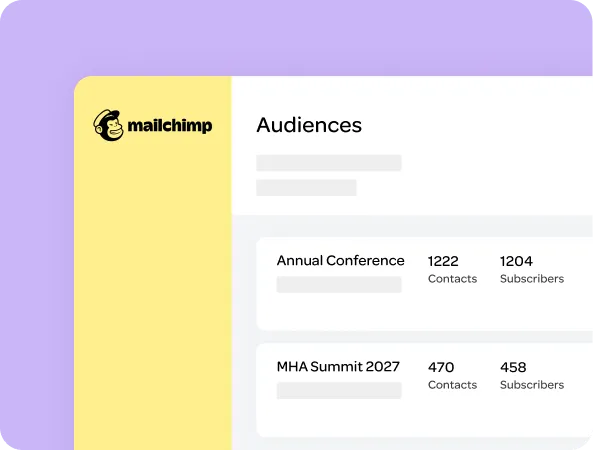
One source of truth for event marketing data
Stop exporting spreadsheets and managing lists by hand. The Smart Connector sends attendee data directly to a matching Mailchimp Audience the moment someone registers.

Smarter, faster campaigns
Segment and personalize campaigns using live event data – including registration type and attendance status – so you can tailor messages with confidence and maximize the value of your marketing.
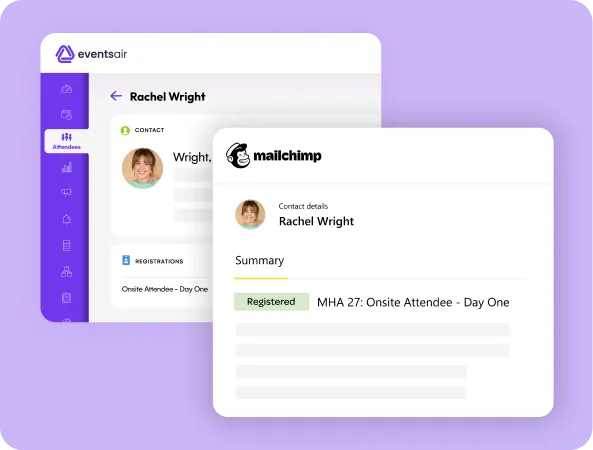
Eliminate manual tasks and errors
The Smart Connector automatically creates or updates Audience Members, maps custom fields, and flags any errors back into EventsAir for easy resolution and saving hours of admin time.
Best-in-class integrations, built for serious event teams
Our Smart Connector integrations are designed to go further. They’re stable, secure, and continuously evolving, built to support complex event needs and deliver long-term value without the heavy lift.
No-code setup, fast onboarding
Smart Connectors are easy to activate, with no custom development required. Setup is clear, quick, and designed to get your team up and running fast.
Fully managed, monitored, and supported
Each Smart Connector is maintained by EventsAir, complete with continuous monitoring, security oversight, and expert support. You’ll always have a reliable, high-performing connection you can trust.
Always improving, always up to date
Your Smart Connector evolves alongside the EventsAir platform. We regularly add new use cases, apply upgrades, and enhance capabilities, so you always have access to the most powerful and future-ready solution.
FAQs: Mailchimp + EventsAir integration
The EventsAir and Mailchimp Smart Connector is a pre-built integration that syncs attendee and registration data from EventsAir into Mailchimp. It ensures your audience lists reflect the most current event activity — with no manual updates or CSV uploads required.
The integration syncs attendee contact information (name, email), registration details (event name, registration type, status), attendance (checked-in), and opt-in preferences into your Mailchimp Audience. You can also map custom fields based on your setup.
Yes. If someone registers in EventsAir and doesn’t already exist in the connected Mailchimp Audience, the Smart Connector will automatically create a new Audience Member with their event and contact data.
Absolutely. If an attendee’s details change, or they cancel or check in, those updates are automatically pushed to Mailchimp — ensuring your audience list stays accurate and campaign-ready.
No development is needed. The Smart Connector is a pre-built, fully managed solution by EventsAir. Once you provide a few Mailchimp credentials and settings, our team will configure and maintain the integration for you.
Yes. EventsAir Smart Connectors include built-in encryption, 24/7 monitoring, and are fully managed by our team. You can trust your data is syncing securely and accurately at all times.
Connect and sync your event tech stack
EventsAir integrates seamlessly with your broader tech stack, connecting to CRMs, finance tools, marketing platforms, and more.
From plug-and-play Smart Connectors to custom API solutions, EventsAir is designed to work with the systems you already trust — so your data flows, your teams stay aligned, and your events stay connected from start to finish.


Current customers
Contact our team today to get started on your event integrations journey.
New to EventsAir?
Learn how our powerful integrations will simplify your event management and transform your event tech stack today.